
Google Now Launcher, a streamlined Android launcher, aimed to provide a more integrated and efficient Google experience. Released for Android devices running OS 4.1 and higher, it offered a unique blend of stock Android functionality with tighter Google Now integration, making it a compelling alternative to other launchers available at the time. This in-depth analysis explores its features, strengths, weaknesses, and its place in the broader context of Android customization.
What is Google Now Launcher and What Did it Offer?
Google Now Launcher wasn’t just another launcher; it was a gateway to a more deeply integrated Google ecosystem on Android. While launchers like Nova and GO Launcher provided extensive customization options, Google Now Launcher focused on delivering a simplified, efficient experience centered around Google’s services. Its primary goal was to make accessing Google Now, Google’s contextual assistant, faster and more intuitive. The launcher achieved this by placing Google Now just a swipe away from the home screen, providing immediate access to personalized information cards showcasing weather updates, traffic conditions, upcoming appointments, news articles tailored to your interests, and much more.
The launcher significantly altered the user interface (UI) compared to stock Android. While it retained the essence of the stock Android experience, it introduced subtle yet impactful changes. The most noticeable change was the simplification of the home screen layout. Instead of the typical five-screen setup common in many Android launchers, Google Now Launcher adopted a three-screen approach, although users could add more screens if desired. The app icons were slightly larger and more spaced out in the app drawer, which, while visually appealing, could lead to more screen flipping for users with numerous installed apps.
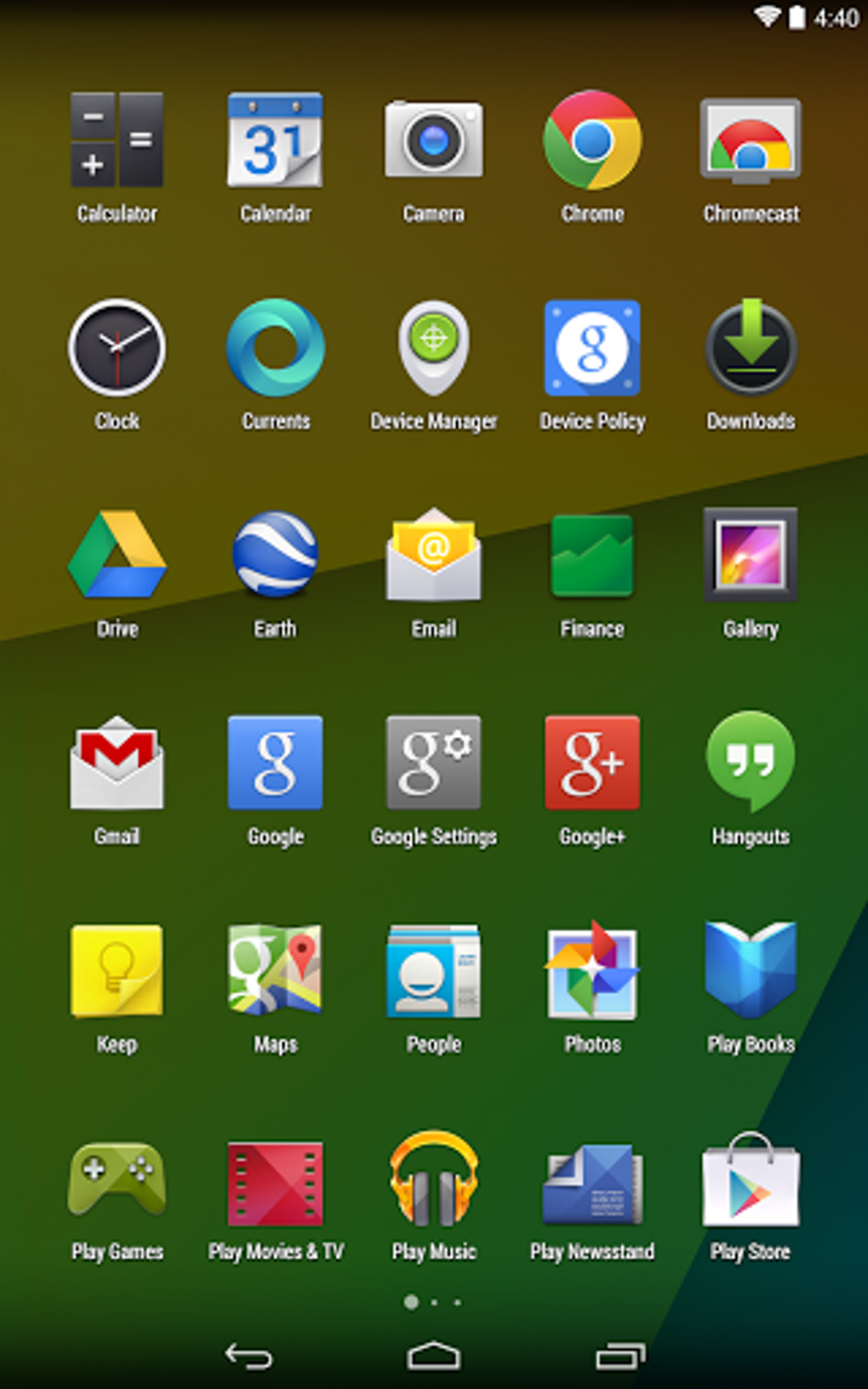
Beyond the UI adjustments, Google Now Launcher integrated “always-on” access to Google’s voice search functionality. Users could activate voice search simply by saying “OK Google,” provided their device was unlocked and they were on the home screen. This feature enhanced the launcher’s efficiency, allowing users to quickly perform searches, set reminders, send messages, and complete other tasks using voice commands. This integration was a significant step forward in making voice interactions a more seamless part of the daily Android experience.
Installation and Customization Options
Installing Google Now Launcher was straightforward, aligning with the typical Android launcher installation process. Users simply downloaded the app from the Google Play Store and then navigated to the “Home” settings within their Android settings menu. From there, selecting Google Now Launcher as the default launcher completed the installation.
However, unlike many other Android launchers that boasted extensive customization options, Google Now Launcher offered a more limited customization experience. The settings menu was relatively minimalistic, lacking the extensive theme support and widget customization found in popular alternatives. This lean approach was a design choice; Google aimed for a clean, uncluttered experience over extensive configurability.
Despite the limited customization settings, users could still access widgets, wallpapers, and further settings through a long-press on the home screen. This method provided a quick and intuitive way to personalize the launcher to some extent, even without extensive menu-based options. The focus was on ease of use and efficient access to core functionalities, prioritizing simplicity over extensive granular control.
Strengths and Weaknesses of Google Now Launcher
Google Now Launcher’s strengths centered around its seamless integration with Google Now and its focus on a clean, efficient user experience. The quick access to Google Now cards provided personalized information at a glance, making it a powerful tool for staying informed and managing daily tasks. The always-on voice search functionality was another significant advantage, streamlining interactions with Google’s services. For users who prioritized a straightforward, Google-centric experience, the launcher delivered effectively.
However, the launcher’s minimalist approach to customization proved to be a double-edged sword. While the clean aesthetic appealed to some users, others found the limited theme and widget options restrictive compared to more feature-rich launchers. The lack of extensive customization meant users had fewer options to personalize the launcher’s appearance and behavior to perfectly match their preferences. This lack of flexibility was a major drawback for power users who valued granular control over their Android experience.
Google Now Launcher Compared to Other Android Launchers
Compared to other popular Android launchers of its time, Google Now Launcher occupied a distinct niche. Launchers like Nova Launcher and Action Launcher were renowned for their extensive customization capabilities, offering a wide range of themes, widgets, and gesture controls. These launchers catered to power users seeking maximum control over their home screen experience.
In contrast, Google Now Launcher prioritized simplicity and integration with Google Now. Its minimalist design and limited customization options were deliberate design choices, reflecting Google’s focus on a clean and efficient user experience. It was not intended to compete directly with feature-rich launchers but rather to provide a streamlined alternative for users who valued a tighter Google experience above extensive personalization. It was a launcher designed for a specific user profile, one that preferred ease of use and seamless access to Google services over a highly customizable environment.
Conclusion: Legacy and Impact
Google Now Launcher represented a specific approach to the Android launcher experience. It was not a replacement for heavily customizable launchers but rather a complementary option designed for users who preferred an intuitive, streamlined experience focused on Google services. While its minimalist customization options might have limited its appeal to some users, its seamless Google Now integration and simple interface resonated with others. Its legacy lies not in dominating the Android launcher market, but in demonstrating an alternative design philosophy, prioritizing simplicity and Google integration over extensive customization. The introduction of Google Now Launcher highlighted the diverse range of preferences within the Android community and the potential for different launchers to cater to specific user needs and preferences. Although it eventually faded from prominence as Google shifted its focus, it remains a notable example of a launcher designed around a specific user experience philosophy.
File Information
- License: “Free”
- Version: “0.10.1.920880”
- Latest update: “March 24, 2025”
- Platform: “Android”
- OS: “Android 13.0”
- Downloads: “217.2K”
- Download Options: “Google Play”


