
GoPro Studio, a free video editing software, was once a popular choice for users, particularly beginners, looking for a simple and accessible way to edit their videos. While no longer actively supported or updated, its legacy continues to be discussed and its features remain relevant for understanding the evolution of user-friendly video editing tools. This review delves into the capabilities and limitations of GoPro Studio, examining its strengths and weaknesses for both novice and experienced users.
User-Friendliness and Ease of Use
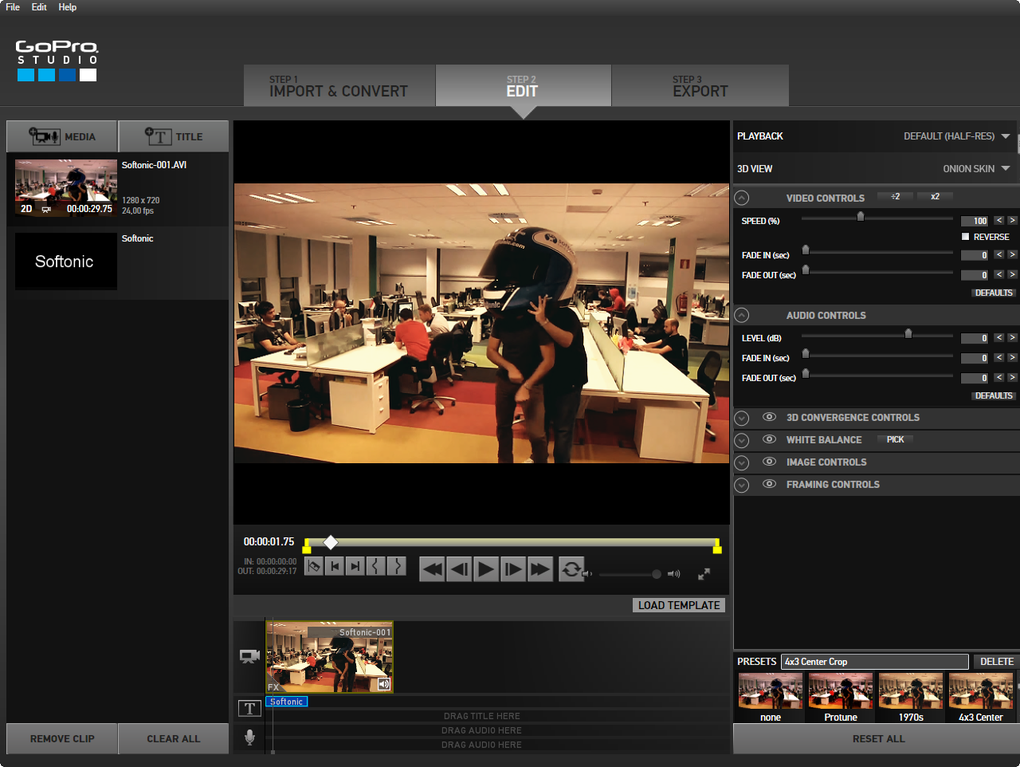
One of GoPro Studio’s most significant selling points was its intuitive and beginner-friendly interface. The software boasted a clean design, making it remarkably easy to navigate, even for those with limited video editing experience. The editing process was streamlined into three simple steps, allowing users to quickly trim, import, and export videos. This ease of use was a significant advantage, particularly compared to more complex professional editing software that often require extensive learning curves. The simplicity of GoPro Studio made it an ideal tool for learning the fundamental principles of video editing, laying a solid foundation for users who might later transition to more advanced programs. Many core concepts learned in GoPro Studio, such as trimming, adding music, and adjusting speed, are transferable to more sophisticated video editors, making it a valuable stepping stone in a user’s video editing journey.
Features and Capabilities
While simple, GoPro Studio offered a surprisingly comprehensive range of features. Importantly, it excelled at seamlessly integrating with GoPro cameras. Videos captured using a GoPro device were automatically extracted and prepared for editing, significantly accelerating the workflow. However, importing footage from other cameras required more steps and could be significantly slower, particularly with larger files. This disparity highlighted a key limitation of GoPro Studio: its performance with large video files.
GoPro Studio included several helpful templates designed around popular GoPro video styles. These templates provided pre-set edits, including transition points, slow-motion effects, and background music, accelerating the editing process and giving users a head-start on creating visually engaging videos. These pre-designed templates were particularly helpful for beginners who might lack the experience to create such effects themselves. The presence of numerous audio tracks and music options further enhanced the creative potential of the software, adding an extra layer of polish to the finished videos. The autosave feature also added a critical level of security, protecting users from data loss in case of system crashes.
GoPro Studio allowed for adjustments to both photos and videos, further enhancing its versatility. The software provided tools for basic video manipulation like trimming, adjusting speed, and adding audio. Although lacking advanced features found in professional editing suites, its core functionalities were sufficient for creating decent videos for social media platforms. The availability of presets and templates made customization relatively straightforward, even for users unfamiliar with video editing software. The software’s capability to handle multiple file sources added to its flexibility.
Limitations and Shortcomings
Despite its advantages, GoPro Studio was not without its limitations. Experienced video editors often found the software underwhelming due to the limited features available in the free version. Compared to professional tools such as Adobe Premiere Pro or Sony Vegas Pro, GoPro Studio lacked the advanced capabilities expected by professionals. This lack of advanced features included things like sophisticated color grading, keyframing, and advanced compositing techniques. The limited options, while suitable for casual users, severely restricted the creative possibilities for individuals seeking more nuanced control over their editing process.
One of the most significant drawbacks was GoPro Studio’s slow processing speed when handling large video files or lengthy projects. While the program handled GoPro footage efficiently, videos from other cameras often experienced lengthy import times. Even trimming large files took an extended time, creating a considerable workflow bottleneck. This performance issue affected the overall efficiency and usability of the software, significantly hampering productivity for those working with substantial footage. The software’s performance limitations, coupled with the lack of advanced features, ultimately constrained its usefulness for professional or high-volume video editing projects. The simple interface, while intuitive for beginners, became a limiting factor for advanced users accustomed to more complex control panels and specialized tools. The reliance on a simple slider for tasks like trimming also became tedious for longer videos. Furthermore, longer videos (exceeding five minutes) often caused the software to slow down dramatically or even crash.
Comparison to Alternative Software
GoPro Studio occupied a specific niche in the video editing market, targeting primarily beginner users. In comparison to other video editing software, its strength lay in its simplicity and accessibility. Compared to paid professional software like Adobe Premiere Pro or Final Cut Pro, GoPro Studio lacked the advanced features and processing power necessary for high-end video production. However, compared to other free video editing software, GoPro Studio offered a comparatively intuitive user experience and decent integration with GoPro cameras.
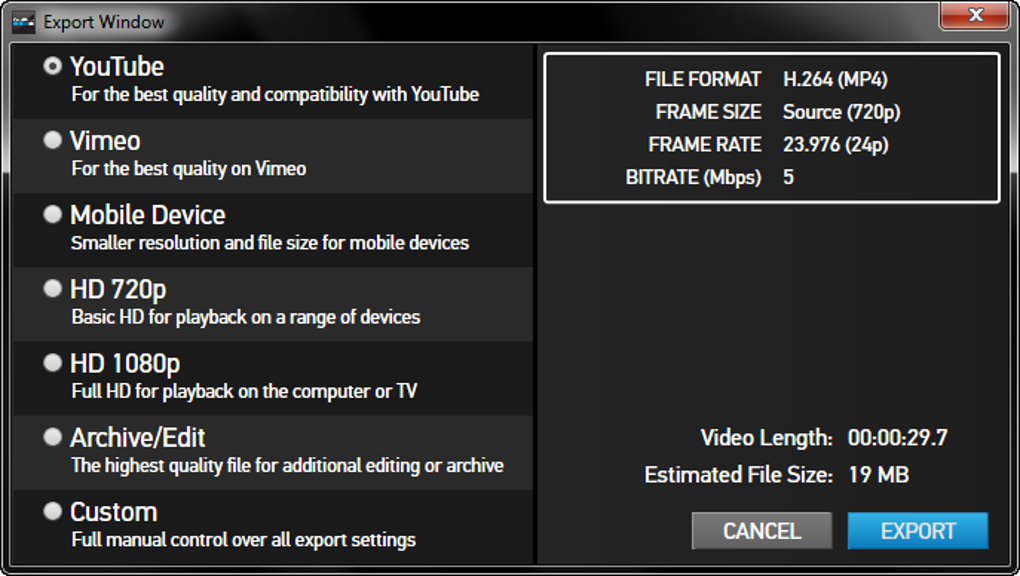
Other free alternatives might offer a wider range of features but often come at the cost of a steeper learning curve and a more complex interface. Paid alternatives provide significantly more powerful tools and processing capabilities but typically demand a subscription fee or a substantial one-time purchase. Therefore, GoPro Studio’s value proposition rested on its balance of simplicity, user-friendliness, and free availability. This made it an ideal entry point for novices, who could learn the fundamentals without any financial commitment.
Conclusion: A Suitable Tool for Beginners, But Limited for Professionals
GoPro Studio provided a valuable service during its operational lifespan. For beginners seeking a user-friendly introduction to video editing, its simple interface and streamlined workflow proved incredibly beneficial. The inclusion of templates and a range of audio options further enhanced its appeal. However, its limitations regarding large file sizes, slow processing speed, and lack of advanced features made it unsuitable for experienced users or professionals. The program’s inherent simplicity, while a strength for beginners, ultimately prevented it from competing with professional-grade video editing software.
While GoPro Studio’s discontinuation marks the end of its active development, its impact on the video editing landscape is undeniable. It served as a successful entry point for many aspiring video editors, providing an accessible and straightforward platform to learn fundamental skills. Its legacy is one of simplicity and accessibility, a valuable contribution for those just beginning their journey into the world of video editing. The simplicity and ease of use made it easy for casual users to quickly edit footage and share their videos, making video editing more accessible. However, its limitations prevented it from ever becoming a serious contender in the professional video editing arena. The limitations surrounding its handling of large files and longer video projects, along with the lack of sophisticated features, meant it was always likely to be surpassed by more robust video editing software.
File Information
- License: “Free”
- Latest update: “December 26, 2024”
- Platform: “Windows”
- OS: “Windows 7”
- Language: “English”
- Downloads: “661K”


