
GoPro cameras, renowned for their robust build and exceptional video quality, have transcended their original action-camera niche. With the advent of software like GoPro Webcam, these versatile devices now serve as surprisingly capable webcams, offering a significant upgrade to the standard built-in options on most computers. This comprehensive guide delves into the functionality, benefits, and limitations of using your GoPro as a webcam, focusing on the GoPro Webcam application for Windows.
Seamless Integration for Video Conferencing and Streaming
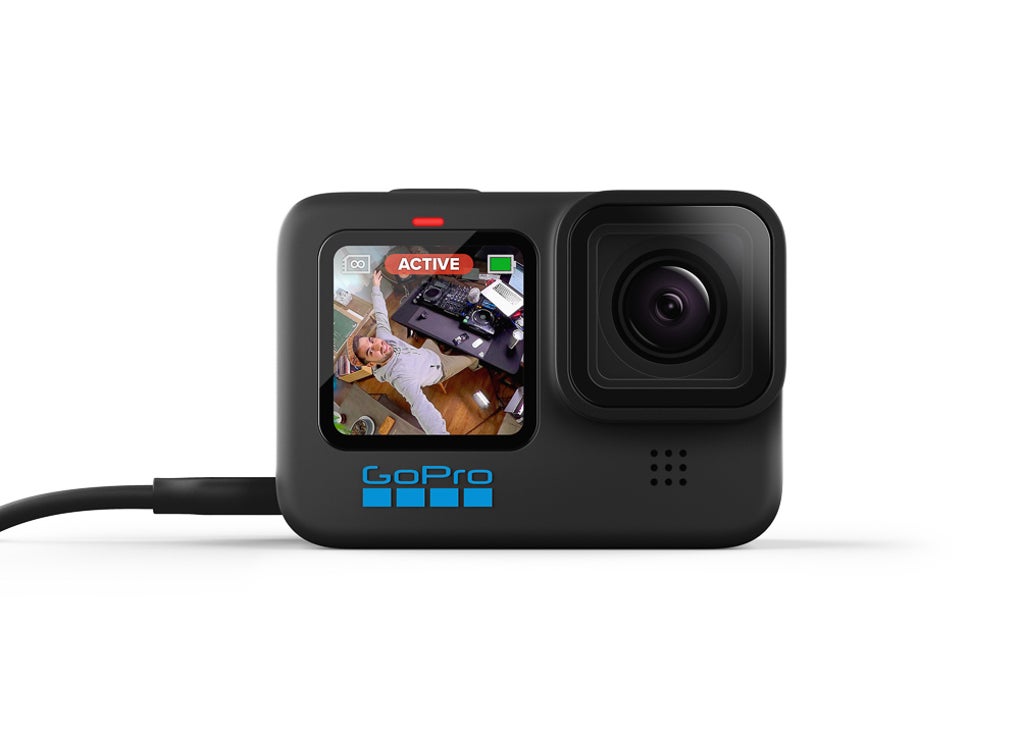
The primary function of GoPro Webcam is to bridge the gap between your GoPro Hero 8 (and potentially other compatible models, depending on software updates) and your computer, enabling it to function as a high-definition webcam. This simple yet powerful application eliminates the need for a separate webcam, streamlining your setup and offering superior video quality for a variety of applications.
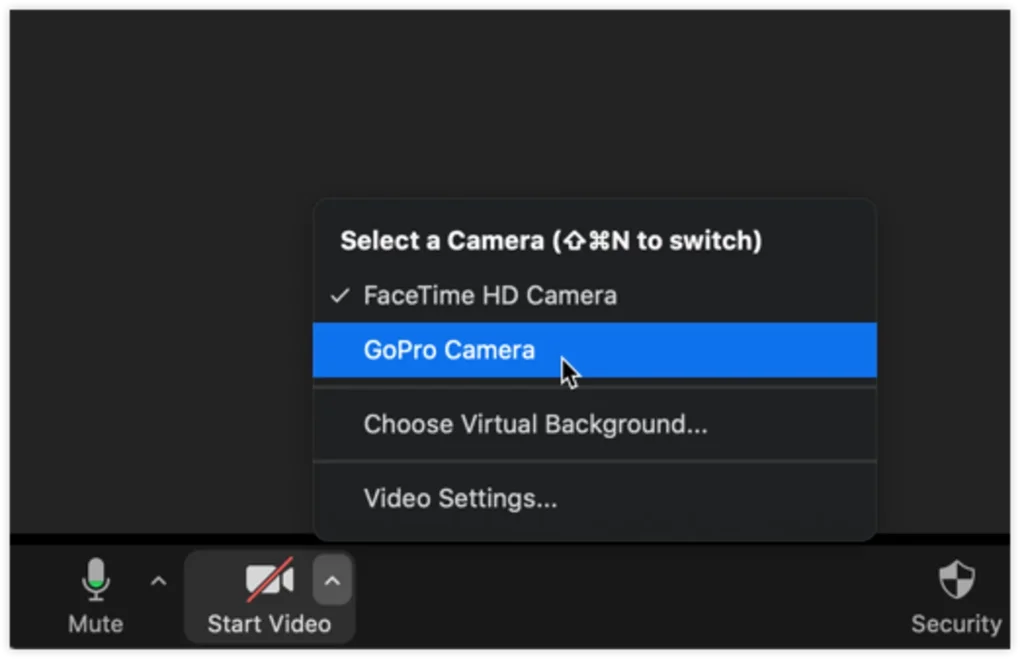
GoPro Webcam boasts compatibility with a wide array of popular video conferencing platforms. Whether you’re using Zoom, Google Meet, Microsoft Teams, WebEx, Slack, or other similar services, this application ensures smooth integration. This versatility is a crucial advantage, making it a suitable solution for both personal and professional use, adapting to various communication needs and workflows. The software’s ease of use further enhances its appeal, requiring minimal technical expertise for setup and operation. Users can quickly connect their GoPro and begin using it as a webcam with minimal configuration, a significant benefit for those unfamiliar with complex software interfaces.
Beyond video conferencing, the application’s potential extends to live streaming. For content creators who rely on high-quality visuals, using a GoPro as a webcam can dramatically improve the quality of their streams. The enhanced resolution and image stabilization capabilities of GoPro cameras provide a noticeably superior visual experience for viewers, ultimately enhancing the overall appeal and professionalism of the stream.
Customizable Resolution and Performance Optimization
One of the key features distinguishing GoPro Webcam from standard webcams is its adjustable resolution. This allows users to fine-tune their video settings based on several factors, most notably internet connection speed and desired video quality. A high-resolution stream requires a significantly larger bandwidth, potentially leading to lag or buffering if the internet connection is insufficient. GoPro Webcam’s adjustable resolution provides flexibility, allowing users to balance video quality with network stability.
Users with slower internet connections can opt for lower resolutions to ensure smooth, uninterrupted video conferencing or streaming, avoiding disruptions that often plague standard webcam usage. Conversely, those with high-speed internet connections can leverage the GoPro’s capabilities to stream at higher resolutions, maximizing visual fidelity and clarity. This customization ensures that the software can adapt to a wide range of network conditions, preventing issues that can arise from using fixed-resolution webcams.
.jpeg)
Enhanced Video Quality and Features Beyond Standard Webcams
The use of a GoPro as a webcam provides significant advantages in terms of video quality over built-in computer cameras or cheaper webcam alternatives. GoPro cameras are engineered with advanced image stabilization, a feature often lacking in standard webcams. This translates into smoother, less shaky video footage, particularly beneficial in situations where slight movements can cause significant jitter. This stabilization drastically improves the overall viewing experience, ensuring clearer, more professional-looking video streams.
Furthermore, GoPros generally offer superior low-light performance. In dimly lit environments, standard webcams often struggle to produce usable images, resulting in grainy, noisy video. GoPro cameras, however, tend to handle low light situations much better, providing a clearer image even in less-than-ideal lighting conditions. This advantage is especially useful in professional settings or for individuals who frequently conduct video calls in environments with limited lighting.
Beyond image quality, the field of view offered by many GoPro models is considerably wider than that of a typical webcam. This broader perspective can be beneficial in various situations. For instance, during presentations or demonstrations, a wider field of view allows for the inclusion of more relevant context in the frame, making the presentation more engaging and informative.

System Requirements and Compatibility
While GoPro Webcam offers a powerful solution for using a GoPro as a webcam, it is crucial to understand the system requirements and compatibility limitations. The application is primarily designed for Windows systems. Mac users may find alternative solutions, but native support for macOS is not currently available. Specific GoPro models supported by the application are also subject to change, with the Hero 8 and potentially later models offering guaranteed compatibility. Checking for compatibility with your specific GoPro model before downloading and installing the application is strongly recommended.
Adequate system resources are essential for optimal performance. A powerful enough processor and sufficient RAM are necessary to handle the demands of real-time video processing and transmission. While the application is designed for efficient processing, underpowered systems may experience lag or other performance issues, hindering the user experience. Checking system specifications against the application’s requirements before installation is crucial to prevent such issues.
Potential Limitations and Considerations
While GoPro Webcam offers numerous advantages, it’s essential to acknowledge potential limitations. The application primarily leverages the GoPro’s video recording capabilities, which might lead to higher CPU usage compared to dedicated webcams. Users should be mindful of potential system strain, particularly if running other resource-intensive applications simultaneously. This increased CPU utilization could impact overall system performance, possibly leading to slight lags or delays, especially on less powerful machines.
Another aspect to consider is the physical size and portability of the GoPro. Unlike a small, easily attached webcam, GoPros are larger and require more thoughtful positioning. Ensuring proper placement and secure mounting are crucial to avoid accidental movement and maintain stable video during calls or streams. Improper positioning can lead to shaky footage, negating the advantages of the GoPro’s image stabilization features.
Furthermore, while the application supports a wide range of video conferencing platforms, certain functionalities or features might not be perfectly replicated. Users should expect slight variations in behavior or settings compared to using a dedicated webcam. Certain advanced webcam features might not be fully accessible through this application, requiring some adjustments to workflows.
Finally, the price of a GoPro, even a used model, often surpasses that of a standard webcam. While the superior image quality and added versatility are appealing, potential users must weigh the added cost against the features and benefits this solution offers.
Conclusion: A Powerful Upgrade for Video Conferencing and Streaming
GoPro Webcam provides a compelling alternative to traditional webcams, leveraging the superior video quality and features of GoPro cameras for enhanced online interactions. Its broad compatibility with popular video conferencing platforms, adjustable resolution for optimization, and easy-to-use interface make it a practical solution for both personal and professional use. While potential limitations regarding system resources and setup should be considered, the advantages of superior image quality, image stabilization, and wider field of view often outweigh these considerations. For users seeking a noticeable upgrade to their video conferencing and streaming experiences, GoPro Webcam represents a worthwhile investment.
File Information
- License: “Free”
- Version: “1.5.780”
- Latest update: “July 16, 2024”
- Platform: “Windows”
- OS: “Windows 11”
- Downloads: “9.2K”
- Size: “9.22 MB”


