
Grammarly for Chrome is a widely popular browser extension designed to enhance writing quality by detecting and suggesting corrections for grammar, spelling, punctuation, and style errors. This review delves into the features, functionalities, pros and cons, and overall effectiveness of this powerful writing assistant.
Grammarly’s Core Functionality: Spelling, Grammar, and Punctuation
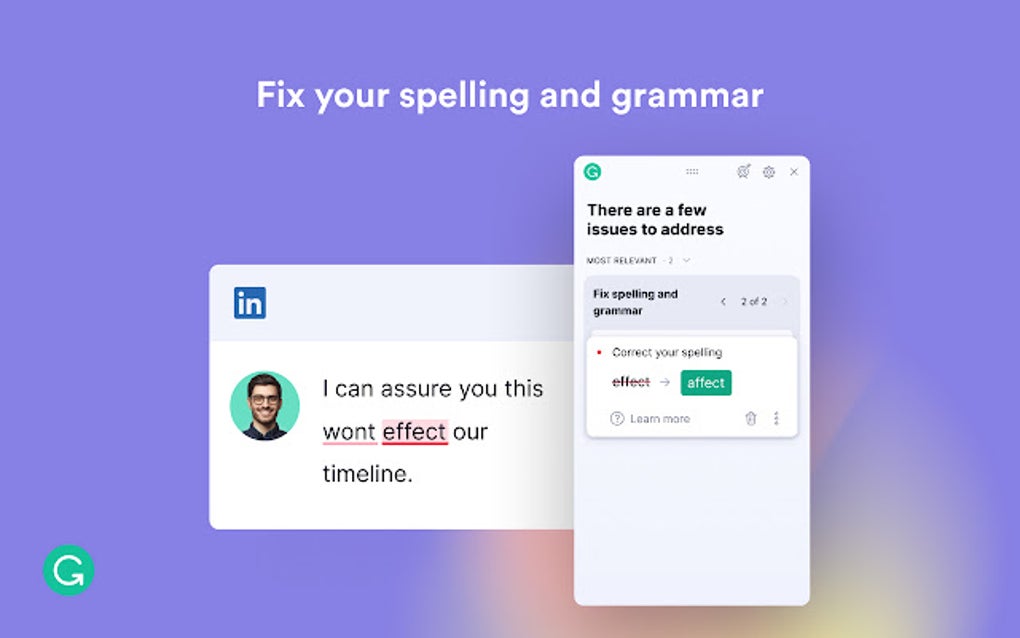
At its core, Grammarly for Chrome acts as a real-time grammar and spell checker. As users type within supported platforms, the extension instantly identifies potential errors and offers suggestions for improvement. This immediate feedback helps writers maintain accuracy and consistency throughout their writing process. The interface is designed for simplicity and ease of use, allowing writers to quickly accept or reject suggestions with minimal disruption to their workflow. The extension seamlessly integrates with various online platforms, including but not limited to Twitter, Gmail, Facebook, Instagram, WordPress, Google Docs, and LinkedIn. Compatibility extends to Microsoft Word as well, providing comprehensive coverage across many common writing environments.
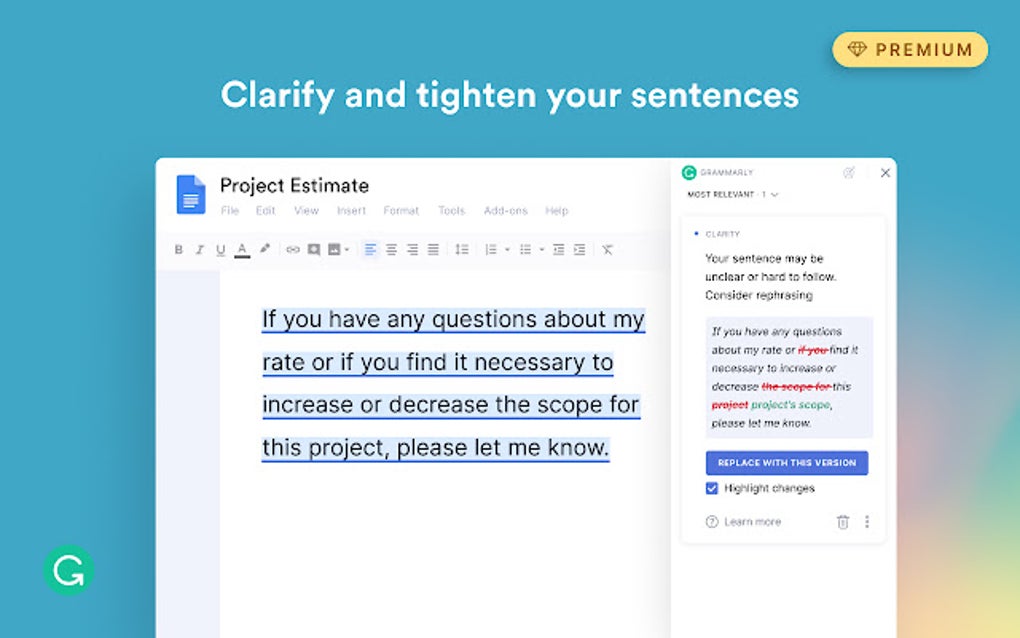
The free version of Grammarly provides a robust set of features, focusing primarily on identifying and correcting basic grammar, spelling, and punctuation mistakes. For users who need more advanced assistance, paid premium subscriptions unlock additional functionalities, expanding beyond simple error correction to encompass more nuanced aspects of writing style and clarity. These premium features delve into areas such as tone, consistency, and engagement, offering a more comprehensive review and suggesting improvements to the overall impact of the text.
Grammarly’s ability to adapt to different dialects of English is a significant advantage. It can detect subtle differences in spelling and grammar conventions between American, British, Canadian, and Australian English, enabling writers to maintain stylistic consistency based on their target audience. This flexibility is particularly beneficial for international writers or those who need to adhere to specific style guides. The ability to easily switch between dictionaries through the browser extension icon enhances this versatility.
For non-native English speakers, Grammarly offers invaluable assistance in producing high-quality written content. The free version’s grammar and spell check capabilities are a substantial aid, but the premium features offer an even greater advantage. Premium suggestions on vocabulary and tone are particularly helpful for non-native speakers, allowing them to refine their writing and achieve a higher level of fluency.
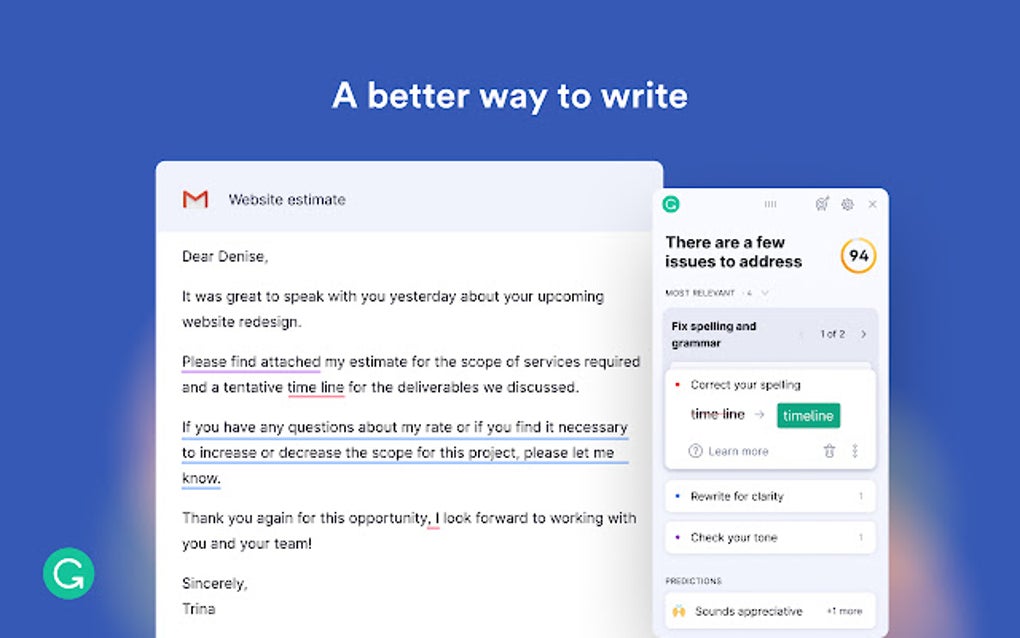
However, it is crucial to acknowledge that Grammarly, even in its premium version, isn’t a perfect substitute for human proofreading. While the extension excels at identifying many common errors, it’s not infallible. There are instances where it might miss subtle nuances, incorrectly flag correct usage, or fail to identify errors involving homonyms (words with the same spelling but different meanings). Experienced writers might find Grammarly’s suggestions occasionally intrusive, flagging stylistic choices that they consider perfectly acceptable. This highlights the importance of using Grammarly as a tool to enhance writing, not replace the writer’s own judgment and editorial skills. The system’s advice is primarily geared towards online writing styles, potentially overlooking the nuances and conventions required for academic or highly technical documents.
Beyond Basic Error Correction: Personalized Writing Support and Advanced Features
While its core function revolves around error correction, Grammarly offers a range of additional features aimed at enhancing the writing experience. Users can register for a free account to access personalized writing support, which goes beyond basic grammar checks. Registered users can opt into receiving weekly reports that track their writing progress. These reports provide valuable insights into their overall writing habits, including word counts, vocabulary usage, and a breakdown of the most common grammatical errors. This data-driven approach enables writers to identify their weaknesses and focus on areas requiring improvement.
For writers seeking more extensive support, Grammarly’s premium features offer a significant upgrade. These features move beyond simple grammar corrections to provide feedback on style, clarity, engagement, and overall impact. The premium version offers more sophisticated analysis, identifying areas where the writing could be more concise, impactful, or engaging to the reader. The added features are particularly useful for professional writers who want to ensure their writing is polished and effective for its intended purpose.
Grammarly’s premium subscription also includes a human proofreading service, bridging the gap between automated grammar checking and professional editorial review. This service provides a human expert to meticulously review a document, catching errors and offering stylistic suggestions that even the most advanced algorithms might miss.
Comparing Grammarly to Other Writing Tools and Professional Editors
Grammarly is one of many grammar and style checking tools available, each with its strengths and weaknesses. Some tools focus on a narrower range of writing issues, while others offer a broader spectrum of features. Tools like Hemingway Editor, for example, focus on readability and clarity, offering different insights than Grammarly’s more comprehensive grammatical analysis. Conversely, tools like Ginger Spell and Grammar Checker offer multilingual support, a feature lacking in Grammarly. The choice of which tool to use depends on an individual’s specific needs and preferences.
While Grammarly is a potent writing tool, it’s essential to remember that it’s not a perfect replacement for professional editing. A skilled human editor brings a level of understanding and nuanced judgment that no software can currently replicate. While Grammarly can significantly improve writing quality, it shouldn’t be relied upon to catch every error or make all necessary stylistic adjustments. For critical documents or publications, the services of a professional proofreader remain indispensable. The fact that Grammarly itself offers a human proofreading service through its premium subscription underscores this point.
Grammarly for Chrome: Pros and Cons Summarized
Pros:
- Powerful grammar and spell checker: Effectively identifies and corrects a wide range of grammatical, spelling, and punctuation errors.
- User-friendly interface: The intuitive design makes it easy to use, even for those unfamiliar with grammar-checking software.
- Seamless browser integration: Works seamlessly within most commonly used online platforms and applications.
- Support for multiple dialects of English: Adapts to various English writing styles, accommodating different audiences.
- Free version offers substantial functionality: The free version provides a significant boost to writing quality without any cost.
- Personalized writing tips and progress tracking: Registered users can track their progress and identify areas for improvement.
- Premium features enhance writing quality: The advanced features provide deeper analysis and stylistic suggestions.
- Human proofreading service (premium): Offers the option of professional editing for critical documents.
Cons:
- Doesn’t catch all mistakes: The program isn’t infallible and may miss subtle errors or misinterpret stylistic choices.
- Suggestions may not always be appropriate: Some suggestions might conflict with an individual’s writing style or intended tone.
- Advice is geared towards online writing: May not be entirely suitable for all writing styles, particularly academic or technical texts.
- No free trial of premium plans: Users must commit to a paid subscription without testing the premium features beforehand.
- Can’t fully replace human proofreading: While very helpful, it is not a perfect substitute for the judgment of a professional editor.
- Only supports the English language: Writers needing to check other languages must seek alternative solutions.
Conclusion: A Valuable Tool, But Not a Panacea
Grammarly for Chrome is a powerful and widely-used writing tool that can significantly improve the quality of online writing. Its user-friendly interface, comprehensive error detection, and valuable personalized feedback make it an asset for writers of all levels. While it has its limitations and shouldn’t be considered a replacement for human judgment or professional editing, it undoubtedly remains a valuable resource for enhancing writing accuracy, clarity, and style. Its adaptability to various English dialects and the additional features offered through premium subscriptions further enhance its appeal. The free version alone provides significant benefits, while the premium offering caters to those seeking more in-depth analysis and professional support. Ultimately, whether the free or premium version is best suited depends on individual writing needs and budget.
File Information
- License: “Free”
- Version: “14.1086.0”
- Latest update: “May 24, 2023”
- Platform: “Windows”
- OS: “Windows XP”
- Language: “English”
- Downloads: “198.5K”


