
GreenBrowser, once available for Windows, offered a unique experience for users seeking a throwback to the earlier days of internet browsing. While modern browsers like Chrome and Firefox dominate the market with their speed, customization options, and advanced features, GreenBrowser provided a glimpse into a simpler, albeit less efficient, era of web navigation. This review explores the browser’s strengths, weaknesses, and its overall place in the history of web browsing technology.
A Retro Design and Interface
GreenBrowser’s most striking feature was its design, which closely resembled the classic interface of older versions of Internet Explorer. This nostalgic aesthetic was both its greatest strength and its biggest limitation. For those yearning for the familiar look and feel of early web browsers, GreenBrowser delivered a potent dose of retro charm. The interface, while straightforward, lacked the sleekness and intuitive design of modern browsers. Instead of the streamlined tab-based interface common today, GreenBrowser presented a more cluttered layout. The menu bar, reminiscent of older operating systems, contained standard menus like File, Edit, View, and Favorites. The address and search bars were, notably, separated, which could prove confusing for users accustomed to the integrated search bars of contemporary browsers. Function buttons like refresh, home, back, forward, and stop were located prominently within the interface, but arranged in a less user-friendly manner than their counterparts in modern designs. The tabs themselves, though small and unobtrusive, provided a familiar functionality for managing multiple open web pages.
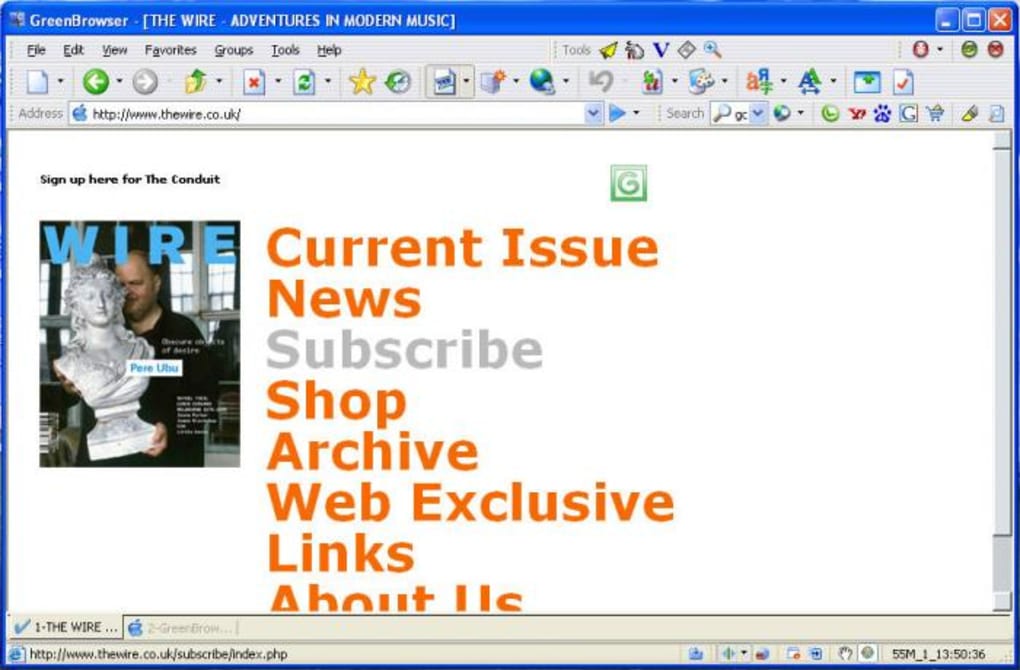
The color scheme was simple, with inactive tabs appearing in grey and the active tab highlighted in blue. This minimalist color palette contributed to the browser’s overall retro aesthetic, but it also lacked the visual customization options available in modern browsers. The floating minimize/maximize icon provided a convenient method to control the browser window’s size. However, overall, the design, while faithful to its retro inspiration, felt dated and lacked the modern conveniences and usability features present in most contemporary browsers.
Functionality and Performance
Despite its dated appearance, GreenBrowser demonstrated a surprising level of functionality in terms of loading and displaying web pages. The browser exhibited reasonably quick response times and minimal lag, suggesting that its core functionality remained effective despite its age. However, the lack of modern performance enhancements and optimization techniques meant it likely wouldn’t match the speeds of contemporary browsers, especially when handling complex or resource-intensive web pages. While it successfully loaded pages and allowed basic navigation, the limitations would have become evident under load or with heavy use.
The core browsing experience mirrored that of early browsers - simple and functional, albeit lacking the finesse of contemporary alternatives. Basic features such as browsing history, bookmarks, and tab management worked as expected. However, it significantly lacked the features and capabilities modern users have come to expect. The limited capabilities highlighted the advancements made in browser technology over the years.
Missing Modern Features and Usability Issues
GreenBrowser’s greatest weakness was its lack of modern features. Perhaps the most significant drawback was the complete absence of extension and add-on support. This severely limited the browser’s customization and functionality, preventing users from enhancing their browsing experience with useful tools and productivity boosters. The inability to install extensions essentially locked the browser into its basic functionality, preventing any expansion or adaptation to individual needs.
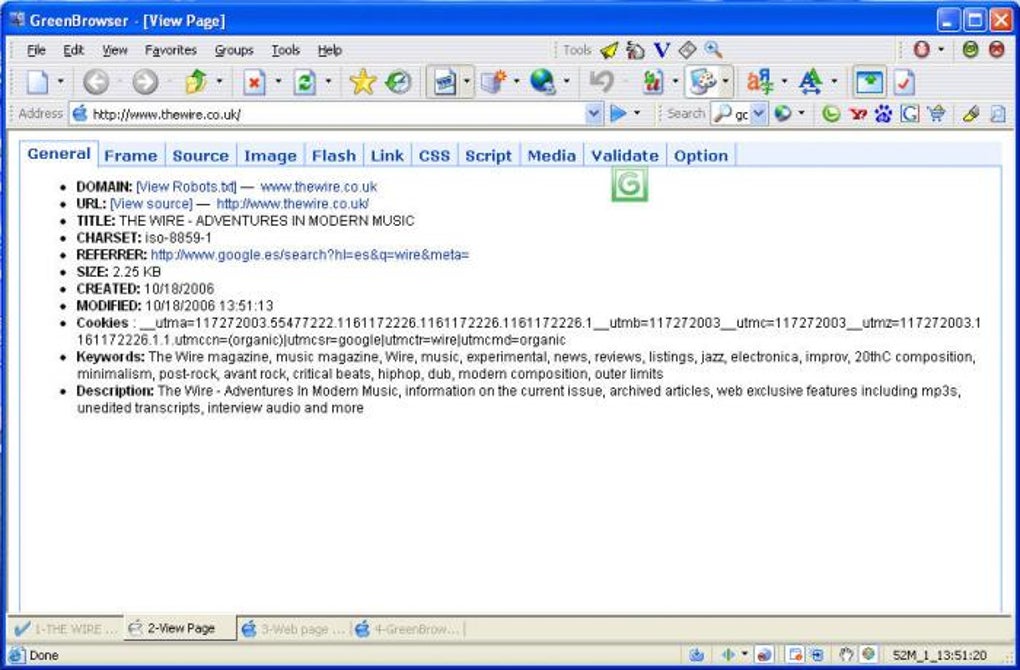
Beyond the lack of extensions, several usability issues hindered the user experience. The separate address and search bars, as mentioned, introduced unnecessary complexity. Furthermore, the browser lacked features such as text prediction or auto-completion in the address bar, making typing URLs cumbersome. The inability to select all text using the standard Ctrl+A shortcut in the address bar also proved frustrating for many users. These limitations, while seemingly minor, cumulatively contributed to a less efficient and less user-friendly browsing experience compared to modern alternatives. The missing features pointed towards the browser being a relic of a bygone era, unable to adapt to the evolving landscape of modern web browsing.
A Product of its Time: Nostalgia Versus Functionality
GreenBrowser successfully evoked a sense of nostalgia for the early days of internet browsing. Its interface and usability were a clear reflection of both the advantages and disadvantages of older browsers. The ability to load pages remained functional; however, the lack of customization options and the crowded, unstreamlined interface highlighted the improvements made in browser design and usability over the years. The browser’s functionality was adequate for basic web browsing, but it paled in comparison to the speed, efficiency, security features, and extensibility offered by modern browsers.
For users seeking performance, speed, and a wide range of features, GreenBrowser would have been insufficient. Modern browsers like Chrome and Firefox offered vastly superior performance, security, and customization options. GreenBrowser’s value, therefore, lay primarily in its retro appeal, providing a unique experience for those interested in exploring the history of web browser technology. Its limitations in terms of security, features and performance strongly suggested it shouldn’t be used for anything beyond casual, nostalgic exploration.
Alternatives and the Modern Browsing Landscape
Given GreenBrowser’s discontinued status and limited capabilities, several excellent alternatives exist for contemporary users. Browsers such as Mozilla Firefox and Google Chrome offer superior performance, extensive customization options through extensions and add-ons, enhanced security features, and a more streamlined user interface. Opera Browser also provides a fast and efficient browsing experience with its own unique features. These browsers represent a significant advancement in browser technology, addressing many of the shortcomings that GreenBrowser exhibited. They provide a faster, more secure, and more versatile browsing experience.
Conclusion: A Relic of the Past, Yet a Valuable Piece of History
GreenBrowser serves as a fascinating artifact from the history of web browsers. Its retro design and simple functionality offer a unique perspective on the evolution of web browsing technology. However, its lack of modern features, usability issues, and ultimately discontinued status render it impractical for everyday use. Modern browsers have dramatically improved upon the limitations of GreenBrowser, providing a far superior and more secure browsing experience. While GreenBrowser might hold a special place in the hearts of those who remember the early days of the internet, its functional limitations and security concerns strongly suggest sticking with modern, actively maintained browsers. For users seeking a nostalgic trip down memory lane, GreenBrowser could provide a fleeting glimpse into the past, but its limited capabilities make it unsuitable for anything beyond a brief, curious exploration. The progress made in web browser development over the years is strikingly clear when comparing GreenBrowser to modern alternatives.
File Information
- License: “Free”
- Latest update: “February 2, 2024”
- Platform: “Windows”
- OS: “Windows 98 SE”
- Language: “English”
- Downloads: “141.2K”


