
Greenfish Subtitle Player is a free software application designed to enhance the viewing experience of online streaming videos by allowing users to seamlessly integrate subtitle files (.SRT format). While simple in its core function, this program offers a user-friendly interface and practical tools to make subtitle synchronization an effortless process, even for those unfamiliar with video editing or subtitle management. However, its reliance on externally sourced .SRT files and its limited compatibility present noteworthy limitations. This review delves into the software’s features, advantages, drawbacks, and alternatives, providing a comprehensive assessment of its suitability for various users.
Ease of Use and User Interface
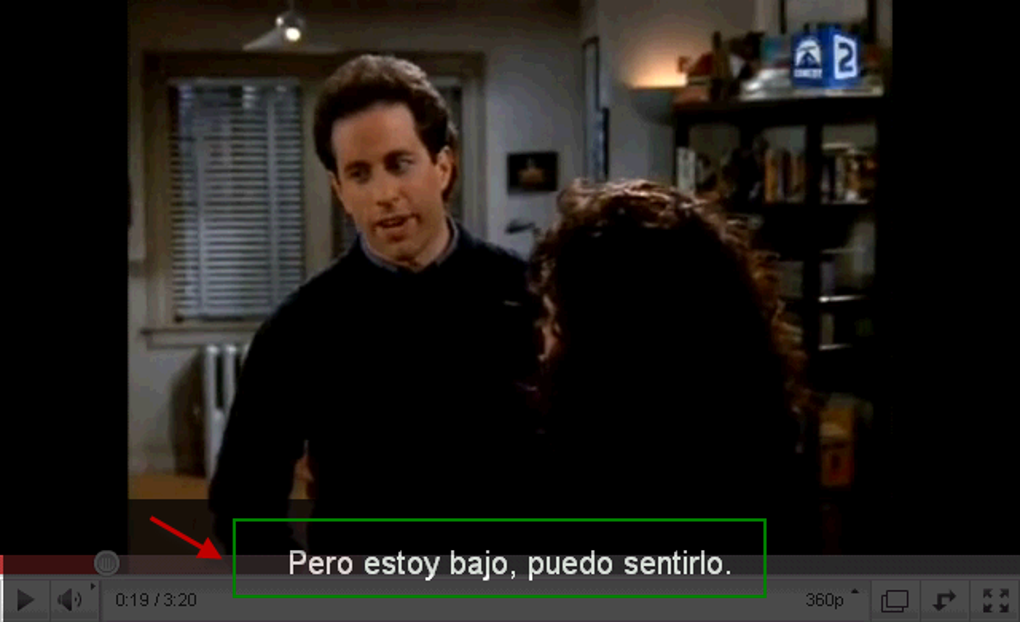
One of Greenfish Subtitle Player’s most significant strengths lies in its intuitive design and ease of use. The interface is uncluttered and straightforward, avoiding unnecessary complexities that might overwhelm novice users. Navigation is intuitive, allowing users to quickly locate and manage their video files and subtitle files. The program’s core function – integrating .SRT subtitle files with streaming videos – is executed smoothly and reliably, with minimal delays or glitches.
The control features included within the player are equally user-friendly. Essential tools like fast forward, rewind, pause, and slow-motion playback provide precise control over the playback speed, enabling users to fine-tune the synchronization of subtitles with the audio. This level of control is crucial for ensuring accurate subtitle timing, a critical aspect often overlooked in simpler video players. The user-friendly controls significantly enhance the overall user experience, making subtitle adjustment a relatively simple task, even during playback.

Functionality and Features
At its core, Greenfish Subtitle Player functions as a subtitle overlay player. Its primary purpose is to display .SRT subtitle files over a video stream. This simplicity is both a strength and a weakness. While its primary function is executed efficiently, the lack of additional features limits its versatility compared to more comprehensive media players.
The program’s reliance on externally sourced .SRT files is a key aspect of its functionality. Users must locate and provide their own .SRT files, which can be a significant hurdle. Finding accurate and reliable .SRT files for all videos can be challenging, and the availability of subtitles for niche or less popular content is often limited. This dependence on external resources significantly impacts the software’s effectiveness and usability. The absence of any built-in subtitle search or download functionality further emphasizes this limitation.
The software’s inability to handle subtitle encoding adds another layer of limitation. Many subtitle files employ different encoding formats, and the lack of support for various encoding types might lead to display issues or rendering problems for users with subtitles in less common character sets. This feature gap significantly reduces the software’s compatibility with a wider range of subtitle files.
System Requirements and Compatibility
Greenfish Subtitle Player’s compatibility is limited to Windows operating systems. This stark limitation excludes users on other platforms, such as macOS, Linux, or iOS, representing a significant drawback for users seeking a cross-platform solution for subtitle management. The software’s specific system requirements are relatively modest, ensuring compatibility with a broad range of Windows machines, though optimal performance may depend on the system’s processing power and available resources.
Advantages and Disadvantages
Advantages:
- Ease of Use: The intuitive interface and user-friendly controls make it accessible to users of all technical skill levels.
- Smooth Playback: Subtitle integration is seamless and efficient, ensuring a fluid viewing experience.
- Precise Synchronization Tools: Fast forward, rewind, pause, and slow-motion controls allow for accurate subtitle timing adjustments.
- Free to Use: The software is available for free, eliminating any licensing costs.
Disadvantages:
- Dependence on External .SRT Files: Users need to locate and provide their own subtitle files, limiting its usability.
- Limited Compatibility: Only supports Windows operating systems.
- Lack of Encoding Support: May not render subtitles correctly depending on the file’s encoding format.
- No Built-in Subtitle Search: The absence of a built-in function for locating and downloading subtitle files adds to the inconvenience.
Alternatives to Greenfish Subtitle Player
Several alternative subtitle players and subtitle management tools offer broader functionality and compatibility. These alternatives often incorporate features like built-in subtitle search, download capabilities, multiple encoding support, and cross-platform compatibility. Consider exploring options like:
- JustSubsPlayer: This free and open-source player is known for its simplicity and compatibility with various video formats.
- Subtitle Workshop: A more advanced tool providing features for subtitle creation, editing, and synchronization.
- Subtitle Edit: A powerful and versatile subtitle editor with a wide range of features.
- VLC Media Player: A popular and versatile media player with built-in subtitle support, though not specifically designed for subtitle management.
These alternatives address many of Greenfish Subtitle Player’s shortcomings, offering more comprehensive features and better cross-platform support. The choice of an alternative depends on individual needs and preferences, considering factors like required features, system compatibility, and ease of use.
User Reviews and Feedback
User reviews regarding Greenfish Subtitle Player are mixed. While many praise its ease of use and efficient subtitle integration, the dependence on external .SRT files and limited platform support draw frequent criticism. Some users highlight the challenges faced in finding suitable .SRT files, while others express frustration due to the software’s Windows-only compatibility. Overall, the software’s effectiveness heavily relies on the availability of accurate and compatible subtitle files.
Conclusion
Greenfish Subtitle Player offers a simple and effective solution for overlaying .SRT subtitle files onto streaming videos, especially for users comfortable sourcing their own subtitles. Its user-friendly interface and convenient playback controls are significant strengths. However, its limitations regarding .SRT file dependency, encoding support, and Windows-only compatibility significantly restrict its overall utility. Users should carefully weigh these limitations against its advantages before choosing this software. Exploring alternative solutions with broader functionality and cross-platform support might be a more practical choice for many users. The availability of accurate and compatible .SRT files remains a critical factor determining the software’s effectiveness, regardless of its ease of use.
File Information
- License: “Free”
- Latest update: “May 24, 2023”
- Platform: “Windows”
- OS: “Windows XP”
- Language: “English”
- Downloads: “167.1K”
- Size: “12.21 KB”


