
GroupMe is a free social media messaging application designed primarily for smartphone users, offering a streamlined approach to communication that resembles popular alternatives like FaceTime and WhatsApp. Unlike many similar platforms, GroupMe doesn’t require a dedicated online registration platform; its existence is entirely within the mobile phone ecosystem. This freeware nature makes it an attractive choice for users looking for a lightweight yet functional messaging solution, particularly as an alternative to more resource-intensive applications. It’s important to note that while it offers a wide range of features, SMS messaging is currently limited to users within the United States.
Apps: Functionality and Features
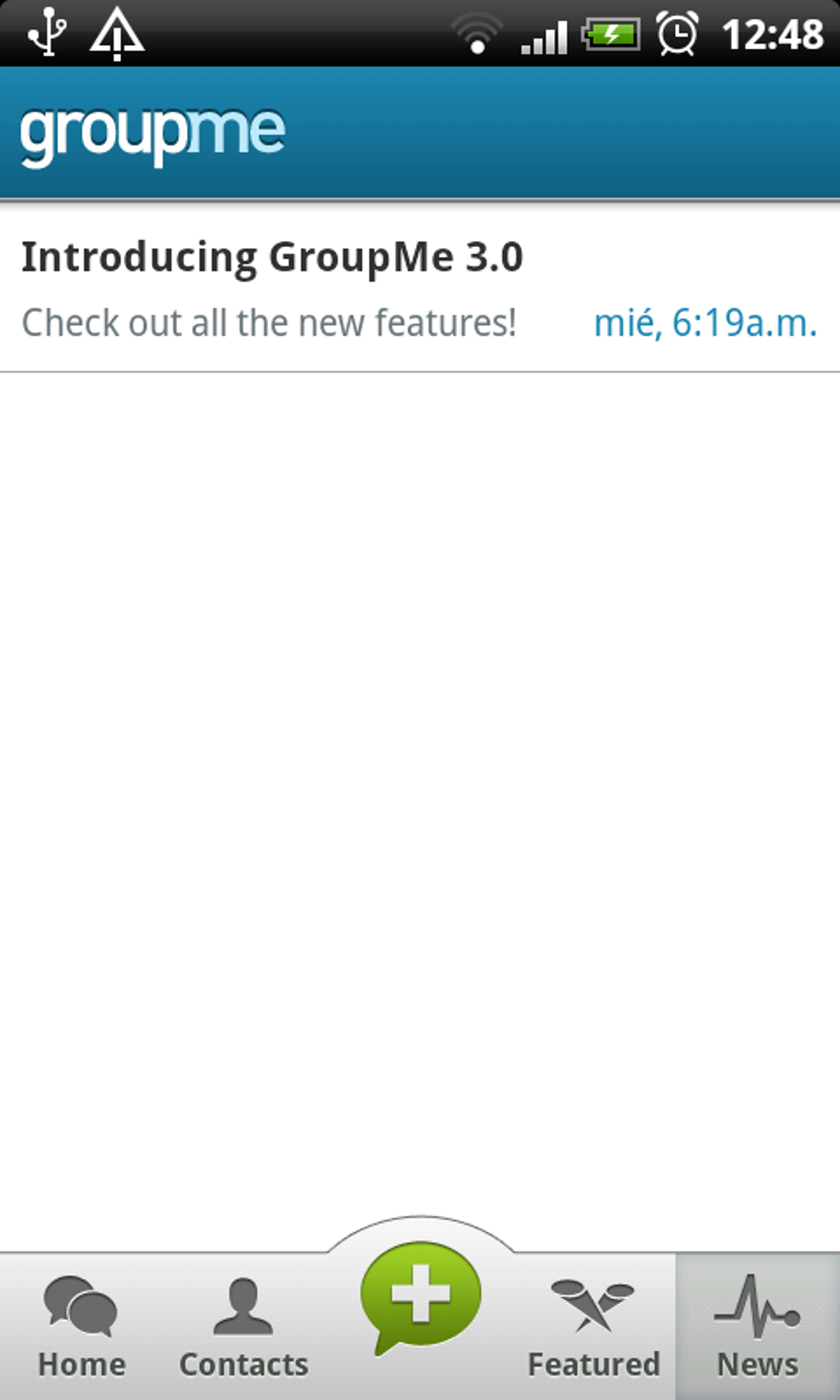
GroupMe consolidates essential messaging functions into a single, accessible platform. Core features include direct messaging, group chat capabilities, and the added convenience of accessing chats from a personal computer. This cross-platform accessibility proves invaluable for connecting with friends and family across geographical boundaries. The app supports group sessions, facilitating communication within larger networks, and allows users to share URLs directly within chats, enhancing information exchange.
Beyond the basic communication features, GroupMe enhances user experience with several advantageous additions. Sharing images, GIFs, and memes is intuitive and straightforward, with a built-in image gallery storing shared media for later access. Users retain control over their notification settings, offering the option to mute the application when needed, thus managing interruptions effectively. This combination of features makes GroupMe a versatile and convenient option for diverse communication needs.
Games and News Integration (Lack Thereof)
Unlike some integrated messaging platforms, GroupMe doesn’t currently incorporate games or news feeds directly within its application. Its focus remains primarily on efficient and versatile communication, prioritizing core messaging functions over supplementary entertainment or information features. While the absence of integrated games or news might be a drawback for some users who prefer all-in-one platforms, this minimalist approach contributes to GroupMe’s streamlined functionality and reduces the app’s overall size and resource consumption.
GroupMe for Business: Potential and Limitations
While not explicitly designed as a business-oriented communication platform, GroupMe’s features offer potential applications for professional use, particularly for small teams or informal collaborations. The group chat functionality allows for efficient project discussions and information sharing. However, lacking dedicated business features such as advanced administrative controls, file-sharing options, and robust security protocols often found in enterprise-level communication platforms, it’s best suited for informal business communication or smaller teams where these features aren’t critical. Larger organizations or those with strict security requirements might find GroupMe’s features insufficient for their needs.
Android App Specifics: Performance and Accessibility
The GroupMe Android app offers a user-friendly interface that mirrors the functionality of its other platform versions. The app boasts a 4.2 rating, indicating generally positive user experiences. Its relatively small size (146.86 MB) minimizes the strain on device resources, making it accessible to a wider range of Android devices. However, compatibility is limited to newer operating systems, specifically Android 13.0 and above, potentially excluding users with older devices from utilizing the app. This limitation is a significant factor to consider for users with older Android smartphones. The app’s consistent updates, with the latest version released on June 25, 2025, demonstrate ongoing maintenance and improvement efforts.
The free availability of the app is a major advantage, removing financial barriers to access. The developer, groupme, ensures continuous support and updates, promising a reliable and evolving communication tool. Downloading the APK directly offers an alternative installation method, although users are advised to download only from trusted sources to ensure security.
Social & Communication: A Comparison with Competitors
GroupMe occupies a space within the crowded social and communication app market. It competes with established giants like WhatsApp, Telegram, and Facebook Messenger, each with its unique strengths and weaknesses. GroupMe’s strengths lie in its simplicity and ease of use, making it an intuitive choice for users who prioritize uncomplicated functionality over extensive features. Unlike some competitors that integrate complex features like end-to-end encryption or sophisticated privacy settings as default options, GroupMe prioritizes ease of access and usability. This simplicity might be perceived as both a strength and a weakness depending on the user’s priorities.
While WhatsApp and Telegram boast more advanced features such as intricate group management tools and extensive privacy options, GroupMe provides a straightforward communication tool that is easily accessible and user-friendly. Its strength lies in its minimal approach to communication, focusing on basic functions executed effectively. Compared to platforms like Facebook Messenger, which is often integrated into a wider social networking ecosystem, GroupMe maintains a standalone identity, concentrating solely on messaging functionalities. The choice between GroupMe and its competitors ultimately depends on individual needs and preferences regarding features, privacy concerns, and desired level of integration with other platforms.
Chat & Instant Messaging: Strengths and Weaknesses

GroupMe functions effectively as a chat and instant messaging platform. Its core strength lies in the reliable delivery of messages and media. However, a significant limitation is the absence of video chat functionality, a feature commonly found in competing apps. This omission might be a deal-breaker for users who regularly rely on video calls for communication. The lack of end-to-end encryption by default presents another potential area for concern for users prioritizing robust data security. The absence of these features is a trade-off for the app’s streamlined design and ease of use. While other apps focus on extensive security protocols, GroupMe prioritizes simple and accessible instant messaging.
Pros and Cons of Using GroupMe
Pros:
- Free to use: The app is completely free to download and use, making it an accessible option for budget-conscious users.
- Computer-based chat: The ability to access chats from a computer enhances flexibility and convenience.
- Easy to use: The intuitive interface makes it simple to learn and navigate, even for users unfamiliar with similar apps.
- Lightweight app: Its relatively small size minimizes storage requirements and resource consumption on mobile devices.
- Supports image, GIF, and meme sharing: Enhancing communication with a variety of multimedia options.
- Customizable notifications: Users can manage notification settings to minimize interruptions.
- Cross-platform compatibility (to an extent): While primarily a mobile app, it provides access from a computer, expanding its usability.
Cons:
- No video chat: The lack of video call functionality limits its capabilities compared to many competitors.
- Limited SMS messaging (US only): SMS capabilities are restricted to users within the United States.
- Compatibility limited to newer operating systems: Older Android devices might be incompatible.
- No built-in end-to-end encryption (by default): This raises security concerns for users highly sensitive to data privacy.
- Lacks advanced features: Compared to competitors, it lacks advanced features like extensive group management tools, advanced security protocols, or sophisticated organizational features.
In conclusion, GroupMe offers a simple, free, and functional messaging application well-suited for users who prioritize ease of use and basic functionality over advanced features. While its lack of video chat and certain advanced security features might be drawbacks for some, its simplicity and lightweight nature make it a compelling option for those seeking a straightforward and uncomplicated messaging experience. The decision to use GroupMe ultimately depends on individual communication needs and priorities.
File Information
- License: “Free”
- Latest update: “June 25, 2025”
- Platform: “Android”
- OS: “Android 13.0”
- Downloads: “2.9K”
- Size: “146.86 MB”
- Download Options: “Google Play”
- Filename: “com-groupme-android-251700504-70963323-3248d8426f47691d87219312a70cae1c.apk”


