
Fortnite, the wildly popular battle royale game, has captivated millions across various platforms. However, its demanding graphical requirements often exclude older Android devices from the fun. This exclusion leaves many players unable to experience the thrill of building, battling, and achieving victory royale. Fortunately, a solution exists in the form of GSM Fix Fortnite, a tool designed to bridge this gap and allow older Android devices to run the game. This article delves into the details of GSM Fix Fortnite, exploring its functionality, benefits, limitations, and potential alternatives.
Understanding GSM Fix Fortnite’s Functionality
GSM Fix Fortnite is a free software application that acts as a compatibility layer, allowing Fortnite to run on Android devices that are officially unsupported. It achieves this without requiring root access, a significant advantage for users who prefer to maintain the integrity of their device’s operating system. Essentially, GSM Fix Fortnite modifies certain aspects of the Android environment to make it appear to Fortnite as if it’s running on a compatible device. This clever workaround sidesteps the game’s built-in compatibility checks, allowing for installation and gameplay.
The app itself is lightweight, minimizing its impact on system resources. This is crucial for older devices with limited processing power and storage capacity. The small footprint ensures that installing GSM Fix Fortnite doesn’t unduly strain the device’s capabilities, leaving ample room for the resource-intensive Fortnite game itself.
However, it’s important to understand that GSM Fix Fortnite does not magically enhance the device’s processing power. While it enables the game to run, users might still experience lower frame rates, longer loading times, and potentially reduced graphical fidelity compared to newer, supported devices. The performance will ultimately depend on the specific hardware specifications of the individual Android device.
Benefits of Using GSM Fix Fortnite
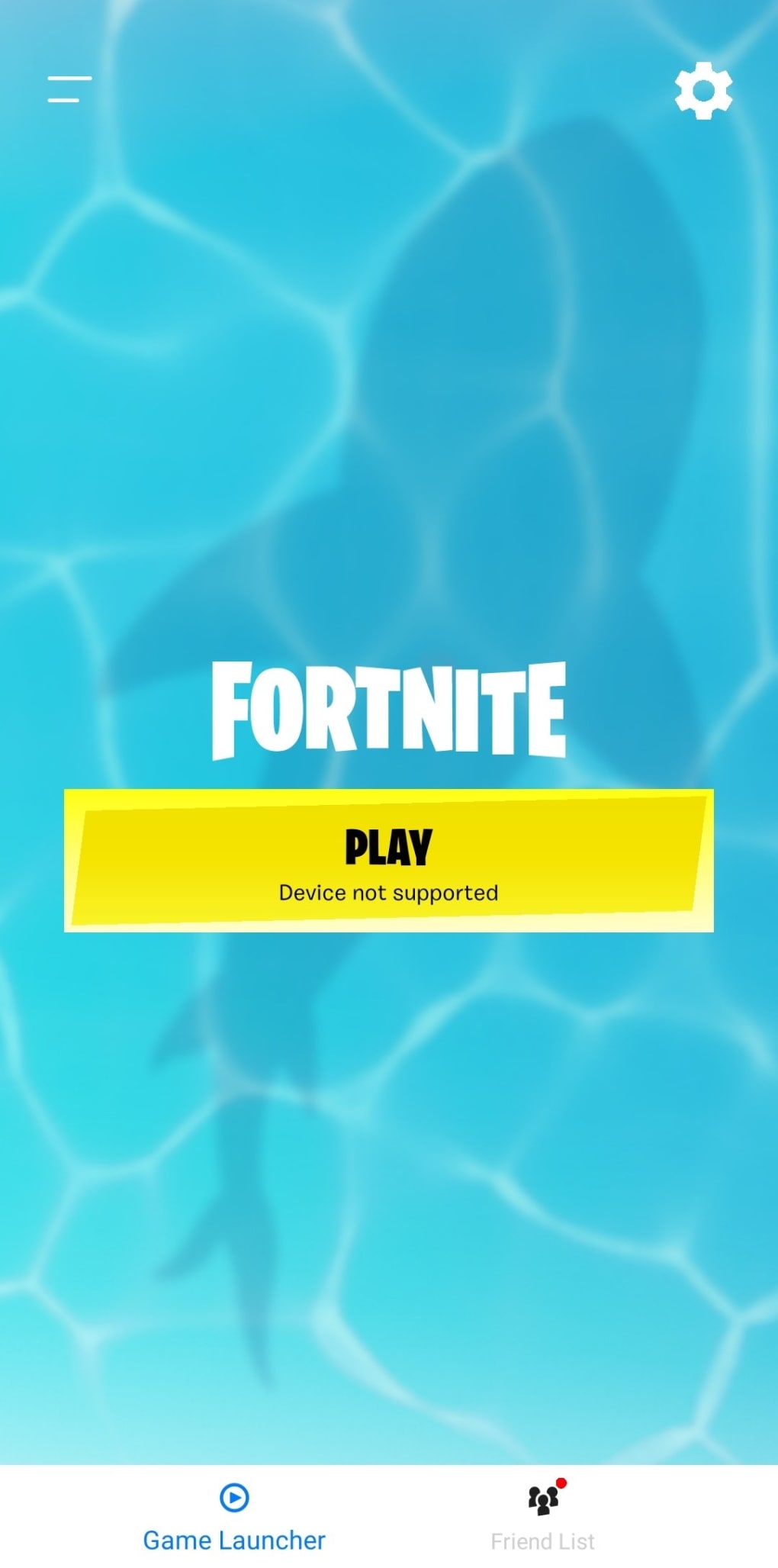
The primary benefit of GSM Fix Fortnite is its ability to unlock Fortnite gameplay on older Android devices. This expands the game’s accessibility to a wider audience who might otherwise be excluded. For users with sentimental attachment to their older devices, or those who simply cannot afford a newer model, GSM Fix Fortnite provides a valuable way to continue enjoying the game.
Beyond the simple ability to play, GSM Fix Fortnite offers several other key advantages:
-
No Root Access Required: Many compatibility solutions for older devices require root access, a process that can void warranties and compromise device security. GSM Fix Fortnite bypasses this need, providing a safer and less technically demanding approach.
-
Lightweight and Efficient: The app’s small size minimizes its impact on system resources, ensuring that it doesn’t compete with Fortnite for valuable processing power and storage space. This is crucial for ensuring smooth gameplay on already limited devices.
-
Free to Use: The app is completely free, making it an accessible option for players who may be on a budget. This removes financial barriers to enjoying Fortnite on older Android devices.
-
Simple Installation Process: The installation is designed to be straightforward, eliminating the need for complex technical expertise. The user-friendly interface makes the process accessible to even the least tech-savvy players.
Limitations and Considerations
While GSM Fix Fortnite offers a compelling solution, it’s crucial to acknowledge its limitations:
- Performance Issues: Due to the limitations of older hardware, players should expect lower frame rates and potentially lower graphical settings compared to devices officially supported by Fortnite. This might impact the overall gaming experience.
-
Potential for Instability: While generally reliable, there’s always a possibility of encountering glitches, crashes, or other stability issues. The compatibility layer might not perfectly address every incompatibility, leading to occasional problems.
-
VPN Requirement: In some cases, users might need to use a Virtual Private Network (VPN) to circumvent geographic restrictions imposed by Fortnite’s servers. This adds an extra layer of complexity and may require additional subscription costs.
-
Lack of Official Support: Since GSM Fix Fortnite is not an official Epic Games product, it lacks official support. This means troubleshooting any issues might be more challenging, relying on community forums and other unofficial sources for assistance.
-
Security Risks: While the app itself is likely safe, downloading APKs from unofficial sources always carries inherent security risks. Users should download from trusted and verified sources to mitigate potential threats.
Alternatives to GSM Fix Fortnite
If GSM Fix Fortnite doesn’t meet your needs or you’re uncomfortable with its limitations, there are several alternative approaches to consider:
- Purchasing a Compatible Device: This is the most straightforward solution. A newer Android device with the necessary hardware specifications will provide a vastly improved and more stable Fortnite experience.
-
Exploring Other Battle Royale Games: The mobile gaming market boasts a plethora of battle royale games. Many offer similar gameplay experiences with potentially lower hardware requirements, allowing for smoother gameplay on older devices.
-
Cloud Gaming Services: Services like GeForce Now or Xbox Cloud Gaming allow you to stream games to your device, bypassing the need for powerful local hardware. This can enable Fortnite gameplay on older devices with a stable internet connection.
-
Lowering Fortnite’s Graphics Settings: Even on officially supported devices, lowering the graphics settings can significantly improve performance. Experimenting with different settings might allow you to achieve acceptable frame rates on an older device, although the visual quality will be compromised.
Conclusion: Weighing the Pros and Cons
GSM Fix Fortnite provides a viable solution for players seeking to experience Fortnite on older Android devices. Its ease of use, lightweight design, and free availability are significant advantages. However, potential performance issues, the need for a VPN in some cases, and the lack of official support should be carefully considered. Ultimately, the decision of whether or not to use GSM Fix Fortnite depends on individual priorities and tolerance for potential limitations. If smooth, high-quality gameplay is paramount, investing in a compatible device or exploring alternative games and platforms might be the better option. However, for players who are willing to accept some compromises in exchange for the ability to play Fortnite on their existing devices, GSM Fix Fortnite offers a compelling and accessible pathway. Remember to always prioritize security when downloading applications from unofficial sources. Thorough research and caution are essential when considering solutions outside of official channels.
File Information
- License: “Free”
- Version: “12.60.0-1”
- Latest update: “December 15, 2022”
- Platform: “Android”
- OS: “Android 6.0”
- Language: “English”
- Downloads: “42.6K”
- Size: “155.08 MB”
- Download Options: “APK, Google Play”
- Filename: “GSM_Fix_Fortnite_v12.60.0-1.apk”


