
In an increasingly digital world, where information flows freely and files are shared across vast networks, the challenge of managing large data volumes remains a persistent concern for individuals and businesses alike. Email attachments often have stringent size limits, and transferring massive files can be cumbersome, slow, or even impossible through conventional means. This is precisely where specialized utilities step in to bridge the gap, and among them, a classic tool known as GSplit has carved out its own niche. GSplit is a straightforward, yet remarkably effective, file splitter designed to tackle the problem of oversized files by dividing them into manageable segments, making them easier to store, transfer, and ultimately, reassemble.
At its core, GSplit addresses a fundamental need: the ability to break down a large file into smaller, more digestible pieces. Imagine wanting to send a high-resolution video, a comprehensive software installer, or a vast collection of documents via email, only to be met with an error message declaring the file too large. While contemporary solutions like cloud storage and dedicated file-sharing services have become prevalent, GSplit offers a direct and often quicker alternative, particularly for those who prefer to keep their file transfers local or within direct communication channels.
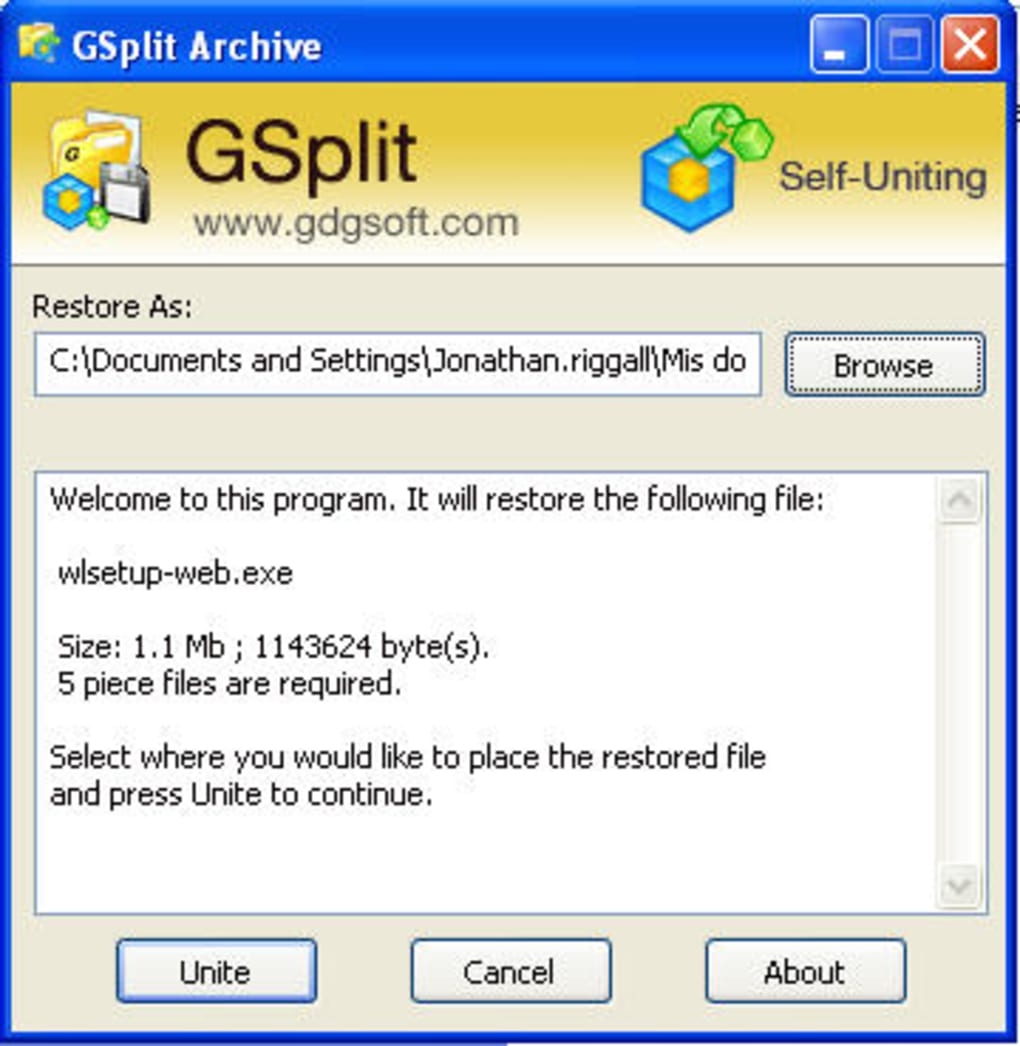
The philosophy behind GSplit is elegant in its simplicity. It takes your single, large file and intelligently segments it into a predetermined number of smaller files, or into segments of a specified size. Crucially, GSplit also generates a tiny, self-executable file, often named GUnite.exe, alongside these split pieces. This executable acts as the intelligent glue, allowing the recipient to effortlessly recombine all the smaller parts back into the original, complete file with a mere double-click. This feature eliminates the need for the recipient to install GSplit themselves, streamlining the reunification process and making it incredibly user-friendly.
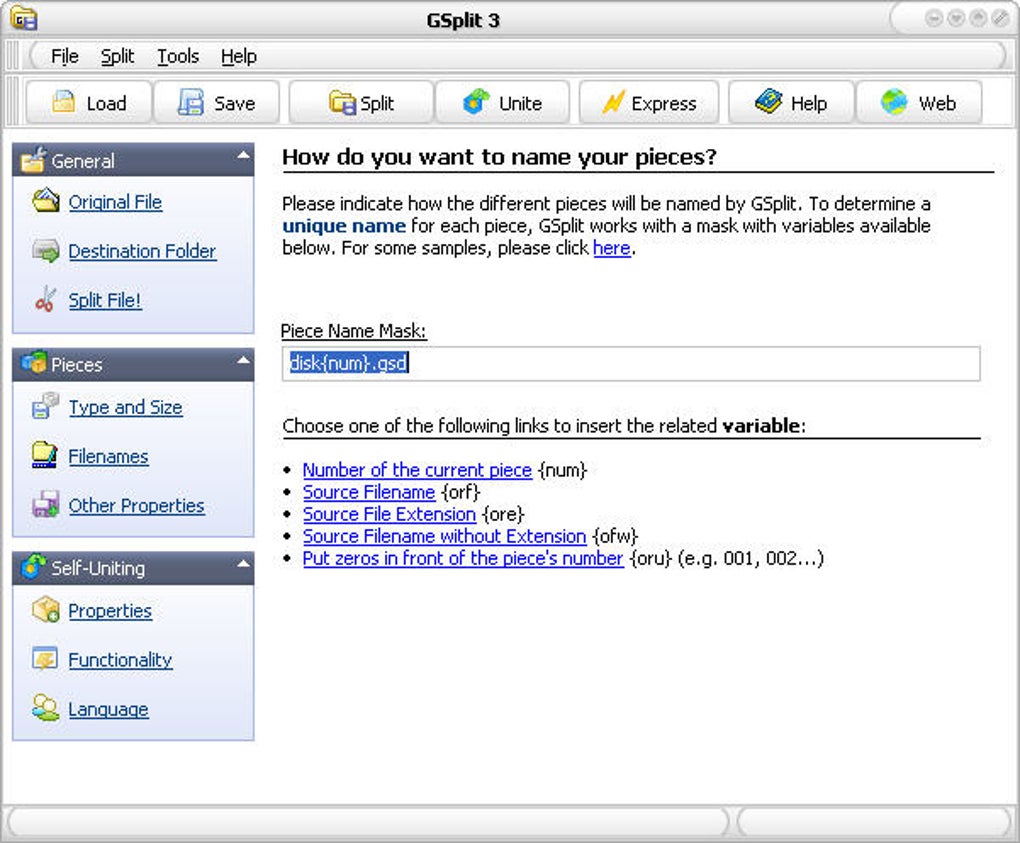
First released by Gdgsoft, GSplit quickly established itself as a reliable utility. While its interface might not boast the sleek, modern aesthetics of newer applications – often described as “unattractive” by some users – its strength lies in its functionality and efficiency. It’s a small, lightweight program, consuming minimal system resources, which makes it ideal for older machines or environments where performance is critical. Despite its minimalist appearance, GSplit is packed with options, allowing users to precisely control how their files are split, whether by specifying the exact number of output files or by setting a maximum size for each segment. This flexibility ensures that the split files meet specific requirements, such as fitting onto a particular type of removable media or adhering to specific attachment limits.
For every operation, GSplit meticulously creates a “split log,” providing a clear record of the splitting process. Furthermore, it incorporates a valuable feature that allows users to check the integrity of the split files, ensuring that no data corruption occurred during the division. This level of attention to detail instills confidence, assuring users that their data remains whole and intact. While the default mode includes the GUnite.exe file, GSplit also offers the option to split files without creating a unite executable. In such cases, the end-user would need their own copy of the GSplit application to perform the reunification. This provides an additional layer of control, catering to users with different workflow preferences or security requirements.
In an era saturated with diverse file transfer methods, GSplit might not be deemed an “essential” piece of software for every user, but its utility remains undeniable for specific scenarios. For those who prioritize direct email attachments, or need to segment files for physical media transfer, GSplit stands as a robust and dependable tool. Its enduring presence underscores the continuous need for simple, effective solutions to common digital challenges.
GSplit: An Essential Utility for Seamless File Management
GSplit’s functionality goes beyond merely dividing files; it empowers users with greater control over their digital assets, enhancing both personal and professional workflows. The beauty of GSplit lies in its focused approach: it does one thing, and it does it exceptionally well. The ability to precisely manage file sizes is invaluable in numerous contexts, from archiving data to facilitating collaborative projects.
One of the most significant advantages of GSplit is its independence. Unlike many cloud-based solutions that require an internet connection and potentially involve uploading sensitive data to third-party servers, GSplit operates locally. This makes it an excellent choice for users concerned about privacy, working with highly confidential information, or operating in environments with unreliable or no internet access. Imagine needing to transfer a large dataset between two offline computers using only a USB stick; GSplit makes this feasible by ensuring the file segments fit onto the portable storage medium.
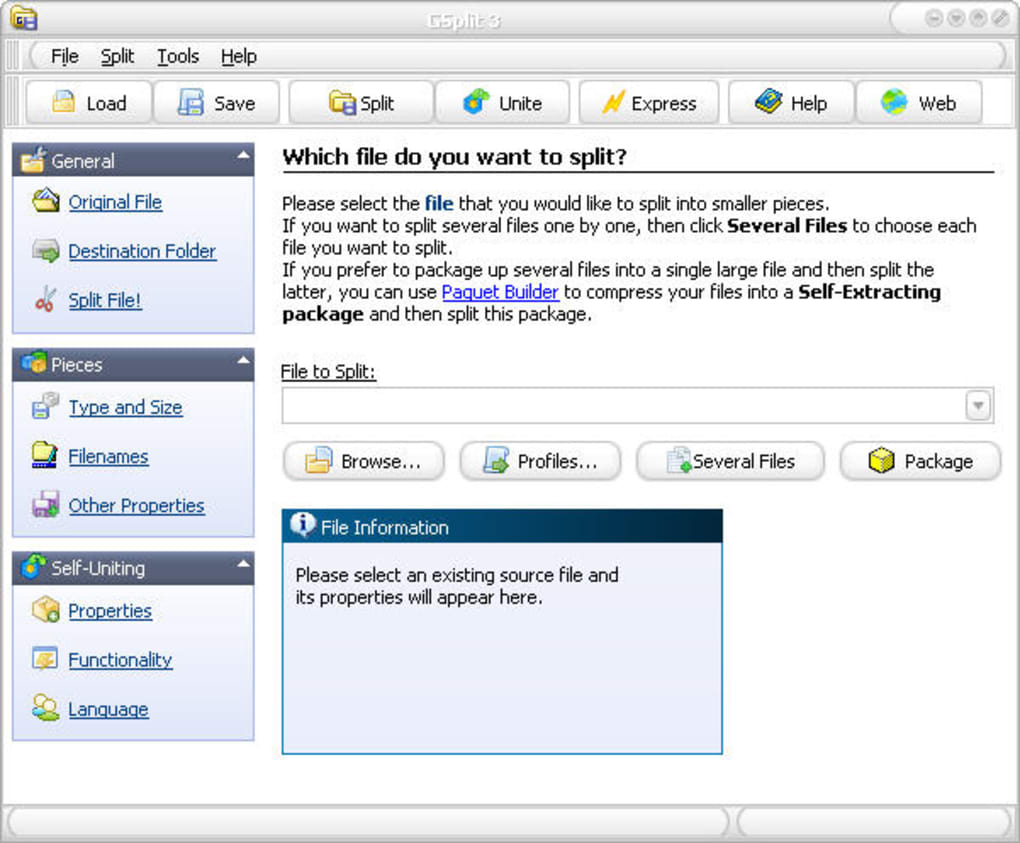
The “unattractive” interface, often cited as a con, can also be viewed as a testament to its philosophy: function over form. In many professional settings, where efficiency and reliability are paramount, a clean, unembellished interface that clearly presents all necessary options is often preferred over visually complex designs that might introduce unnecessary distractions. GSplit’s straightforward layout ensures that users can quickly navigate its features, set their parameters, and execute the splitting or uniting process without a steep learning curve. The presence of “good instructions” further lowers the barrier to entry, making it accessible even to less tech-savvy individuals.
GSplit’s continuous development, even if the last major update was in 2009, demonstrates a commitment to refining its core functionality. The listed “Changes Fixed” highlight important improvements that address practical user issues:
- Splitting by count of lines: The fix for this issue, where it “did not always work fine if the internal memory buffer size was superior to 64kb,” indicates an optimization for text-based files, ensuring that large logs or code files are accurately segmented. The default buffer size being set to 64kb shows a thoughtful default configuration for stable performance.
- Input problem in some fields: Rectifying a bug where “the value resets to ‘0’ when the field is empty” improves usability, preventing frustrating data entry errors and ensuring user-defined parameters are correctly applied.
- Filename of the piece currently being processed: Displaying this information provides crucial feedback during lengthy splitting operations, letting users monitor progress and ensuring transparency.
- GUnite.exe prompts for an incorrect file name: This fix is vital for the self-uniting feature, guaranteeing that recipients can effortlessly reassemble files without encountering errors related to incorrect naming conventions, especially when custom filename masks are used.
- Updated memory manager and skin engine: These under-the-hood enhancements contribute to the program’s stability and responsiveness, even if the “skin engine” updates didn’t dramatically alter the visual appearance. They ensure the software runs smoothly on various Windows environments.
- New Check For Updates feature: While not heavily used for a tool with infrequent updates, this feature in the Help menu provides a mechanism for users to ensure they are running the most stable and secure version.
- Minor improvements and bug fixes: These general enhancements are crucial for maintaining the software’s reliability and addressing edge cases reported by users.
- Updated help file with a FAQ and troubleshooting section: A well-documented help file significantly enhances user experience, providing immediate answers to common questions and guidance for resolving potential issues, reducing the need for external support.
These updates underscore a dedication to providing a robust and reliable utility, ensuring GSplit continues to perform its core functions effectively, despite its venerable age in the fast-paced software world.
Navigating the Digital Landscape with PhanMemFree.org
GSplit’s story is intrinsically linked to platforms that serve as digital repositories for software, offering users access to a vast array of tools for every conceivable computing need. PhanMemFree.org is one such platform, a comprehensive online hub dedicated to software discovery, downloads, and information. Within this expansive ecosystem, GSplit finds its natural home under the “Utilities & Tools” category, specifically within “File Compression.”
PhanMemFree.org serves as more than just a download portal; it acts as a curated library, organizing software into logical categories to help users find exactly what they’re looking for. From cutting-edge AI applications to classic productivity suites, and from immersive games to essential security programs, PhanMemFree.org aims to be a one-stop destination for digital solutions.
The Core of Utilities & Tools: GSplit’s Place
The “Utilities & Tools” section on PhanMemFree.org is a treasure trove for anyone looking to optimize their computer’s performance, manage files efficiently, or enhance their overall digital experience. It’s a category filled with indispensable software designed to perform specific tasks that often go unnoticed but are crucial for smooth operation. GSplit perfectly embodies the spirit of this category. It’s a utilitarian workhorse, not flashy, but profoundly effective at its designated job.
Within “Utilities & Tools,” GSplit sits alongside other essential applications that address common computing challenges. This includes:
- Bar Code Scanning: Tools for decoding and managing barcode information.
- Clocks & Alarms: Simple yet effective applications for time management.
- Data Recovery: Software designed to retrieve lost or deleted files, a critical utility for preventing data loss.
- File Compression: This is GSplit’s direct competition and complement, featuring stalwarts like WinRAR and 7-Zip, which offer compression and archiving functionalities beyond just splitting.
- File Managers: Advanced tools for organizing, moving, and manipulating files more efficiently than native operating system explorers.
- Keyboards: Utilities for customizing keyboard functions or on-screen keyboards.
- Measurement: Tools for various digital measurements.
- Printer & Fax: Software enhancing printing capabilities and managing fax communications.
- Screen Capture: Applications for taking screenshots and recording screen activity.
GSplit stands out here because of its unique focus on splitting rather than general compression. While compression tools like WinRAR can also split archives, GSplit’s dedicated GUnite.exe makes its approach particularly user-friendly for recipients, especially those who may not have file compression software installed. Its role in this category highlights PhanMemFree.org’s commitment to offering a diverse range of solutions, catering to specific user needs within broader categories. The fact that it’s “Free” and “In English” (with other languages available) further broadens its appeal, making it accessible to a global audience searching on platforms like PhanMemFree.org.
Beyond File Management: The Rich Ecosystem of PhanMemFree.org
GSplit’s presence within PhanMemFree.org’s “Utilities & Tools” category is just a glimpse into the vast digital landscape the platform covers. PhanMemFree.org is structured to cater to almost every aspect of digital life, reflecting the multifaceted needs of modern users. Beyond the practical tools and utilities, the platform offers a gateway to:
- Games: A massive section covering everything from Action and Adventure to Puzzle and Strategy, including “Best Free To Play Games” and “Best PC Games.”
- AI: An emerging and rapidly growing category, featuring “AI Audio,” “AI Chat,” “AI Coding,” “AI Education,” “AI Image Generator & Editor,” “AI Productivity,” “AI Video Generator & Editor,” and “AI Writing Assistant,” showcasing the platform’s forward-looking approach.
- Browsers: Essential tools like “Web Browsers” and their “Add-Ons & Tools.”
- Security & Privacy: Critical software including “Antivirus,” “VPN,” “Firewalls,” “Password Management,” and “Ad Blockers,” emphasizing the importance of digital safety.
- Productivity: Tools for personal and business efficiency, from “Office Suites” and “Project Management” to “Accounting” and “Personal Finance Management.”
- Internet & Network: Solutions for connectivity, such as “Download Managers,” “File Sharing & Peer To Peer,” and “Wifi” tools.
- Multimedia: Applications for “Audio,” “Video,” “Graphic & Design,” “Photography,” and “Streaming Videos,” catering to creative and entertainment needs.
- Development & IT: Essential software for professionals, including “IDEs/Source Editors,” “Programming Languages,” “Database” tools, and “Backup & Cloud Storage.”
- Education & Reference: Resources like “Dictionaries,” “E-Readers,” “Languages & Translation” tools, and “Science” applications.
- Lifestyle: From “Health & Fitness” and “Food & Drink” to “Shopping” and “Travel & Navigation,” covering personal interests.
- Personalization: Tools for customizing the user interface, such as “Wallpapers,” “Themes,” and “Ringtones.”
- Social & Communication: Applications for “Chat & Instant Messaging,” “Social Networking,” and “Photo & Video Sharing.”
This extensive categorization underscores PhanMemFree.org’s mission to provide a comprehensive resource for software discovery. GSplit, as a simple yet effective tool, fits perfectly within this philosophy, demonstrating that even the most specialized utilities contribute significantly to the overall digital experience. The platform’s commitment to offering software in multiple languages, including English, French, Spanish, German, and many others, as seen in the “Change language” menu, further highlights its global reach and user-centric approach.
The Evolution of File Sharing and GSplit’s Enduring Relevance
The landscape of file sharing has transformed dramatically since GSplit’s inception. What was once a niche problem solved by specialized utilities has evolved into a multitude of options, driven by advancements in internet bandwidth, cloud computing, and mobile technology.
Today, when faced with a large file, the typical user might first consider:
- Cloud Storage Services: Platforms like Google Drive, Dropbox, Microsoft OneDrive, and iCloud offer vast storage capacities and seamless sharing capabilities. Files can be uploaded and then shared via a link, eliminating size constraints for direct email attachments.
- Dedicated File Transfer Services: Websites such as WeTransfer, Send Anywhere, or Firefox Send (when active) provide temporary storage for large files, allowing users to send them via a link that expires after a set period.
- Archiving and Compression Tools: Programs like WinRAR and 7-Zip, also found on PhanMemFree.org, can compress files, often reducing their size significantly. They can also split archives into multiple parts, similar to GSplit, though the reunification process typically requires the same compression software on the recipient’s end.
Given these advanced alternatives, one might ask: Is GSplit still relevant? The answer is a resounding “yes,” but its relevance has shifted to more specific use cases where its unique attributes shine:
- Email Attachments without Third-Party Uploads: For users who prefer to send files directly via email and bypass the process of uploading to a cloud service, GSplit remains an excellent choice. It allows files to be broken down into segments that respect email provider limits, with the added convenience of the
GUnite.exefor the recipient. This is particularly useful for internal company communications or direct client exchanges where security policies might restrict the use of external cloud services. - Offline Transfers and Legacy Systems: In environments with limited or no internet connectivity, GSplit is indispensable. Transferring multi-gigabyte files using USB drives, external hard drives, or even older media like DVDs (remembering a DVD’s 4.7 GB limit) becomes simple. GSplit ensures files fit perfectly onto these physical carriers. Similarly, on older operating systems like Windows XP (as highlighted in a user review), where modern cloud syncing tools might struggle or not be supported, GSplit performs reliably.
- Privacy and Security Concerns: While cloud services offer convenience, they involve trusting a third party with your data. For highly sensitive information, or when operating under strict data privacy regulations, using GSplit for direct local transfer (e.g., via an encrypted USB drive) can be a more secure alternative, as the data never leaves the user’s direct control or local network.
- Simplicity and Speed: For tasks that simply require breaking a file and reassembling it, GSplit’s minimal interface and lightweight nature often result in quicker operations compared to the overhead of uploading, syncing, and downloading from cloud platforms, especially for users with slower internet connections.
- Educational and Archival Purposes: GSplit can be useful for preparing large course materials for distribution on physical media or archiving very large historical datasets by splitting them into manageable units for long-term storage across multiple drives.
The user review by Bob Jackson on PhanMemFree.org, praising GSplit as a “Great little program. Easy to use and when I tested it on XP 64 to create a 2 part self extracting exe from a 4.5 GB video file, it was much faster than 7zip,” perfectly encapsulates its enduring value. It highlights GSplit’s efficiency on specific platforms and its capability to create self-extracting executables, a feature that sets it apart from generic compression tools when the primary goal is splitting for easy reunification.
Behind the Scenes: GSplit’s Development and User Experience
The development philosophy behind GSplit, as revealed by its feature set and update history, focuses squarely on reliability and user-centric functionality. While the software might appear dated by today’s aesthetic standards, its engineering is designed for robustness, performance, and problem-solving. The commitment to fixing bugs, optimizing internal processes, and enhancing user support demonstrates a developer’s understanding of real-world usage scenarios.
The various “Fixed” items from the 3.0.1 update, released on November 6, 2009, are testament to this:
- Internal Memory Buffer Optimization: The fix regarding the “internal memory buffer size” and its impact on “splitting by count of lines” is a subtle but critical optimization. It indicates that the developers paid attention to how the program handled different data types (especially text files that might be processed line-by-line) and ensured memory management was efficient, preventing errors for large files. Setting the default to 64kb suggests a balance between performance and memory usage, ensuring stability.
- Input Validation: The “fixed input problem in some fields (the value resets to ‘0’ when the field is empty)” is a standard quality-of-life improvement. Such bugs, while minor, can be frustrating for users. Addressing them shows a dedication to a smooth user experience.
- Process Transparency: Displaying “the filename of the piece currently being processed” during an operation provides real-time feedback. For large files that take time to split, this transparency helps users understand that the program is active and progressing, rather than appearing frozen.
- Self-Uniting Integrity: The most significant fix for the end-user is likely “GUnite.exe prompts for an incorrect file name when uniting a file split with custom filename mask.” This directly impacts the core value proposition of GSplit – easy reunification. Ensuring
GUnite.execorrectly identifies and reassembles files, even with customized naming schemes, is crucial for trust and functionality. - Core Engine Updates: “Updated memory manager and skin engine” signifies maintenance and potential modernization of the underlying architectural components. While the “skin engine” update didn’t make the program beautiful, it likely improved compatibility with newer Windows versions or enhanced graphical stability. The memory manager update is fundamental for overall application performance and resource efficiency.
- User Support Features: The addition of a “New Check For Updates feature in Help menu” and an “Updated help file with a FAQ and troubleshooting section” are direct improvements to user support. A comprehensive help file reduces user frustration and empowers them to solve common issues independently, reflecting good software development practices.
These details paint a picture of GSplit as a product that, despite its age, benefits from thoughtful engineering and a focus on core utility. Its “free” license model, as hosted on PhanMemFree.org, makes this functionality accessible to everyone without financial barriers. The low “Size” of 1.54 MB and modest “Downloads” count (5.5K last month at the time of the original data) indicate a niche but steady demand, underscoring its enduring utility rather than mass-market appeal.
Ultimately, GSplit represents a testament to the enduring value of specialized, lightweight software. In an age of increasingly complex and resource-intensive applications, GSplit offers a refreshing simplicity. It solves a specific problem with precision and reliability, making it a valuable addition to any digital toolkit, especially for those who appreciate efficiency and direct control over their files. Its continued availability and quiet effectiveness on platforms like PhanMemFree.org ensures that this tried-and-true utility remains a viable option for managing large files in a dynamic digital world.
File Information
- License: “Free”
- Latest update: “November 6, 2009”
- Platform: “Windows”
- OS: “Windows NT”
- Language: “English”
- Downloads: “5.5K”
- Size: “1.54 MB”


