
GT Recovery for Windows is a free data recovery software designed to retrieve lost or deleted files from your Windows PC. Its functionality extends beyond standard desktop recovery, offering capabilities for retrieving data from mobile phones as well. This comprehensive review explores its features, pros, cons, and alternatives, providing a detailed understanding of its strengths and limitations.
Holistic Data Recovery Capabilities
GT Recovery distinguishes itself through its ability to recover a broad spectrum of data types, encompassing files lost due to accidental deletion, formatting, or even a factory reset. While most users understand the necessity of backing up data before a factory reset, unforeseen circumstances can leave users without adequate time for this crucial step. GT Recovery acts as a safety net in these scenarios, offering a potentially viable path to recovering essential information even after such a drastic system reset.
The software’s effectiveness extends to various file types, including documents, photos, videos, audio files, and compressed archives. This broad compatibility makes it a versatile tool for recovering diverse forms of lost data, catering to the needs of a wide range of users. The ability to recover data after a factory reset is a significant advantage, offering a crucial recovery option in situations where traditional backup methods are not feasible.
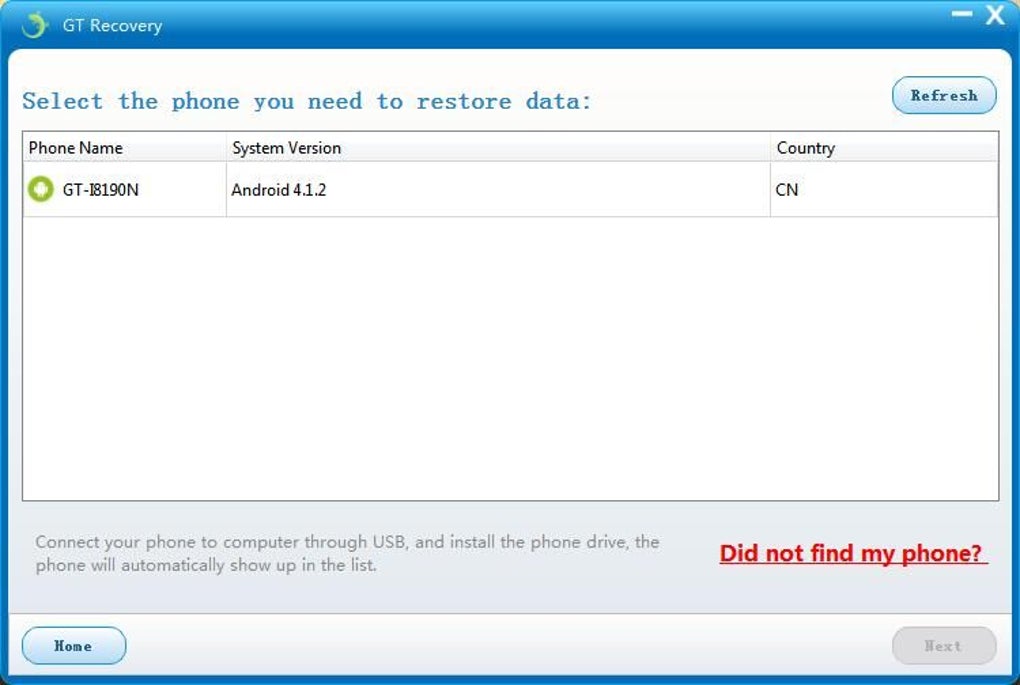
For users facing the daunting task of recovering a large number of files, GT Recovery provides a Smart Classification and Preview feature. This functionality allows for efficient identification and selection of specific files within the recovered data, streamlining the recovery process and preventing the need to sift through irrelevant information. This intelligent approach to data recovery significantly improves the user experience, especially in scenarios involving extensive data loss.
Cross-Platform Compatibility and Recovery Methods
GT Recovery’s design transcends the limitations of single-platform compatibility. The software is available for both Android and Windows operating systems, offering a unified solution for data recovery across multiple devices. While iOS support isn’t explicitly mentioned in readily available information, future updates might introduce this capability. The Android version, also free of charge, provides not only data recovery functions but also a secure method for permanently erasing sensitive private information, bolstering its overall utility.
The Windows version of GT Recovery provides users with multiple recovery methods tailored to different recovery scenarios. These options include:
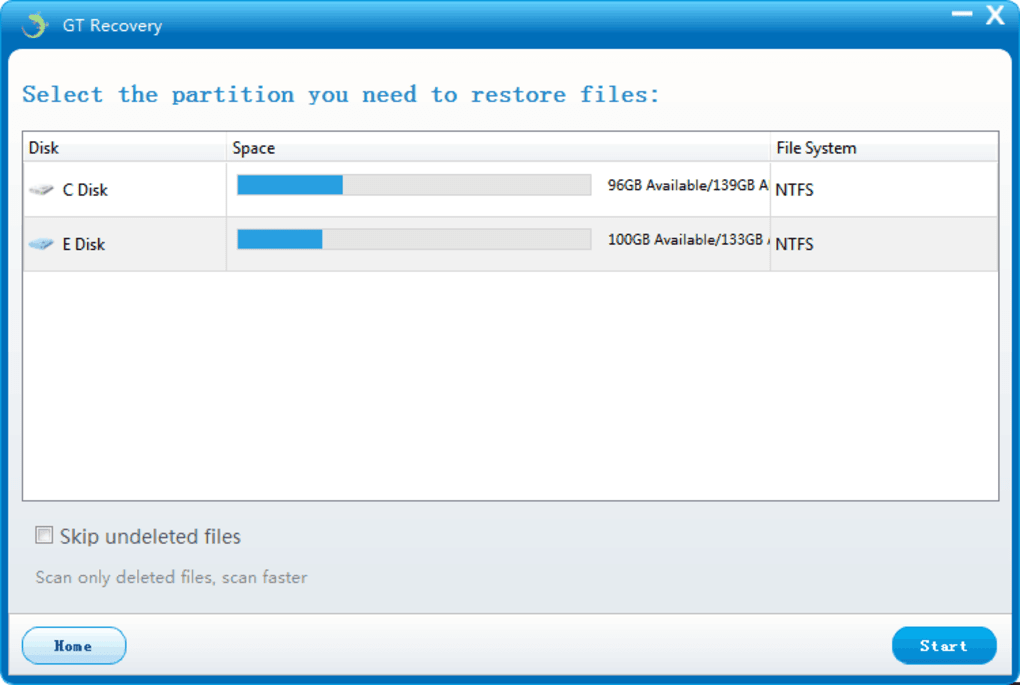
- Quick Recovery: Designed for swift retrieval of recently deleted files, this method focuses on locating data that has not been extensively overwritten, offering a fast and efficient recovery solution for minor data loss incidents.
- Advanced Recovery: This more in-depth scan employs advanced algorithms to locate data that may have been overwritten or fragmented, giving users a greater chance of recovering data lost in more complex scenarios. This method is ideal for situations where the Quick Recovery option fails to locate the desired files.
- Mobile Data Recovery: This function allows for the recovery of data from connected mobile devices, effectively extending the software’s recovery capabilities beyond the confines of the Windows PC itself. This feature hinges upon a stable USB connection and compatibility with the connected device.
Furthermore, GT Recovery allows users to save scan results, eliminating the need for repeated scans. This feature saves time and resources, particularly valuable when dealing with extensive datasets or multiple recovery attempts. The ability to save scan results is a considerable convenience, especially when multiple recovery efforts are needed or when dealing with vast quantities of data.
User-Friendly Interface and Ease of Use
GT Recovery prioritizes user experience through its intuitive interface, designed to be accessible even to users without technical expertise. The simplified design removes the complexities often associated with data recovery software, making the process straightforward and accessible to a broad audience. This focus on user-friendliness is a significant advantage, particularly in stressful situations where data loss is involved. The clear and concise design assists users in navigating the recovery process efficiently, minimizing frustration and maximizing the chances of a successful recovery.
Advantages and Disadvantages
Pros:
- Free of charge: GT Recovery is a free software, eliminating the financial barrier for users needing data recovery. This accessibility makes it an attractive option for users who may be hesitant to invest in potentially expensive commercial software.
- Multiple recovery options: The provision of Quick, Advanced, and Mobile Data Recovery methods ensures adaptability to a variety of data loss scenarios. The diversity of options caters to different user needs and data loss circumstances, enhancing the software’s overall effectiveness.
- No expert knowledge required: The user-friendly interface minimizes the need for technical expertise, making it accessible to a wide range of users, regardless of their technical proficiency.
- Saves scan results: The option to save scan results significantly improves efficiency by eliminating repetitive scans, saving valuable time and computing resources.
- Android and Windows compatibility: The cross-platform support caters to a larger user base, accommodating data recovery needs across different device ecosystems.
Cons:
- Sporadic bugs: While generally reliable, users report occasional bugs. This is a common issue with free software, and ongoing development and user feedback are crucial for addressing such problems.
- Lack of iOS support (potentially): At the time of writing, iOS support appears to be absent, although this may change with future updates. The absence of iOS support limits the software’s reach to a specific subset of mobile device users.
User Reviews and Community Feedback
User reviews highlight a generally positive reception of GT Recovery, with many praising its effectiveness and ease of use. However, some criticisms regarding occasional bugs and the absence of iOS support are recurring themes. This mixed feedback underscores the need for continuous software development and improvement, addressing user concerns and enhancing the overall user experience. The overall sentiment indicates that GT Recovery provides valuable data recovery functionality but also acknowledges the need for further refinement.
Alternatives to GT Recovery for Windows
Numerous alternative data recovery software solutions are available for Windows. Some popular alternatives include:
- Recuva: A highly regarded and well-established data recovery tool known for its user-friendly interface and efficient recovery capabilities.
- Free Data Recovery: A free and streamlined software option, offering basic data recovery features for less technically proficient users.
- EaseUS Data Recovery Wizard Free Edition: A free version of a robust commercial data recovery software, providing a more advanced set of recovery tools for experienced users.
- PC Inspector File Recovery: A feature-rich free option offering advanced data recovery capabilities.
- AnyUnlock: Focused on iOS device data recovery, offering an alternative for iOS users.
- DroidKit: Specifically designed for Android device data recovery, providing another alternative for Android users.
Choosing the optimal data recovery software depends on individual needs and technical proficiency. GT Recovery offers a solid free option, but exploring alternative options is recommended based on specific data recovery requirements and user experience preferences.
Conclusion
GT Recovery for Windows presents a viable and accessible solution for users needing data recovery capabilities on their Windows PCs. Its ease of use, multiple recovery methods, and cross-platform compatibility (including Android) are significant advantages. While minor issues, such as occasional bugs and a potential lack of iOS support, exist, the software’s strengths make it a valuable tool for recovering lost or deleted files. The availability of numerous alternatives allows users to explore options that best suit their individual needs and technical comfort levels. However, for many users, GT Recovery’s simplicity and free availability may make it an excellent starting point for data recovery efforts.
File Information
- License: “Free”
- Latest update: “July 15, 2022”
- Platform: “Windows”
- OS: “Windows 98”
- Language: “English”
- Downloads: “79.7K”
- Size: “36.90 MB”


