
Grand Theft Auto: San Andreas, a seminal title in the open-world action genre, has captivated gamers for years with its expansive map, compelling storyline, and diverse gameplay options. However, the modding community has continually breathed new life into the game, creating a wealth of modifications that dramatically alter the San Andreas experience. Among the most popular and terrifying of these is the GTA: San Andreas Zombie Alarm Mod, which transforms the vibrant streets of Los Santos, San Fierro, and Las Venturas into a nightmarish landscape overrun by the undead.
This mod isn’t just a simple skin swap; it’s a comprehensive overhaul that introduces a fully realized zombie apocalypse into the familiar GTA: San Andreas world. Prepare for a chilling experience unlike anything you’ve encountered before.
The Zombie Invasion: Gameplay and Features
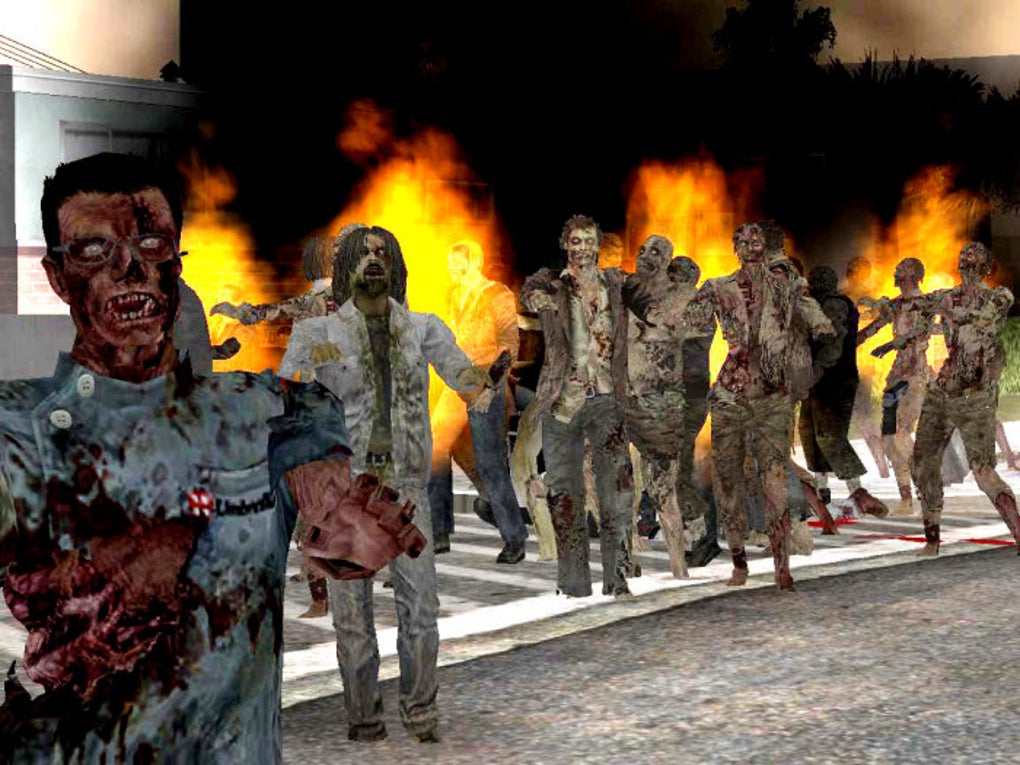
The GTA: San Andreas Zombie Alarm Mod dramatically alters the core gameplay loop. Instead of facing off against rival gangs and corrupt police officers, players must now contend with hordes of relentless zombies. These aren’t your typical slow-moving shambling corpses; the mod introduces a variety of zombie types, each with unique behaviors and attack patterns. Some may be faster and more aggressive, while others might possess special abilities, adding a layer of strategic depth to combat encounters.
The mod doesn’t simply replace existing pedestrians with zombies; it integrates the undead seamlessly into the game’s world. Zombies will spawn naturally throughout the game’s environment, appearing in both populated areas and remote locations. This constant threat keeps players on edge, forcing them to adapt their strategies and constantly be aware of their surroundings. The sheer number of zombies can overwhelm even the most seasoned GTA veteran, making survival a constant struggle.
Beyond the sheer numbers, the mod also adds new elements to the game’s mechanics. Players will need to scavenge for resources like weapons, ammunition, and health items to survive. Furthermore, the mod often incorporates new vehicles, allowing players to navigate the zombie-infested streets in style (or escape quickly). These vehicles may have unique properties, making them more suitable for navigating the challenges presented by the undead hordes.
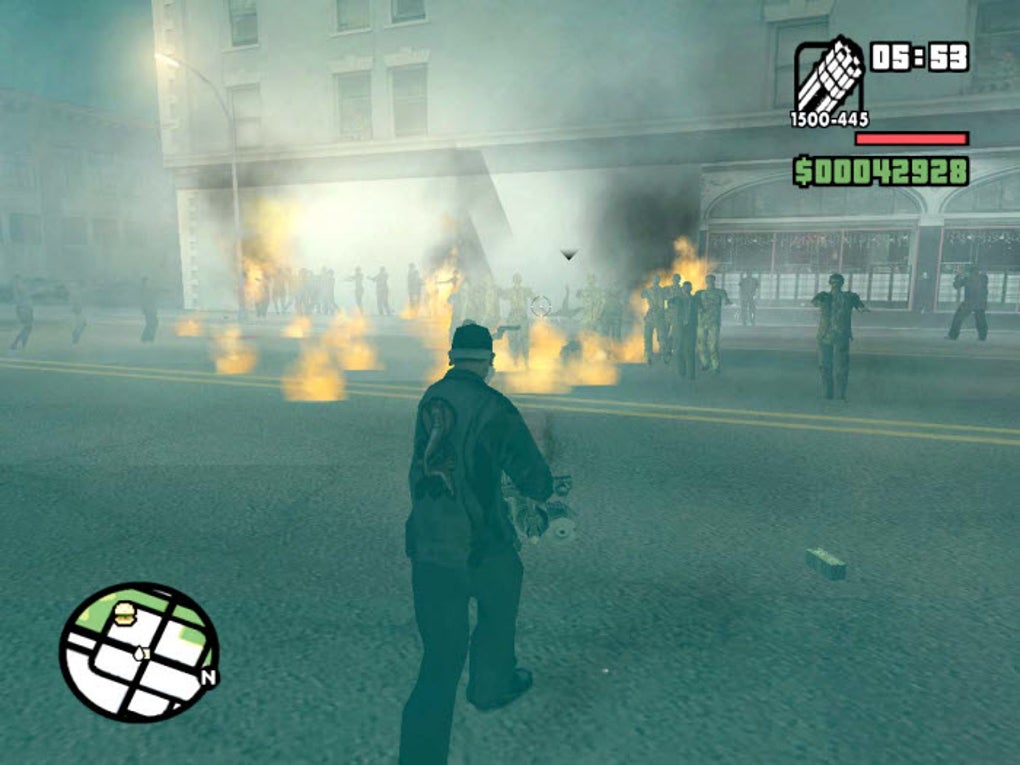
The mod may also include new story elements or missions, integrating the zombie theme more deeply into the game’s narrative. This could range from simple side quests focusing on survival and scavenging to more complex storylines involving the outbreak’s origins or methods to contain the infection. These additions add layers of complexity and provide a richer, more engaging experience beyond simply fighting zombies.
Installation and Compatibility: Navigating the Modding Process
Installing the GTA: San Andreas Zombie Alarm Mod can be a complex process, requiring a certain level of technical knowledge. The mod typically comes packaged as a .ZIP file containing multiple files, including textures, models, and scripts. These files need to be carefully placed into the correct directories within the GTA: San Andreas game files. Incorrect placement can lead to game crashes or malfunctions.
While the process can seem daunting to newcomers, various tools and tutorials are available online to guide users through the installation. One frequently recommended tool is the San Andreas Mod Installer, a program designed to simplify the process by automating many of the steps involved. Using such a tool significantly reduces the risk of errors and ensures a smoother installation experience.
However, even with the help of these tools, careful attention to detail is crucial. It’s vital to back up your game files before attempting any modifications, as improper installation can potentially corrupt the original game data. Always download mods from reputable sources to minimize the risk of malware or corrupted files that might damage your system.
Compatibility with other mods is another critical factor to consider. Running multiple mods simultaneously can often lead to conflicts, resulting in instability or crashes. It’s generally recommended to test mods individually before combining them to identify any potential conflicts early on. The mod’s description should usually specify compatibility with other mods.

Beyond the Basics: Advanced Features and Variations
Many versions of the GTA: San Andreas Zombie Alarm Mod exist, each with its own unique features and levels of complexity. Some mods might offer a relatively simple zombie addition, while others provide a significantly more challenging and immersive experience. This variety caters to a wide range of player preferences, from those looking for a simple addition to their gameplay to those seeking a completely overhauled, intense survival experience.
Advanced features can include enhanced zombie AI, more realistic zombie behavior, improved weapon mechanics, and more elaborate storylines. Some mods may even introduce new gameplay mechanics entirely, such as crafting systems, base building, or cooperative multiplayer modes. The possibilities are nearly endless, depending on the specific mod and its creator’s vision.
Beyond the core gameplay enhancements, some mods might include graphical improvements. This could involve higher-resolution textures for the zombies, improved lighting effects to enhance the atmosphere, or even completely new environmental assets to create a more desolate and terrifying world. These visual enhancements contribute significantly to the overall immersion, making the zombie apocalypse feel more believable and terrifying.
The Community and Ongoing Development
The modding community surrounding GTA: San Andreas is a vibrant and active one. Many talented individuals dedicate their time and skills to creating and maintaining mods like the Zombie Alarm Mod. This community often provides support, troubleshooting assistance, and updates to existing mods. Furthermore, the community’s feedback helps shape the development of future versions and encourages the creation of new features.
Forums and online communities dedicated to GTA: San Andreas modding serve as central hubs for this interaction. Players can share their experiences, seek help with installation or troubleshooting, and discuss new features or potential improvements. These communities are invaluable resources for anyone interested in experimenting with mods, providing a supportive environment for both experienced modders and newcomers.
The ongoing development of the Zombie Alarm Mod and similar modifications reflects the community’s enthusiasm and dedication. Regular updates, bug fixes, and the addition of new features keep the game fresh and engaging, ensuring a constantly evolving experience for players. This collaborative aspect is a key reason why mods like the Zombie Alarm Mod continue to thrive years after the original game’s release.
Conclusion: A Terrifying and Rewarding Experience
The GTA: San Andreas Zombie Alarm Mod is more than just a simple modification; it’s a complete transformation of the game, turning a familiar world into a terrifying and unpredictable landscape. The challenge of survival against relentless hordes of zombies, the constant search for resources, and the thrill of escaping the undead all contribute to a uniquely engaging experience.
While the installation process might seem daunting at first, the rewarding gameplay and the extensive features offered by the mod more than make up for the effort. The vibrant modding community further enhances the experience, providing support, updates, and a constant stream of new content. For fans of GTA: San Andreas seeking a fresh and terrifying challenge, the Zombie Alarm Mod offers an unforgettable and truly unsettling journey through the undead-infested streets of San Andreas.
File Information
- License: “Free”
- Latest update: “September 29, 2021”
- Platform: “Windows”
- OS: “Windows XP”
- Language: “English”
- Downloads: “307.7K”
- Size: “1.48 MB”


