
In the vast and ever-evolving landscape of digital tools for musicians, few applications have achieved the widespread acclaim and user loyalty enjoyed by Guitar Tuna. Developed by Ovelin Ltd., this powerhouse of a guitar tuning application has firmly established itself as an indispensable utility for both aspiring beginners and seasoned professionals across mobile platforms and Windows 10 devices. Renowned for its unparalleled clarity, exceptional speed, and pinpoint accuracy, Guitar Tuna stands head and shoulders above its competitors, offering an intuitive and robust tuning experience that redefines convenience.
At its core, Guitar Tuna is more than just a simple tuner; it is a meticulously engineered solution crafted by guitarists, for guitarists. It leverages a pioneering audio signal processing technology, the very same sophisticated engine that powered WildChords, a highly regarded guitar learning platform. This advanced technological foundation ensures that every tuning session is not only precise but also incredibly responsive, transforming what can often be a tedious task into a seamless and enjoyable part of a musician’s routine. This detailed exploration will delve into the multifaceted features that make Guitar Tuna a cornerstone application for anyone with a stringed instrument.
Unrivaled Precision and Comprehensive Tuning Capabilities

The cornerstone of Guitar Tuna’s widespread adoption is its commitment to accuracy. The application’s leading-edge audio signal processing technology is not merely a marketing claim; it’s the engine that delivers consistently reliable tuning results. When a string is plucked, Guitar Tuna instantly analyzes the incoming audio, displaying the exact pitch with remarkable precision. This immediate and clear visual feedback empowers users to make micro-adjustments with confidence, ensuring their instrument is perfectly in tune every time. This level of granular accuracy is crucial, as even slight discrepancies can affect the harmonic quality and overall sound of a performance.
Beyond standard EADGBe tuning for a six-string guitar, Guitar Tuna boasts an astonishingly comprehensive library of alternative tunings and support for a vast array of other stringed instruments. This versatility is a key differentiator, liberating musicians from the need to acquire multiple dedicated tuners or struggle with generic chromatic tuners that lack specific instrument profiles. For guitarists, it opens up a world of creative possibilities, allowing them to effortlessly switch between classic tunings like Drop D, Open G, or DADGAD, as well as a myriad of custom tunings. The application’s intelligence extends to recognizing and guiding users through these complex arrangements, providing visual diagrams and clear instructions for each string.
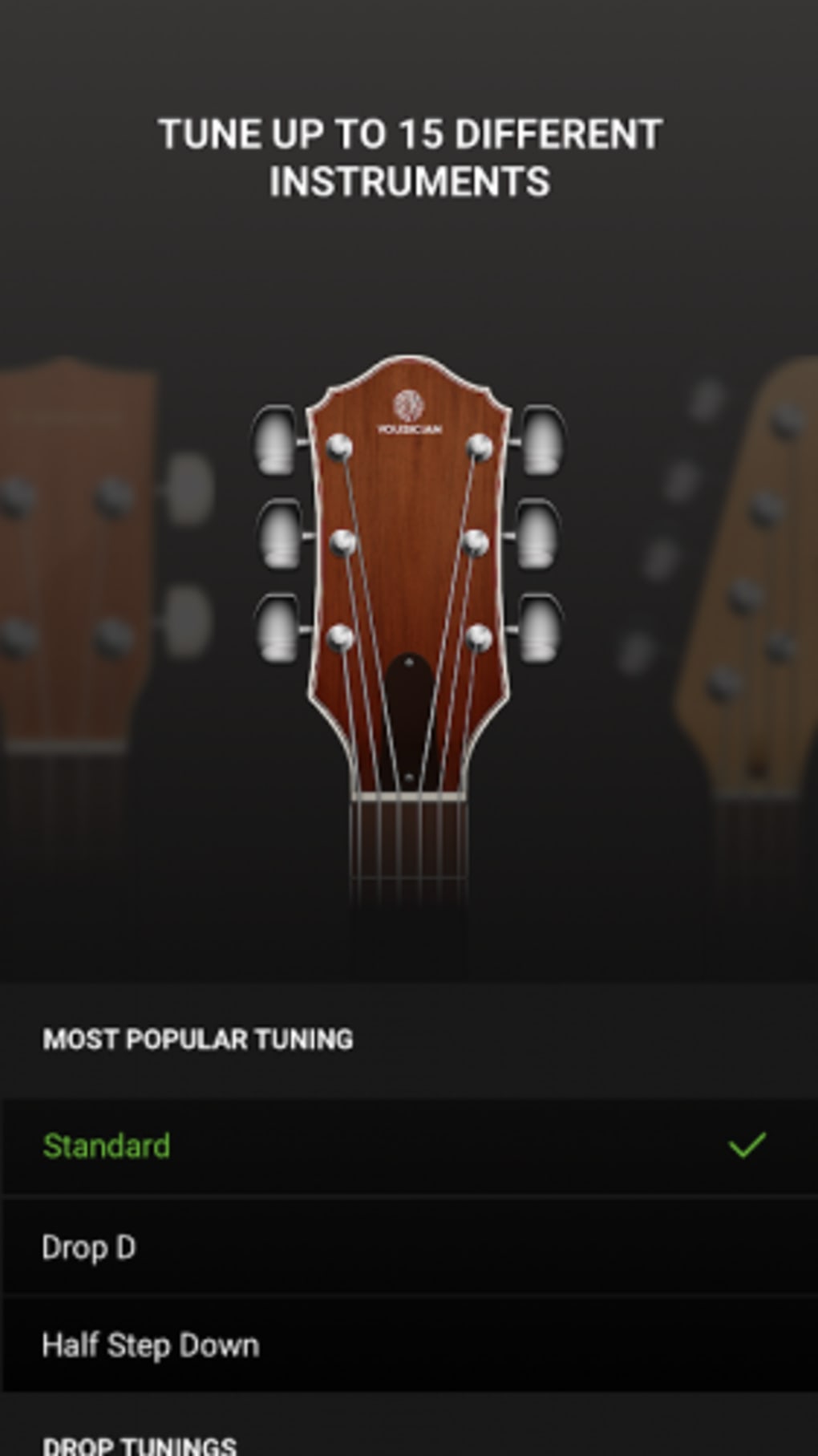
The expansive support doesn’t stop at guitars. Guitar Tuna is a truly universal string instrument tuner, catering to:
- Ukulele: Soprano, Concert, Tenor, and Baritone tunings.
- Bass Guitar: 4-string, 5-string, and 6-string bass tunings.
- Specialty Guitars: 7-string and 12-string guitars, often overlooked by simpler tuners.
- Banjo: 4-string and 5-string banjo tunings.
- Mandolin: Standard and alternative mandolin tunings.
- Violin Family: Violin, Viola, and Cello, providing critical precision for orchestral musicians.
This extensive compatibility underscores Guitar Tuna’s position as a one-stop solution for string instrument players. The ability to seamlessly transition between tuning a classical guitar, a blues harmonica, or a family of violins within a single application adds immense value and convenience. Furthermore, the application is designed to work flawlessly with the built-in microphones of various devices, whether it’s a smartphone, tablet, or Windows 10 PC. This means users don’t need to invest in external hardware to achieve professional-grade tuning, making it an accessible tool for everyone. The sophistication of the signal processing ensures that even lower-quality built-in microphones can deliver surprisingly accurate results, though, as we will discuss, optimal conditions are always recommended.
Designed for Every Musician: Ease of Use and Innovative Features
One of Guitar Tuna’s most commendable attributes is its user-centric design, which prioritizes ease of use without compromising on functionality. From the moment the application is launched, users are greeted with a clean, intuitive interface that makes tuning a straightforward process, even for absolute beginners. There’s no steep learning curve to contend with; the visual cues are clear, the instructions are concise, and the overall experience is designed to be as frictionless as possible. This accessibility is paramount, as it allows new musicians to focus on learning their instrument rather than struggling with a complicated tuning interface.
A standout feature that exemplifies this commitment to user convenience is the automatic mode. This intelligent function streamlines the tuning process, especially for those who might find themselves with their hands full or simply prefer the quickest possible method. In automatic mode, Guitar Tuna listens to the instrument and automatically detects which string is being played, guiding the user to the correct pitch without requiring manual string selection. This hands-free operation makes tuning remarkably fast and efficient, allowing musicians to get back to playing with minimal interruption. Whether it’s an electric guitar plugged directly into an interface or an acoustic guitar relying on its natural resonance, the automatic mode adapts to ensure optimal performance.
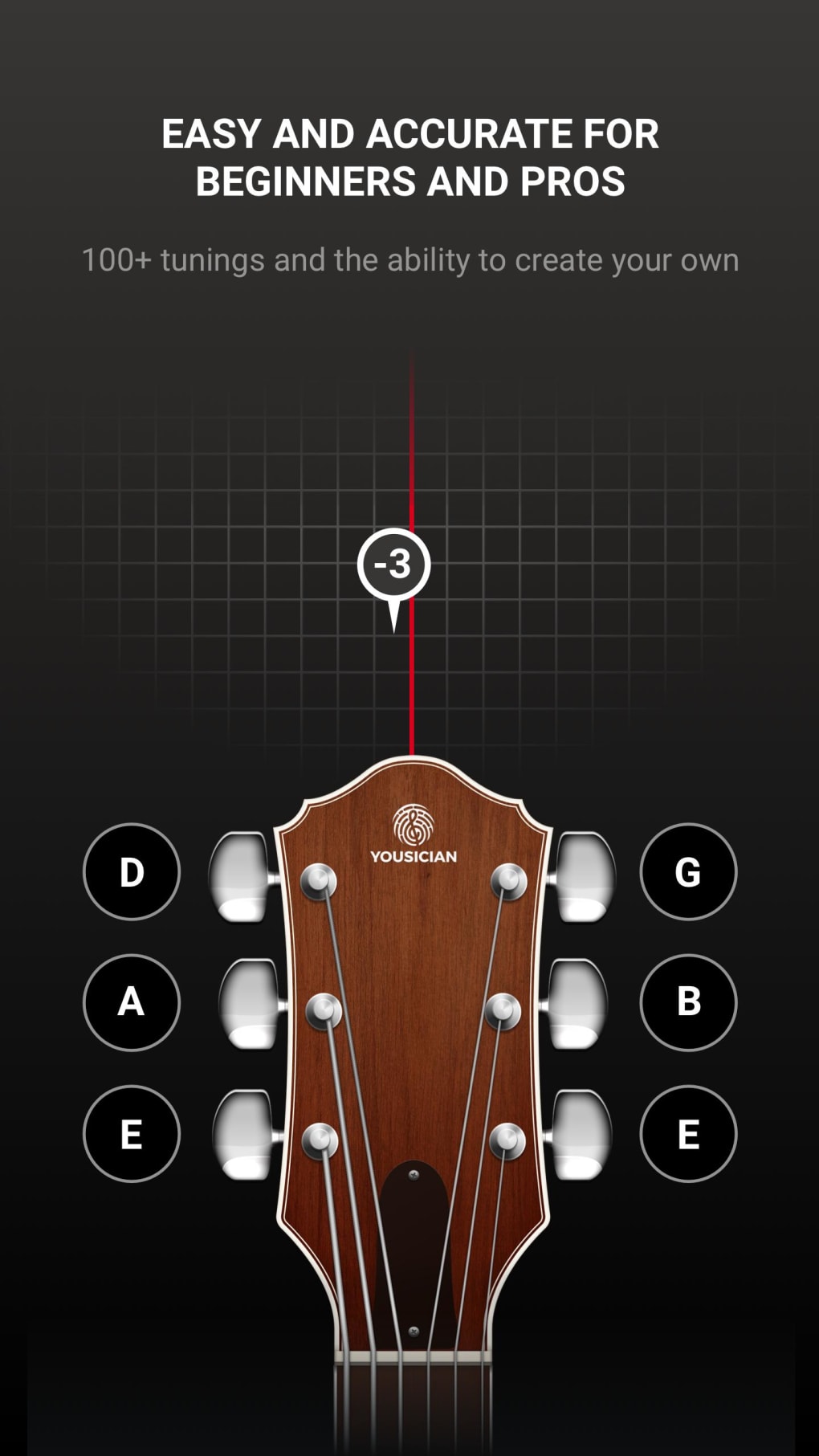
Beyond just tuning, Guitar Tuna also incorporates a robust system of visual feedback. As each string is played, a clear, responsive meter indicates whether the pitch is flat, sharp, or perfectly in tune. This visual representation is complemented by a “signal history” feature, which provides a chronological record of the pitch detection, allowing users to observe their progress and consistency. For left-handed players, or those who prefer inverted string order, Guitar Tuna offers a dedicated setting to accommodate these preferences, ensuring that the visual guidance matches their instrument setup. This attention to detail reflects the app’s comprehensive approach to catering to diverse user needs.
Moreover, Guitar Tuna transcends its primary function as a tuner by integrating educational elements that enhance the learning experience. The application includes engaging mini-games specifically designed to teach guitar chords. These interactive exercises use diagrams and auditory cues, allowing users to hear, recognize, and learn various chord shapes by sound alone. This gamified approach to learning makes the often-challenging process of memorizing chords more enjoyable and effective, particularly for students who are just embarking on their musical journey. By combining tuning with fundamental music theory practice, Guitar Tuna evolves into a valuable tool for holistic musical development.
Navigating the Soundscape: Performance and Environmental Considerations
While Guitar Tuna excels in precision and user-friendliness, its performance is, like any audio-sensitive application, influenced by its operational environment. The developers have integrated a background noise cancellation system to mitigate the impact of ambient sounds. This intelligent feature attempts to filter out irrelevant noise, allowing the tuner to focus primarily on the instrument’s sound. In many scenarios, particularly in typical home settings, this cancellation system works effectively, allowing users to tune without significant interference from general household noises or conversations within the room. This means you don’t necessarily need absolute silence to get a good reading.
However, it is crucial to acknowledge that Guitar Tuna, despite its advanced noise cancellation, remains somewhat sensitive to significant ambient noise. For optimal results and the highest degree of accuracy, it is highly recommended to tune your instrument in as quiet an environment as possible. While human chatter in the background might not pose a major problem, the presence of multiple instruments being tuned simultaneously in close proximity can indeed cause inconvenience. The audio signal processing, while powerful, can struggle to differentiate between the subtle nuances of one instrument’s pitch and the competing frequencies of others when the sound sources are too close or too loud.
Even when utilizing a contact microphone, which is designed to pick up vibrations directly from the instrument and minimize external noise, a particularly noisy environment can still present challenges. The precision of Guitar Tuna means it picks up on minute frequency variations, and extraneous sounds, especially percussive or sustained tones, can interfere with its ability to lock onto the fundamental frequency of the string being played. Therefore, while Guitar Tuna is remarkably resilient, musicians aiming for professional-level accuracy should ideally seek a calm and focused space for tuning sessions. This awareness allows users to maximize the app’s potential and ensures consistent, reliable tuning outcomes every time.
Why Guitar Tuna Stands Out: A Premium Experience for All
Guitar Tuna’s journey to the pinnacle of tuning applications is a testament to its exceptional design, robust functionality, and unwavering focus on the musician’s needs. It truly deserves all the accolades and immense popularity it has garnered. Its comprehensive range of tuning possibilities, coupled with its straightforward and intuitive user interface, makes it an unparalleled tool for anyone playing a stringed instrument. Whether you’re fine-tuning a vintage acoustic, setting up a modern electric, or ensuring your ukulele is pitch-perfect for a jam session, Guitar Tuna delivers with consistent excellence.
The application’s strengths are multifaceted and directly contribute to its top-tier recommendation status:
- Leading Audio Signal Processing Technology: This advanced core ensures accuracy, speed, and reliability, providing a professional-grade tuning experience.
- Fun and Educational Mini-Games: By integrating chord learning into its ecosystem, Guitar Tuna extends its utility beyond simple tuning, fostering musical growth in an engaging manner.
- Automatic Mode: This hands-free option significantly enhances convenience, making tuning a quick and effortless task.
- Clear Visual Feedback and Signal History: Users receive immediate, easy-to-understand visual cues, aiding in precise adjustments and allowing them to track their tuning performance.
- Extensive Instrument and Tuning Support: From common guitars to esoteric string instruments and diverse alternative tunings, Guitar Tuna is incredibly versatile.
- User-Friendly Interface: Its design prioritizes accessibility, ensuring that musicians of all skill levels can utilize the app effectively from day one.
While the core Guitar Tuna application is available for free, providing a robust and feature-rich experience, there is also a premium version available for purchase. This premium offering unlocks an even more expansive array of services and advanced tuning characteristics, catering to users who desire the absolute maximum in flexibility and functionality. These extended features might include an even wider selection of custom tunings, specialized tools, or an ad-free experience, further enhancing the overall user journey for those who choose to invest.
In conclusion, Guitar Tuna is more than just an application; it’s an essential companion for any stringed instrument player. Its blend of cutting-edge technology, user-centric design, and comprehensive features positions it as the definitive digital tuner on the market. From its precise pitch detection to its educational mini-games and vast instrument support, Guitar Tuna consistently delivers a superior experience that empowers musicians to sound their best. As reviewed on PhanMemFree, it unequivocally earns its place as a highly recommended utility for anyone serious about their music.


