
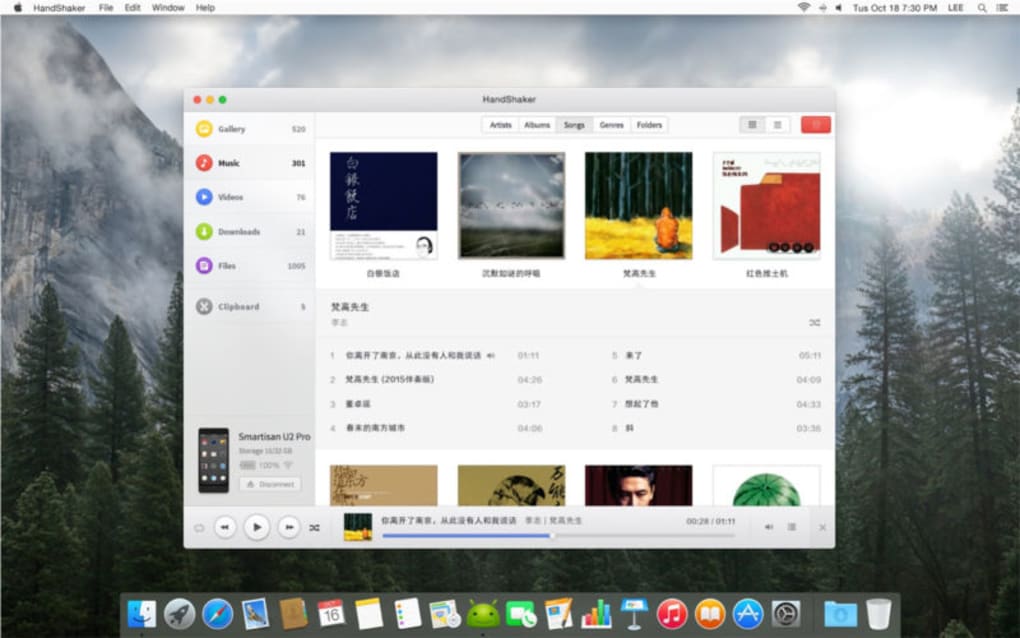
HandShaker was a Mac application designed to simplify the management of Android devices from a macOS computer. This provided a convenient solution for users who frequently interacted with their Android apps and data, offering the benefit of a larger screen and familiar macOS interface. While the original application is no longer available for download due to reasons such as discontinuation or security concerns, this article explores its functionality, alternatives, and the broader context of managing Android devices from a Mac.
Bridging the iOS-Android Divide
The inherent incompatibility between iOS and Android operating systems often presents a challenge for users managing multiple devices. HandShaker aimed to bridge this gap by providing a means to seamlessly transfer and run Android applications on a Mac. This feature was especially beneficial for users who relied heavily on specific Android apps but preferred the larger screen and processing power of their macOS computers. While the program offered a user-friendly interface, its effectiveness varied depending on the size and complexity of the data being transferred.
Functionality and Limitations
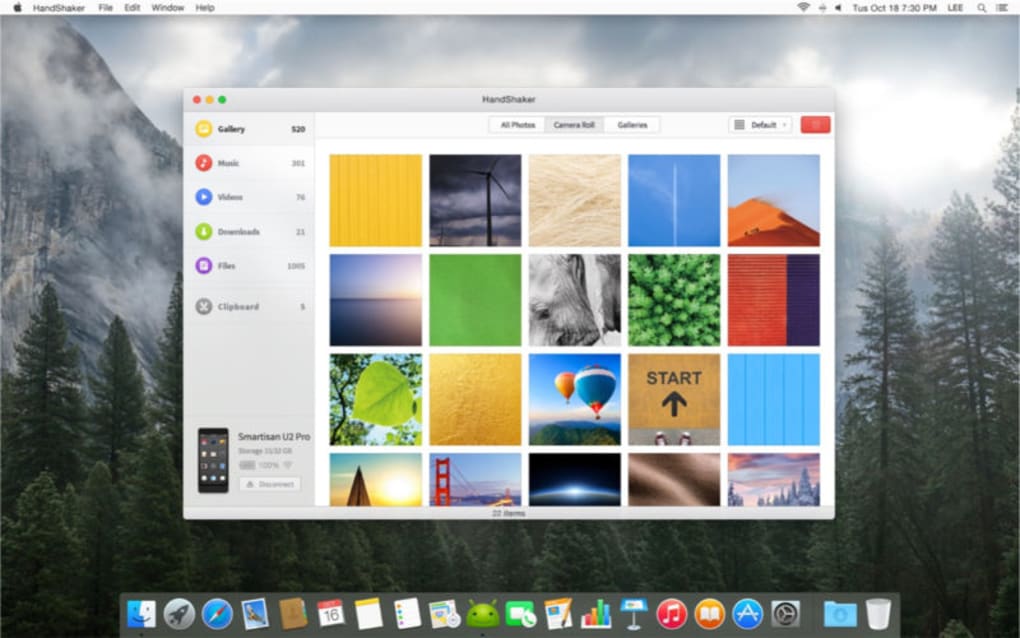
HandShaker primarily focused on enabling users to interact with their Android apps from their Mac. This functionality involved transferring data, managing applications, and potentially mirroring the Android device’s screen on the larger Mac display. The application aimed for simplicity, offering an intuitive user experience.
However, one significant drawback highlighted in user reviews and articles was the time required for syncing large files and applications. This limitation stemmed from the technical challenges of transferring data between two distinct operating systems. Users who frequently managed large volumes of data might have found the syncing process slow and potentially frustrating. The presence of pop-up ads, a common monetization strategy for free applications, also detracted from the overall user experience for some.
Alternatives to HandShaker
Given that HandShaker is no longer available, several alternatives exist for managing Android devices from a Mac. These alternatives provide varying levels of functionality and often address the limitations experienced with HandShaker. The optimal choice depends on individual needs and preferences.
Some popular alternatives include:
-
SHAREit: A widely used file-sharing platform that facilitates easy transfer of files between various devices, including Android and Mac. While not a direct replacement for HandShaker’s app management features, SHAREit is a reliable solution for transferring photos, videos, and other files. It often surpasses the speed limitations experienced by HandShaker.
-
Android File Transfer - Quickshare: This specific tool focuses solely on file transfer between Android and Mac devices. It’s a simple, dedicated application addressing the core need of data transfer, and its straightforward design might appeal to users who prefer a minimalist approach.
-
Huawei HiSuite (for Huawei devices): This software is tailored for Huawei Android smartphones. If you are a Huawei user, HiSuite provides comprehensive management capabilities, offering a deeper level of integration than the more general alternatives.
-
Samsung Kies (for Samsung devices): Similar to Huawei HiSuite, Samsung Kies provides tailored management capabilities specifically for Samsung devices. It offers a more integrated experience for Samsung users, making it a strong alternative if you exclusively use Samsung devices.
-
SyncMate Classic: This offers more comprehensive syncing capabilities beyond just Android, allowing synchronization of various data types with a Mac. This wider functionality could be beneficial for users who manage multiple types of devices and data.
These applications provide a range of functionality, addressing different aspects of Android device management. Users should consider their specific requirements—whether it’s primarily file transfers, comprehensive device management, or a specific brand’s support—before selecting an appropriate alternative.
Beyond Specific Applications: Exploring Broader Solutions
In addition to dedicated applications, users have several other options for interacting with their Android devices from a Mac:
-
Screen Mirroring: While not a replacement for running Android apps directly on the Mac, screen mirroring allows you to see your Android device’s screen on your Mac. This can be useful for presentations or larger screen viewing. Many mirroring solutions are available, both wired and wireless.
-
Remote Desktop Applications: These applications allow you to remotely control your Android device from your Mac as if you were using it directly. This can be a very effective way to interact with the Android device, and many applications support different protocols.
-
Cloud Storage and Synchronization Services: Cloud services like Google Drive, Dropbox, or OneDrive enable seamless synchronization of files and data between your Android device and your Mac. This ensures consistent access to your information across platforms.
The choice of method depends on the user’s specific needs and technical proficiency. Some users may prefer dedicated applications for their ease of use, while others might find more flexibility and control with remote desktop applications or cloud-based solutions.
User Experiences and Reviews
User reviews for HandShaker, while limited due to the app’s unavailability, often highlighted its ease of use as a positive aspect. However, the slow syncing speeds, especially with larger files, were a consistent criticism. This suggests a need for alternative solutions that prioritize speed and efficiency. The presence of pop-up advertisements also negatively impacted the user experience for some. This highlights the importance of considering the overall user experience when choosing Android management tools.
Conclusion
HandShaker provided a solution for managing Android devices from a Mac, but its limitations and eventual removal necessitate exploring alternative approaches. Users now have a range of options, including dedicated file transfer applications, brand-specific software (for Huawei or Samsung devices), and broader solutions like screen mirroring or cloud synchronization. The best approach depends heavily on individual needs and priorities, with speed, functionality, and overall user experience being key considerations. By carefully weighing these factors, users can choose the most effective method for managing their Android devices seamlessly from their Mac.
File Information
- License: “Free”
- Version: “2.1.1”
- Latest update: “July 10, 2023”
- Platform: “Mac”
- OS: “Mac OS X”
- Language: “English”
- Downloads: “23.9K”


