
Google Chat, formerly known as Google Hangouts, has evolved into a robust communication and collaboration platform. This guide delves into its features, functionalities, and how it’s reshaping workplace communication for both individuals and businesses. From its origins as a simple instant messaging service to its current iteration as a powerful suite of tools for real-time collaboration, Google Chat offers a comprehensive solution for modern communication needs.
Google Chat: Key Features and Capabilities
Google Chat’s success stems from its intuitive interface and powerful features designed to enhance collaboration and streamline communication. This section explores the core elements that make Google Chat a leading choice for businesses and individuals alike.
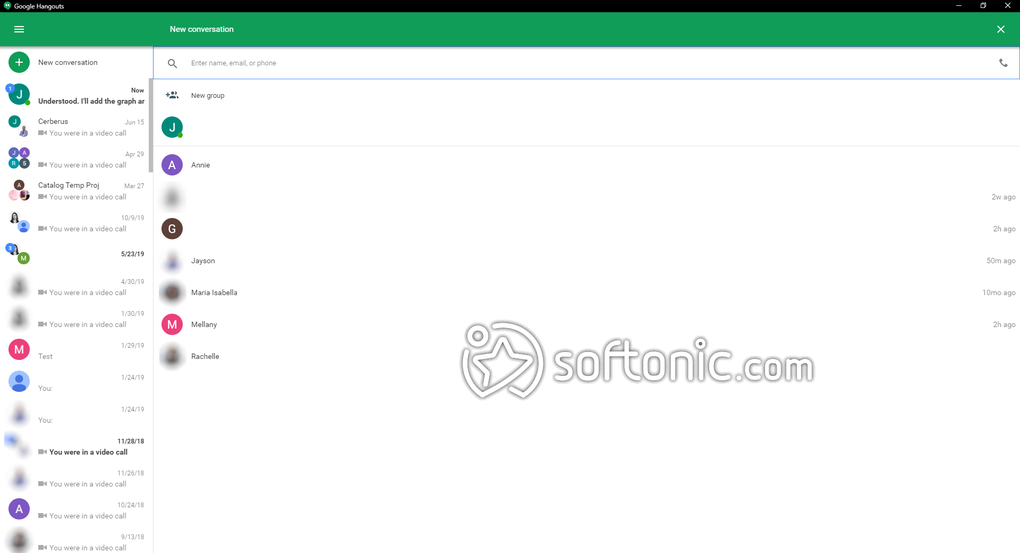
Real-time Communication: At its heart, Google Chat provides instantaneous text-based communication. Users can engage in one-on-one chats or participate in group conversations, leveraging features such as mentions (@mentions) to directly address specific individuals within a group chat. The inclusion of emojis and GIFs adds a layer of expressiveness, fostering a more engaging and informal communication style. This real-time aspect is crucial for quick information sharing and immediate responses, improving project efficiency and decision-making.
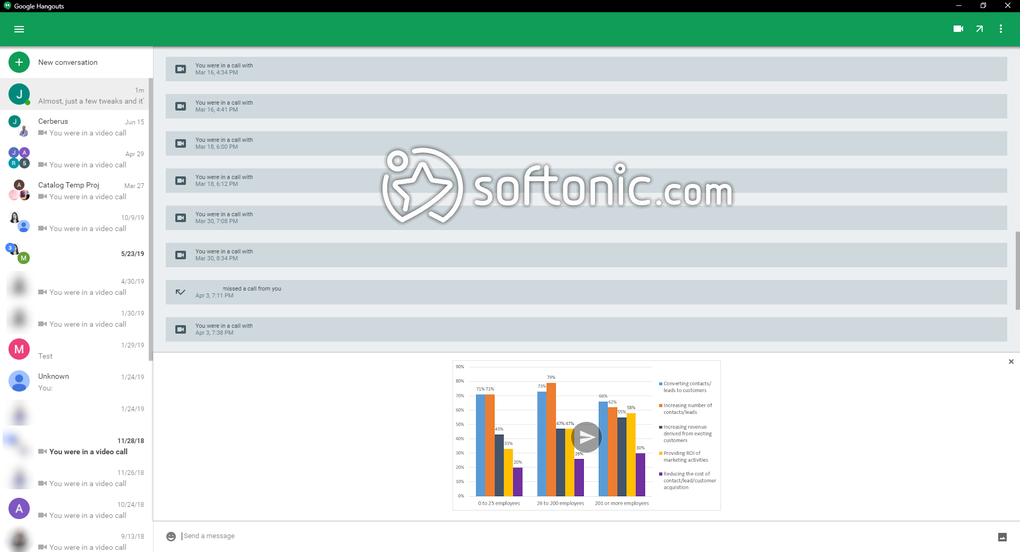
Spaces: Organized Collaboration: Google Chat’s Spaces elevate group chats beyond simple conversations. Spaces act as dedicated hubs for specific projects or topics, providing a structured environment for team collaboration. Within Spaces, users can seamlessly share files, assign tasks, create and edit documents collaboratively, and track progress all within the same interface. This centralized approach reduces the need for multiple platforms and simplifies project management. The ability to organize discussions by topic within Spaces ensures clarity and avoids the clutter often associated with sprawling group chats.
Seamless Integration with Google Meet: Google Chat’s integration with Google Meet, Google’s video conferencing service, is a standout feature. Users can initiate video meetings directly from within a Space or individual chat, making transitions between text-based communication and video calls seamless and effortless. The ease of scheduling and joining meetings through the integrated calendar functionality simplifies the process of organizing virtual meetings, fostering spontaneous collaboration as well as planned sessions. This feature is particularly valuable for remote teams needing to conduct regular meetings or address urgent issues visually.
Enhanced Notifications and Customization: Google Chat’s notification system is designed for efficiency. Users can customize notification settings to receive alerts only for relevant messages or mentions, preventing notification overload. The ability to filter notifications based on individual chats or Spaces ensures users receive timely updates without being bombarded with unnecessary information. This level of customization is crucial in today’s fast-paced work environments, ensuring users can focus on important information.
Security and Single Sign-On (SSO): Google Chat prioritizes security through features like single sign-on (SSO). This allows users to access Google Chat using their existing Google credentials, eliminating the need to manage separate passwords and enhancing security. Google’s robust security infrastructure ensures the protection of sensitive information shared within the platform. This simplified login process streamlines user access and enhances overall security by minimizing potential vulnerabilities associated with managing numerous accounts.
Search and Filtering Capabilities: Google Chat’s advanced search and filtering capabilities enable users to quickly locate specific messages, files, or keywords within chat history. This feature is invaluable for finding crucial information within large volumes of conversations, especially when working on long-term projects or reviewing past discussions. The efficient search functionality saves time and effort, ensuring users can access necessary information quickly without sifting through extensive archives.
File Sharing and Google Workspace Integration: The ease of file sharing within Google Chat is a significant advantage. Users can readily exchange documents, images, and other files directly through the chat interface, without the need to switch to different platforms. Furthermore, the integration with Google Workspace (including Google Drive, Google Docs, Google Sheets, and Google Slides) enables users to directly access and collaborate on shared files within Google Chat. This seamless integration streamlines workflows and enhances productivity by eliminating the need to switch between multiple applications.
Google Chat: Use Cases and Applications
Google Chat’s versatility makes it applicable across a wide range of scenarios, making it a valuable tool for both personal and professional use.
Conducting Virtual Meetings: Google Chat’s integration with Google Meet makes it a powerful platform for virtual meetings. Users can easily host meetings with up to 250 participants, enabling large-scale collaborations and presentations. Features such as screen sharing and file exchange facilitate collaborative work during meetings, enhancing communication and efficiency. The ability to record meetings enables users to review discussions later, an essential feature for capturing key decisions and action items.
Facilitating Group Chats: Google Chat’s group chat functionality is ideal for quick communication and the dissemination of important information to multiple people simultaneously. The ability to use mentions, emojis, and GIFs personalizes the interaction and makes communication more engaging. Group chats are perfect for project updates, team announcements, and quick decision-making, streamlining communication processes.
Streamlining File Sharing and Real-time Collaboration: Google Chat’s seamless integration with Google Drive provides a powerful solution for file sharing and real-time collaboration. Users can share documents, spreadsheets, and other files effortlessly, and multiple users can simultaneously edit and review files within the platform. This real-time collaboration capability improves productivity and eliminates version control issues, promoting efficient workflow.
Scheduling and Recording Meetings: The integration with Google Calendar facilitates meeting scheduling, enabling users to set up meetings, invite participants, and send reminders. The ability to record meetings is invaluable for capturing key discussions, decisions, and action items, allowing team members who missed the meeting to catch up. This ensures that crucial information is accessible to everyone involved in the project.
Enhancing Communication with Emojis and Stickers: The option to incorporate emojis and stickers into chats adds a human touch to communication, making interactions more enjoyable and less formal. This can help build rapport among team members and foster a positive work environment. The incorporation of these features helps to create a less rigid communication style, making conversations feel more engaging and natural.
Google Chat: Evolution from Google Hangouts
Google Chat’s journey from Google Hangouts reflects a commitment to improving user experience and expanding functionalities. While maintaining core features, Google Chat has undergone significant enhancements.
Smart Compose: This feature, powered by AI, provides users with suggestions as they type, speeding up the writing process and reducing errors. Smart Compose significantly improves efficiency, making communication faster and less prone to typos or grammatical errors. This AI-powered assistance helps to refine and improve the overall quality of communication within Google Chat.
Message Editing and Deletion: The ability to edit or delete sent messages is crucial for error correction and maintaining accurate communication. Google Chat’s implementation of this feature allows users to rectify mistakes or remove inappropriate messages, improving the overall quality of communication and preserving the integrity of conversations.
Quoting Messages in Group Chats: The feature to quote specific messages within group chats streamlines communication by providing context and avoiding misunderstandings. Quoting messages clarifies the flow of conversation and makes discussions easier to follow, especially in busy group chats where multiple threads might be running concurrently.
Read Receipts: This feature provides confirmation that messages have been read, allowing users to gauge whether their message has been received and viewed. Read receipts are helpful for ensuring important information has been seen and acknowledged. This helps to ensure accountability within communications, especially when urgent information needs to be confirmed.
Direct Text Linking: Users can now link text within messages using URLs, reducing the need to include long, potentially confusing URLs. This simple yet effective feature enhances readability and makes messages more concise. This improves the clarity and effectiveness of message delivery, avoiding potential confusion caused by lengthy URLs.
Hiding Chats During Screen Sharing: This privacy feature allows users to selectively hide chats during screen sharing, protecting sensitive information during presentations or collaborations. This crucial privacy enhancement safeguards sensitive information and ensures only relevant information is displayed during shared screens. This addresses privacy concerns and enhances security during collaborative sessions.
Simultaneous File Attachment: The ability to attach multiple files in a single message simplifies the process of sharing several documents or files. This is far more efficient than sending multiple messages, making communication streamlined and less cumbersome. This enhancement is particularly valuable when multiple files need to be shared in a single communication.
AI-Powered Features (Gemini): The integration of Google’s Gemini AI enhances collaboration by assisting users in identifying key details within Spaces, identifying action items, and catching up on missed conversations. This AI-driven assistance augments the user’s capabilities, improving overall productivity and workflow management within the platform. The AI’s assistance enhances collaboration by providing intelligent insights and summarization capabilities.
Why Download Google Chat for Windows?
Google Chat for Windows offers a compelling solution for individuals and organizations seeking a reliable and feature-rich communication platform.
Ease of Use: Google Chat’s intuitive interface requires minimal training, allowing users to quickly become proficient in its use. The clear and uncluttered interface is designed for accessibility and ease of navigation. The platform is designed to be intuitive and user-friendly, requiring minimal learning curve.
Security: Google’s robust security infrastructure ensures that sensitive information shared within the platform is protected. Google’s established security protocols enhance user trust and confidence in data security. The platform employs advanced security measures to protect user privacy and data integrity.
Cost-Effectiveness: Google Chat is freely available, making it a cost-effective solution for individuals and organizations of any size. The free availability makes it an accessible communication platform for a wide range of users. This eliminates any cost barriers to access and utilization of the platform.
Integration with Google Workspace: Google Chat’s integration with the Google Workspace suite of applications enhances productivity by streamlining workflows and eliminating the need for multiple platforms. This seamless integration improves overall efficiency by centralizing communication and workflow within the Google ecosystem. This interconnectedness enhances collaboration and reduces the need for multiple applications.
Multiple Communication Channels: Google Chat offers a variety of communication channels, including real-time text chat, video conferencing, and file sharing, catering to diverse communication needs. The versatile communication options enhance the platform’s adaptability and utility across a wide range of communication requirements. The platform’s flexibility caters to both individual and group communication needs.
Screen Sharing and Remote Collaboration: Google Chat’s screen sharing capabilities facilitate remote collaboration by allowing users to share their screens and work on projects simultaneously. The screen sharing feature is especially beneficial for teams working remotely, enhancing collaborative work efficiency and real-time problem-solving. This remote collaboration capability bridges geographical distances and allows for seamless teamwork regardless of location.
In conclusion, Google Chat’s comprehensive features, intuitive design, and robust security make it a leading choice for modern communication and collaboration. Its evolution from Google Hangouts showcases a commitment to continuous improvement, ensuring that it remains a valuable tool for both personal and professional use.
File Information
- License: “Free”
- Latest update: “February 25, 2025”
- Platform: “Windows”
- OS: “Windows XP”
- Language: “English”
- Downloads: “2.4M”


