
In today’s fast-paced digital world, effective communication and seamless collaboration are paramount for any team’s success. Gone are the days when disparate tools for messaging, file sharing, and project management could sustain a productive workflow. Enter Google Chat, a robust and intuitive communication platform designed to bring teams together, streamline processes, and foster a more connected work environment. Evolving from its predecessor, Hangouts Chat, Google Chat has solidified its position as an indispensable component of Google Workspace, offering a comprehensive suite of features tailored for modern businesses and individuals alike.
This article delves into the transformative power of Google Chat, exploring its journey from Hangouts Chat, its core functionalities, its deep integration within the Google Workspace ecosystem, and the significant impact it has on enhancing team productivity. We will also examine its accessibility, robust security measures, and how users can get started with this powerful tool, all while reflecting on its overall value in the competitive landscape of team collaboration platforms.
The Evolution from Hangouts Chat to Google Chat: A Journey of Enhanced Collaboration
The landscape of digital communication tools is constantly shifting, driven by the ever-increasing demands for efficiency, integration, and user-friendliness. Google’s journey in this space saw the emergence of Hangouts Chat, an early contender aimed at enterprise collaboration. However, as the needs of businesses grew more sophisticated, Google recognized the opportunity to refine and elevate its offering, leading to the strategic rebranding and enhancement of the platform into what we now know as Google Chat. This transition was not merely a name change but represented a significant commitment to developing a more integrated, secure, and powerful tool specifically designed for the Google Workspace ecosystem.
A Brief History and Rebranding
Originally launched as part of the G Suite (now Google Workspace) offering, Hangouts Chat was Google’s answer to the growing demand for dedicated team messaging platforms. It aimed to provide a secure and efficient way for teams to communicate and collaborate on projects within the Google environment. Over time, Google’s vision for its communication services evolved, leading to a strategic decision to consolidate and streamline its offerings. This resulted in the phasing out of the broader Google Hangouts brand, with its enterprise-focused features migrating to Google Chat and its consumer-focused aspects transitioning to Google Meet. This rebranding allowed Google to better differentiate its services and focus on specific user bases, positioning Google Chat as the premier team collaboration tool for businesses and organizations leveraging Google Workspace. The change reflected a deeper integration with the Workspace suite and a more defined identity as a professional communication hub.
Core Purpose and Value Proposition
At its heart, Google Chat is designed to be a central hub for team communication and collaboration, blurring the lines between messaging and email. Its fundamental purpose is to enable users to “message where you mail,” seamlessly bringing ad-hoc conversations and focused workstream collaboration into a unified platform. This innovative approach recognizes that modern work often involves quick, informal discussions alongside structured project work. By integrating these elements, Google Chat allows teams to:
- Communicate in real-time: Facilitate instant messaging for individuals and groups, reducing reliance on email for quick queries.
- Streamline project workflows: Create dedicated spaces for specific projects, topics, or teams, keeping all relevant communications and files organized.
- Enhance decision-making: Promote transparent discussions where ideas can be shared, debated, and decisions documented within the chat context.
- Boost productivity: Minimize context switching by embedding collaboration directly within the communication platform, ensuring that team members can connect, create, and collaborate effortlessly.
The value proposition of Google Chat lies in its ability to consolidate multiple communication and collaboration functionalities into a single, intuitive interface. It eliminates the friction often experienced when switching between different applications for messaging, file sharing, and video conferencing. For businesses, this translates into improved efficiency, better organized information, and ultimately, a more productive workforce. It’s not just a chat application; it’s an ecosystem designed to support the entire lifecycle of team projects and daily operations, making it a valuable alternative for big groups and organizations of all sizes.
Key Features and Deep Integration with Google Workspace
Google Chat’s strength lies not only in its robust messaging capabilities but also in its unparalleled integration with the broader Google Workspace ecosystem. This synergy transforms it from a mere chat application into a powerful collaboration hub, where teams can work on projects, share insights, and make decisions without ever leaving the platform. The seamless interaction with other Google applications significantly enhances user experience and workflow efficiency.
Real-time Messaging and Group Collaboration
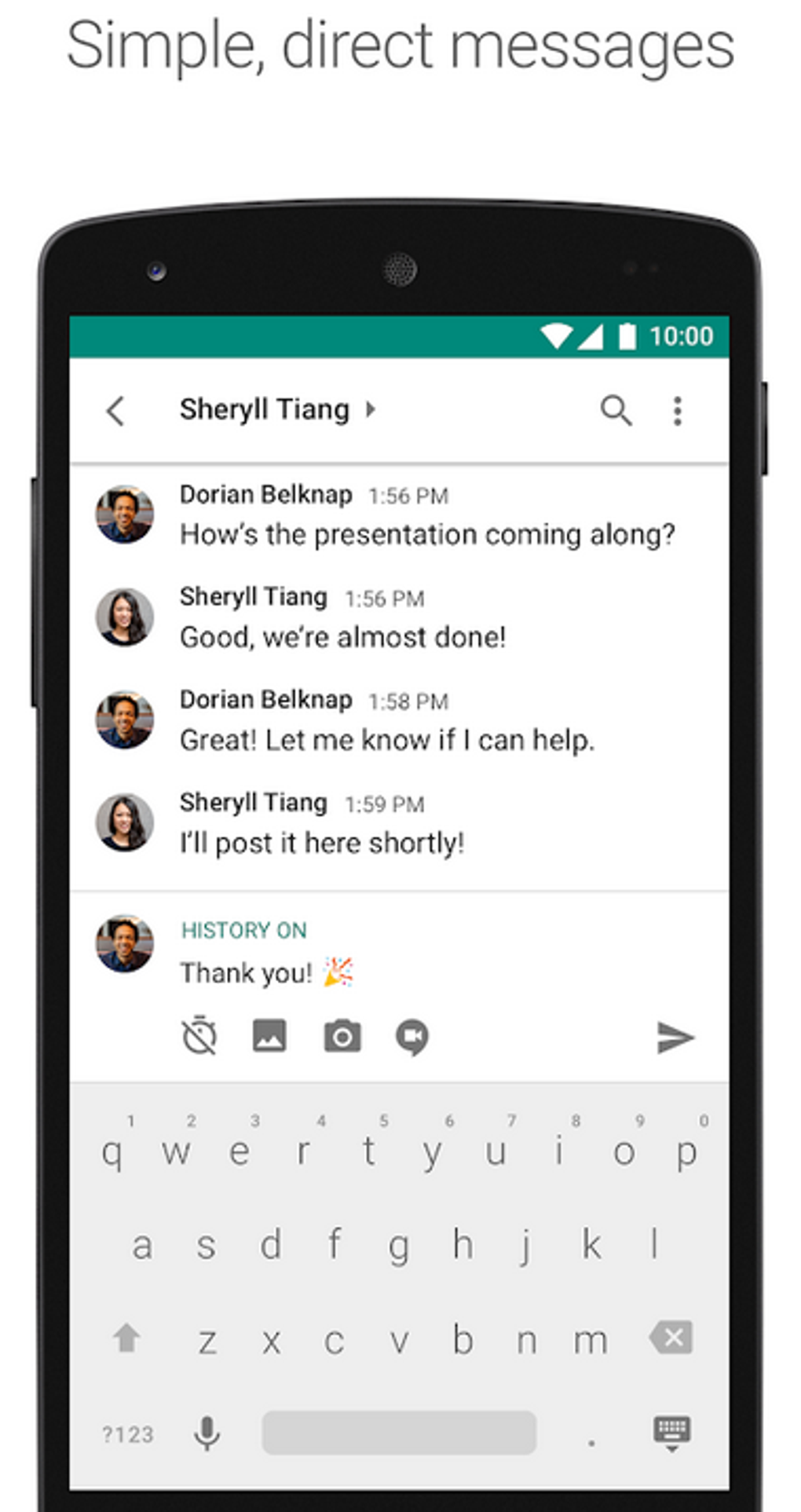
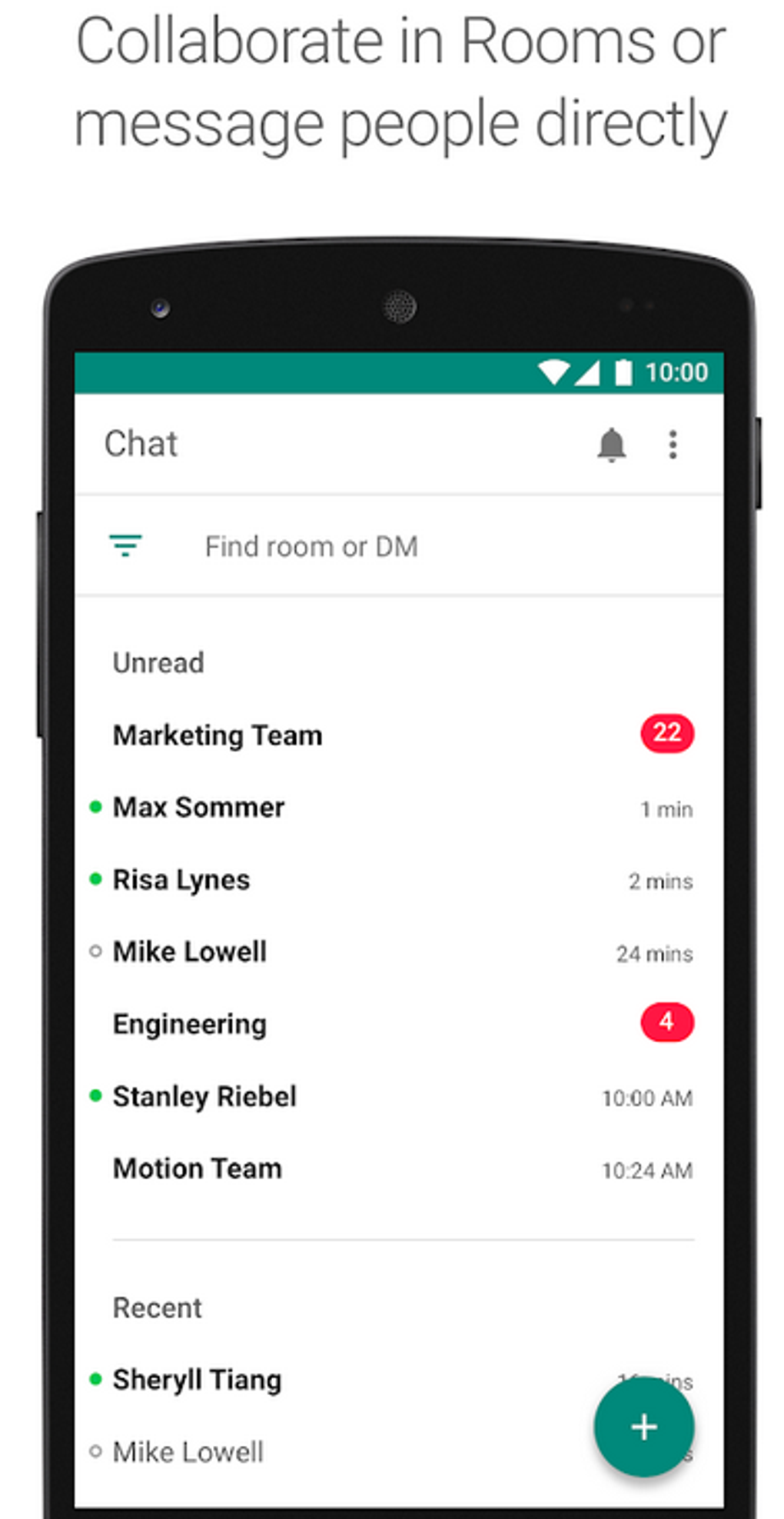
At its core, Google Chat provides a highly intuitive and efficient platform for real-time communication. Users can engage in direct messages with individuals or create dynamic group chats for team discussions. These group chats, often referred to as “Spaces,” can be organized around specific projects, departments, or topics, ensuring that all relevant conversations and resources are centralized.
Key messaging features include:
- Threaded conversations: Keep discussions organized by replying directly to specific messages, preventing information overload in busy group chats.
- Rich text formatting: Enhance messages with bold, italics, strikethrough, and bullet points for clarity.
- Emoji reactions and GIFs: Inject personality and quick feedback into conversations.
- Mentions: Tag specific team members to grab their attention, ensuring important messages are seen by the right people.
- Content sharing: Easily share various file types, including images, videos, and documents, directly within the chat interface.
This rich set of features ensures that communication is not just instant but also clear, organized, and engaging, facilitating seamless interaction and collaboration among team members.
Seamless File Sharing and Co-editing
Perhaps one of Google Chat’s most powerful advantages is its deep integration with Google Drive and Google’s suite of productivity applications: Docs, Sheets, and Slides. This integration allows for unprecedented levels of file sharing and co-editing directly within the chat interface, eliminating the need to switch between multiple applications.
Users can:
- Share files directly from Google Drive: Access and share documents, spreadsheets, and presentations stored in Drive without leaving the Chat window.
- Collaborate on files in real-time: Once a Google Doc, Sheet, or Slide is shared in a chat, team members can open and edit it concurrently, with changes updated in real-time. This includes commenting, suggesting edits, and seeing collaborators’ cursors live.
- View file previews: Get a quick glance at shared documents without having to open them in a new tab, saving time and improving context.
- Track changes and versions: Leverage Google Drive’s robust version history to review past edits and restore previous versions if needed, all accessible from files shared within Chat.
This functionality means that a team discussing a presentation in a Google Chat space can immediately jump into editing that presentation together, iterating quickly and efficiently. The ability to create and collaborate on documents, spreadsheets, and presentations directly within the Chat platform without switching between apps is a game-changer for workflow efficiency.
Intelligent Search and Organization
Leveraging Google’s renowned search capabilities, Google Chat incorporates a powerful search functionality that allows users to quickly find past conversations or shared content. In a busy work environment where countless messages and files are exchanged daily, the ability to rapidly retrieve specific information is invaluable.
The search feature allows users to:
- Search by keyword: Find any message containing specific words or phrases.
- Filter by sender, date, and chat space: Narrow down search results to pinpoint exact conversations or files.
- Search for specific file types: Locate all shared documents, spreadsheets, or images related to a particular topic.
- Recall past decisions: Quickly pull up previous discussions or shared agreements, ensuring continuity and accountability.
This intelligent search capability ensures that no valuable information gets lost in the digital noise, enabling teams to maintain an organized and accessible record of their collective work. It significantly contributes to overall user satisfaction by making information retrieval effortless and swift.
Bots, Apps, and Custom Integrations
Google Chat goes beyond basic communication by supporting a wide array of bots and third-party app integrations, further extending its functionality and allowing for automation and customization. These integrations enable teams to bring their favorite tools and workflows directly into their chat environment.
Examples include:
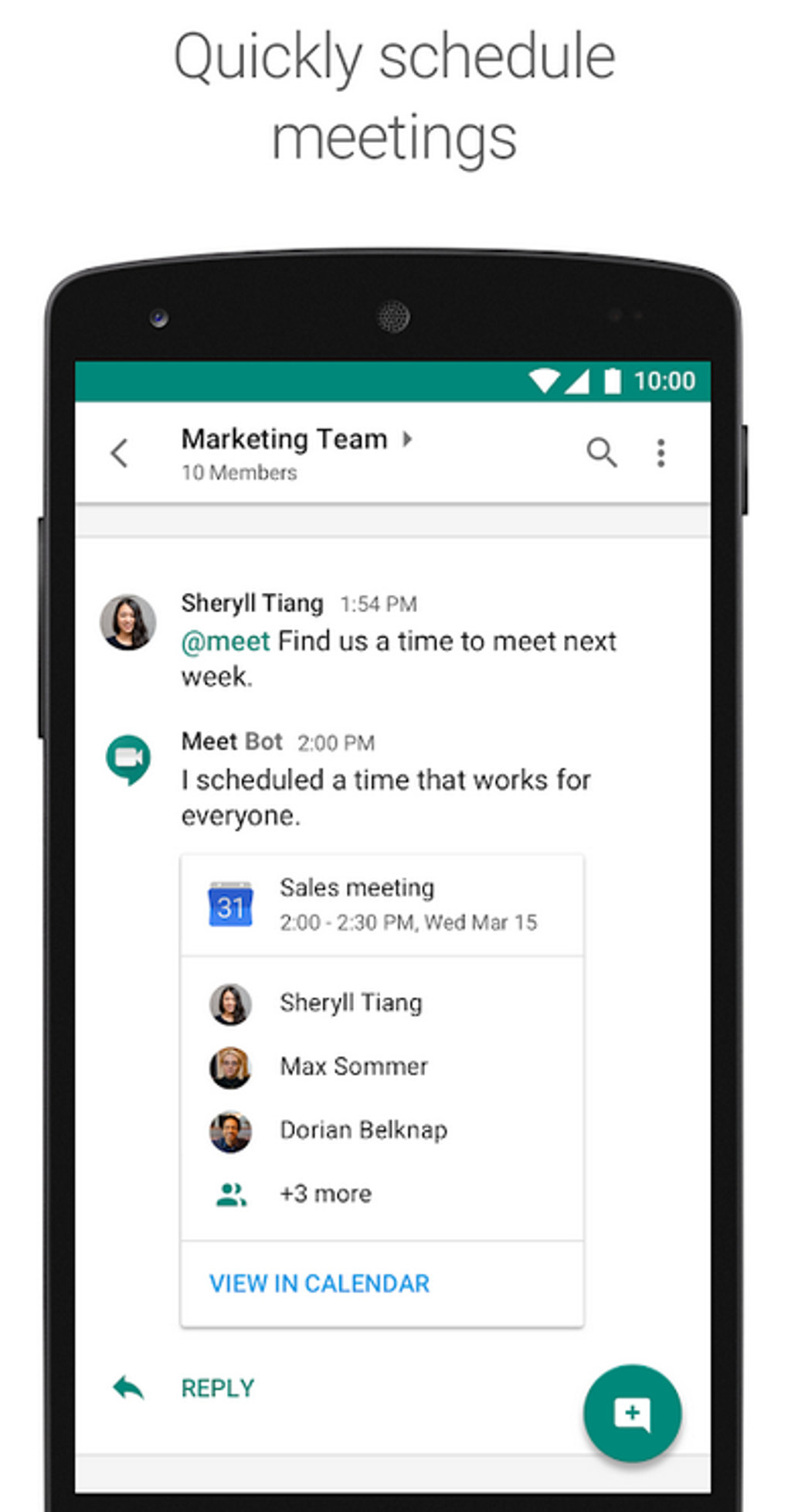
- Productivity bots: Integrate bots that can remind team members of deadlines, schedule meetings, or create tasks directly from a conversation.
- Project management tools: Connect with platforms like Asana or Trello to update project statuses or create new tasks without leaving Google Chat.
- Customer support bots: Route customer inquiries or provide quick answers within a chat space.
- Developer tools: Integrate with GitHub for code reviews or Jenkins for build notifications.
These integrations reduce the need to jump between different applications, consolidating various aspects of work into a single interface. Developers can also build custom bots and apps using the Google Chat API, tailoring the platform to meet unique organizational needs. This extensibility makes Google Chat a highly adaptable tool, capable of supporting diverse team requirements and complex workflows.
Accessibility, Security, and Management
For any enterprise-grade communication platform, accessibility, robust security, and effective management are non-negotiable. Google Chat excels in these critical areas, providing a reliable and secure environment for teams to communicate and collaborate, while also ensuring broad availability across various devices and platforms. These pillars are fundamental to its adoption and success within organizations, giving users confidence in their data and access to their work from anywhere.
Multi-Platform Availability and System Requirements
One of Google Chat’s key strengths is its ubiquitous accessibility. Understanding that modern teams operate across a diverse range of devices and locations, Google Chat ensures that users can connect and collaborate regardless of their preferred platform.
- Web Application: Google Chat is fully accessible through any standard web browser on desktops and laptops via chat.google.com. This web-based access requires no installation, making it incredibly convenient for quick access from any computer.
- Mobile Applications: Dedicated mobile apps are available for both iOS and Android devices, ensuring seamless communication on the go. These apps are designed with a mobile-first approach, offering an intuitive user experience tailored for smaller screens and touch interaction.
- System Requirements: To ensure smooth performance and access to all features, Google Chat operates optimally on devices running:
- Android 10 or later: This ensures compatibility with modern Android smartphones and tablets, leveraging the latest security and performance enhancements.
- iOS 13 or later: Similarly, for Apple users, the application is optimized for recent iPhone and iPad models, guaranteeing a stable and feature-rich experience.
Beyond platform availability, Google Chat also includes essential accessibility features, catering to diverse user preferences and needs. This commitment to universal design ensures that individuals with various abilities can effectively utilize the platform, fostering an inclusive collaboration environment. The wide availability across multiple platforms and devices, coupled with specific system requirements, ensures that Google Chat remains accessible for a broad range of users, maximizing its utility in diverse work settings.
Robust Security and Compliance Standards
As an integral part of Google Workspace, Google Chat inherits Google’s industry-leading security infrastructure and commitment to data protection. This makes it a highly secure platform for sensitive business communications, adhering to stringent global compliance standards.
Key security features and measures include:
- Data Encryption: All data in transit and at rest within Google Chat is encrypted, protecting communications from unauthorized access. This includes messages, shared files, and media.
- Data Loss Prevention (DLP): Google Chat integrates with Google Workspace DLP policies, allowing administrators to define rules that prevent sensitive information (like credit card numbers, personal identifiable information, or confidential project details) from being shared outside authorized channels or with external users.
- Compliance Features: The platform is designed to meet various regulatory and compliance requirements, including HIPAA, GDPR, ISO 27001, and more. This is crucial for organizations operating in regulated industries.
- Admin Settings: Google Workspace administrators have granular control over Google Chat settings, including user access, chat retention policies, external sharing permissions, and integration controls. This allows organizations to tailor the platform’s behavior to their specific security policies.
- Google Vault Integration: For e-discovery and archival purposes, Google Chat data can be retained, held, searched, and exported through Google Vault. This ensures that organizations can meet legal and regulatory requirements for data preservation and retrieval.
- Two-Factor Authentication (2FA): While Google Chat itself doesn’t impose 2FA, it leverages the 2FA settings configured for the broader Google Workspace account, adding an extra layer of security to user logins.
While Google Chat emphasizes security, users are also encouraged to take personal precautions, such as using strong, unique passwords and enabling two-factor authentication for their Google Workspace accounts. This combination of platform-level security and user best practices creates a highly secure environment for team communications.
Admin Controls and Data Loss Prevention
For organizations, the ability to manage and control communication channels is critical. Google Chat provides extensive administrative controls through the Google Workspace Admin Console, empowering IT departments to enforce policies, monitor usage, and ensure data governance.
Admin capabilities include:
- User Management: Add or remove users, manage user groups, and assign roles and permissions.
- Chat History Retention: Set custom retention policies for chat messages, ensuring compliance with data retention requirements and legal obligations.
- External Communication Policies: Control whether users can communicate with individuals outside the organization, preventing unauthorized information sharing.
- Integration Management: Approve or block specific bots and third-party applications, maintaining control over what tools can interact with Google Chat data.
- Auditing and Reporting: Access audit logs to track user activity, identify potential security breaches, and generate reports on usage patterns.
The integrated Data Loss Prevention (DLP) capabilities are particularly important, allowing organizations to automatically scan messages and shared files for sensitive content. If prohibited information is detected, actions can be automatically triggered, such as blocking the message, notifying administrators, or warning the sender. This proactive approach to data security helps safeguard proprietary information and ensures compliance, making Google Chat a trusted platform for businesses handling confidential data. The comprehensive administrative toolkit ensures that Google Chat can be deployed and managed securely within any organizational framework, from small teams to large enterprises.
Getting Started with Google Chat
Embarking on a journey with Google Chat is straightforward, whether you’re an individual looking to streamline personal communication or an organization aiming to enhance team collaboration. The platform’s design prioritizes ease of use, ensuring a smooth onboarding experience. Understanding the simple steps to create an account and navigate its intuitive interface will quickly unlock the full potential of this powerful collaboration tool.
Account Creation for Individuals and Organizations
Accessing Google Chat primarily revolves around having a Google Workspace account, although personal Google accounts can also leverage some features. The process differs slightly depending on whether you are setting it up for personal use or as part of an organization.
For Individuals (Personal Use): If you wish to use Google Chat for personal communication outside of an organizational context, it is accessible at no extra charge on chat.google.com. You will typically use your existing personal Google account (the one you use for Gmail, Drive, etc.).
- Visit chat.google.com: Open your web browser and navigate to the Google Chat website.
- Sign In with Your Google Account: You will be prompted to sign in with your standard Google account credentials.
- Access Chat: Once signed in, you’ll be directly taken to your Google Chat interface, where you can start messaging. While personal accounts offer basic messaging functionality, some advanced features, especially those tied to enterprise-grade security and deep Workspace integration, might be limited compared to a full Google Workspace subscription.
For Organizations (Google Workspace Users): For businesses and educational institutions, Google Chat is an integral part of their Google Workspace subscription.
- Google Workspace Account: If your organization doesn’t already have a Google Workspace account, an administrator will need to sign up for one through the Google Workspace website. This involves providing organizational details, setting up domain verification, and configuring billing.
- User Account Creation: Once the Google Workspace account is established, the administrator will create individual user accounts for all team members. These accounts come with unique email addresses and access to all Google Workspace services.
- Log In with Organizational Credentials: Team members will log in to their Google Workspace account using the credentials provided by their organization’s administrator.
- Navigate to Google Chat: After logging in, users can find Google Chat among the available applications in the Google Workspace dashboard or the app menu (often represented by a 9-dot grid icon). Clicking on the Google Chat icon will launch the application.
It’s crucial to keep in mind that access to certain Google Chat features might vary based on the specific Google Workspace plan your organization has subscribed to, as well as the permissions set by your Google Workspace administrator. Administrators have significant control over who can access what, external communication, and data retention policies.
Navigating the Interface
Google Chat boasts a clean, intuitive interface designed for ease of use and efficient navigation. Whether accessed via a web browser or a mobile app, the layout is consistent and user-friendly, allowing users to quickly find what they need and manage their communications effectively.
Key Interface Elements:
- Left Sidebar: This is your primary navigation hub.
- Chat: Lists all your direct messages and group chats (spaces).
- Spaces: A dedicated section for your project-specific or team-based group collaborations, often featuring shared files and tasks.
- Meet: Quick access to Google Meet for video conferencing, allowing you to initiate or join meetings directly from Chat.
- New Chat/Space: A prominent button to start a new direct message, create a new space, or find people.
- Main Content Area: This central panel displays the selected chat or space, showing messages, shared files, and conversation threads. When in a space, you’ll often find tabs for “Chat,” “Files,” and “Tasks” at the top, allowing you to easily switch between conversational threads, shared documents, and assigned actions.
- Search Bar: Located at the top, the powerful search bar allows you to quickly find past conversations, shared files, or specific contacts using Google’s robust search technology.
- User Presence Indicators: Small icons next to contact names indicate their online status (active, away, do not disturb), providing immediate context for communication.
Mobile App Navigation: The mobile apps for Android and iOS mirror the web experience, optimized for touchscreens. A bottom navigation bar typically offers quick access to “Chat,” “Spaces,” and “Meet,” making it easy to switch between core functionalities. Sharing content from your phone’s gallery or other apps into Google Chat is also seamlessly integrated.
Google Chat’s ease of use contributes significantly to overall user satisfaction. Its intuitive design ensures that even new users can quickly get up to speed, fostering immediate adoption and enhancing team productivity from day one. Elevate your team’s productivity with Google Chat—download now and unlock the potential for smarter, faster, and more connected teamwork.
The Impact on Productivity and Future Outlook
Google Chat, with its seamless integration into the Google Workspace ecosystem, has fundamentally reshaped how teams communicate and collaborate. Its impact on organizational productivity is profound, stemming from its ability to centralize various aspects of work into a single, cohesive platform. As digital workplaces continue to evolve, understanding the benefits and potential considerations of Google Chat, along with its standing against alternatives, becomes crucial for businesses aiming to maintain a competitive edge and foster efficient teamwork.
Enhancing Workflow Efficiency
The primary goal of Google Chat is to enhance workflow efficiency by minimizing friction points in daily operations. It achieves this through several key mechanisms:
- Reduced Context Switching: By bringing together messaging, file sharing, and even video conferencing (via Meet integration) into one application, Google Chat drastically reduces the need for employees to constantly switch between different tools. This saves time and mental energy, allowing for deeper focus on tasks.
- Centralized Information: Project-specific “Spaces” act as dedicated hubs where all relevant discussions, shared documents, and tasks are stored. This centralization means that new team members can quickly get up to speed by reviewing past conversations and shared resources, and existing members can easily retrieve information without sifting through emails or scattered documents.
- Faster Decision Making: Real-time messaging and threaded conversations allow for quick exchanges and feedback, accelerating the decision-making process. The ability to instantly share and co-edit documents within the chat context further streamlines approvals and revisions.
- Improved Communication Flow: Google Chat encourages more frequent and informal communication, which can lead to better team cohesion and a more transparent work environment. The use of mentions ensures that important messages reach the right people promptly, reducing communication bottlenecks.
- Automation through Bots: The integration of bots for tasks like scheduling, reminders, or pulling data from other systems automates routine processes, freeing up valuable human capital for more complex and strategic work.
In essence, Google Chat serves as a central hub for teams to communicate, collaborate on projects, and share files, significantly contributing to improved workflow efficiency and overall team productivity within organizations. This makes it a valuable alternative for big groups seeking scalable and integrated solutions.
Pros and Considerations
Like any powerful tool, Google Chat comes with a distinct set of advantages and a few points of consideration for users and organizations.
Pros:
- Deep Google Workspace Collaboration: Unrivaled integration with Gmail, Calendar, Drive, Docs, Sheets, and Slides makes it incredibly powerful for teams already invested in the Google ecosystem. The ability to share and co-edit files directly within chat is a major differentiator.
- Powerful Search Capabilities: Leveraging Google’s core expertise, the search function in Google Chat is highly effective, allowing users to quickly find specific messages, files, or information across all their conversations.
- Robust Security and Compliance: As part of Google Workspace, it benefits from Google’s enterprise-grade security, data loss prevention (DLP), e-discovery (Vault), and compliance certifications (e.g., GDPR, HIPAA), making it suitable for sensitive business communications.
- Accessibility Across Platforms: Available as a web app, and on Android and iOS, ensuring teams can stay connected from any device.
- Scalability: Designed to handle communication for teams of all sizes, from small startups to large enterprises, with extensive administrative controls.
- Ease of Use: Users generally find Google Chat highly intuitive and user-friendly, contributing to high adoption rates and overall satisfaction.
Cons (or Considerations):
- Limited Customization Options: While functional, some users seeking extensive aesthetic customization of the interface or highly niche features might find Google Chat somewhat restrictive compared to platforms that offer deeper personalization.
- Integration with Non-Google Tools: While it supports third-party integrations, these might not always be as seamless as its native Google Workspace integrations. Organizations heavily reliant on non-Google applications might require additional setup or find certain workflows less integrated.
- Dependence on Google Workspace: Its greatest strength can also be a limitation. Organizations not fully committed to the Google Workspace ecosystem might not realize Google Chat’s full potential, as many of its advanced features are tied to other Workspace services.
- Learning Curve for New Features: While basic chat is simple, fully leveraging advanced features like bots, sophisticated search filters, or space management might require a short learning curve for some users.
Despite some limitations in deep customization, Google Chat’s intuitive interface and powerful functionalities make it a frontrunner in enhancing teamwork efficiency. For organizations deeply embedded in Google Workspace, its benefits far outweigh these considerations.
Comparisons and Alternatives
The team collaboration market is vibrant and competitive, with several powerful platforms vying for market share. While Google Chat stands out for its deep integration with Google Workspace, it operates alongside other established and emerging players.
- Slack: Often considered Google Chat’s primary competitor, Slack is known for its extensive third-party integrations, highly customizable interface, and strong community features. It excels in connecting various tools and offers robust notification management.
- Microsoft Teams: As part of Microsoft 365, Teams offers similar deep integration with Microsoft’s suite of productivity applications (Office, SharePoint, Outlook). It provides a comprehensive platform for chat, video conferencing, and file collaboration, making it a strong contender for organizations committed to the Microsoft ecosystem.
- Other Platforms: Platforms like Discord (popular among gaming communities but increasingly adopted by some tech teams), Telegram, and even WhatsApp (for informal team communication) serve different niches or offer more basic feature sets.
Google Chat carved its niche by focusing on unparalleled synergy with Google Workspace. For organizations whose daily operations are already powered by Gmail, Drive, Docs, and Calendar, Google Chat provides a natural and highly efficient extension of their existing workflow. The decision to choose Google Chat often comes down to an organization’s existing technology stack and strategic alignment with either Google, Microsoft, or a more agnostic approach that favors platforms like Slack.
In conclusion, Google Chat is more than just a messaging application; it’s a strategic communication and collaboration hub designed for the modern enterprise. Its evolution from Hangouts Chat underscores Google’s commitment to continuous improvement and delivering value within its Workspace ecosystem. By offering a unified platform for messaging, file sharing, and project management, coupled with robust security and broad accessibility, Google Chat empowers teams to connect, create, and collaborate with unprecedented efficiency. Its future outlook remains strong, poised to adapt to the evolving demands of the digital workplace and continue to be a cornerstone for productive teamwork.
File Information
- License: “Free”
- Latest update: “August 8, 2025”
- Platform: “Android”
- OS: “Android 15.0”
- Language: “English”
- Downloads: “90.7K”
- Download Options: “Google Play”


