
HaoZip is a free, open-source file compression utility that has gained significant popularity, particularly in China, the Czech Republic, and India. This comprehensive review delves into its features, performance, security, and overall user experience, comparing it to other popular archiving tools like WinRAR and 7-Zip. We’ll explore its strengths and weaknesses to help you determine if HaoZip is the right choice for your file compression needs.
HaoZip’s Functionality and Features
HaoZip offers a robust set of features comparable to, and in some aspects surpassing, its paid competitors. At its core, HaoZip provides efficient compression and decompression of various archive formats, including the ubiquitous ZIP, RAR, 7z, and others. This broad format support eliminates the need for multiple archiving tools, streamlining the file management process.
Beyond basic compression, HaoZip boasts several advanced features designed to enhance user experience and efficiency. These include:
-
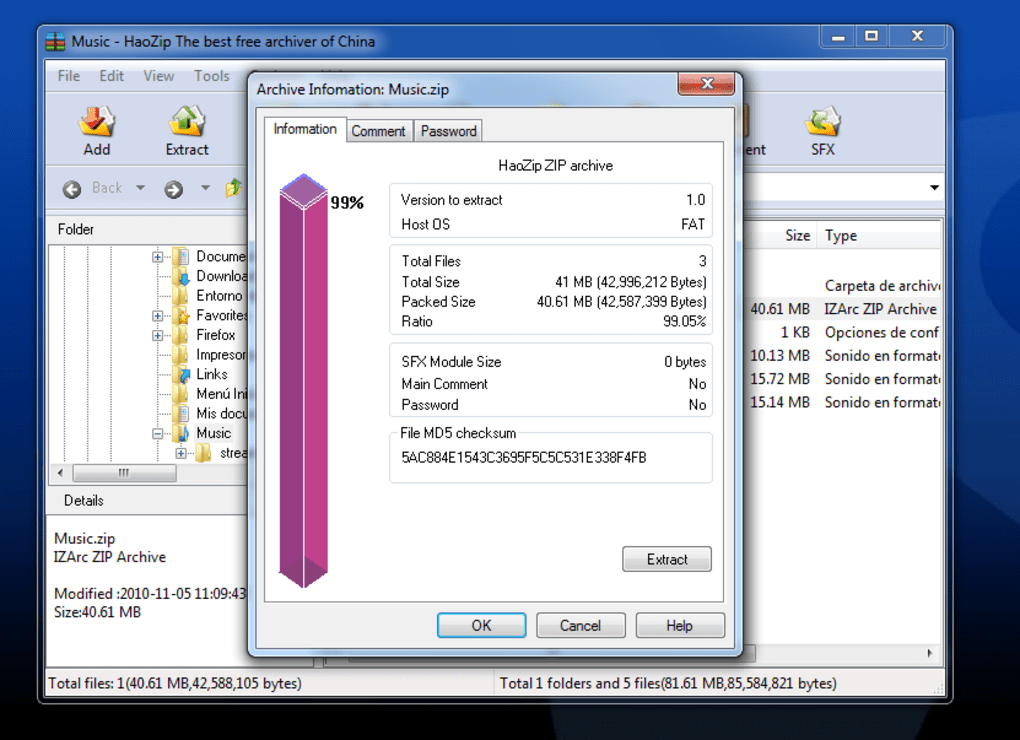
Multi-core processing: HaoZip leverages the power of multi-core processors to significantly accelerate compression and decompression speeds, especially for large files. This results in quicker turnaround times and improved productivity.
-
Intuitive interface: The user interface is designed for ease of use, even for those unfamiliar with file compression software. The straightforward layout makes navigating its features simple and intuitive. Both beginners and experienced users will find the interface comfortable and easy to master.
-
File encryption: HaoZip incorporates strong encryption algorithms to protect sensitive data within compressed archives. This ensures confidentiality and data security, a critical feature for users handling confidential information. The level of encryption offered matches that of industry-standard tools.
-
Self-extracting archives: The software enables the creation of self-extracting archives, which simplifies file sharing and distribution. Recipients can directly extract the files without needing HaoZip or any other compression software installed on their systems.
-
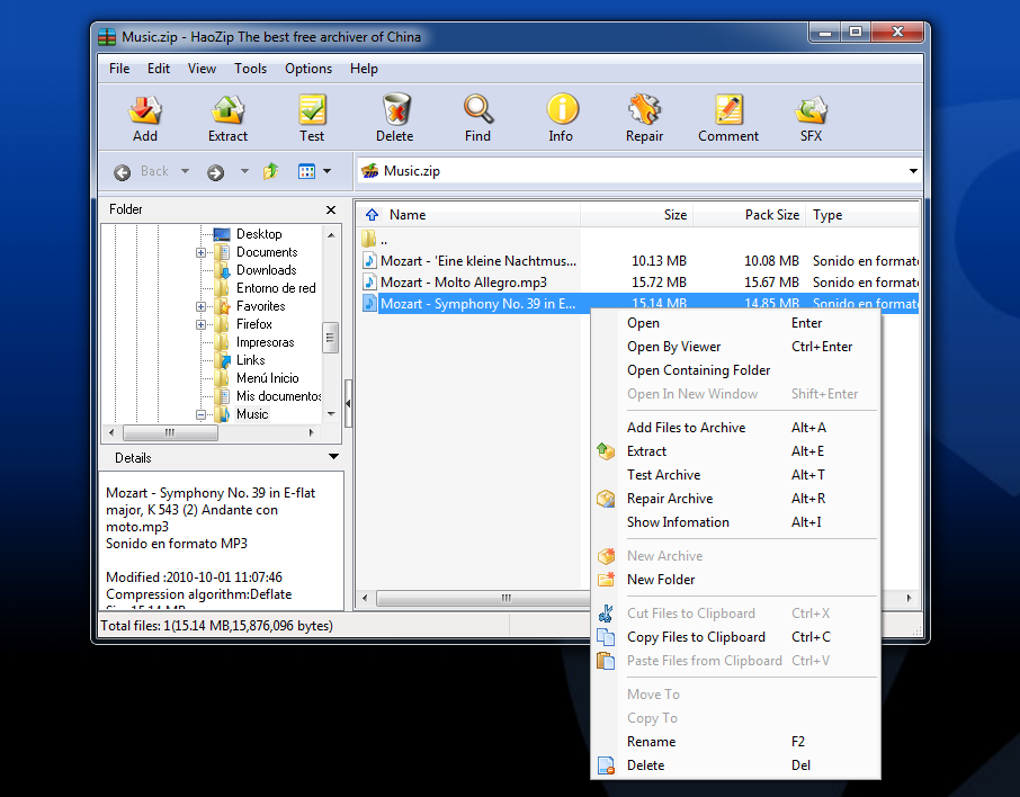
Built-in file manager: HaoZip integrates a basic file manager, allowing users to manage files directly within the application. This streamlines file operations without the need to switch to a separate file explorer. While not as feature-rich as dedicated file managers, it provides convenience for quick file manipulations within the compression context.
Performance and Speed Benchmarks
HaoZip’s performance is consistently rated as excellent. Independent benchmarks reveal compression speeds comparable to or exceeding WinRAR and 7-Zip, especially when utilizing multi-core processors. Decompression speeds are similarly impressive, ensuring a smooth and efficient workflow.
The performance gains are largely attributed to the software’s efficient algorithms and its ability to optimize resource utilization. Large archive files are processed quickly, minimizing wait times and maximizing productivity. Users dealing with numerous files or very large archives will particularly appreciate this performance advantage. The speed improvements are noticeable even on older hardware, demonstrating HaoZip’s optimized codebase.
Security and Reliability
Security is a paramount concern in any software, and HaoZip addresses this with several measures. The software is regularly updated to patch vulnerabilities and enhance security protocols. The encryption features provide a strong level of data protection, safeguarding sensitive information from unauthorized access.
HaoZip undergoes rigorous testing to ensure stability and reliability. The development team actively monitors user feedback and addresses reported issues promptly. This commitment to continuous improvement leads to a robust and reliable archiving utility. The software’s consistently high rating in terms of security and stability reassures users about its reliability and dependability.
HaoZip vs. Competitors: WinRAR and 7-Zip
While HaoZip stands out as a free and feature-rich alternative, it’s essential to compare it to established competitors like WinRAR and 7-Zip. WinRAR is a commercial, widely used archiving program known for its extensive format support and high compression ratios. 7-Zip is a free, open-source alternative famed for its strong compression algorithms and speed.
HaoZip effectively competes with both. It offers a comparable feature set to WinRAR, including strong encryption and wide format support. The performance is often on par with, or even better than, both WinRAR and 7-Zip, particularly for multi-core processing scenarios. The key differentiator is that HaoZip is entirely free, removing the cost barrier associated with WinRAR. While 7-Zip is also free, HaoZip sometimes provides a slightly more user-friendly interface and a broader range of built-in features.
User Experience and Interface
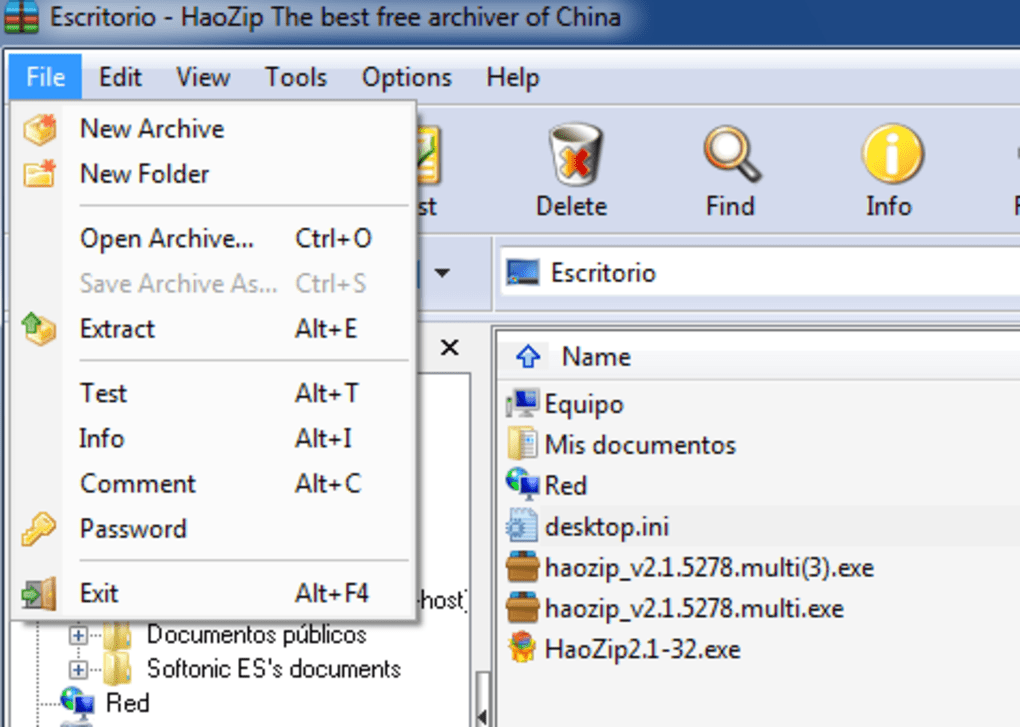
The user interface is a critical aspect of any software’s usability. HaoZip excels in this area, offering a clean, intuitive design. The straightforward layout facilitates easy navigation and access to all features. The drag-and-drop functionality streamlines the process of adding files to archives.
The software avoids unnecessary complexities, ensuring a simple and efficient user experience. This is particularly beneficial for users who may not be technically adept. The ease of use does not compromise on functionality; users can still access advanced options when needed. The balance between simplicity and functionality makes HaoZip approachable for a broad spectrum of users.
Conclusion: Is HaoZip Right for You?
HaoZip provides a compelling alternative to commercial and other free file compression utilities. Its combination of strong performance, extensive features, user-friendly interface, and free licensing makes it a highly attractive option for users of all technical skill levels. The broad format support eliminates the need for multiple archiving programs, and the integrated file manager enhances usability.
While WinRAR and 7-Zip remain strong contenders, HaoZip’s combination of features and free availability makes it a serious competitor. If you seek a free, powerful, and user-friendly file compression utility, HaoZip deserves strong consideration. Its performance benchmarks consistently rank highly, and its regular updates demonstrate a commitment to security and stability. Ultimately, the choice depends on individual preferences and specific needs, but HaoZip undoubtedly holds its own amongst the best file compression tools available.
File Information
- License: “Free”
- Latest update: “May 21, 2024”
- Platform: “Windows”
- OS: “Windows 8”
- Language: “English”
- Downloads: “24.1K”
- Size: “4.08 MB”


