Happy Chick Emulator is a versatile and widely-used Android application designed to emulate a variety of classic video game consoles. This emulator allows users to revisit beloved titles from systems such as the Sony PlayStation 1 (PS1), Nintendo 64 (N64), and various Game Boy iterations (GBA, GBC, SGB, and GB). Its popularity stems from its relatively user-friendly interface, broad compatibility, and innovative control schemes. However, like many emulators, its performance can be impacted by the capabilities of the user’s device and the specific game being played. This review delves deeper into the strengths and weaknesses of the Happy Chick Emulator, providing a comprehensive overview for potential users.
Extensive Console Support and Compatibility
One of Happy Chick Emulator’s most significant advantages is its support for a wide range of classic gaming consoles. This “universal” approach allows users to access a vast library of retro games from different platforms without needing to download multiple emulators. The compatibility extends across several generations of handheld and console gaming, offering a consolidated retro gaming experience. The ability to play PS1, N64, and various Game Boy titles within a single application significantly simplifies the process for users who may be unfamiliar with emulation technology or who simply want a straightforward method to access their favorite classic games. However, it’s crucial to acknowledge that the level of compatibility and performance may vary depending on the specific game and the user’s Android device. While the emulator boasts broad support, some games might experience glitches, lag, or incompatibility issues.
Intuitive Controls and Customizable Gameplay
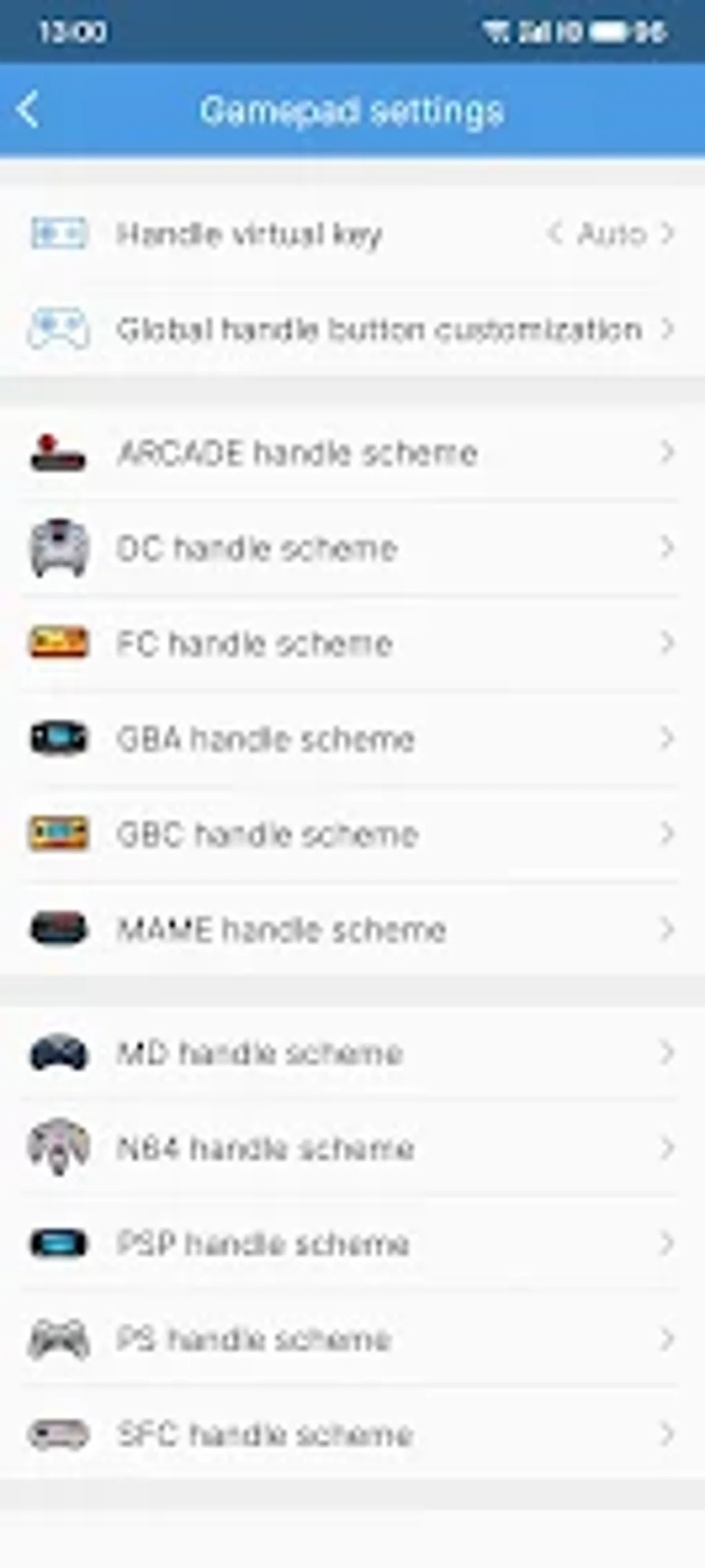
Happy Chick Emulator offers a user-friendly interface designed to enhance accessibility and ease of use. Navigation through the emulator’s menus and game library is generally straightforward, even for individuals with limited experience in using emulation software. The application’s design aims for simplicity, allowing users to quickly find and launch their desired games. The emulator’s control options contribute significantly to its user-friendliness. While users can connect physical controllers for a more traditional gaming experience, the emulator also incorporates on-screen touch controls. This versatility caters to various preferences and device setups. Furthermore, the ability to customize control layouts allows users to tailor the controls to their specific needs and playing style, enhancing the overall user experience. The touch controls are adaptable, enabling smoother and more intuitive gameplay on touchscreen devices.
Performance and Limitations: A Device-Dependent Experience
The performance of Happy Chick Emulator is significantly influenced by the hardware capabilities of the Android device on which it is running. Higher-end devices with powerful processors and ample RAM will naturally provide a smoother and more consistent gaming experience than older or lower-spec devices. While the emulator generally performs well on compatible hardware, users with older or less powerful devices may encounter performance issues such as lag, slowdowns, or graphical glitches. Furthermore, the compatibility of individual games can also impact performance. Some games may run flawlessly, while others may exhibit issues due to emulation complexities or the game’s own inherent limitations. It’s important to note that the emulator’s performance isn’t solely dependent on the device’s processing power. The game’s size and complexity, along with the emulator’s resource allocation, contribute to the overall performance. Users should manage expectations, understanding that performance may fluctuate depending on the game selection.
Legality and Ethical Considerations
The use of emulators and ROMs (game files) raises legal and ethical questions. While the emulator itself is typically legal to download and use, the legality of obtaining and using ROMs depends on copyright laws. Generally, downloading and playing ROMs of games you do not own is considered copyright infringement. The legality varies by region and jurisdiction, and users should familiarize themselves with the laws in their respective countries. This is a significant consideration for users, as using copyrighted ROMs without permission can lead to legal repercussions. Therefore, it’s crucial for users to only use ROMs for games they own legally.
Comparison with Alternative Emulators
Happy Chick Emulator is not the only emulator available for Android devices. Several alternatives exist, each with its strengths and weaknesses. These alternatives might offer superior performance for specific consoles or games, or possess unique features not found in Happy Chick Emulator. Some emulators might excel in particular aspects, such as graphics rendering, sound emulation, or controller compatibility. While Happy Chick Emulator offers broad console support, users interested in a more specialized or high-performance experience might consider exploring alternative emulators that are focused on a particular console or offer superior features in specific areas. Direct comparisons require testing with a range of games and hardware configurations to assess the performance differences between emulators. This comparative analysis should factor in the factors influencing performance such as game compatibility, processing power, and ROM quality.
User Experience and Interface Design
The user interface of Happy Chick Emulator is designed for simplicity and ease of use. While it’s not overly visually appealing, the functional aspects are prioritized over visual aesthetics. The menu navigation is straightforward, making it easy for users to browse and launch games. The emulator is intuitive enough for novice users, while experienced emulators will appreciate its streamlined functionality. The control customization options contribute positively to the user experience. The ability to adjust controls and optimize settings provides greater flexibility and personalization. The simplicity of the interface, however, might come at the cost of advanced features that more technically inclined users may desire.

Security and Privacy Concerns
As with any application downloaded from outside official app stores, there are potential security and privacy concerns associated with using Happy Chick Emulator. While the application itself may be safe, the ROMs downloaded from unofficial sources can pose risks. Malicious files might contain viruses or malware, potentially harming the user’s device. Therefore, caution should be exercised when downloading ROMs, opting for reputable sources whenever possible. Users should always scan downloaded files with antivirus software before installing them. Further scrutiny is recommended before granting excessive permissions to the emulator to minimize potential vulnerabilities.
Conclusion: A Viable Option for Retro Gaming
Happy Chick Emulator offers a convenient and relatively user-friendly way to experience classic video games on Android devices. Its broad compatibility with various consoles is a significant advantage, appealing to users who want access to a diverse library of retro titles. The emulator’s intuitive interface and customizable controls further enhance the user experience. However, its performance is heavily dependent on the user’s device and the specific game being played. It is important for users to be aware of the potential legal and ethical implications of using ROMs, and to take appropriate precautions to ensure the security of their devices. For users seeking a straightforward method to access a wide range of classic games, Happy Chick Emulator provides a viable option. However, users seeking superior performance or specialized features may find more suitable alternatives within the emulation landscape. Ultimately, users should weigh the advantages and limitations carefully before deciding if Happy Chick Emulator suits their specific needs and preferences.
File Information
- License: “Free”
- Latest update: “August 2, 2025”
- Platform: “Android”
- OS: “Android 13.0”
- Language: “English”
- Downloads: “35K”
- Download Options: “Google Play”