
HashTab is a lightweight yet powerful Windows utility that seamlessly integrates into Windows Explorer, adding a convenient “File Hashes” tab to the file properties dialog. This seemingly simple addition unlocks a world of possibilities for verifying file integrity and authenticity, particularly crucial in situations involving file transfers, downloads, and data security. This guide delves deep into HashTab’s functionality, benefits, limitations, and alternatives, providing a comprehensive understanding of its role in ensuring digital data reliability.
Understanding File Hashes and Their Importance
Before exploring HashTab’s features, it’s essential to understand the fundamental concept of file hashes. A file hash is a unique digital fingerprint generated using a cryptographic hash function. This function takes the entire file as input and produces a fixed-size string of characters (the hash) that is virtually impossible to reproduce for a different file. Even a tiny alteration to the original file, such as a single byte change, will result in a completely different hash value.
This property makes file hashes incredibly valuable for several reasons:
-
Data Integrity Verification: By comparing the hash of a downloaded file with the hash provided by the original source (often found on a website or in a checksum file), users can confidently verify that the downloaded file is identical to the original and hasn’t been tampered with during transmission. This is crucial for ensuring the safety and reliability of software downloads, crucial updates, and other sensitive data.
-
Authenticity Confirmation: File hashes can also be used to confirm the authenticity of a file. If a user receives a file from an untrusted source, comparing its hash against a known good hash can help determine whether the file has been altered or replaced with a malicious version. This is especially important for downloaded executables and other potentially dangerous files.
-
Data Detection and Prevention of Duplicates: Hashing enables efficient identification of duplicate files. By comparing the hashes of multiple files, users can quickly determine which files are identical, reducing storage space and simplifying data management.
-
Forensic Analysis: In digital forensics investigations, file hashes play a critical role in identifying and tracing evidence. The immutable nature of hashes ensures that investigators can reliably identify and compare digital artifacts across different systems and times.
HashTab’s Functionality: Streamlining Hash Verification
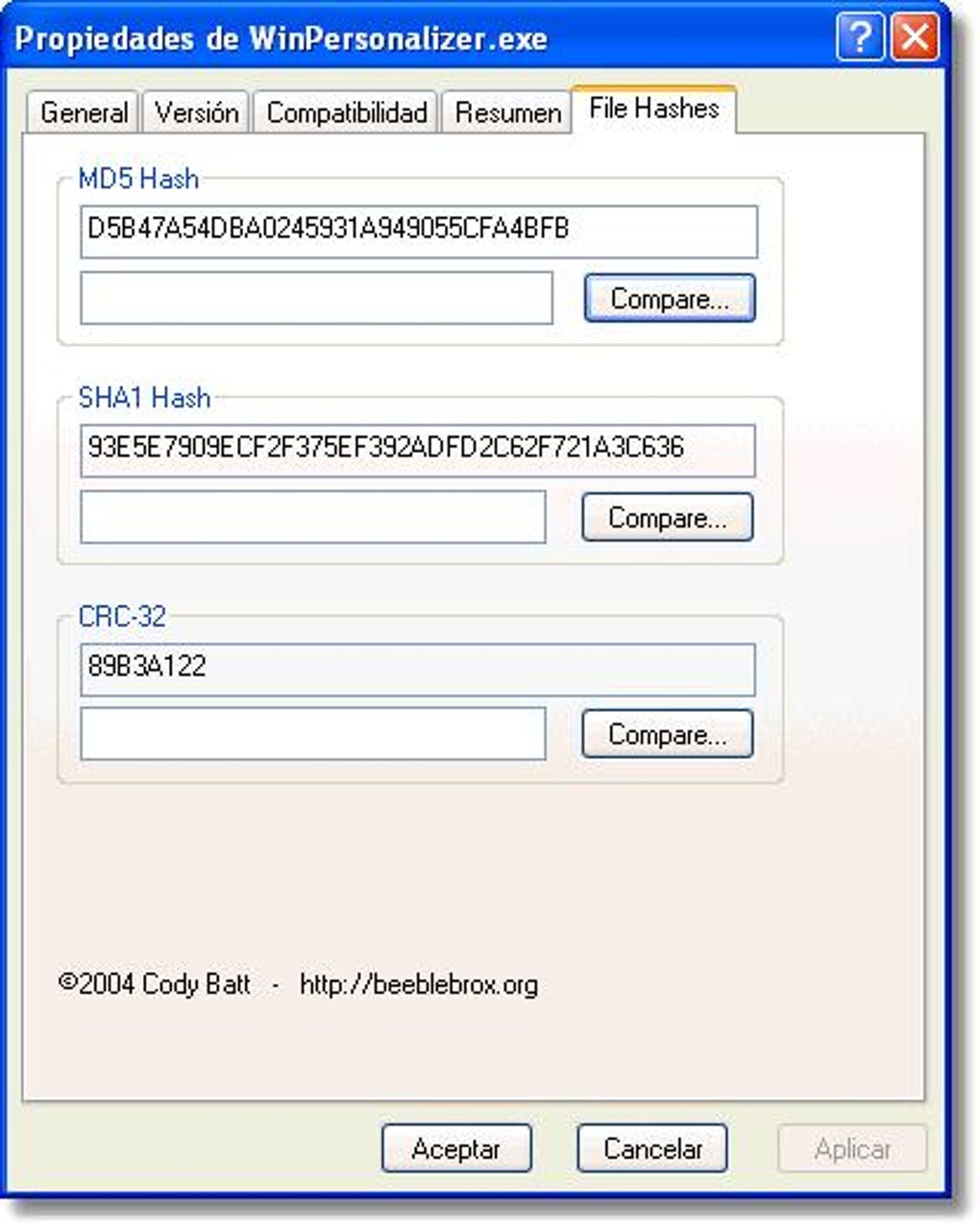
HashTab simplifies the process of calculating and comparing file hashes directly within the Windows Explorer context menu. Instead of using separate hashing utilities, users can right-click a file, select “Properties,” and then navigate to the “File Hashes” tab added by HashTab. This tab displays the calculated hash values for various algorithms, providing a quick and efficient way to verify file integrity.
The core functionalities of HashTab include:
-
Multiple Hash Algorithm Support: HashTab supports a wide range of commonly used hash algorithms, including MD5, SHA-1, SHA-256, SHA-384, SHA-512, RIPEMD-160, CRC32, and more. Users can select which algorithms to calculate, allowing for customized verification based on their specific needs.
-
Easy File Comparison: The “Compare a File” feature allows users to directly compare the hash of a file with another file on their system. This eliminates the need for manual copying and pasting of hash values, making the comparison process significantly more efficient and reducing the chance of human error.
-
Configurable Settings: HashTab offers a range of configuration options, including the selection of hash algorithms to calculate, the display format of hash values, and the automatic calculation of hashes upon file selection. This allows for customization based on user preferences and workflow.
Advantages and Disadvantages of Using HashTab
HashTab offers several compelling advantages over using standalone hashing tools:
- Seamless Integration: Its direct integration with Windows Explorer eliminates the need to launch separate applications, improving workflow efficiency.
-
User-Friendly Interface: The simple and intuitive interface requires minimal technical expertise, making it accessible to a wide range of users.
-
Efficient Comparison: The built-in file comparison feature significantly streamlines the verification process.
-
Customization: The configurability allows users to tailor the software to their specific needs.
However, HashTab also has certain limitations:
-
Lack of Comprehensive Help System: The absence of a detailed help system might pose a challenge for users unfamiliar with file hashing concepts.
-
Limited Functionality: While HashTab performs its core function well, it lacks advanced features found in more comprehensive hashing utilities.
Alternatives to HashTab
While HashTab is a valuable tool, several alternative applications offer similar or enhanced functionalities. Some popular alternatives include:
-
HashCalc: A more feature-rich hashing utility that supports a wider range of hash algorithms and offers additional features such as checksum calculations and HMAC generation.
-
MD5Summer: A simple yet effective tool specifically designed for generating and verifying MD5 checksums.
-
HashMyFiles: A free utility that provides a straightforward way to calculate and compare file hashes.
The choice of which hashing tool to use depends on individual needs and preferences. For users primarily focused on basic file hash verification within the familiar Windows Explorer environment, HashTab is an excellent choice. However, users requiring more advanced features or specialized hash algorithm support may find alternatives more suitable.
Conclusion: HashTab’s Role in Ensuring Data Integrity
HashTab effectively simplifies the process of verifying file integrity and authenticity. Its seamless integration with Windows Explorer, combined with its straightforward interface, makes it an accessible and efficient tool for a wide range of users. While lacking a detailed help system and some advanced features, its core functionality remains highly valuable in ensuring the reliability and safety of digital data. For users seeking a simple, reliable, and integrated solution for file hash verification, HashTab represents a powerful and convenient option. The decision to use HashTab versus alternative solutions ultimately hinges on individual requirements and technical expertise. Understanding file hashes and the various tools available for their verification is vital in today’s digital landscape, where data integrity and security are paramount concerns.
File Information
- License: “Free”
- Latest update: “July 12, 2023”
- Platform: “Windows”
- OS: “Windows 7”
- Language: “English”
- Downloads: “36.4K”
- Size: “1.17 MB”


