
HeidiSQL is a powerful, open-source database management tool specifically designed for MySQL. Its user-friendly graphical interface simplifies complex database tasks, making it accessible to both novice and experienced users. This comprehensive guide delves into the features, capabilities, and advantages of HeidiSQL, exploring why it remains a popular choice for managing MySQL databases.
Key Features and Functionality
HeidiSQL offers a rich set of features designed to streamline the management of MySQL databases. Its intuitive interface provides a visual representation of database structures, making it easy to navigate and interact with various database components. Key features include:
-
Intuitive Graphical User Interface (GUI): HeidiSQL’s strength lies in its user-friendly interface. Unlike command-line tools, it presents a visual representation of databases, tables, and data, allowing users to interact with them through point-and-click actions. This simplifies even complex tasks, significantly reducing the learning curve for new users. The interface is well-organized and logically structured, allowing for efficient navigation.
-
Database Browser and Management: HeidiSQL provides a robust database browser that allows users to easily explore the structure of their databases. Users can view tables, fields, indexes, stored procedures, triggers, functions, events, and more. The tool facilitates the creation, modification, and deletion of database objects, enabling comprehensive database management. Moreover, it allows users to browse and edit data directly within the GUI, eliminating the need for cumbersome command-line interactions.
-
SQL Query Editor: HeidiSQL integrates a powerful SQL query editor, enabling users to write, execute, and manage SQL queries directly within the application. This editor features syntax highlighting, autocompletion, and error checking, minimizing the potential for errors and enhancing productivity. Users can save frequently used queries for easy access and reuse. The editor also facilitates the execution of complex queries and the management of large datasets.
-
Data Import and Export: The tool simplifies the process of importing and exporting data. Users can easily import data from various formats, including CSV, TXT, and XML files, ensuring seamless data migration between systems. Similarly, exporting data is equally straightforward, allowing for easy data backup and transfer. This functionality greatly enhances data management flexibility and efficiency.
- User and Privilege Management: HeidiSQL allows for the management of MySQL users and their privileges. Administrators can easily create, modify, and delete users, as well as assign specific permissions to different users or groups. This feature helps maintain database security and control access to sensitive data. It provides a secure way to manage user accounts and prevent unauthorized access.
Advantages of Using HeidiSQL
HeidiSQL offers several significant advantages over other database management tools:
-
Open-Source and Free: HeidiSQL is open-source software licensed under the GNU General Public License (GPL). This means it’s free to use, distribute, and modify, making it a cost-effective solution for individuals and organizations of all sizes. The open-source nature also allows for community contributions and improvements, ensuring ongoing development and support.
-
Cross-Platform Compatibility (Limited): While primarily associated with Windows, recent developments suggest ongoing efforts to explore cross-platform compatibility. While full compatibility with macOS and Linux may not yet be fully realized, the development community is actively working to extend the tool’s reach beyond its initial platform.
-
Ease of Use: HeidiSQL’s intuitive GUI significantly simplifies database management, making it accessible to a wider range of users, regardless of their technical expertise. The user-friendly design eliminates the steep learning curve often associated with command-line tools, enhancing productivity and accessibility.
-
Regular Updates and Active Development: The HeidiSQL project maintains an active development cycle, releasing regular updates with bug fixes, performance improvements, and new features. This ensures the tool remains current, stable, and efficient, addressing user feedback and incorporating community suggestions.
- Lightweight and Efficient: HeidiSQL is a lightweight application that consumes minimal system resources, ensuring smooth performance even on less powerful machines. Its efficient design optimizes resource utilization, minimizing performance bottlenecks and ensuring responsiveness.
Comparing HeidiSQL to Other Database Management Tools
HeidiSQL competes with a number of other MySQL database management tools, each with its own strengths and weaknesses. Here’s a comparison with some popular alternatives:
-
MySQL Workbench: MySQL Workbench is a comprehensive database management tool developed by Oracle, offering advanced features such as database modeling, schema design, and performance optimization tools. However, it can be more resource-intensive and has a steeper learning curve than HeidiSQL. HeidiSQL excels in its simplicity and ease of use for everyday tasks.
-
SQLyog: SQLyog is another popular MySQL client with a focus on ease of use and a feature-rich GUI. While comparable to HeidiSQL in many ways, SQLyog is a commercial product, requiring a license purchase. HeidiSQL provides similar functionality without the associated cost.
-
Dbeaver: Dbeaver is a universal database tool supporting various database systems, including MySQL. While it offers broader database support, HeidiSQL often offers a more tailored and intuitive experience specifically for MySQL.
Installation and Setup
Installing HeidiSQL is a straightforward process. The official website provides downloadable installers for Windows. The installation involves running the installer executable and following the on-screen instructions. After installation, users can launch HeidiSQL and connect to their MySQL databases by providing the necessary connection details (host, username, password, and database name).
Troubleshooting Common Issues
While generally stable and reliable, users may encounter occasional issues. Common problems include connection failures, query errors, and performance bottlenecks. Connection failures are often due to incorrect connection parameters, network issues, or MySQL server problems. Query errors typically result from incorrect SQL syntax or data inconsistencies. Performance issues can stem from inefficient queries, large datasets, or insufficient system resources. The HeidiSQL community provides extensive online resources, including forums and documentation, to assist users in resolving these common issues. The open-source nature allows for community-driven troubleshooting and solutions.
Conclusion
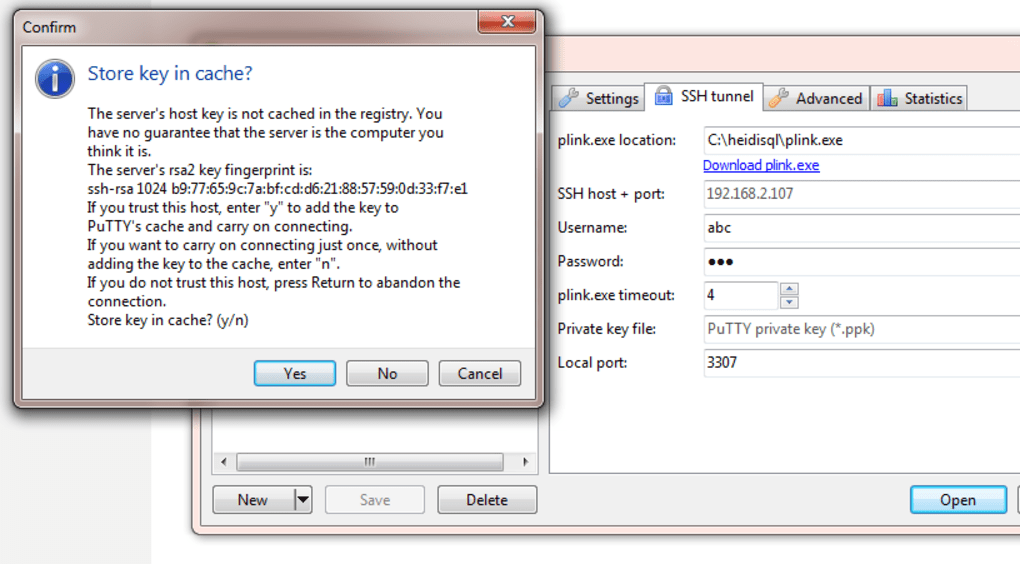
HeidiSQL stands out as a powerful, versatile, and user-friendly tool for managing MySQL databases. Its combination of a streamlined GUI, extensive features, open-source licensing, and active development makes it an ideal choice for both beginners and experienced database administrators. While it may lack some of the advanced features found in commercial alternatives, its simplicity, efficiency, and accessibility make it a highly valuable tool for a wide range of users. Its ongoing development and community support ensure its continued relevance and improvement in the evolving landscape of database management tools.
File Information
- License: “Free”
- Latest update: “May 24, 2023”
- Platform: “Windows”
- OS: “Windows 98 SE”
- Language: “English”
- Downloads: “24.4K”
- Size: “48.35 MB”


