
HEVC Video Extensions, developed by Microsoft Corporation, is a crucial software utility designed to enhance video playback capabilities on Windows 10 systems. This extension bridges the gap between hardware limitations and the increasingly prevalent High-Efficiency Video Coding (HEVC) format, also known as H.265 or MPEG-H Part 2. This detailed analysis will explore the software’s functionality, advantages, disadvantages, and overall impact on the user experience.
Understanding HEVC and its Significance
HEVC represents a significant advancement in video compression technology. Developed as a successor to the widely used Advanced Video Coding (AVC) standard (H.264), HEVC offers substantial improvements in both compression efficiency and video quality. This translates to smaller file sizes for the same video quality, or conversely, improved visual fidelity at the same bitrate.
The core advantage of HEVC lies in its superior compression ratio. Compared to AVC, HEVC achieves a 25% to 50% reduction in file size while maintaining, or even surpassing, the visual quality. This is a game-changer for streaming services, content creators, and users alike. Smaller file sizes mean faster downloads, reduced storage requirements, and smoother streaming experiences, especially crucial for high-resolution videos.
HEVC’s compatibility with larger displays and high-resolution content is another key feature. It’s specifically designed to handle the demands of 8K Ultra High Definition (UHD) televisions and displays with resolutions as high as 8192x4320 pixels. This makes it ideal for users who own modern, high-resolution screens and want to enjoy the highest quality video possible. The adoption of the H.265 Main 10 profile further ensures compatibility with a broad range of hardware and software.
How HEVC Video Extensions Enhance Video Playback
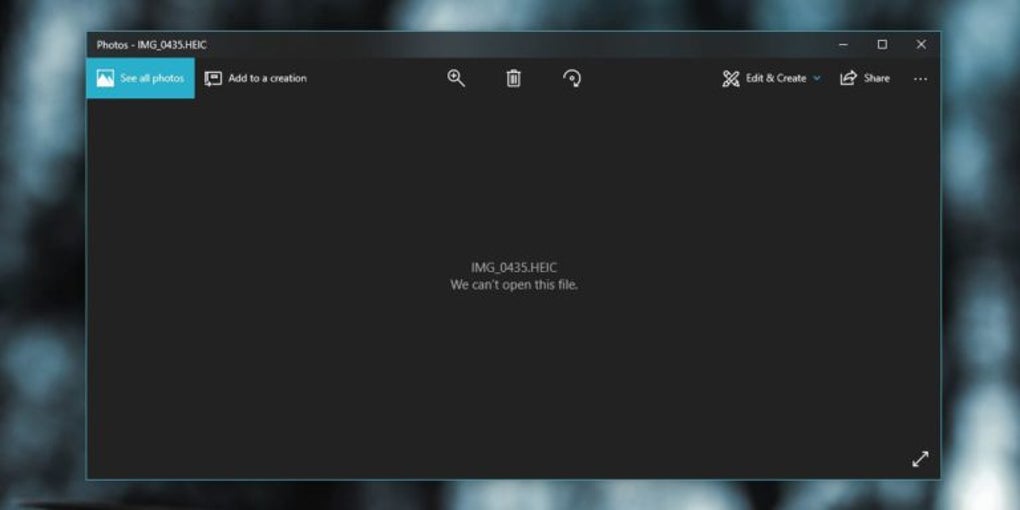
Many devices and computers, even relatively new ones, may lack native hardware support for HEVC decoding. This means that without additional software, playing HEVC-encoded videos can be difficult or impossible. HEVC Video Extensions fills this crucial gap.
The software acts as a decoder, essentially translating the HEVC-encoded video data into a format readily understandable by the system’s video playback software. This ensures compatibility across a wide range of video players, including the default Windows 10 Media Player and popular third-party options like VLC Media Player.
The extensions are designed to be seamlessly integrated into the Windows 10 ecosystem. They’re optimized for various hardware configurations, including Intel’s 7th generation Core processors and 4K/Ultra HD-capable GPUs. This broad compatibility ensures accessibility for a wide range of users. However, it’s important to note that optimal performance depends on system resources and hardware capabilities. A system with weaker hardware might not be able to seamlessly play very high-resolution HEVC videos.
While HEVC Video Extensions makes high-quality video streaming more accessible, it’s essential to understand that factors like system performance (CPU, RAM, and GPU), video resolution, and network bandwidth can influence the overall playback experience. Lagging or buffering can occur, especially during playback of very high-resolution content on less powerful systems or over slower network connections.
Advantages and Disadvantages of HEVC Video Extensions
HEVC Video Extensions offers several significant advantages, but it’s also crucial to acknowledge its limitations.
Advantages:
- Enables HEVC Playback: This is the core functionality and the primary advantage. Without it, many users wouldn’t be able to view HEVC videos on their Windows 10 systems.
- Improved Quality over AVC: HEVC delivers superior visual quality compared to its predecessor, AVC, allowing users to enjoy sharper, more detailed videos.
- Smaller File Sizes: HEVC’s efficient compression results in smaller file sizes, leading to quicker downloads, less storage space usage, and better streaming performance.
- Broad Compatibility: While primarily for Windows 10, it works with a wide range of video players and hardware configurations.
- Essential for High-Resolution Displays: The software is a necessity for owners of high-resolution displays and 4K/8K televisions to fully utilize the capabilities of their hardware.
Disadvantages:
- Windows 10 Exclusivity: The extension is limited to Windows 10 operating systems. Users of other OS versions will need alternative solutions to play HEVC videos.
- Limited Functionality: The software focuses solely on enabling HEVC playback; it doesn’t provide any advanced features like editing or conversion tools.
- Playback Inconsistencies: The smoothness and quality of playback can vary depending on system resources and network conditions. Users with less powerful systems might encounter lag or buffering, especially with high-resolution videos.
- Requires Compatible GPU: Optimal performance, especially for 4K and 8K content, relies on having a graphics processing unit (GPU) that supports HEVC decoding.
System Requirements and Installation
While the specific requirements may vary slightly depending on the HEVC Video Extensions version, a general understanding of the necessary system specifications is essential. The software is designed for Windows 10 systems, typically requiring a reasonably modern processor, sufficient RAM, and a compatible graphics card. Users with older hardware might encounter performance issues, particularly when playing high-resolution videos. A compatible GPU is strongly recommended for smoother playback of 4K and 8K content. Detailed system requirements are usually available on the download page of the software.
The installation process is typically straightforward, involving a simple download and execution of an installer file. However, always download the software from trusted sources like the official Microsoft website to avoid potential malware or security risks.
Conclusion: HEVC Video Extensions - A Necessary Component for Modern Video Playback
HEVC Video Extensions is a vital piece of software for Windows 10 users looking to enjoy high-quality, high-resolution HEVC videos. While its functionality is focused, its impact is significant. The extension bridges the gap between the increasingly prevalent HEVC format and the hardware capabilities of many systems, enabling a smooth and enjoyable viewing experience. While it does have limitations – primarily its Windows 10 exclusivity and potential for performance variability – its core function of unlocking HEVC playback makes it an essential tool for anyone wanting to enjoy the full potential of modern video content. Users should carefully consider their system’s capabilities and network conditions before playing high-resolution videos to ensure a smooth playback experience. With careful consideration of system limitations and the software’s focused functionality, HEVC Video Extensions remains a powerful solution for enhancing video playback capabilities on Windows 10.


