
HEVC Video Player, as its name suggests, is a media player designed for smooth playback of H.265/HEVC encoded video files. While it boasts support for a range of popular video formats beyond HEVC, including MP4, MOV, WMV, and AVI, along with common audio codecs and SSA/ASS subtitle formats, its overall performance and user experience present a mixed bag. This review will delve into the strengths and weaknesses of HEVC Video Player, comparing it to established competitors and evaluating its suitability for various user needs.
Performance and Functionality: A Balancing Act
HEVC Video Player leverages the libde265 library to ensure efficient and smooth playback of H.265/HEVC encoded content. This is arguably its strongest feature, delivering a reliable viewing experience for videos utilizing this increasingly common codec. However, user reports suggest inconsistencies in handling other video formats, with some users experiencing difficulties playing MOV files. This lack of consistent performance across various codecs presents a significant drawback, particularly when compared to more robust and versatile media players.
While the core function of playing HEVC videos is generally well-executed, the program’s overall functionality fails to set it apart from a crowded market of established competitors. VLC Media Player, PotPlayer, and numerous other free and open-source options offer comparable or superior performance with broader format compatibility and a more extensive feature set.
Subtitle Management and Customization
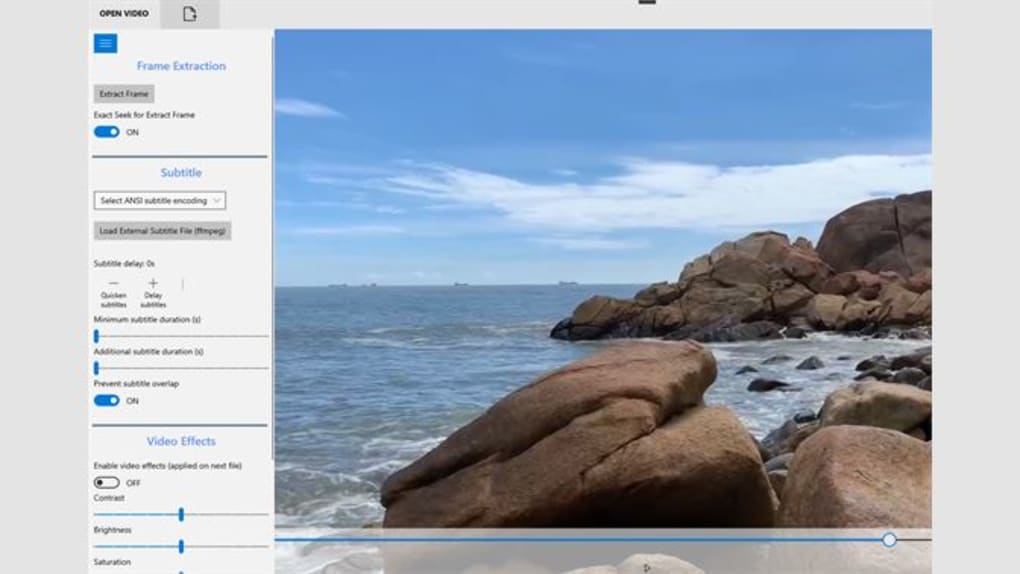
One area where HEVC Video Player demonstrates relative strength is its subtitle management capabilities. Users can easily load and manage external subtitle files, adjusting parameters such as duration and delay to precisely synchronize subtitles with the video. The option to prevent subtitle overlap is a welcome addition, ensuring a cleaner and more comfortable viewing experience for users who prefer meticulously synchronized subtitles. This level of subtitle control is a valuable asset, particularly for users watching foreign films or videos with complex or dense subtitles.
However, despite its usability, the subtitle functionality isn’t groundbreaking or especially advanced. More sophisticated media players often offer more nuanced subtitle customization options, including font selection, styling adjustments, and even multi-track subtitle support, which are absent from HEVC Video Player.
Basic Video Editing Capabilities: A Limited Toolset
HEVC Video Player offers a limited set of basic video editing tools. Users can adjust brightness, contrast, and saturation to fine-tune the video’s visual appearance. This could prove useful for quick adjustments to improve the viewing experience or for basic post-production tasks on low-resolution or less demanding projects. However, these are rudimentary editing options, falling far short of the capabilities of dedicated video editing software. For users needing advanced editing features, HEVC Video Player is inadequate; its editing tools should be seen as a convenience rather than a substantial feature.
Comparing HEVC Video Player to Competitors: A Lack of Differentiation
In the competitive landscape of media players, HEVC Video Player struggles to distinguish itself. While its HEVC support is solid, its shortcomings in handling other formats, its lack of advanced features, and the overall absence of unique selling points significantly hinder its appeal. Established players like VLC Media Player offer far superior versatility, supporting a vastly broader range of codecs and file types, including rare and obscure formats, while also incorporating numerous advanced features such as streaming capabilities, playlist management, and advanced audio and video filters. PotPlayer offers similar comprehensive features and customization options. The lack of innovative or distinctive features in HEVC Video Player makes it a less attractive option compared to these well-established and feature-rich alternatives.
The absence of any significant differentiating features beyond reasonably reliable HEVC playback severely limits the appeal of HEVC Video Player. The market is saturated with robust, multi-functional media players offering far more extensive features and support for a wider array of formats and codecs.
User Experience and Interface: A Simple Approach
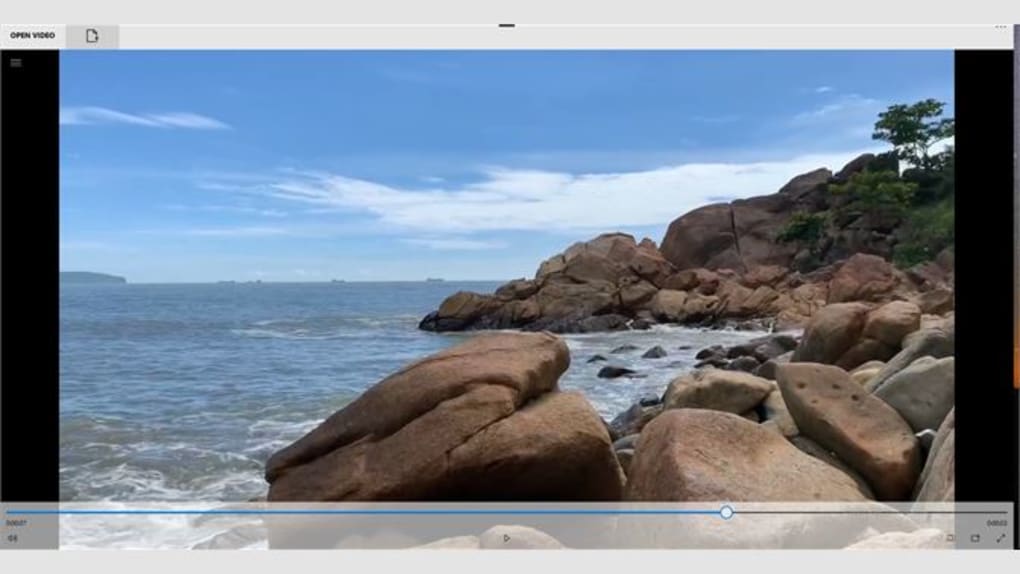
The user interface of HEVC Video Player is minimalistic and straightforward. This simplicity can be advantageous for users who prefer a clean and uncluttered interface, but it might also be perceived as somewhat lacking in terms of customization and feature accessibility. The absence of advanced options or detailed settings menus might prove frustrating to users seeking a high degree of control over their playback experience. The overall user experience is functional but unremarkable, lacking the intuitive design and comprehensive feature set found in many competing media players. The simple approach, while possibly appealing to some, fails to address the needs of users seeking a more customizable and interactive media player.
Conclusion: A Niche Player with Room for Growth
HEVC Video Player occupies a niche within the media player market, primarily serving users who require reliable playback of H.265/HEVC encoded videos. While its subtitle management and basic video editing features offer some advantages, its limitations in format compatibility, lack of unique features, and less-than-stellar user experience prevent it from being a truly competitive option against established media players. Unless your primary requirement is seamless playback of HEVC videos and you have no need for extensive features or broad format support, there are likely better alternatives available that offer greater versatility and a more compelling overall user experience.
The developers would significantly improve the software by addressing the reported incompatibility issues with certain formats, expanding its feature set to include more advanced functionalities, and refining the user interface to offer enhanced customization and usability. Until these improvements are implemented, HEVC Video Player remains a functional but ultimately unremarkable choice in a highly competitive market. It serves a specific purpose but lacks the breadth and polish to become a truly mainstream media player.
File Information
- License: “Full”
- Version: “1.0”
- Latest update: “May 2, 2024”
- Platform: “Windows”
- OS: “Windows 10”
- Language: “English”
- Downloads: “58.9K”


