
Hex editors are indispensable tools for software developers, hardware engineers, and anyone needing to work directly with the binary representation of files. They provide a low-level view of data, allowing for detailed manipulation and analysis that’s impossible with standard text editors. This article delves into the capabilities and features of Hex Editor, a free and powerful binary file editor for Windows, exploring its strengths, limitations, and suitability for various tasks.
Understanding Hex Editor: Functionality and Applications
Hex Editor, developed by HHD Software Ltd., is a free binary file editor designed for Windows PCs. Unlike text editors that display files as human-readable text, Hex Editor presents files in hexadecimal format (base-16), revealing the underlying binary data. This allows users to directly modify the bytes that constitute a file, enabling fine-grained control over its contents. The software is also known by its alternative name, Hex Editor Neo.
The primary strength of Hex Editor lies in its ability to handle exceptionally large files efficiently. While many other hex editors struggle with files exceeding 1 GB, Hex Editor excels in managing even significantly larger files without performance degradation. This capacity makes it ideal for editing large data sets, such as database dumps, system images, or large multimedia files.
Hex Editor’s functionality extends beyond simply viewing and modifying hexadecimal data. It supports multiple data formats including hexadecimal, decimal, floating-point, ASCII, and binary. This versatile approach enables users to work seamlessly across different data representations, adapting to the specific needs of their tasks. The program’s robust features cater to a broad range of use cases, from inspecting and modifying individual bytes to performing complex data manipulations.
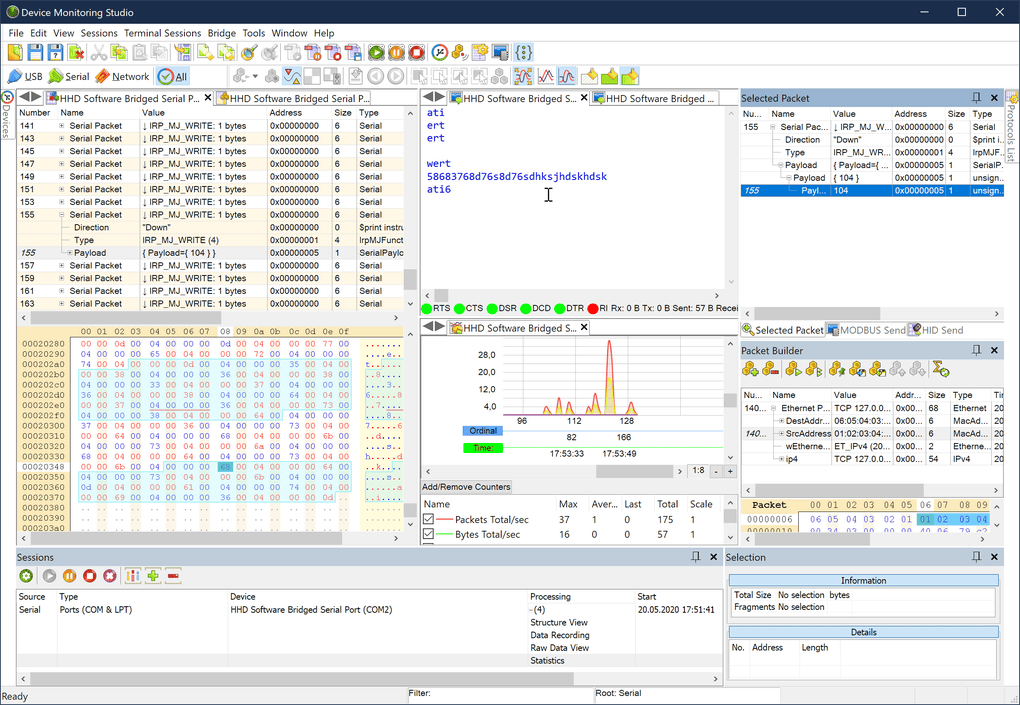
The software’s practical applications are diverse. Software and hardware developers can use Hex Editor to debug programs, examine memory dumps, or modify low-level code. Data analysts can employ it to investigate file structures, extract embedded data, or repair corrupted files. Security professionals might use it for malware analysis, reverse engineering, or examining system logs. Even casual users could benefit from Hex Editor for fixing corrupted image files or manipulating game assets.
Key Features and Capabilities of Hex Editor
Hex Editor boasts a comprehensive set of features designed to streamline the binary editing process. These features range from fundamental editing operations to advanced tools that enhance productivity and accuracy.
Basic Editing Operations: The core functionality includes the standard operations expected from a hex editor:
- Data Editing: Users can directly modify hexadecimal values, insert or delete bytes, and change data within different numerical representations (decimal, floating-point, etc.). This direct manipulation gives users complete control over the file’s binary structure.
- Clipboard Support: Seamless integration with the clipboard allows for easy copying, pasting, and moving data between the hex editor and other applications. This functionality simplifies data transfer and manipulation across various programs.
- File Handling: Loading, saving, and managing files of various sizes is a straightforward process. The software excels in handling very large files, a key differentiating factor compared to many alternative solutions.
Advanced Features: Beyond the basics, Hex Editor provides several sophisticated features that boost efficiency and precision:
- Data Visualization: Hex Editor excels in presenting data in a clear and organized manner. Features such as data grids, custom formatting, and multiple data views make it easy to comprehend complex data structures. This enhanced visualization significantly improves the user experience and reduces the likelihood of errors during editing.
- Search and Replace: The efficient search and replace functionality supports regular expressions, providing advanced pattern matching capabilities. This makes it easy to locate specific byte sequences within large files, even if the pattern is complex.
- Unlimited Revisions: Hex Editor keeps track of an unlimited number of edits, allowing users to easily undo or redo changes. This crucial feature minimizes the risk of data loss due to accidental modifications. The revision history can even be exported and shared with collaborators, allowing for transparency and reproducibility of edits.
- Bookmarking: The ability to create and manage bookmarks enables users to quickly return to specific locations within the file, improving workflow efficiency, particularly when working with very large files or intricate data structures.
- Automatic Patch Creation: With a single click, Hex Editor can generate patches, making it straightforward to distribute and apply modifications to files. This streamlined patching process facilitates efficient code updates and software maintenance.
- Multiple Selection: Users can select multiple areas of the file simultaneously, significantly improving the speed and precision of editing operations, particularly when multiple changes are required.
- Parallel Processing: Hex Editor leverages the capabilities of modern multi-core processors to accelerate processing time when performing large-scale operations, further enhancing performance with large files.
Comparison with Alternative Hex Editors
Several other hex editors are available, each with its own strengths and weaknesses. A comparison with some popular alternatives helps to highlight Hex Editor’s unique advantages:
- HxD Hex Editor: A free and open-source hex editor, HxD is a popular and widely used alternative. However, it may not handle exceptionally large files with the same efficiency as Hex Editor.
- WinHex: A commercial hex editor known for its comprehensive features and robust capabilities. However, its price point makes it less accessible than the free Hex Editor.
- Hex Workshop: Another commercial offering, Hex Workshop provides extensive functionality, but similarly, its cost may be a barrier for some users.
- Advanced Hex Editor (A.X.E.): A capable hex editor with many advanced features, but might not be as straightforward for beginners as Hex Editor.
While other editors offer similar basic functions, Hex Editor distinguishes itself through its exceptional performance with large files, the combination of a free license with robust functionality, and its intuitive interface.
System Requirements, Safety, and Download
Hex Editor has modest system requirements, making it compatible with a wide range of Windows machines. It typically requires an AMD or Intel CPU, 2 GB of RAM, and only 25 MB of free disk space. The application supports both 32-bit and 64-bit versions of Windows, including the latest releases, ensuring compatibility with most modern systems.
The software is considered safe to download and use. It’s designed to handle binary files carefully, ensuring data integrity and avoiding unintended changes. The program undergoes rigorous security checks to minimize the risk of malware contamination. However, as with any software download, downloading from reputable sources like the official HHD Software website is recommended to mitigate risks.
Should You Download Hex Editor?
The decision of whether to download Hex Editor depends on your specific needs and technical expertise. If you frequently work with binary files, especially large ones, and require efficient editing capabilities, Hex Editor is an excellent choice. Its free license, comprehensive feature set, and high performance make it a strong contender amongst hex editors.
However, if you’re a complete beginner with limited experience in binary editing, the software’s features might initially seem overwhelming. For such users, a simpler hex editor with a more streamlined interface could be more appropriate initially. Nonetheless, Hex Editor’s thorough documentation and intuitive design can help even novice users get acquainted with its functions effectively.
In summary, Hex Editor offers a powerful and free solution for various binary editing tasks. Its efficient handling of large files, extensive feature set, and user-friendly interface (after an initial learning curve) make it a valuable tool for both experienced and aspiring users working with binary data. For those seeking a free, robust, and efficient hex editor for Windows, Hex Editor deserves serious consideration.
File Information
- License: “Trial version”
- Latest update: “July 10, 2023”
- Platform: “Windows”
- OS: “Windows 8.1”
- Language: “English”
- Downloads: “168.4K”
- Size: “15.34 MB”


