HijackThis, a freeware utility for Windows, has long been a staple for users seeking to identify and remove unwanted modifications to their web browsers. While its interface might not win any beauty contests, its functionality and effectiveness in detecting and remediating browser hijacking attempts have cemented its place in the pantheon of system utilities. This detailed exploration will delve into its features, usage, pros and cons, and alternatives, providing a comprehensive understanding of this powerful, albeit somewhat austere, tool.
Understanding Browser Hijacking and HijackThis’s Role
Before diving into the intricacies of HijackThis, it’s crucial to grasp the concept of browser hijacking. A browser hijacking incident occurs when malicious software or unwanted programs alter a user’s browser settings without their explicit consent. This manipulation can manifest in several ways:
-
Homepage changes: The most common symptom is an unauthorized alteration of the default homepage, redirecting users to unwanted websites, often filled with intrusive advertisements or potentially harmful content.
-
Search engine alterations: The default search engine might be switched to a less reputable or malicious one, potentially tracking user searches and exposing them to targeted phishing attempts.
-
Toolbar additions: Unwanted toolbars or extensions might appear in the browser, consuming system resources and potentially introducing tracking mechanisms.
-
Redirects: Users might experience unexpected redirects to unwanted websites while browsing legitimate links.
HijackThis acts as a detective, scanning the browser for telltale signs of these malicious modifications. It meticulously examines various registry entries, files, and browser settings to pinpoint irregularities that could indicate a hijacking attempt. The program then presents this information to the user in a clear, albeit somewhat technical, format, empowering them to take corrective action.
Navigating the HijackThis Interface and Scan Results
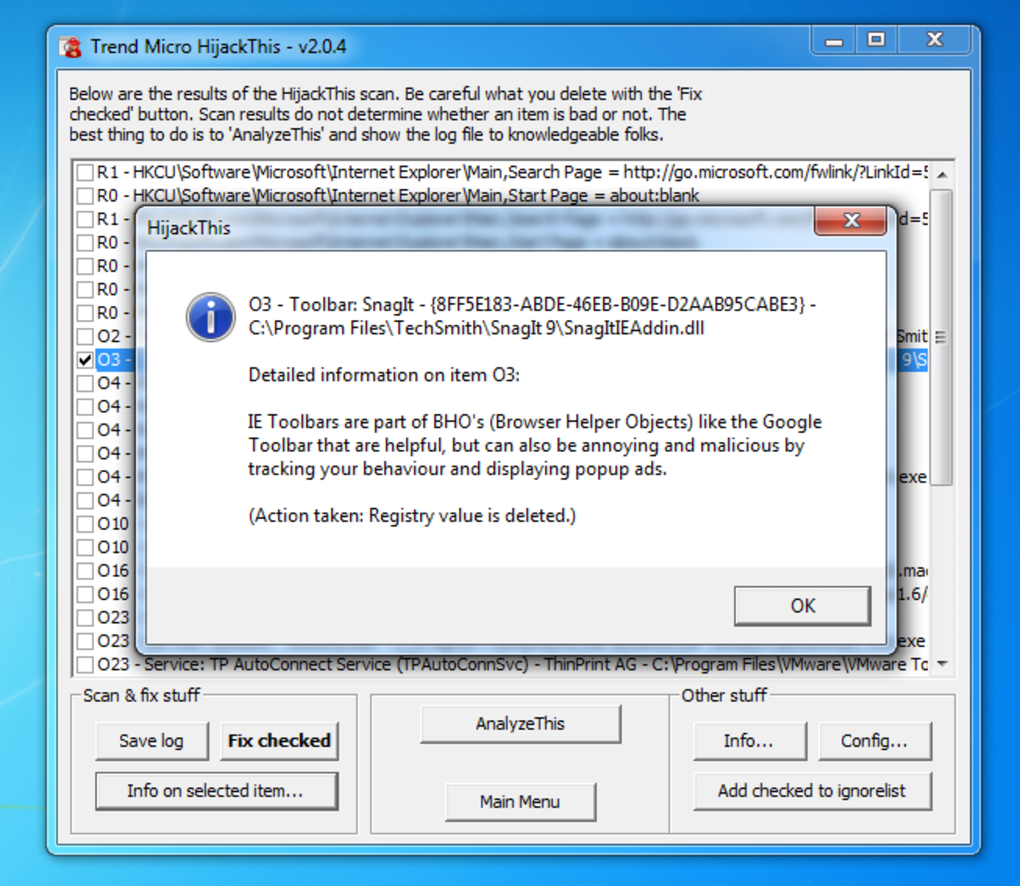
The HijackThis interface is famously spartan. It lacks the polished aesthetic of modern software, but this simplicity contributes to its efficiency. The main window displays a list of scan results, categorized for easy understanding. Each entry represents a potential issue, ranging from innocuous system configurations to potentially malicious elements.
The categories themselves are initially cryptic to the uninitiated. However, a built-in help guide provides detailed explanations for each category. Crucially, each entry includes a checkbox, allowing users to selectively choose which elements to address. Clicking “Info” next to a selected item offers further detail about its function and the potential consequences of modifying or deleting it.
This level of granularity highlights the importance of user knowledge. HijackThis is not a “one-click fix” solution. It requires users to carefully evaluate each entry and understand the implications of their actions. Incorrectly removing essential system files can lead to system instability, while leaving malicious elements untouched defeats the purpose of the scan.
The Process of Detecting and Removing Hijackers
The process of using HijackThis typically involves these steps:
-
Download and Installation: Download the HijackThis executable from a trusted source. Installation is straightforward; it’s a self-extracting archive that doesn’t require complex installation procedures.
-
Performing a Scan: Launch the program and click “Scan”. This initiates a thorough examination of the system, identifying potential issues related to browser hijacking.
-
Reviewing Scan Results: Carefully review the categorized scan results. Utilize the “Info” button to gather detailed explanations for each flagged item. Exercise caution and consult online resources or experienced users if unsure about an entry.
-
Selecting Items for Removal: Check the boxes next to entries deemed suspicious or unwanted. Remember that removing essential system files can negatively impact system stability.
-
Fixing Selected Items: After selecting the entries, HijackThis allows the user to either fix the selected items automatically, or to export the log for manual review and remediation.
-
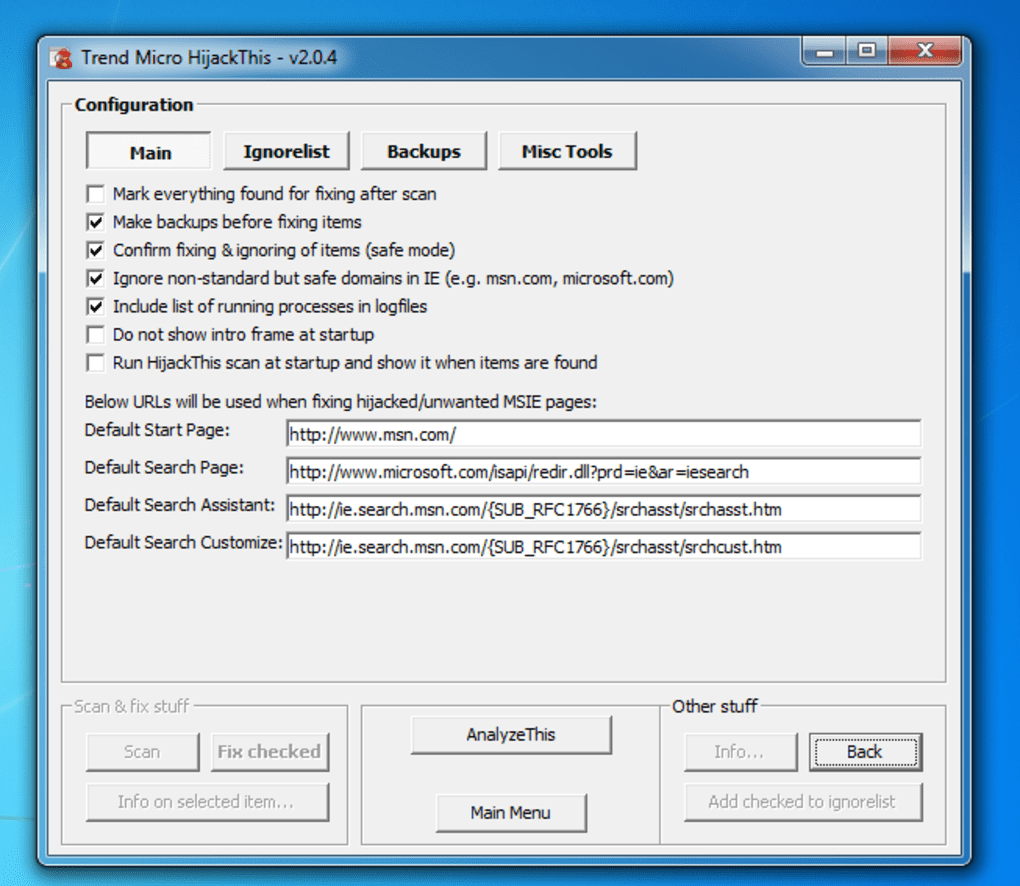
Reviewing the Log File: All actions performed within HijackThis are meticulously logged and backed up. This log file provides a detailed record of all modifications made, which is essential for troubleshooting or restoring the system to a previous state if problems arise.
-
Restarting the System: After making changes, restarting the computer is crucial to fully implement the modifications and ensure the changes are effective.
HijackThis’s Strengths and Weaknesses
HijackThis possesses both significant strengths and notable weaknesses that must be considered:
Strengths:
-
Comprehensive Scan: The tool performs a thorough scan of various system areas, effectively identifying a wide range of browser hijacking techniques.
-
Granular Control: Users maintain precise control over the removal process, allowing them to selectively address flagged elements.
-
Detailed Logging and Backup: The comprehensive logging feature ensures a complete record of all actions, facilitating troubleshooting and system restoration.
-
Free and Portable: HijackThis is a freeware utility, and its portable nature means it can be run from any location without installation.
-
Regular Updates: While the interface hasn’t changed significantly over the years, the underlying engine receives updates to detect newer hijacking techniques.
Weaknesses:
-
Steep Learning Curve: The technical nature of the scan results and the lack of a user-friendly interface can be daunting for less tech-savvy users.
-
Potential for Accidental Damage: Incorrectly removing essential system files can lead to system instability or data loss. It’s imperative that users have a solid understanding of the potential implications of their actions.
-
Outdated Interface: The dated interface is a significant drawback for many users accustomed to modern, visually appealing software.
-
Limited Scope: Although effective against browser hijacking, it doesn’t address broader malware or virus infections.
Alternatives to HijackThis
While HijackThis remains a valuable tool, several alternative solutions offer similar functionality with improved user interfaces and broader capabilities:
-
Malwarebytes: A widely-respected anti-malware solution offering real-time protection, scan functionality, and remediation capabilities.
-
HitmanPro: A powerful on-demand scanner designed to detect and remove malware, including rootkits and other advanced threats.
-
Spybot Search & Destroy: A free anti-spyware tool that effectively identifies and eliminates various spyware and adware programs.
-
ComboFix: A tool designed to remove stubborn malware infections that other anti-malware programs might miss.
These alternatives generally offer more user-friendly interfaces, broader malware detection capabilities, and automatic remediation features. However, they often come with licensing fees or require more system resources.
Conclusion: A Powerful Tool, But Use with Caution
HijackThis remains a powerful tool for identifying and removing browser hijacking attempts. Its deep system scan, granular control, and detailed logging features are invaluable for experienced users. However, its steep learning curve and the potential for accidental damage highlight the importance of caution and a thorough understanding of its functionality before using it. For less tech-savvy users, the alternatives mentioned above offer similar functionality with greater ease of use. Ultimately, the choice of tool depends on individual technical proficiency and specific needs. Remember always to back up your system before undertaking any major system modifications.
File Information
- License: “Free”
- Latest update: “July 11, 2023”
- Platform: “Windows”
- OS: “Windows 8”
- Language: “English”
- Downloads: “89.5K”
- Size: “7.32 MB”