
Hik-Connect is a free mobile application developed by HIKVISION HQ, designed to provide users with remote access to their Hikvision security camera systems. This review will delve into the app’s features, functionality, ease of use, and overall effectiveness, exploring both its strengths and weaknesses based on user experiences and feedback.
Key Features and Functionality
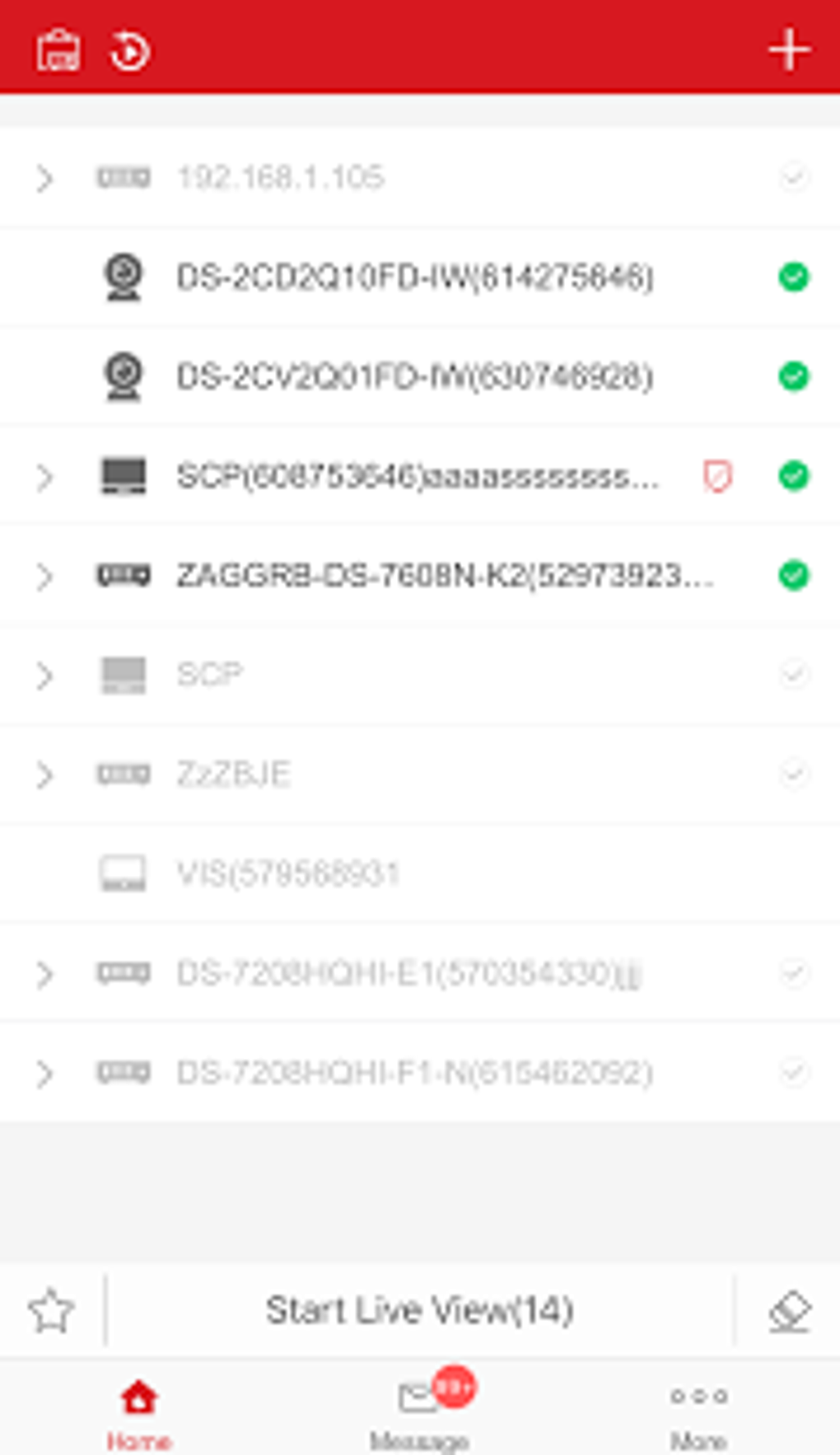
Hik-Connect serves as a centralized control hub for a variety of Hikvision devices, including DVRs (Digital Video Recorders), NVRs (Network Video Recorders), and IP cameras that support Cloud P2P (Peer-to-Peer) functionality. The app’s core function revolves around providing remote access to live video feeds from these devices, enabling users to monitor their property from anywhere with an internet connection. This live monitoring capability is a cornerstone of the app’s functionality, allowing users to observe real-time activity on their premises.
Beyond live viewing, Hik-Connect offers a range of additional features designed to enhance its security and convenience:
-
Video Playback: The app allows users to review previously recorded footage, enabling them to investigate incidents or review events that occurred while they were away. This playback functionality is crucial for identifying potential security breaches or simply reviewing events for personal purposes. The ability to search for specific times or events within recorded footage is a valuable asset for users.
-
PTZ (Pan, Tilt, Zoom) Control: For cameras equipped with PTZ capabilities, Hik-Connect allows remote control of the camera’s viewing angle. This feature empowers users to adjust the camera’s position and zoom level to gain a more precise view of a specific area. This control is invaluable for focusing on areas of interest or for tracking movement.
-
Two-Way Intercom: Many Hikvision systems incorporate audio capabilities, and Hik-Connect leverages this by providing a two-way intercom function. This permits users to communicate with individuals within the camera’s range, adding another layer of interaction and security. This is especially useful for deterring potential intruders or communicating with family members.
-
Doorbell and Video Intercom Integration: The app is designed to work with Hikvision doorbells and video intercom systems. Upon receiving a call, users are notified through the app, enabling them to speak to visitors remotely and even unlock the door if equipped with such functionality. This seamless integration streamlines the management of access control, enhancing security and convenience.
-
Alarm System Integration: Hik-Connect integrates with the alarm system connected to your Hikvision security setup. Users can remotely arm and disarm the system. Importantly, the app provides instant notifications, often including images and videos, when an alarm is triggered. This real-time alert system is a critical aspect of security, enabling quick response to potential threats.
User Experience and Setup Process
Setting up the Hik-Connect app initially appears straightforward. Creating an account and adding devices is relatively simple. However, user reviews consistently highlight challenges associated with the device-adding process. Many users report difficulties, sometimes needing to repeatedly close and reopen the app to successfully add a new camera or other device. This inconsistent behavior can be frustrating and detracts from the overall user experience.
Furthermore, some users have experienced issues with the app defaulting to a lower resolution (basic resolution) even when the user has configured their cameras for higher definition (HD). This inconsistency in video quality compromises the effectiveness of the monitoring system, particularly in situations requiring clear identification.
Performance and Connectivity
While Hik-Connect provides core surveillance functionality, its performance is not without its shortcomings. Numerous user reports describe instances of the app failing to connect to cameras, leading to periods of inaccessibility and rendering the monitoring system ineffective. Such connection instability severely hampers the app’s reliability, casting doubt on its suitability for crucial security applications.
The alarm notification system, while theoretically beneficial, can also be problematic. Many users report receiving an overwhelming number of notifications, leading to alert fatigue and potentially causing important notifications to be overlooked. The app lacks granular control over notification settings, making it difficult to customize the alert frequency and prioritize critical events.
Customer Support and Overall Assessment
The lack of responsive and effective customer support is frequently cited as a major drawback. Users who encounter issues with the app often struggle to find adequate assistance, further undermining the overall experience. The absence of readily accessible support channels and the difficulty in resolving technical problems add to the frustration.
Overall, Hik-Connect presents a mixed bag. On the positive side, it offers a comprehensive suite of features for monitoring and controlling a Hikvision security system, including live viewing, playback, PTZ control, two-way communication, and alarm system integration. However, several significant shortcomings significantly detract from its usability and reliability. The frequently reported difficulties in adding devices, the inconsistent connectivity, the overwhelming notification system, and the inadequate customer support severely compromise the app’s overall effectiveness.
While the app may serve as a functional surveillance solution for some users, the various technical issues and support challenges make it a less than ideal solution for many. The inconsistent performance and lack of responsiveness from the developers raise serious questions about the app’s long-term reliability and suitability for users who require a consistently dependable and robust security system. Consideration should be given to alternative surveillance solutions that offer a more reliable and user-friendly experience.
Alternatives and Comparison
Several alternative surveillance apps exist that provide similar functionalities, often with improved reliability and user experience. A comparison of Hik-Connect with other apps is crucial for potential users seeking a superior solution. Key factors to consider when comparing include ease of use, reliability of connectivity, effectiveness of the notification system, and availability of customer support. Researching and comparing reviews of competing apps before making a decision is highly recommended.
Conclusion
Hik-Connect offers a potentially powerful suite of tools for remote surveillance and security management. However, its frequent connectivity problems, cumbersome device addition process, and overwhelming notification system significantly detract from its overall usability and reliability. While the core features are appealing, the implementation is plagued with inconsistencies and shortcomings that users should carefully consider before relying on Hik-Connect for their security needs. The lack of effective customer support further compounds these issues. Users seeking a reliable and hassle-free surveillance solution might find alternative apps more suitable for their needs. Thorough research and careful consideration of alternative options are essential before committing to Hik-Connect.
File Information
- License: “Free”
- Latest update: “February 26, 2025”
- Platform: “Android”
- OS: “Android 13.0”
- Downloads: “289.5K”
- Download Options: “Google Play”


