
Hola Launcher positions itself as a fast and lightweight alternative to other Android launchers, boasting a small installation size and minimal memory usage. This review delves into its features, performance, and overall user experience, comparing it to competitors and assessing its strengths and weaknesses.
Speed, Size, and Efficiency: The Hola Launcher Advantage
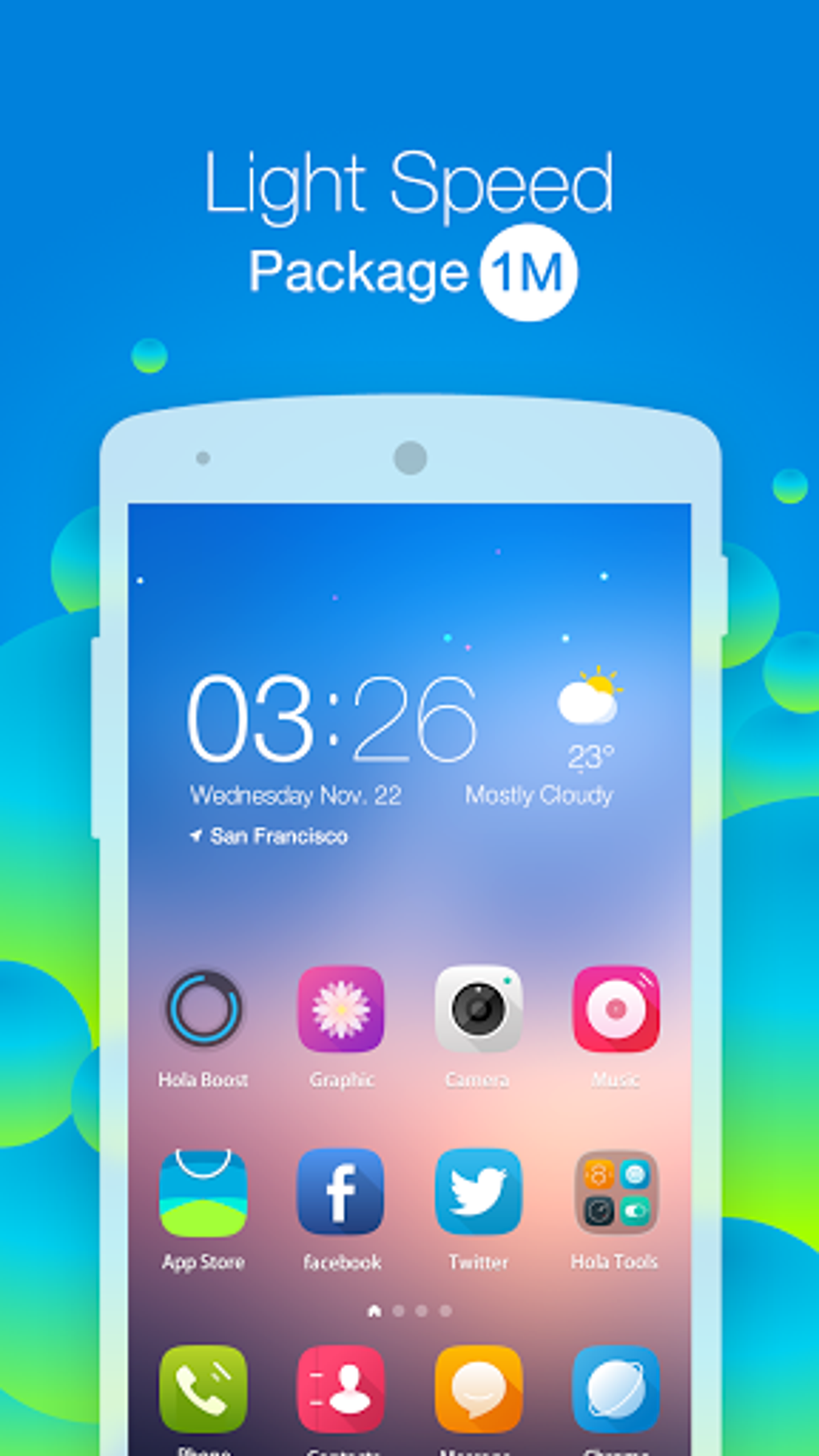
One of Hola Launcher’s primary selling points is its diminutive size. The developers claim an installation package of just 1MB+, significantly smaller than popular launchers like GO Launcher, Apex Launcher, and Nova Launcher. This translates to faster download times and less storage space consumed on your device. The smaller size is not just a marketing ploy; it demonstrably leads to improved performance, particularly on lower-end devices where storage and processing power are more limited. The reduced memory footprint, claimed to be 40% less than system launchers and 20% less than other “fast” launchers, further contributes to smoother operation and prevents lagging or crashes. This efficiency is a compelling argument for users seeking a snappy and responsive launcher without compromising on features.
Extensive Customization Options: Personalize Your Android Experience
Hola Launcher doesn’t sacrifice customization for its lean profile. It offers a vast library of themes, wallpapers, and icon sets, providing users with extensive options to personalize their home screens. The sheer number of choices, boasting thousands of icons and themes, ensures there’s something to suit every taste, from minimalist designs to vibrant, playful options. Users can easily alter icon sets, wallpapers, and even keyboard themes, allowing for frequent style changes without the cumbersome process of switching entire launchers. This flexibility allows users to tailor the launcher’s aesthetic to match their mood or preferences, reflecting their personality and enhancing their daily interaction with their device. Beyond simple aesthetics, the customization extends to practical features, enabling personalized widgets and shortcuts to frequently used apps and websites.
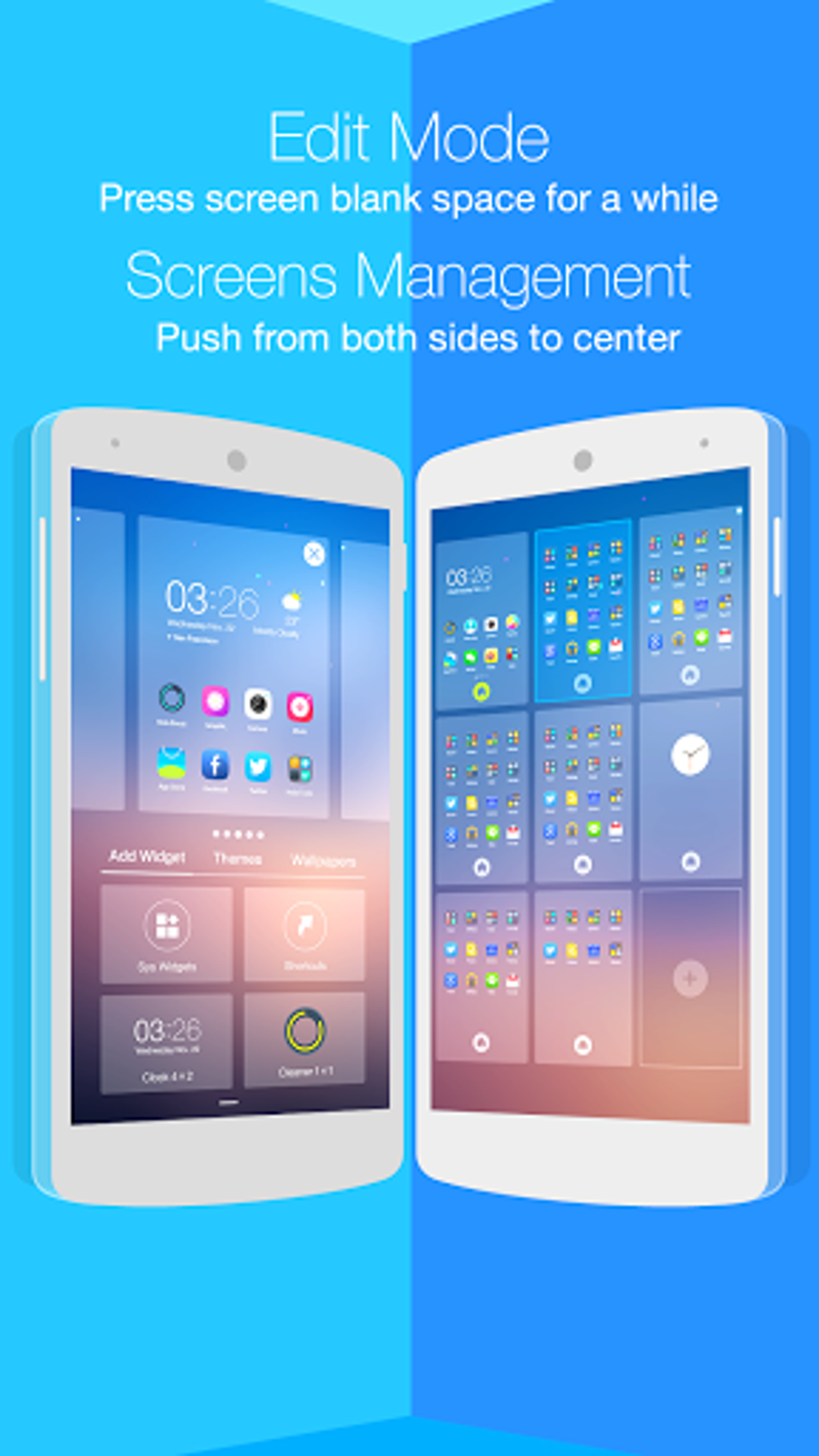
The inclusion of keyboard themes adds another layer of personalization, allowing users to match their keyboard’s appearance to their overall theme. This attention to detail showcases Hola Launcher’s commitment to creating a fully customizable experience, going beyond the basic functionality of just organizing apps and widgets. The frequent updates and addition of new wallpapers and images ensure the options remain current and diverse, preventing the experience from becoming stagnant.
User-Friendly Interface and Enhanced Search Functionality
Hola Launcher prioritizes user experience with an intuitive and easily navigable interface. The developers emphasize simple swipes and taps to access information, making it effortless to browse through multiple pages and locate desired content. The improved internal search functionality allows users to quickly find files and messages, addressing a common frustration associated with cluttered Android devices. This streamlined navigation contributes to overall efficiency, reducing the time spent searching for specific apps or data. This contrasts with some launchers which can become convoluted, especially as the number of apps and widgets increases.
Privacy and Security: A Focus on User Data Protection
Hola Launcher highlights its commitment to user privacy by claiming to utilize the least number of privacy privileges compared to other launchers. In an era of increasing concern about data security and online privacy, this commitment is noteworthy and potentially a key differentiator. The team’s stated mission to protect user privacy is a significant factor for users who prioritize data security and prefer apps with minimal access to personal information. While independent verification of these claims would be beneficial, the emphasis placed on privacy suggests a conscious effort to build trust and address user concerns.
Feature Set: A Balanced Approach
While focusing on speed and size, Hola Launcher doesn’t compromise on essential features. It includes all the core functions expected from a modern Android launcher, such as the ability to add widgets, customize shortcuts, and manage app icons. The extensive theme library enhances the visual appeal, while the efficient search functionality makes accessing information quick and easy. The integration of news and entertainment content directly into the launcher allows for quick access to up-to-date information, further streamlining the user experience.
Comparison with Competitors: Standing Out from the Crowd
Compared to other popular launchers such as GO Launcher Z, Apex Launcher, and Nova Launcher, Hola Launcher distinguishes itself primarily through its emphasis on speed and lightweight design. While competitors offer equally robust customization options, Hola Launcher’s small size and minimal memory usage make it a compelling alternative for users with older or lower-powered devices, or those who simply prefer a leaner, less resource-intensive launcher. While some users might value the extensive feature sets of other launchers, Hola Launcher provides a streamlined, efficient alternative without sacrificing fundamental functionality. The focus on privacy also sets it apart in a competitive market where user data is a valuable commodity.
Conclusion: A Strong Contender in the Android Launcher Landscape
Hola Launcher presents a compelling proposition for Android users seeking a fast, lightweight, and customizable launcher. Its small size and minimal memory footprint contribute to significantly improved performance, particularly beneficial for users with older or less powerful devices. The extensive customization options, including themes, wallpapers, and keyboard themes, allow for extensive personalization, and the emphasis on user privacy provides an additional layer of security. While it might not boast every bell and whistle of other launchers, its efficiency and ease of use make it a strong contender in the crowded Android launcher market, offering a refreshing alternative to resource-intensive options. The continued development and addition of new content suggest a commitment to keeping the app fresh and relevant, solidifying its position as a viable and appealing choice for Android users. Its focus on a streamlined, efficient, and privacy-conscious experience makes it a worthy contender, particularly for users who prioritize speed and simplicity without compromising on customization.
File Information
- License: “Free”
- Latest update: “May 23, 2023”
- Platform: “Android”
- OS: “Android 9.0”
- Downloads: “56.4K”
- Size: “4.84 MB”
- Download Options: “APK, Google Play”
- Filename: “com-hola-launcher-2290-47494507-d11eedc675c2c85708a77ea838d00da3.apk”


