
HoneyView is a free, lightweight image viewer for Windows that provides a straightforward and efficient way to view and perform basic edits on your photos. Its focus on speed and simplicity makes it a compelling option for users who prioritize ease of use and quick access to their image collections. This review delves into HoneyView’s features, performance, strengths, and weaknesses, providing a comprehensive assessment of its capabilities.
HoneyView’s Core Functionality and Features
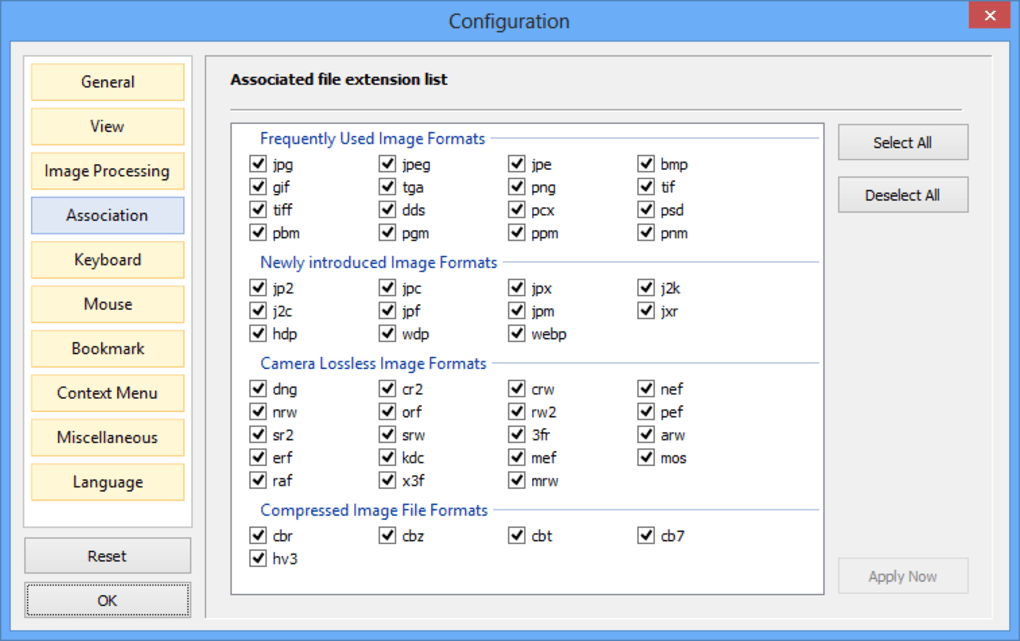
At its heart, HoneyView is a robust image viewer capable of handling a vast array of image formats. It supports common formats such as BMP, JPG, GIF, PNG, and PSD, but extends its capabilities to less common formats including DDS, JXR, WebP, J2K, JP2, TGA, TIFF, PCX, PNM, and PPM. This broad compatibility ensures that you can likely open almost any image file you encounter, regardless of its origin or specific encoding.
Beyond standard image formats, HoneyView distinguishes itself with its ability to open and display images directly from compressed archives like ZIP, RAR, 7Z, LZH, TAR, ALZ, and EGG without the need for prior extraction. This is a significant advantage for users who work with large numbers of archived images, such as photographers, comic book enthusiasts, or those who manage extensive digital photo collections. No longer do you need to spend time extracting files; you can simply open the archive and browse its contents directly within HoneyView. This feature is particularly beneficial for viewing manga or other types of comic books, where navigating numerous compressed files can be cumbersome with other viewers.
The program’s ease of use is a key selling point. Its intuitive interface minimizes the learning curve, allowing users of all technical skill levels to quickly become proficient with its features. The simple and uncluttered design eliminates unnecessary complexity, allowing you to focus on viewing and managing your images rather than struggling with a complicated interface.
Furthermore, HoneyView provides users with the ability to view EXIF data, metadata embedded within image files that contain information such as camera settings, date and time of capture, and GPS location. This information can be invaluable for photographers and those who wish to understand the conditions under which a photo was taken.
Performance and System Requirements
HoneyView’s performance is another area where it excels. Its lightweight design minimizes system resource consumption, ensuring a smooth and responsive viewing experience even on older or less powerful machines. This is a crucial feature for users with less powerful systems, such as netbooks or older PCs, where resource-intensive applications can cause significant slowdowns. HoneyView’s ability to handle large, high-resolution images without noticeable lag is a testament to its efficient coding and optimization. The program’s speed and efficiency are particularly apparent when viewing numerous images or navigating large archives, where the lack of lag significantly enhances the user experience.
Editing Capabilities and Customization
While not a full-fledged photo editor, HoneyView offers basic editing capabilities. It allows for simple batch edits, which can be useful for tasks like resizing multiple images or applying basic adjustments. However, users seeking more advanced photo manipulation features, such as layers, advanced filters, or complex retouching tools, will find HoneyView’s editing tools limited. Its focus remains on efficient viewing and streamlined management of image collections, rather than extensive editing functionalities.
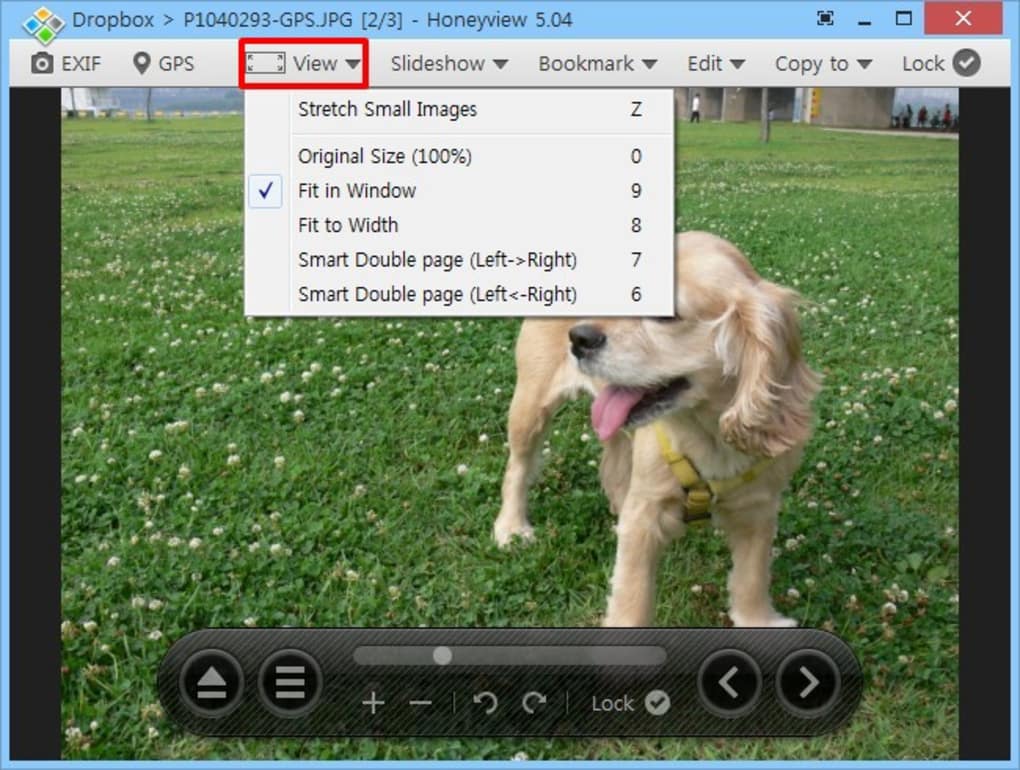
Customization options are also available, allowing users to personalize their viewing experience. Users can switch between various viewing modes, such as fullscreen or slideshows, and adjust settings to their preferences. This level of customization enables users to tailor the program to their individual needs and workflow.
Comparison with Other Image Viewers
HoneyView’s strengths are best understood when compared to alternative image viewers. While other software like FastStone Image Viewer offers more advanced editing capabilities, HoneyView’s unique advantage lies in its ability to open archives without extraction and its incredibly lightweight design. Programs such as IrfanView, while also efficient, lack the archive viewing capabilities that make HoneyView so convenient. In comparison to other free viewers, HoneyView shines in its balance of speed, ease of use, and comprehensive format support. Its specific focus on efficient viewing and managing large image collections distinguishes it from more feature-heavy, resource-intensive options.
Strengths and Weaknesses
Strengths:
- Speed and Efficiency: HoneyView’s lightweight design makes it exceptionally fast and responsive, even with large images and archives.
- Broad Format Support: It supports a wide range of image and archive formats, ensuring compatibility with various file types.
- Archive Viewing: The ability to view images directly from compressed archives without extraction is a significant time-saver.
- Ease of Use: The intuitive interface is simple to learn and use, making it accessible to users of all technical levels.
- EXIF Data Support: The inclusion of EXIF data viewing is beneficial for photographers and those interested in image metadata.
- Free and Open Source: HoneyView is completely free to use and is not encumbered by licensing restrictions.
- Lightweight System Requirements: HoneyView performs well even on older or less powerful hardware.
Weaknesses:
- Limited Editing Tools: The editing capabilities are basic and lack the advanced features found in dedicated photo editors.
- Mouse-Centric Interface: The program primarily relies on mouse interaction, which may be less efficient for users who prefer keyboard shortcuts.
- Lack of Advanced Features: HoneyView focuses on essential viewing functions, and some users might miss more advanced options, like image organization tools.
Conclusion
HoneyView occupies a unique niche in the world of image viewers. Its strengths lie in its speed, versatility, and convenient archive-viewing capabilities. It’s an excellent choice for users who prioritize efficiency and straightforward image viewing. While it lacks the advanced editing tools of more comprehensive software, its speed, broad format support, and seamless archive integration make it an incredibly useful and efficient tool for managing and viewing large image collections. If you’re looking for a fast, lightweight, and easy-to-use image viewer with unique archive-viewing capabilities, HoneyView is an outstanding free option well worth considering. Its focus on core functionalities and efficient performance make it a solid choice for many users’ daily image viewing needs.
File Information
- License: “Free”
- Latest update: “July 17, 2025”
- Platform: “Windows”
- OS: “Windows 7”
- Language: “English”
- Downloads: “277.1K”
- Size: “8.10 MB”


