
In today’s interconnected world, internet access is no longer a luxury but a necessity. However, the reality is that a significant portion of the global population remains unconnected. Even for those with internet access, the need to expand connectivity to multiple devices – smartphones, laptops, tablets, smart TVs, and more – is constantly growing. Hotspoter offers a simple, efficient, and free solution to this problem, transforming your Windows PC into a personal Wi-Fi hotspot with ease. This comprehensive guide will explore the features, benefits, and limitations of Hotspoter, comparing it to similar software and addressing user feedback.
Turning Your PC into a Wireless Router: Simplicity and Efficiency
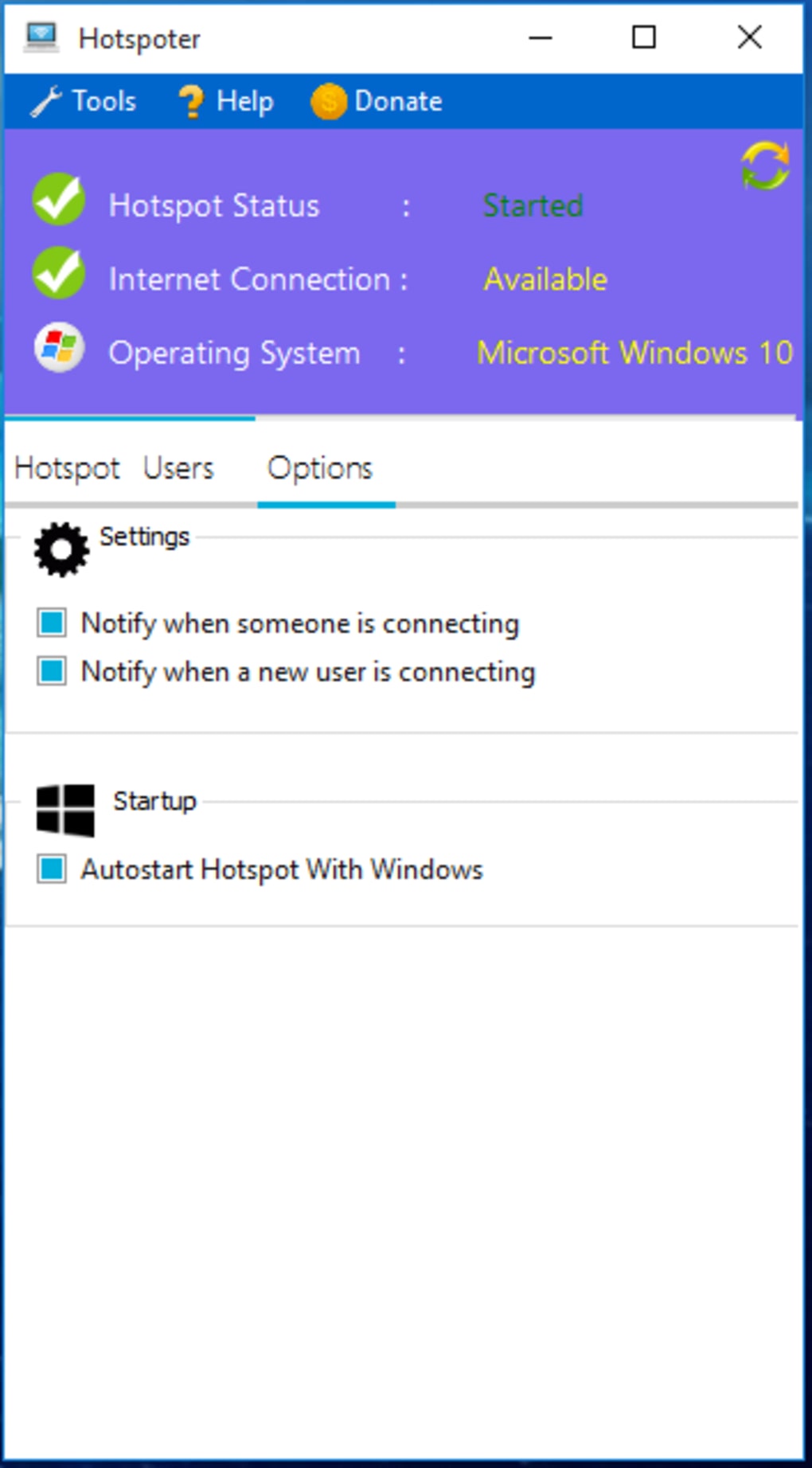
Hotspoter is a lightweight and user-friendly software application designed to create a Wi-Fi hotspot from your Windows computer. This allows you to share your existing internet connection with numerous devices simultaneously, without compromising signal strength. Unlike complex networking tools requiring advanced technical knowledge, Hotspoter prioritizes simplicity and ease of use. Even users with minimal experience in creating Wi-Fi hotspots will find the process straightforward and intuitive. The software boasts a streamlined interface and includes a helpful guide for those needing additional assistance, making the setup process accessible to everyone.

The core functionality of Hotspoter lies in its ability to transform your computer’s internet connection into a shareable Wi-Fi network. This eliminates the need for separate internet connections for your mobile devices, saving you money and simplifying your digital life. Furthermore, Hotspoter incorporates features designed to optimize signal strength, leading to faster downloads, smoother video calls, and improved overall internet browsing experience. While some similar software packages offer an array of advanced features, Hotspoter focuses on delivering its core functionality quickly and efficiently, prioritizing speed and simplicity over excessive complexity.
Key Features and Benefits of Hotspoter
Hotspoter’s strengths lie in its ease of use, free accessibility, and reliable performance. Key features include:
-
Free to download and use: Hotspoter is completely free, eliminating the need for costly subscriptions or trial periods often associated with similar software. This makes it an accessible option for users on a budget.
-
Smooth and efficient operation: The software is designed for speed and efficiency, establishing a stable Wi-Fi hotspot quickly and minimizing resource consumption. This is a significant advantage over some more resource-intensive alternatives.
-
Customizable Hotspot: Hotspoter allows you to personalize your Wi-Fi network name (SSID) and password, enhancing security and control over your hotspot.
-
Versatile Connection Sharing: The software can share various internet connections, including those from wired Ethernet connections, 3G/4G USB dongles, and DSL connections. This adaptability makes it a highly versatile tool.
-
Broad Compatibility: Hotspoter is compatible with a wide range of Wi-Fi adapters, ensuring broad device support.
-
Minimal Resource Consumption: Unlike some hotspot software that can significantly impact system performance, Hotspoter runs with minimal RAM usage and does not establish persistent background or startup services. This reduces strain on your system resources.
-
Unlimited Hotspot Time: Unlike some trial software with limited usage times, Hotspoter allows you to use your created hotspot for as long as needed.
-
Automatic Updates: Hotspoter features an in-built update function which automatically checks for and installs updates at startup ensuring the software remains up-to-date with the latest improvements and security patches.
-
High Client Capacity: The software can support up to 100 connected clients simultaneously which is suitable for many situations.
-
Modern User Interface: Hotspoter has a clean and easy-to-use interface, prioritizing usability for all users.
-
Error-Free Operation: The program avoids command-line interface (CMD) pop-ups, providing a smoother user experience.
-
Broad Windows Compatibility: Hotspoter supports various Windows operating systems, including Windows XP, 7, 8, and 10.
Limitations and Considerations
While Hotspoter boasts significant advantages, certain limitations should be considered:
-
Administrator Account Requirement: A common concern highlighted in user reviews is the need for administrator privileges to run the software. This can be a limitation for users who do not have administrative access to their computers.
-
Missing Advanced Features: Compared to more feature-rich alternatives, Hotspoter lacks certain advanced functionalities, such as bandwidth control, sophisticated security protocols, and detailed network statistics.
-
Outdated Software: The last update mentioned was in August 2017. While it is still functional, some may worry about its long-term security and compatibility.
Comparison with Alternative Software
Several alternatives to Hotspoter exist, each with its own strengths and weaknesses. Connectify Hotspot, for example, is another popular option offering a free version but with limitations. Other solutions, such as My WIFI Router and Free WiFi Hotspot, provide similar functionalities but may differ in their user interfaces, features, and resource consumption. Choosing the right software depends on individual needs and preferences, weighing the benefits of simplicity and cost-effectiveness against the desire for advanced features and capabilities.
User Reviews and Feedback
User reviews consistently praise Hotspoter’s speed, efficiency, and ease of use. Many users highlight the software’s ability to quickly and reliably create a Wi-Fi hotspot, sharing their internet connection across numerous devices without noticeable performance degradation. The free nature of the software also garners considerable positive feedback. However, some reviews mention the requirement of an administrator account and the lack of certain advanced features as drawbacks. Overall, user feedback strongly supports Hotspoter as a reliable and efficient solution for creating a personal Wi-Fi hotspot, particularly for users prioritizing simplicity and cost-effectiveness.
Conclusion
Hotspoter provides a user-friendly and cost-effective solution for those needing to turn their Windows computer into a Wi-Fi hotspot. Its simplicity, efficiency, and free accessibility make it a compelling choice for individuals and households requiring a straightforward method of sharing internet access among multiple devices. While it may lack the advanced features of some competitors, its core functionality is reliable and well-executed. Users seeking a hassle-free, free, and efficient hotspot creation tool will find Hotspoter a valuable asset, provided they meet the system requirements and understand the limitations outlined.
File Information
- License: “Free”
- Version: “5.1.8.9”
- Latest update: “August 7, 2017”
- Platform: “Windows”
- OS: “Windows 10”
- Language: “English”
- Downloads: “258.6K”
- Size: “2.18 MB”


