
Side Effects Software’s Houdini is a globally recognized leader in 3D animation and visual effects software. Its Apprentice version provides aspiring and professional artists with a powerful toolset, offering a glimpse into the capabilities of the full professional package. This in-depth review explores Houdini Apprentice, examining its features, strengths, limitations, and its place within the broader landscape of 3D animation software.
Unpacking Houdini Apprentice’s Feature Set
Houdini Apprentice is not just a simplified version of its professional counterpart; it’s a robust application in its own right. While some limitations exist, particularly concerning export options and resolution, the core functionalities of the software remain intact, allowing users to explore and master crucial 3D animation skills.
One of the most significant features is its impressive range of effects. Users can create incredibly realistic simulations of phenomena such as fractures and debris, convincingly rendered wave patterns, and stunning fire and smoke effects. The software’s advanced fur system deserves special mention, capable of generating lifelike fur and hair, adding a significant level of realism to animal characters and environments.
Beyond its visual effects prowess, Houdini Apprentice boasts a unique and powerful node-based workflow. This system is a cornerstone of Houdini’s design philosophy. Every modification, every adjustment, every effect applied to an animation is represented as a node within a network. These nodes are interconnected, visually illustrating the relationships between various elements of the animation. This approach facilitates intuitive modification and refinement. Users can easily trace the effects of any change back through the network, allowing for precise control and debugging. Furthermore, the node-based system streamlines collaboration. Multiple artists can work concurrently on the same project, each modifying specific nodes within the network without risking conflicts or unintended changes to other parts of the animation.
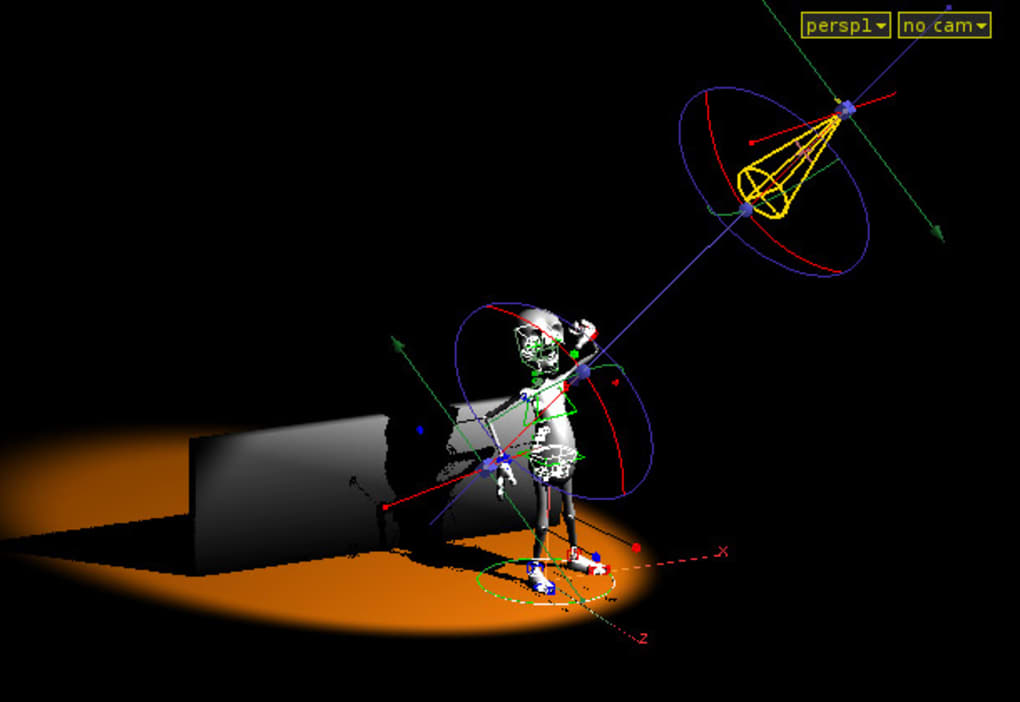
The inclusion of Autodesk FBX Export functionality is a key advancement. This greatly improves interoperability with other popular 3D software packages. The support extends to a wide array of parameters, including lights, skeletons, weighted skins, and particles, enabling seamless integration within larger production pipelines.
The program’s power necessitates a capable system. Houdini Apprentice requires a 64-bit processor to function optimally, highlighting the computational intensity of its simulation and rendering engines. While the free version carries certain limitations, chiefly related to output format and resolution, its overall quality makes it an invaluable tool for learning and experimenting.
The Advantages of Houdini Apprentice’s Node-Based Workflow
The node-based workflow is arguably Houdini Apprentice’s most defining characteristic, providing several significant advantages:
-
Intuitive Understanding of Animation Processes: The visual nature of the node network makes it exceptionally easy to understand the sequence of operations and the relationships between different components. This aids in comprehending complex animations, simplifying debugging, and allowing for more effective problem-solving. Beginners can quickly grasp the underlying principles, while experienced artists can efficiently manage even the most intricate projects.
-
Non-Destructive Editing: Unlike many other 3D animation software packages that often employ destructive editing, where changes overwrite previous versions, Houdini’s node-based system is non-destructive. Every manipulation is added as a new node, preserving the original data. This makes it incredibly easy to undo changes, experiment with different approaches, and revise elements of the animation without fear of irreversible alterations. This characteristic significantly boosts creative freedom and reduces the time spent correcting errors.
-
Improved Collaboration and Teamwork: The node-based workflow promotes effective collaboration among multiple artists. Different team members can work on different aspects of the same project simultaneously, without the risk of overwriting each other’s contributions. Each artist’s work is clearly defined and contained within their respective nodes, fostering a streamlined and conflict-free workflow. This distributed approach is particularly beneficial for large-scale projects requiring a team of specialists.
-
Flexibility and Adaptability: The flexible and adaptable nature of the node network empowers artists to experiment and customize their workflows according to their preferences and project needs. The modularity of the system encourages creativity, allowing artists to develop unique and efficient processes for different tasks. This customizable aspect allows artists to tailor their workflow to their specific strengths and creative processes.
- Efficient Problem Solving and Debugging: The visual representation of the animation pipeline makes identifying and resolving errors considerably easier. Artists can readily trace the sequence of operations to pinpoint the source of any issues. The system supports effective problem-solving and ensures rapid identification and rectification of errors. This accelerates the animation workflow and reduces the time and effort required for troubleshooting.
Limitations and Considerations of Houdini Apprentice
While Houdini Apprentice offers significant capabilities, it’s crucial to acknowledge its limitations:
-
Output Restrictions: The Apprentice version imposes restrictions on the resolution and export formats available. This can limit the quality of final renders and the compatibility with other software packages. While suitable for learning and personal projects, it might be insufficient for professional work requiring high-resolution outputs and specific file formats.
-
System Requirements: The software’s power demands a correspondingly robust system. Users need a 64-bit processor, ample RAM, and a capable graphics card to run the software smoothly. This might pose a barrier for users with older or less powerful computer systems.
-
Limited Feature Set Compared to the Full Version: While the core functionalities are available, certain advanced features found in the professional version are absent in the Apprentice edition. This limits the scope of projects and the range of effects achievable. Users who need the most advanced tools or specialized features will need to upgrade to the full version.
-
Learning Curve: Houdini’s node-based workflow, while powerful, presents a steeper learning curve compared to some more intuitive drag-and-drop interfaces. Users will need to invest time and effort in understanding the software’s principles and concepts. However, the payoff in terms of control and flexibility is considerable for those willing to commit to mastering the system.
Houdini Apprentice vs. Alternatives: Finding the Right Tool
Houdini Apprentice occupies a unique niche within the 3D animation landscape. Compared to more user-friendly options with simpler interfaces, it offers superior control and flexibility, particularly for procedural generation and complex simulations. However, alternatives exist, catering to different skill levels and project needs. Software like Blender, a free and open-source option, offers a broad range of tools and a relatively less steep learning curve. Other professional packages such as Autodesk Maya and 3ds Max are industry standards, offering extensive feature sets and excellent rendering capabilities but typically come with a higher price tag and a more demanding learning curve. The choice of software hinges upon the user’s skill level, project goals, budget, and specific needs. Houdini Apprentice is an excellent choice for those seeking to master a powerful, node-based workflow while remaining within a free software environment.
Conclusion: A Powerful Tool for Aspiring and Experienced Artists Alike
Houdini Apprentice is a valuable tool for anyone interested in exploring the world of 3D animation and visual effects. Its powerful features, combined with the unique node-based workflow, offer a level of control and flexibility seldom found in free software. While certain limitations exist, its overall quality makes it a worthwhile investment of time and effort for both aspiring and seasoned 3D artists. Whether it serves as a stepping stone to the full professional version or a standalone tool for personal projects, Houdini Apprentice remains a significant resource in the expanding world of digital content creation.
File Information
- License: “Trial version”
- Version: “9.5.134”
- Latest update: “February 13, 2019”
- Platform: “Windows”
- OS: “Windows Vista”
- Language: “English”
- Downloads: “16K”
- Size: “154.99 MB”


