
In the fast-paced world of business, reliable and efficient document handling is not just a convenience; it’s a fundamental requirement. From critical reports to daily invoices, the ability to produce high-quality printouts without a hitch is paramount. For many small and medium-sized enterprises, the HP LaserJet Enterprise P3015 series has long stood as a testament to durability, speed, and consistent performance in monochrome printing. However, even the most robust hardware is merely a sophisticated paperweight without the right software to drive it. This is where the HP LaserJet Enterprise P3015 Printer Drivers become indispensable, acting as the critical bridge between your computer’s operating system and the printer’s powerful capabilities.
Developed by Hewlett Packard Inc., this free utility application for Windows is more than just a piece of software; it’s the key that unlocks the full potential of your P3015 printer. It ensures that every feature, every option, and every nuanced setting of your enterprise-grade device is accessible and functions exactly as intended. While the world of technology constantly evolves, the enduring necessity of a stable and fully functional driver for your core business hardware remains constant. This comprehensive guide will delve into the significance of these drivers, their straightforward installation, what makes the P3015 series an enterprise staple, and why this specific driver, despite its age, continues to be a crucial component for efficient business operations. We’ll explore how to leverage this essential software to maintain productivity, troubleshoot common issues, and understand its place within the broader ecosystem of printer management.
Understanding the HP LaserJet Enterprise P3015: A Business Workhorse
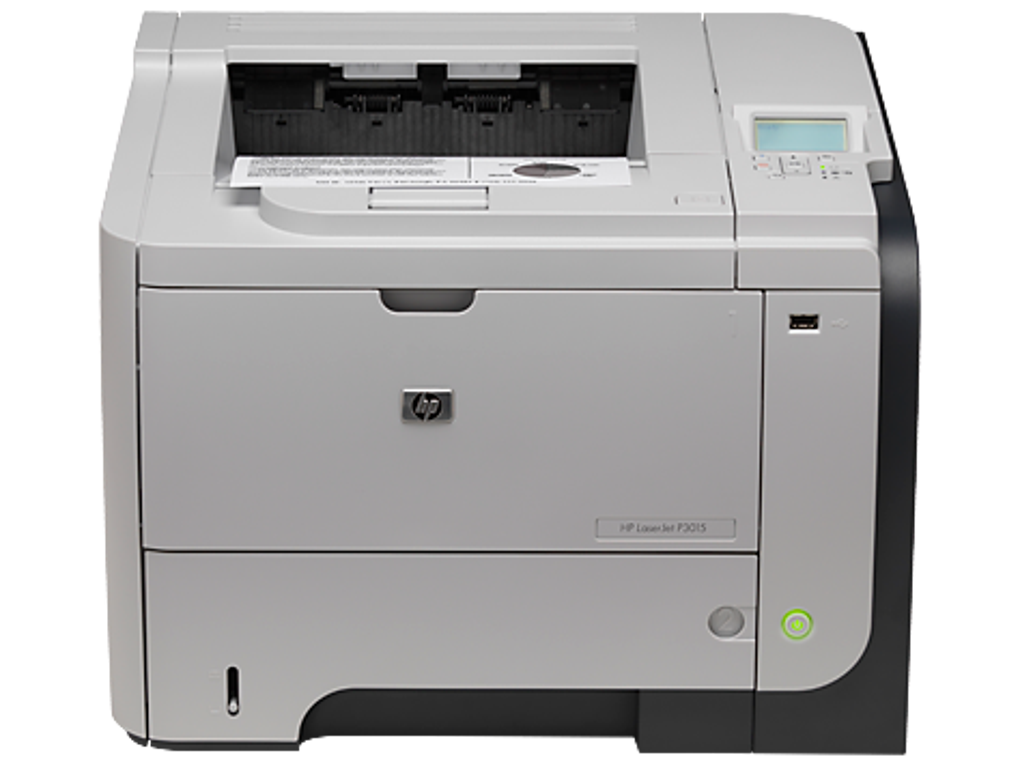
The HP LaserJet Enterprise P3015 is not just any printer; it’s a specialized tool designed to meet the rigorous demands of small and medium businesses. Categorized as a consumer-grade monochrome laser printer, its true strength lies in its “enterprise” designation, signaling a focus on robust construction, high print volumes, and advanced features essential for a professional environment. Before we dive into the drivers, it’s crucial to appreciate the hardware they serve.
What Makes the P3015 an Enterprise-Grade Printer?
At its core, the P3015 series is built for speed, quality, and endurance. It’s engineered to handle significant workloads, making it a reliable choice for offices that require frequent and fast printouts. Key characteristics that define its enterprise suitability include:
- High-Speed Printing: Designed for rapid document production, crucial for maintaining workflow efficiency in busy offices. The ability to churn out pages quickly translates directly into improved productivity.
- Monochrome Laser Technology: Specializing in crisp, sharp black-and-white prints, ideal for text documents, reports, and internal communications where color isn’t a priority but clarity and speed are. Laser technology ensures professional-grade output consistently.
- Robust Duty Cycle: Enterprise printers are expected to perform day in and day out. The P3015 boasts a duty cycle that indicates its capacity for high monthly print volumes, signifying its reliability and longevity.
- Advanced Paper Handling: Beyond a standard paper tray, enterprise printers often feature multiple input trays, duplex printing capabilities (automatic two-sided printing), and support for various media types and sizes. These features, though hardware-dependent, are only fully usable with the correct driver.
- Network Connectivity: Many enterprise models, including variations of the P3015, offer robust networking options, allowing multiple users to share the printer seamlessly across an office network. The driver plays a vital role in establishing and maintaining this network communication.
- Security Features: In an enterprise setting, document security is paramount. Higher-end P3015 models often include security features like PIN printing, encrypted data transmission, and job storage, all of which rely on the printer’s firmware and the driver’s ability to interface with these functions.
The Critical Connection: Hardware and Software Synergy
Without the appropriate drivers, the sophisticated hardware of the P3015 would be significantly underutilized. Imagine having a high-performance sports car but lacking the specific key to start it, or a finely tuned musical instrument without the skill to play it. The driver serves as that essential interpreter, translating commands from your computer’s operating system (Windows, in this case) into instructions that the printer hardware can understand and execute.
In a business context, the consequences of a missing or faulty driver can range from minor inconvenience to significant operational disruption. Generic drivers, sometimes automatically installed by the operating system, might allow basic printing, but they rarely enable advanced functionalities like automatic duplexing, specific paper tray selection, toner level monitoring, or network management. For a printer like the P3015, designed for enterprise efficiency, foregoing its dedicated driver means sacrificing the very features that justify its investment and make it a powerful asset for your business. The HP LaserJet Enterprise P3015 Printer Drivers ensure that your robust P3015 workhorse performs at its peak, day after day, contributing directly to your organization’s productivity goals.
The Indispensable Role of Printer Drivers
In the intricate dance between hardware and software, drivers are the unsung heroes that make everything work harmoniously. For printers, especially sophisticated models like the HP LaserJet Enterprise P3015, drivers are not just an optional add-on; they are the core component that enables communication, unlocks features, and ensures reliable operation. Without them, your printer’s true potential remains locked away.
What is a Printer Driver and Why Do You Need One?
At its simplest, a printer driver is a piece of software that acts as a translator. It takes the generic print commands issued by an application on your computer (like a word processor or a web browser) and converts them into specific instructions that your particular printer model can understand and execute. Every printer, regardless of its manufacturer or type, has its own unique set of commands and protocols. The driver bridges this gap.
Here’s why a dedicated driver, like the one for the HP LaserJet Enterprise P3015, is absolutely essential:
- Enabling Communication: Without a driver, your operating system wouldn’t know how to “talk” to the printer. It wouldn’t understand how to send data for printing, how to retrieve status updates (like “out of paper” or “toner low”), or how to interpret errors. The driver provides the specific language for this dialogue.
- Unlocking Full Functionality: Generic drivers provided by the operating system might offer basic print capabilities. However, they almost always lack support for advanced features. For the P3015, this means sacrificing crucial business functionalities such as:
- Duplex Printing: Automatically printing on both sides of a page to save paper.
- Tray Selection: Specifying which paper tray to pull paper from (e.g., Letter in Tray 1, Legal in Tray 2, Envelopes in Bypass Tray).
- Print Quality Settings: Adjusting resolution, toner density, or print modes for different document types.
- Finishing Options: If your printer has a stapler or sorter, the driver is needed to control these.
- Status Monitoring: Receiving real-time updates on toner levels, paper jams, or other operational issues.
- Security Features: Accessing features like secure print (requiring a PIN at the printer) or job storage.
- Ensuring Stability and Reliability: A manufacturer-specific driver is optimized for that particular hardware. This optimization leads to more stable performance, fewer errors, and a more reliable printing experience. Generic drivers can sometimes lead to crashes, corrupted print jobs, or unexpected behavior.
- Optimized Performance: Drivers are often fine-tuned to maximize the speed and efficiency of the printer. This means faster print speeds and better resource management, which are critical in a busy office environment.
The Specifics of the HP LaserJet Enterprise P3015 Driver
Hewlett Packard Inc., as the original equipment manufacturer (OEM), designs its drivers to perfectly match its hardware. The HP LaserJet Enterprise P3015 Printer Drivers are precisely tailored to the P3015 series, ensuring that every facet of the printer’s design and engineering is fully utilized.
- Comprehensive Feature Set: This driver package installs all the necessary files and components to enable the P3015 to perform all its advertised functions. This includes not only basic printing but also advanced settings for print quality, paper type, paper size, and duplexing. For network-connected P3015 models, the driver facilitates seamless discovery and integration within the network environment, allowing multiple users to send print jobs without conflict.
- User Interface Integration: The driver integrates with the Windows printing system, providing a user-friendly interface through the “Printer Preferences” or “Printing Properties” dialog box. This interface allows users and administrators to easily configure settings, check printer status, and manage print jobs. This accessibility is crucial for tailoring print jobs to specific needs and for troubleshooting.
- Problem Prevention: By providing the correct instructions to the printer, the official HP driver minimizes common printing problems such as garbled text, partial prints, slow performance, or outright refusal to print. It ensures that data is transmitted correctly and that the printer interprets it accurately.
- Diagnostic Capabilities: Often, official drivers come with basic diagnostic tools or integrate with system utilities that can help identify and resolve printing issues, providing valuable insights into the printer’s operational state.
In essence, the HP LaserJet Enterprise P3015 Printer Drivers are not just software; they are an extension of the printer itself, vital for its functionality and critical for achieving the level of performance and reliability that businesses expect from an HP LaserJet device. Their importance cannot be overstated for anyone seeking to maximize their P3015 investment.
Seamless Installation and User Experience
One of the most appealing aspects of the HP LaserJet Enterprise P3015 Printer Drivers, as highlighted by numerous users and by PhanMemFree, is their user-friendly installation process. In a business environment where time is money, a straightforward setup is a significant advantage. This section explores the ease of getting these drivers up and running and how they contribute to a smooth, productive user experience.
A Quick and Easy Setup Process
The installation of the HP LaserJet Enterprise P3015 Printer Drivers is remarkably uncomplicated, requiring minimal technical expertise. This ease of use ensures that IT staff, or even end-users in smaller settings, can get the printer operational quickly without extensive downtime or complex configurations.
The general steps for installation are typically as follows:
- Download: The first step involves downloading the driver package from a trusted source, such as PhanMemFree.org or the official HP support website. The file size is usually manageable, allowing for quick download times even on moderate internet connections.
- Execution: Once downloaded, users simply need to locate the executable file (often named something like
setup.exeorinstall.exe) and run it. Windows’ User Account Control (UAC) might prompt for administrative permissions, which should be granted to proceed. - Wizard-Driven Installation: The installation process is guided by an intuitive wizard. Users are typically presented with a series of simple prompts:
- Welcome Screen: Introducing the installer.
- License Agreement: Users must accept the terms and conditions.
- Installation Type: Often, a “Recommended” or “Express” option is available, which is usually sufficient for most users. Advanced users might have options for custom installations.
- Connection Type: The installer might ask if the printer is connected via USB, network, or other means. For direct USB connection, ensure the printer is plugged in and powered on. For network printers, the installer will often scan the network for compatible devices.
- Completion: A final screen indicates that the installation is complete.
- Automatic Recognition: A key convenience of these drivers is their ability to automatically recognize the P3015 printer once it’s plugged in via USB or connected to the network and powered on. This “plug-and-play” functionality, facilitated by the installed driver, eliminates the need for manual device detection or complex port configurations. The system simply identifies the printer and assigns the newly installed drivers to it.
The reference content succinctly states, “The installation process itself is pretty straightforward and takes no time at all. After that, you don’t need to do any additional setup since it will recognize your printer when you plug it in.” This highlights the seamless nature of the process, a crucial factor for businesses looking to minimize setup time and maximize operational efficiency.
Maximizing Your Printer’s Potential
Once installed, the HP LaserJet Enterprise P3015 Printer Drivers don’t just enable basic printing; they unlock the full spectrum of capabilities that the P3015 series offers, transforming it from a mere output device into a versatile tool for your office.
- Access to All Features and Options: As noted in the driver’s advantages, users gain “access to all features and options available.” This means control over:
- Advanced Print Settings: Fine-tuning print resolution (DPI), selecting economode for toner saving, or choosing specific print quality for graphics versus text.
- Paper Management: Specifying paper size (Letter, Legal, A4, Envelopes, custom sizes), paper type (plain, bond, heavy, transparencies), and directing print jobs to specific trays.
- Duplexing Control: Easily toggling automatic two-sided printing, a significant feature for reducing paper consumption and promoting eco-friendly practices.
- Printer Status and Maintenance: Monitoring toner levels, checking for paper jams, accessing error logs, and potentially initiating cleaning cycles directly from the computer.
- Network Features: For network-enabled P3015 printers, the driver facilitates secure network printing, allowing multiple users to share the device and administrators to manage print queues and access controls.
- Enhanced Productivity: By providing granular control over print jobs, businesses can optimize their printing workflow. For example, a marketing department can quickly print high-quality drafts, while the accounting department can efficiently print large batches of double-sided invoices, all managed through the same driver interface.
- Reduced Troubleshooting: A correctly installed, official driver significantly reduces the likelihood of compatibility issues or printing errors. When problems do arise, the driver’s communication with the OS often provides more specific error messages, aiding quicker diagnosis and resolution compared to generic drivers.
The seamless installation and comprehensive functionality provided by the HP LaserJet Enterprise P3015 Printer Drivers are fundamental to leveraging your P3015 printer as a true asset within your business infrastructure. They ensure that every dollar invested in the hardware translates into maximum operational benefit, day in and day out.
Addressing Driver Maintenance and Longevity
In the dynamic landscape of software development, where updates are frequent and operating systems evolve rapidly, the concept of a driver that “has not received any new updates in a while” might raise concerns for some users. However, in the context of a stable, enterprise-grade printer like the HP LaserJet Enterprise P3015, this characteristic can often be more a sign of maturity and reliability than a drawback.
The “No Recent Updates” Caveat: A Sign of Stability?
The information provided indicates that the HP LaserJet Enterprise P3015 Printer Drivers “has not received any new updates in a while.” While this might seem counterintuitive in an age of continuous software patches, it’s essential to understand the implications for a device driver in this specific context.
- Mature Product, Stable Driver: The HP LaserJet Enterprise P3015 series is a well-established printer model. When a hardware product reaches a certain level of maturity, its associated drivers also tend to stabilize. All known bugs might have been addressed in earlier versions, and there might be no new features in the printer’s hardware that would necessitate further driver development. This often means the existing driver is robust and highly optimized for its intended purpose.
- Focus on Core Functionality: Unlike applications that frequently add new features or adapt to new web standards, a printer driver’s primary role is to ensure reliable communication between the OS and the hardware. If that communication is flawless and all printer features are accessible, there’s little need for continuous updates unless a critical security vulnerability or major operating system incompatibility arises.
- Guaranteed Functionality: The reference content reassures users, stating, “Nevertheless, you can use it as it is and be guaranteed it will work as it should.” This guarantee underscores the driver’s proven reliability. For businesses, consistency and predictability are often more valued than constant, potentially disruptive updates. An unchanging driver means IT departments can deploy it with confidence, knowing it will perform predictably across their installed base of P3015 printers.
- Operating System Compatibility: While new OS versions might introduce challenges, the fact that this driver is still available and functional suggests it maintains compatibility with relevant Windows operating systems. Drivers for enterprise hardware are often designed with a longer lifecycle in mind to support corporate IT strategies that might not immediately upgrade to the very latest OS. For example, being listed for “Windows 8” (and implicitly compatible with Windows 7, 10, and likely 11 due to backward compatibility) shows its enduring relevance.
The “no updates in some time” point, therefore, should not necessarily be seen as a deterrent but rather as an indication of a highly stable and finalized product. For a dedicated, monochrome business printer, stability often trumps the need for continuous new feature additions through driver updates.
Ensuring Compatibility and Performance on Windows
The HP LaserJet Enterprise P3015 Printer Drivers are specifically designed for the Windows platform. This focus ensures deep integration with Windows’ printing architecture and utilities, maximizing compatibility and performance.
- Windows Ecosystem: As a Windows-specific driver, it’s optimized to work seamlessly within various versions of the operating system, including those common in business environments (e.g., Windows 7, 8, 10, and likely Windows 11 through compatibility modes). This broad compatibility is crucial for organizations with mixed OS environments or those undergoing system upgrades.
- Driver Model and Architecture: The driver adheres to Windows Driver Model (WDM) or Universal Printer Driver (UPD) standards, allowing it to function efficiently. It correctly handles 32-bit and 64-bit architectures, an important distinction for modern operating systems, ensuring the right version is installed for optimal system stability and performance.
- Troubleshooting and Support: Should issues arise, the driver’s integration with Windows diagnostics tools can help. Users can access printer properties through the Control Panel or Settings app, where they can run print tests, check port configurations, and review driver details. Online resources from HP or community forums often provide solutions for common problems encountered with this established driver.
- Long-Term Reliability: The very fact that this driver package has endured and remains accessible on platforms like PhanMemFree.org speaks to its long-term reliability. Businesses rely on solutions that work consistently over many years, and a stable, functional driver is key to achieving that. Even without new feature updates, security patches for the underlying operating system and proper network configuration ensure that the printer remains a secure and efficient part of the IT infrastructure.
In conclusion, the maintenance and longevity of the HP LaserJet Enterprise P3015 Printer Drivers emphasize stability over constant evolution. For businesses prioritizing steadfast performance and proven reliability from their monochrome laser printer, this driver package continues to be a trustworthy and indispensable component of their printing infrastructure.
Beyond the Basics: Related Considerations and Alternatives
Understanding the core functionality and installation of the HP LaserJet Enterprise P3015 Printer Drivers is crucial, but it’s also beneficial to place it within a broader context. This involves looking at HP’s larger driver ecosystem, general best practices for managing printer drivers, and a quick glance at alternative solutions for similar printer models.
Related HP Driver Ecosystem
Hewlett-Packard boasts an extensive range of LaserJet printers, each typically supported by its own dedicated driver package. The P3015 driver, while specific to its series, exists within a family of similar drivers that cater to various business printing needs. PhanMemFree.org, for instance, also lists drivers for:
- HP LaserJet Enterprise P3015 Printer series drivers: This entry might encompass a broader package covering all variants within the P3015 lineup (e.g., P3015d, P3015n, P3015dn), ensuring comprehensive compatibility.
- HP LaserJet P3005 Printer drivers: An earlier but related model, the P3005 series also served businesses with reliable monochrome printing. Its driver package would share architectural similarities with the P3015, reflecting HP’s consistent approach to driver development for its LaserJet line.
- HP LaserJet P3005dn Printer drivers: The “dn” suffix typically denotes duplexing and networking capabilities, highlighting specific features that require driver support for full functionality.
- HP LaserJet P2055dn Printer Drivers: Another business-oriented monochrome LaserJet, indicating HP’s commitment to providing robust driver support across its professional printer portfolio.
This interconnectedness within the HP driver ecosystem means that many of the principles of installation, functionality, and troubleshooting applicable to the P3015 drivers can often be extended to other HP LaserJet models. It also reinforces HP’s strategy of providing dedicated, optimized software for each of its hardware products to ensure maximum performance and user satisfaction.
General Printer Driver Best Practices
Beyond the specifics of the P3015, adopting good habits for managing all your printer drivers can save time, prevent issues, and enhance security in your business environment.
- Always Download from Official or Trusted Sources: The most critical rule is to obtain drivers from the manufacturer’s official support website (in this case, HP.com) or from reputable software download platforms like PhanMemFree.org. Downloading drivers from unverified sources can expose your system to malware, viruses, or improperly developed software that can cause system instability.
- Verify Compatibility: Before downloading, always confirm that the driver version is compatible with your specific printer model and your operating system (e.g., Windows 10 64-bit). Incorrect drivers can lead to non-functional printers or system crashes.
- Backup Your Drivers (Optional but Recommended): For critical systems, having a backup of known-good drivers can be a lifesaver during system reinstalls or major upgrades. Tools exist within Windows (or third-party utilities) to export installed drivers.
- Regularly Check for Updates (When Applicable): While the P3015 driver isn’t actively updated, for other devices, periodically checking for driver updates from the manufacturer can resolve bugs, improve performance, and add support for new OS features. However, for a stable driver like the P3015’s, “if it ain’t broke, don’t fix it” often applies.
- Uninstall Old/Unused Drivers: Over time, your system might accumulate drivers for printers you no longer use. These can sometimes cause conflicts or bloat your system. Periodically reviewing and uninstalling obsolete printer drivers can help maintain system hygiene.
- Understand 32-bit vs. 64-bit: Ensure you download the driver version that matches your Windows operating system’s architecture. Most modern Windows installations are 64-bit, but older systems or specific legacy applications might still use 32-bit.
- Consider Universal Print Drivers (UPD): For environments with multiple HP LaserJet printers, HP’s Universal Print Driver (UPD) can sometimes simplify management by allowing a single driver package to support various HP models. While the P3015 has a dedicated driver, a UPD might be an alternative for some network configurations, though often the dedicated driver offers more granular control specific to the model.
Security Implications of Driver Management
Ignoring driver management can also have security implications. Outdated or compromised drivers can create vulnerabilities that malicious actors might exploit. While the P3015 driver is mature, ensuring it’s the official version from a trusted source like PhanMemFree.org minimizes security risks. Official drivers undergo rigorous testing and are designed to integrate securely with the operating system. Using unofficial or modified drivers can bypass these security measures, leaving your system exposed.
In summary, the HP LaserJet Enterprise P3015 Printer Drivers are a testament to stable, effective hardware-software integration. By understanding their role, following best practices for driver management, and appreciating their place within the broader HP ecosystem, businesses can ensure their printing operations remain robust, efficient, and secure.
Conclusion
The HP LaserJet Enterprise P3015 has earned its reputation as a dependable workhorse for small and medium businesses, delivering fast, high-quality monochrome printouts that are essential for daily operations. However, the true power and full functionality of this robust printer are only unleashed through its dedicated software companion: the HP LaserJet Enterprise P3015 Printer Drivers.
These free utility applications, meticulously developed by Hewlett Packard Inc. and readily available from trusted platforms like PhanMemFree.org, serve as the indispensable interface between your Windows PC and the printer hardware. They are the conduits that translate your digital commands into physical prints, enabling every advanced feature from automatic duplexing to precise paper tray selection and real-time status monitoring.
The beauty of these drivers lies in their elegant simplicity and unwavering effectiveness. As highlighted, the installation process is refreshingly straightforward and quick, demanding no specialized technical knowledge. Once installed, the driver automatically recognizes your P3015 printer, eliminating cumbersome setup procedures and instantly granting you access to every feature and option available. This seamless integration ensures that businesses can deploy their P3015 printers with minimal downtime and maximum operational efficiency.
While it’s true that the HP LaserJet Enterprise P3015 Printer Drivers may not have received new updates in recent times, this is often a testament to their mature design and inherent stability. For a printer whose primary function is reliable, high-volume monochrome output, a proven and unchanging driver guarantees consistent performance without the uncertainties that frequent updates can sometimes introduce. As PhanMemFree emphasizes, users can be assured that it “will work as it should,” a critical promise for any business relying on its printing infrastructure.
In a world where digital productivity is paramount, the ability to effortlessly produce physical documents remains a cornerstone of business. The HP LaserJet Enterprise P3015 Printer Drivers are not merely a download; they are an essential component for any organization seeking to maximize the investment in their HP LaserJet P3015 printer. They ensure that your business documents are printed with the clarity, speed, and reliability that HP LaserJet is known for, allowing your operations to continue smoothly and efficiently.
For any business or individual utilizing an HP LaserJet Enterprise P3015 printer, downloading and installing these official drivers is not just recommended—it’s an absolute must. Visit PhanMemFree.org today to secure the official drivers and unlock the full potential of your business’s printing capabilities.
File Information
- License: “Free”
- Version: “varies-with-device”
- Latest update: “April 8, 2025”
- Platform: “Windows”
- OS: “Windows 8”
- Language: “English”
- Downloads: “48.2K”


