
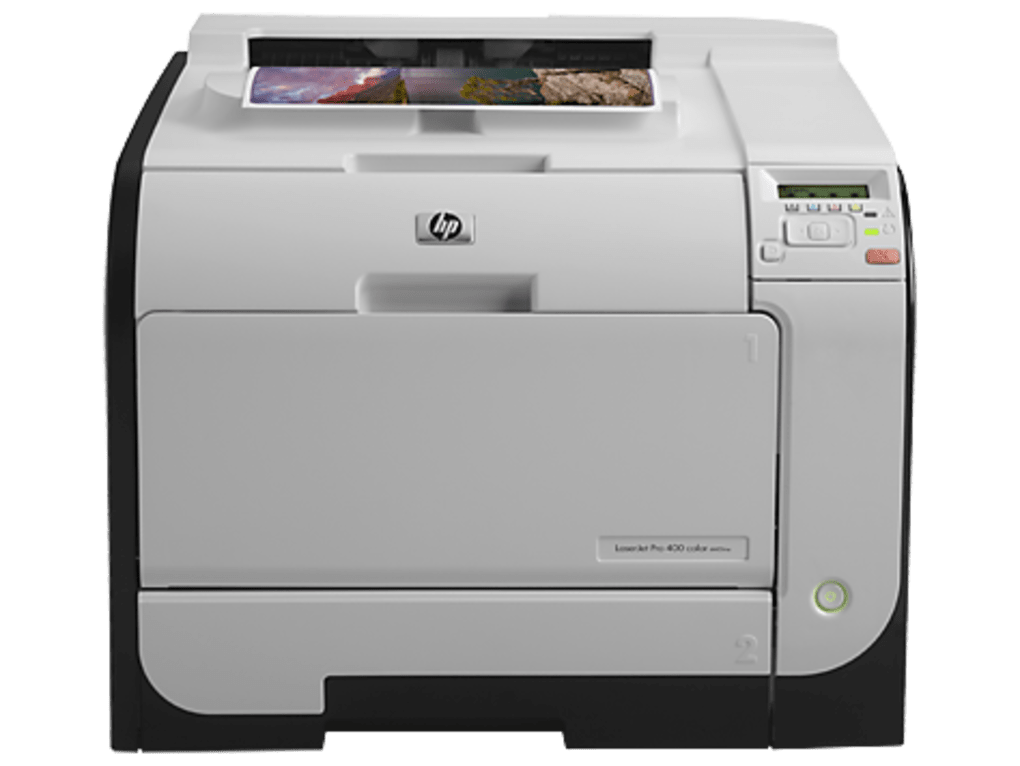
The HP LaserJet Pro 400 Color Printer M451nw is a versatile and reliable printer suitable for various business needs. However, to ensure optimal performance and functionality, installing the correct drivers is crucial. This guide provides a detailed overview of the HP LaserJet Pro 400 Color Printer M451nw drivers, covering compatibility, installation, troubleshooting, and alternative solutions.
Understanding HP LaserJet Pro 400 Color Printer M451nw Drivers
Drivers are essential software components that act as a bridge between your printer and your computer’s operating system. They translate the commands your computer sends to the printer, enabling it to perform its functions correctly. Without the appropriate drivers, your computer won’t recognize the printer, and you won’t be able to print. The HP LaserJet Pro 400 Color Printer M451nw drivers specifically enable your computer to communicate with this particular printer model. These drivers handle tasks such as:
- Sending print jobs: Translating print data into a language your printer understands.
- Managing printer settings: Allowing you to control aspects like print quality, color settings, paper size, and duplex printing.
- Troubleshooting issues: Providing diagnostic tools to identify and resolve any printing problems.
- Firmware updates: Enabling you to update your printer’s firmware for improved performance and security.
The drivers are platform-specific; meaning different versions are required for different operating systems (OS). HP provides drivers compatible with a wide range of Windows and potentially other operating systems. The availability of drivers for older OS versions may be limited, as HP focuses its support on current operating systems.
Downloading and Installing the HP LaserJet Pro 400 Color Printer M451nw Drivers
Downloading and installing the correct drivers is straightforward. HP provides these drivers on their official website. Here’s a step-by-step guide:
- Visit the HP Support Website: Go to the official HP support website (support.hp.com).
- Identify your printer: You might need to enter your printer model number (HP LaserJet Pro 400 Color Printer M451nw) to navigate to the correct support page.
- Select your operating system: Choose the operating system that your computer runs (Windows 10, Windows 11, etc.). This ensures you download the compatible driver version.
- Download the driver: Locate and download the appropriate driver package. This often comes in the form of an executable (.exe) file.
- Run the installer: Once downloaded, locate the installer file and run it. Follow the on-screen instructions. The installer will typically detect your printer automatically.
- Restart your computer: Upon completion of the installation, it’s often recommended to restart your computer to ensure the changes take effect.
- Test the printer: After restarting, send a test print job to verify that the printer is working correctly.
Important Considerations:
- Internet Connection: A stable internet connection is required to download the driver from HP’s website.
- Administrative Privileges: You might need administrator privileges on your computer to install the drivers.
- Firewall Settings: Ensure your firewall isn’t blocking the driver installation process.
- Antivirus Software: Temporarily disable your antivirus software during the installation to avoid potential conflicts.
If the automatic detection fails, you might need to manually select your printer from a list of available devices. You may also be prompted to connect your printer using a USB cable or establish a network connection depending on your printer setup.
Troubleshooting Common Driver-Related Issues
Even after proper installation, you might encounter some printing issues. Here’s how to troubleshoot some common problems:
- Printer not recognized: Ensure your printer is correctly connected to your computer (via USB or network) and powered on. Check your computer’s device manager for any error messages related to the printer.
- Print jobs failing: Check the printer’s queue for any errors or stalled jobs. Try restarting the printer and your computer.
- Poor print quality: Check your printer settings (resolution, ink levels). Inspect the printer for any paper jams or other physical obstructions.
- Driver conflicts: If you recently installed other software that might conflict with the printer driver, try uninstalling or updating the conflicting software.
If you’re still experiencing difficulties, consult HP’s online support documentation or contact their customer support for assistance. Their website often includes detailed troubleshooting guides, FAQs, and video tutorials for common issues.
Alternative Driver Sources and Compatibility
While HP’s official website is the recommended source for drivers, you might find the drivers from other sources, but exercise caution. Downloading drivers from untrusted websites could lead to malware infection or driver corruption.
Compatibility: The HP LaserJet Pro 400 Color Printer M451nw drivers are generally compatible with a wide range of Windows operating systems, including Windows 7, 8, 8.1, 10, and 11 (both 32-bit and 64-bit versions). Compatibility with other operating systems, such as macOS or Linux, may vary, and you might need to search for community-supported drivers or solutions. Always check the driver’s specifications to ensure compatibility with your specific operating system and hardware before downloading and installing.
Maintaining Your Printer Drivers
To ensure optimal performance and avoid potential issues, it’s crucial to keep your printer drivers updated. HP regularly releases updates to address bugs, improve performance, and add new features. While automatic driver updates can be enabled through Windows Update (check your Windows settings), periodically checking HP’s support website for the latest driver version is recommended. This ensures you benefit from the latest improvements and bug fixes. Outdated drivers can lead to compatibility problems, reduced print quality, and security vulnerabilities. Regularly checking for updates is a simple step that can prevent many potential problems. You should also regularly maintain your printer itself (cleaning, replacing consumables etc.) to further ensure smooth operation.
In conclusion, obtaining and installing the correct HP LaserJet Pro 400 Color Printer M451nw drivers is essential for smooth printing. By following the steps outlined in this guide, you can ensure your printer functions optimally. Remember to always download drivers from trusted sources, such as the official HP website, and troubleshoot issues systematically. Regular driver updates and printer maintenance are key to long-term reliability and performance.
File Information
- License: “Free”
- Version: “varies-with-device”
- Latest update: “January 31, 2023”
- Platform: “Windows”
- OS: “Windows XP”
- Language: “English”
- Downloads: “4.4K”


