
HP Scan and Capture for Windows 10 is a free scanning utility offered by HP Inc., renowned for its printing solutions. Designed primarily as a replacement for older HP Scan utilities, it provides a straightforward method for scanning documents, photographs, and other images using compatible HP scanners. This review will delve into its functionality, ease of use, security aspects, and compare it to alternative solutions.
Ease of Use and Functionality
HP Scan and Capture boasts a user-friendly interface, making it accessible even to novice users. Upon launching, the application automatically searches for connected HP scanners and printers on the local network, including wireless devices. This automatic device detection simplifies the scanning process significantly, eliminating the need for manual configuration in most cases.
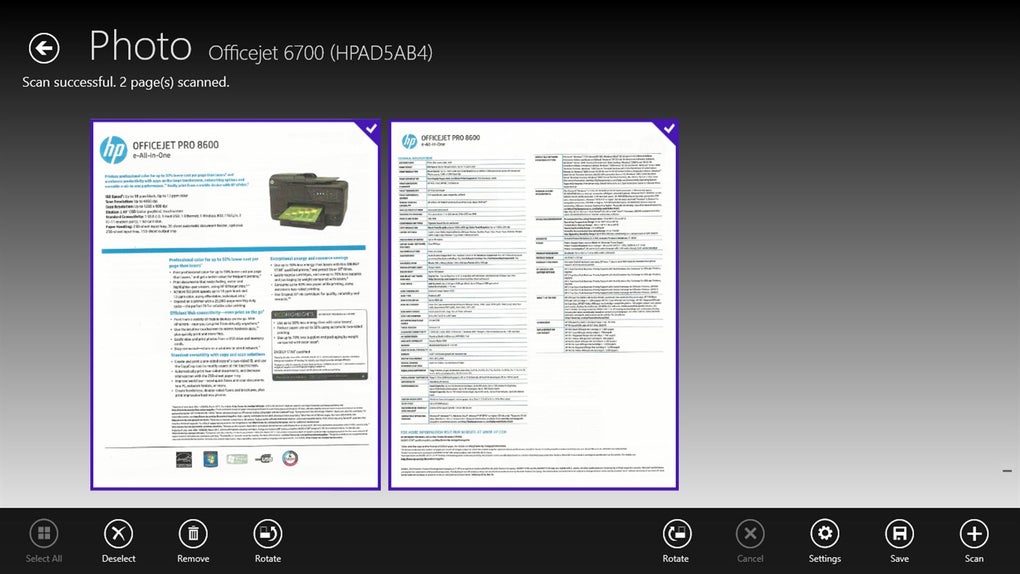
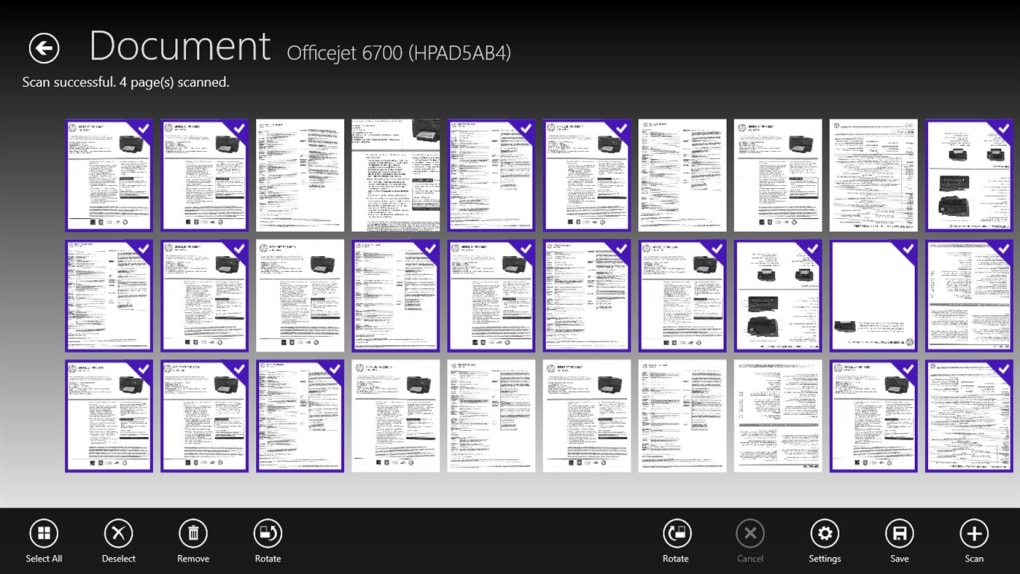
Once a scanner is identified, the user can select the desired scan type (document or image) and initiate the scan. The software supports basic image editing features, enabling users to crop, rotate, and adjust the scanned images before saving them. Documents can be saved as multi-page PDFs, with the option to combine scanned pages or save each page as an individual PDF file. The ability to reorder pages before combining them adds a layer of convenience for managing multi-page documents.
The software’s simplicity is both its strength and weakness. While the streamlined interface caters to users seeking a quick and easy scanning solution, it lacks advanced features found in professional-grade scanning and image editing software. Users should not expect extensive image manipulation capabilities or advanced document management tools. This application focuses solely on the core scanning and basic editing functionalities, making it ideal for users with simple scanning needs.
Supported File Formats and Output Options
HP Scan and Capture supports a range of common file formats for both images and documents. Images can be exported as JPEGs, a widely compatible format suitable for various applications, including online sharing and image editing. For text-based documents, the software allows for saving as PDF files. The ability to create either single-page PDFs or combine multiple pages into a single PDF document offers flexibility for organizing and sharing scanned content. The absence of other common formats like TIFF or PNG may be a limitation for users with specific requirements.
Security and Safety Considerations
HP assures that HP Scan and Capture is a secure utility, free from malicious adware or malware. It also explicitly states the software is suitable for all ages, with no inappropriate content included. Regular updates address bug fixes and improve performance, maintaining the software’s stability and security. These updates also ensure the software remains compatible with the latest Windows 10 versions and security protocols. The absence of intrusive advertisements or questionable features further enhances the software’s reputation for safety and reliability.
Comparison with Alternative Scanning Solutions
While HP Scan and Capture serves its purpose well for basic scanning needs, it’s essential to consider alternative scanning solutions depending on individual requirements. Several free and paid alternatives offer more advanced features, including:
- Advanced Image Editing: Many professional image editing software packages, such as Adobe Photoshop or GIMP (GNU Image Manipulation Program), offer far more robust image editing capabilities than HP Scan and Capture. These programs are ideal for users who need advanced tools for image manipulation, color correction, or retouching scanned images.
-
Optical Character Recognition (OCR): Some scanning software integrates OCR capabilities, converting scanned text into editable text files. This feature significantly enhances the usability of scanned documents for tasks requiring data extraction or modification. HP Scan and Capture lacks this critical functionality.
-
Document Management Features: Sophisticated document management software provides features like searchable PDFs, metadata tagging, and advanced document organization capabilities. These features are lacking in HP Scan and Capture, which is limited to basic file saving options.
-
Multi-Scanner Support: While HP Scan and Capture primarily targets HP scanners, other applications support a wider range of scanner brands and models. Users with scanners from different manufacturers may need to explore alternative software with broader compatibility.
Pros and Cons of HP Scan and Capture for Windows 10
Pros:
- Simplicity and Ease of Use: The intuitive interface makes scanning incredibly straightforward, even for non-technical users.
- Automatic Device Detection: The software automatically detects compatible HP scanners on the network, simplifying the setup process.
- Basic Editing Capabilities: Offers fundamental image editing functions such as cropping and rotation.
- PDF Creation: Allows for saving scanned documents as single-page or multi-page PDF files.
- Free to Use: The software is available at no cost, making it an attractive option for users with limited budgets.
- Regular Updates: HP consistently releases updates to enhance security and improve performance.
Cons:
- Limited File Format Support: Only supports JPEG for images and PDF for documents, limiting options for users with specific requirements.
- Lack of Advanced Features: The software lacks advanced editing capabilities, OCR, and robust document management features.
- HP Scanner Dependency: Primarily designed for use with HP scanners, potentially limiting compatibility with other brands.
- Occasional Crashes (Reported by Users): Some user reviews mention occasional crashes, although the frequency and severity appear to vary.
Conclusion
HP Scan and Capture for Windows 10 is a valuable tool for users needing a simple and free solution for scanning documents and images using HP scanners. Its straightforward interface and automatic device detection make it extremely user-friendly. However, its limitations in file format support, advanced editing capabilities, and lack of OCR functionality should be considered. Users with more demanding needs or those using scanners from other manufacturers may want to explore more feature-rich alternatives. While it’s a reliable choice for basic scanning tasks, users expecting advanced functionalities should look elsewhere. For casual users with HP scanners, however, it remains a convenient and readily available solution.
File Information
- License: “Free”
- Version: “40.0.245.0”
- Latest update: “August 8, 2022”
- Platform: “Windows”
- OS: “Windows 8.1”
- Language: “English”
- Downloads: “431.1K”


