
HP Support Assistant is a free utility application designed to simplify the maintenance and troubleshooting of HP computers. This comprehensive tool provides a centralized hub for updates, diagnostics, and support, streamlining the process of keeping your HP device running smoothly. Pre-installed on many newer HP systems, it’s readily available for download and installation on older machines, making it an invaluable asset for any HP computer owner.
Understanding HP Support Assistant’s Functionality
HP Support Assistant serves as a single point of contact for various aspects of your HP computer’s health. Its intuitive interface presents key information at a glance, making navigation straightforward even for less tech-savvy users. Key features include:
-
System Information: The application provides a detailed overview of your system’s configuration, including the operating system, hardware components, installed applications, and drivers. This information is crucial for troubleshooting and understanding your system’s capabilities. Identifying installed drivers is particularly helpful when resolving hardware-related issues.
-
Warranty Information: HP Support Assistant displays the warranty status of your HP computer, providing a quick and easy way to verify coverage. Knowing your warranty status prevents unnecessary expenses in case of hardware failure.
-
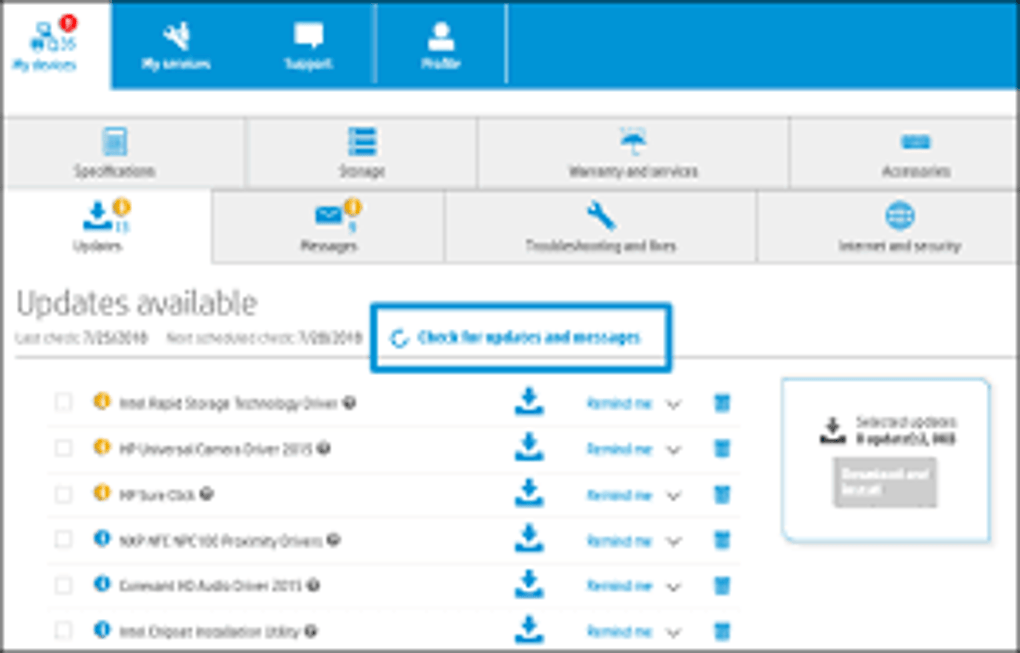
Automated Updates: One of the most significant benefits of HP Support Assistant is its ability to automatically install the latest driver and firmware updates. This ensures your system is running with the most up-to-date components, enhancing performance and security. The automatic update feature eliminates the need for manual searches and installations, preventing compatibility issues and potential security vulnerabilities.
-
Personalized Support: Creating an HP account or signing in with an existing one unlocks personalized support features. This includes centralized management of all your connected HP devices, providing a single dashboard for tracking updates and notifications. The ability to manage multiple devices is particularly beneficial for households or businesses using several HP computers.
-
Troubleshooting Tools: HP Support Assistant incorporates a range of diagnostic tools to identify and resolve potential issues. These tools can detect problems with your network connection, optimize system performance, and provide detailed information about your device’s audio-video specifications, battery health, storage status, and peripherals. The self-diagnostic capabilities help prevent issues from escalating into major problems, saving time and potential repair costs.
- Direct Access to HP Support: The application provides a direct link to HP’s support resources, including online forums and live agent assistance. The live agent feature offers round-the-clock support for troubleshooting both PC and printer issues, providing immediate help when needed. While the availability of live support may vary based on location, it’s a valuable resource when facing complex problems.
Beyond Basic Maintenance: Enhanced Features and Capabilities
HP Support Assistant extends beyond basic driver updates and diagnostics. Its advanced features provide comprehensive support and streamline the management of your HP ecosystem. These advanced features include:
-
Centralized Device Management: Users can manage multiple HP devices from a single interface, simplifying the tracking of updates and notifications for all connected devices. This consolidated view eliminates the need to check each device individually for updates or potential issues.
-
Proactive Support: The application can proactively alert users to potential problems before they become significant issues, helping maintain optimal system performance. This proactive approach minimizes downtime and enhances the overall user experience.
-
Community Support: Access to HP forums and online communities allows users to connect with other HP users and experts, sharing knowledge and troubleshooting solutions collectively. This community aspect creates a collaborative support network, providing valuable insights and alternative solutions to problems.
-
Enhanced Security: Regular updates provided through HP Support Assistant improve system security by patching known vulnerabilities and strengthening defenses against malware. The application helps to protect your HP computer from potential cyber threats and maintains a high level of security.
- Improved Performance: By ensuring your system is up-to-date and running efficiently, HP Support Assistant contributes to improved system performance and speed. This can lead to faster boot times, quicker application loading, and smoother overall operation.
Optimizing HP Support Assistant for Optimal Performance
While HP Support Assistant offers significant benefits, optimizing its settings can enhance its functionality and prevent potential inconveniences.
-
Scheduling Updates: While automatic updates are convenient, scheduling updates during off-peak hours prevents interruptions to your work or other activities. This feature allows you to customize update schedules according to your preferences.
-
Managing Notifications: Customizing notification settings minimizes the risk of being bombarded with unnecessary alerts. Fine-tuning these preferences keeps notifications relevant and avoids excessive alerts.
-
Regularly Checking for Updates: Even with automatic updates enabled, it’s a good practice to periodically manually check for updates to ensure that your system receives all the latest patches and improvements. This guarantees your system stays up-to-date and avoids potential compatibility issues.
Addressing Potential Drawbacks
While HP Support Assistant offers numerous advantages, users should be aware of some potential drawbacks:
-
Notification Spam: Some users have reported receiving excessive update notifications, which can be disruptive. However, this issue can be mitigated by customizing notification settings as described above.
-
Resource Consumption: While generally lightweight, HP Support Assistant may consume a small amount of system resources. However, this consumption is typically negligible and far outweighed by the benefits of the application.
-
Security Vulnerabilities: Like any software, HP Support Assistant may have occasional security vulnerabilities. However, HP regularly releases updates to address these vulnerabilities, so keeping the software up-to-date is crucial to minimizing any potential risks.
Conclusion: A Vital Tool for HP Computer Owners
In conclusion, HP Support Assistant is an indispensable tool for anyone owning an HP computer. Its intuitive interface, comprehensive features, and automated functionalities streamline system maintenance, enhance security, and provide easy access to essential support resources. While some minor drawbacks exist, the overall benefits far outweigh the potential inconveniences, making it a valuable asset for ensuring optimal performance and longevity of your HP computer. The proactive approach to maintenance and troubleshooting capabilities provided by HP Support Assistant contribute significantly to a more stable and efficient computing experience. For the average HP user, its benefits are undeniable and make it a must-have application.
File Information
- License: “Free”
- Latest update: “November 13, 2024”
- Platform: “Windows”
- OS: “Windows 11”
- Language: “English”
- Downloads: “11.9K”
- Size: “183.37 MB”


