
Hyper is a powerful and versatile terminal emulator built using Electron, a framework that allows developers to create cross-platform desktop applications using web technologies like HTML, CSS, and JavaScript. This unique approach distinguishes Hyper from many other terminal emulators, offering a level of customizability and extensibility rarely found in its competitors. This in-depth exploration of Hyper will delve into its features, capabilities, advantages, and disadvantages, providing a comprehensive overview for both seasoned developers and novice users.
Hyper’s Core Functionality and Design
At its heart, Hyper functions as a robust terminal emulator, providing a command-line interface for interacting with your operating system. Its foundation in Electron, combined with the use of HTML, CSS, and JavaScript, allows for a visually appealing and highly customizable user experience. Unlike many terminal emulators that limit customization to specific parameters, Hyper allows for deep, granular control over virtually every aspect of its functionality, giving users unparalleled freedom to tailor the application to their precise needs and preferences.
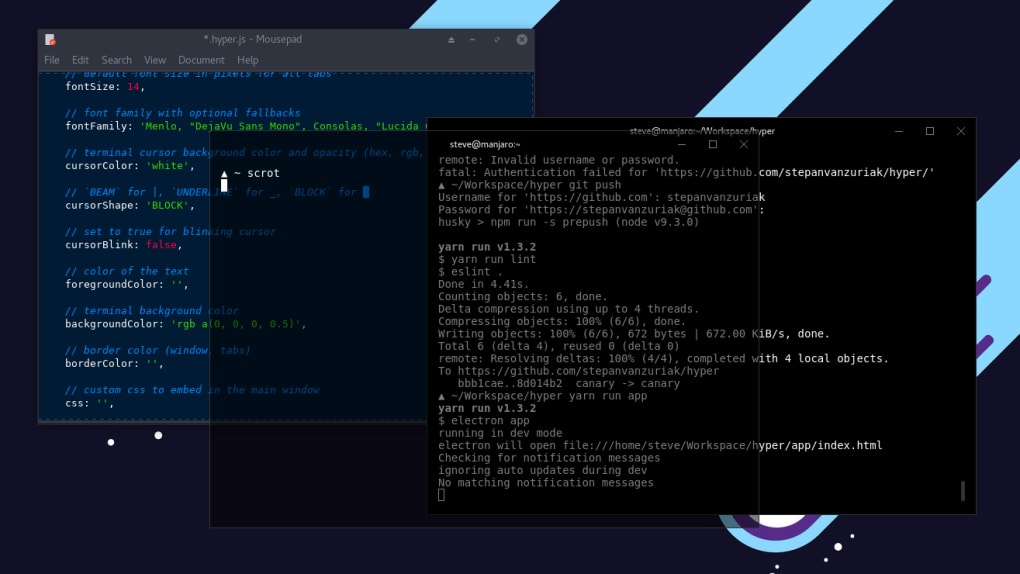
One of Hyper’s most significant advantages is its cross-platform compatibility. Developed using Electron, it seamlessly runs on Windows, macOS, and Linux, eliminating the need for separate installations and configurations across different operating systems. This consistent experience enhances productivity for developers working across multiple platforms.
The application boasts a clean and uncluttered visual design, prioritizing simplicity and ease of use. The intuitive interface is designed to be accessible to users of all skill levels, while simultaneously providing the flexibility and advanced features that power users demand. The minimalist aesthetic contributes to a productive workspace, minimizing distractions and maximizing screen real estate.
Hyper’s Extensibility and Customization
Beyond its core functionalities, Hyper’s true strength lies in its extensive customization options and plugin ecosystem. The ability to modify nearly every aspect of the interface and functionality through CSS and JavaScript grants users immense control over their terminal experience. This allows for personalized themes, custom keybindings, and the integration of numerous plugins that add new features and capabilities.
Hyper’s extensibility is further amplified by its plugin architecture, which leverages universal Node.js applications. These plugins, seamlessly integrated into the Electron framework, inject new functionalities into the application. The creation and implementation of these plugins require a basic understanding of web technologies such as Node.js, which allows developers to create and share their custom plugins, significantly expanding the application’s capabilities.
The impact of this extensibility is profound. Users can modify the look and feel of the terminal to perfectly match their workflow and preferences. They can create custom themes that improve readability and reduce eye strain, optimize keybindings for rapid and efficient command execution, and integrate plugins to enhance productivity, adding functions like advanced syntax highlighting, improved autocomplete, and custom command palettes.
Comparing Hyper to Other Terminal Emulators
While Hyper offers a unique approach to terminal emulation, it’s important to compare it with other popular options in the market. iTerm2, for example, is another popular Electron-based terminal emulator known for its speed and performance. While Hyper’s design philosophy emphasizes customizability, iTerm2 prioritizes speed and efficiency. In direct comparison, Hyper might not always match iTerm2’s speed, particularly with heavily customized configurations or a large number of plugins. However, Hyper’s unparalleled customization capabilities arguably outweigh the performance difference for many users.
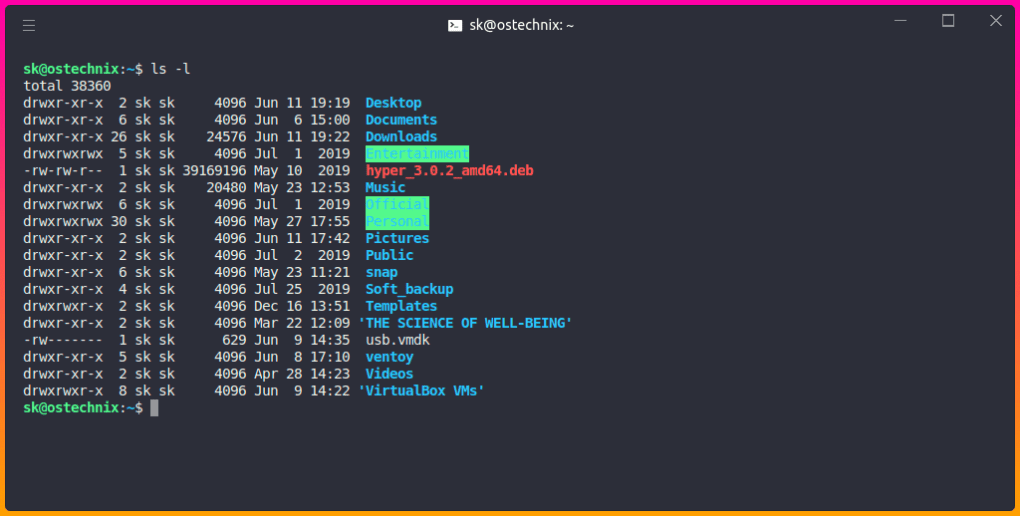
Other notable terminal emulators such as Terminal (on macOS) and ConEmu (on Windows) offer distinct functionalities and features. However, unlike Hyper, these applications typically provide limited customization options. Hyper’s capacity for deep customization distinguishes it from these alternatives, offering users the flexibility to mold the application precisely to their unique workflows. The customizability doesn’t just stop at visual aspects, either; it extends to the very core functionality of the application, allowing for bespoke additions that cannot be replicated in other terminal emulators.
Advantages and Disadvantages of Using Hyper
Hyper presents a compelling set of advantages for users seeking a highly customizable and cross-platform compatible terminal emulator:
Pros:
- Cross-Platform Compatibility: Runs seamlessly on Windows, macOS, and Linux, eliminating the need for separate installations and configurations.
- Extensive Customizability: Allows for granular control over every aspect of the interface and functionality through CSS and JavaScript.
- Plugin Ecosystem: Supports a wide range of plugins developed by the community, expanding its capabilities significantly.
- Simple and Clean Design: Boasts a minimalist aesthetic, promoting a focused and productive work environment.
- Active Community Support: Beneficial support from a large and engaged user community to assist with any issues or difficulties encountered.
Cons:
- Performance: May not always match the speed of other, more specialized terminal emulators like iTerm2, particularly with extensive customization or a high number of plugins.
- Plugin Compatibility Issues: Some plugin installations might lead to unexpected behavior or conflicts, requiring troubleshooting.
- Steeper Learning Curve: The extensive customization options may present a steeper learning curve for users unfamiliar with web development concepts.
Conclusion: Is Hyper the Right Terminal Emulator for You?
Hyper is a powerful and versatile terminal emulator that offers a unique blend of cross-platform compatibility, extensive customizability, and a vibrant community-driven plugin ecosystem. Its strength lies in its ability to be tailored precisely to an individual’s needs and preferences, offering a level of personalization that surpasses many competing applications.
However, its focus on extensibility comes with potential trade-offs in performance. Users should carefully weigh their priorities between ultimate customization and raw speed. If supreme customizability is paramount and performance is a secondary concern, Hyper is an exceptional choice. However, users prioritizing pure speed and efficiency above all else might find other options like iTerm2 to be more suitable. Ultimately, the decision depends on individual needs and preferences. Those comfortable with basic web technologies will find Hyper’s ability to seamlessly integrate their own custom creations truly empowering. For others, the extensive customization might introduce a complexity that outweighs the benefits. Careful consideration of these factors will guide users toward the ideal terminal emulator for their specific workflow and demands.
File Information
- License: “Free”
- Version: “3.0.2”
- Latest update: “July 20, 2021”
- Platform: “Windows”
- OS: “Windows 7”
- Language: “English”
- Downloads: “588”
- Size: “60.00 MB”


