
ibis Paint is a versatile and powerful digital art application offering a comprehensive drawing experience for artists of all skill levels. From casual doodlers to seasoned professionals, ibis Paint provides a robust toolkit to unleash creativity and bring artistic visions to life. Its extensive feature set, coupled with a user-friendly (though initially potentially overwhelming) interface, makes it a compelling choice in the crowded digital art software market. This review will delve into the strengths and weaknesses of ibis Paint, exploring its core features, usability, and overall value proposition.
A Plethora of Artistic Tools
ibis Paint distinguishes itself through its sheer abundance of artistic tools and resources. The application boasts an impressive arsenal, including:
-
15,000 Brushes: This extensive library caters to a wide range of artistic styles and preferences. Users can find brushes mimicking traditional media like pencils, charcoal, and paints, as well as uniquely digital brushes offering effects unattainable in the physical world. The variety allows for nuanced control over line weight, texture, and opacity, providing unparalleled flexibility in achieving desired artistic effects.
-
5,900 Materials: Beyond brushes, ibis Paint provides a vast collection of pre-made textures, patterns, and images that can be seamlessly incorporated into artwork. These materials can serve as backgrounds, add visual interest to compositions, or be manipulated to create unique effects. This vast selection simplifies the process of adding depth and complexity to digital paintings and drawings.
-
1,000 Fonts: For those incorporating text into their artwork, ibis Paint offers a substantial library of fonts, allowing for creative typographic experimentation. This feature is particularly valuable for creating digital comics, concept art, or any artwork incorporating textual elements. The range of styles ensures that users can find the perfect font to complement their artistic vision.
-
80 Filters: ibis Paint’s collection of filters allows artists to easily enhance and modify their artwork. These filters offer a variety of effects, ranging from subtle adjustments to dramatic transformations. Users can experiment with color adjustments, blurring techniques, and artistic effects to achieve a specific mood or style. The filters provide a non-destructive way to experiment, allowing artists to undo or adjust the effects as needed.
-
27 Blending Modes: The application’s extensive selection of blending modes enables artists to experiment with how different layers interact. This offers intricate control over color mixing, transparency, and overall composition. Blending modes are crucial for achieving realistic effects, creating unique textures, and seamlessly integrating elements within a piece.
-
46 Screen Tones: For comic book artists and those working in a similar style, the inclusion of screen tones allows for the creation of professional-looking effects. These tones can be used to add shading, texture, and depth to artwork, emulating the techniques used in traditional comic book creation. The diversity of screen tones provides a powerful way to enhance visual storytelling.
-
Multiple Layers: The support for multiple layers is a fundamental feature in any serious digital art application. ibis Paint handles layers efficiently, allowing artists to work on separate elements independently, adjusting opacity, blending modes, and more without affecting other parts of the artwork. This layered approach is crucial for complex compositions and allows for non-destructive editing.
-
Stabilization Tool: The stabilization tool is a valuable asset, particularly for those working with a stylus or touchscreen. It smooths out shaky lines, ensuring cleaner and more precise strokes, even when working quickly or with less-than-perfect hand control. This feature significantly improves the precision and quality of digital artwork.
-
Rulers and Guides: ibis Paint provides a set of rulers and guides to help artists create precise artwork. This is essential for creating symmetrical designs, drawing straight lines, and maintaining consistent proportions throughout a piece. The guides enhance the precision of the artistic process, facilitating the creation of technically sound artwork.
Ease of Use and Learning Curve
While ibis Paint boasts an extensive feature set, the sheer number of options can present a learning curve, particularly for users new to digital art software. The interface, while generally intuitive once understood, can feel overwhelming initially due to the wealth of tools and settings available. Navigating the menus and understanding the nuances of each tool requires some time and experimentation.
However, the application’s intuitive layout and clear organization of tools help mitigate this initial challenge. Many users find that once they familiarize themselves with the basic functionalities, the application becomes remarkably user-friendly and efficient. Online tutorials and community resources are also readily available, further assisting users in mastering the application’s capabilities.
ibis Paint’s Value Proposition
ibis Paint presents a strong value proposition, primarily due to its exceptional feature set and free availability. Many competing applications charge hefty subscription fees or require one-time purchases to unlock similar functionality. ibis Paint’s freemium model (with optional in-app purchases for additional features and resources) makes it accessible to a broad audience, regardless of budget constraints.
This affordability doesn’t compromise quality. The application’s performance is consistently smooth and responsive, even when working with complex artwork and multiple layers. The regular updates and improvements demonstrate a commitment to maintaining and enhancing the application’s capabilities, ensuring it remains a competitive force in the digital art landscape.
Comparison with Other Digital Art Applications
Compared to other popular digital art applications like Adobe Photoshop, Clip Studio Paint, and Procreate, ibis Paint offers a compelling alternative, especially for users seeking a free and feature-rich option. While Photoshop offers unparalleled industry-standard tools and a vast ecosystem of plugins and extensions, it comes with a significant price tag. Clip Studio Paint also boasts professional-grade features, but similarly has a cost associated with its use. Procreate, a popular iPad application, offers a streamlined and intuitive experience, but lacks the sheer breadth of tools found in ibis Paint.
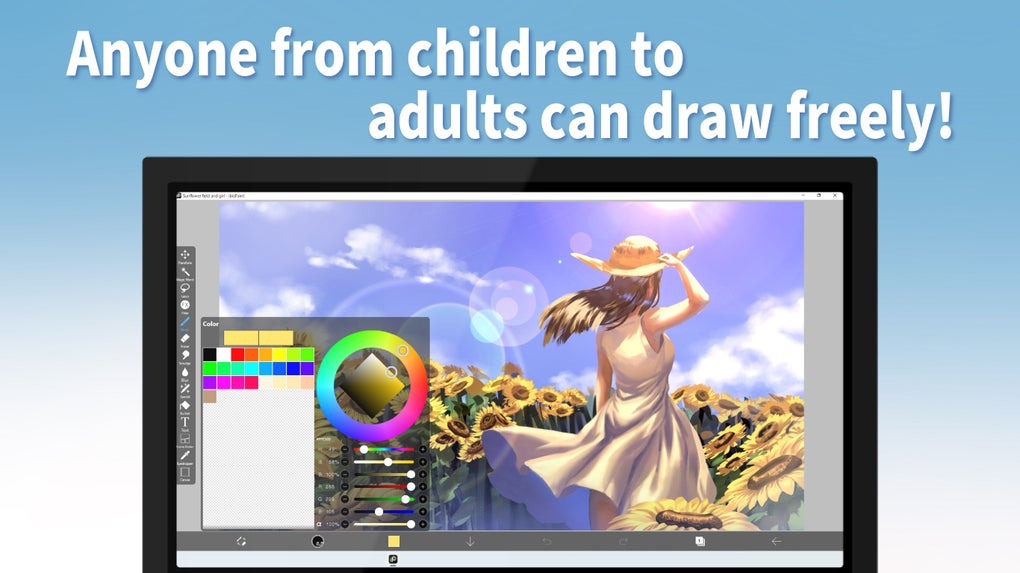
ibis Paint’s strengths lie in its combination of affordability, extensive features, and cross-platform availability (accessible on mobile and desktop devices). While it might lack some of the highly specialized tools found in professional-grade software, its versatility and ease of use make it an excellent choice for a wide range of artistic projects.
Conclusion
ibis Paint is a powerful and versatile digital art application that effectively balances comprehensive functionality with accessibility. Its vast array of brushes, materials, filters, and other tools allows for the creation of intricate and stunning artwork. The initial learning curve might deter some users, but the payoff in terms of creative potential is significant. The application’s freemium model makes it an extremely attractive option, particularly for aspiring digital artists and those on a budget. While it might not replace professional-grade software for all purposes, ibis Paint undoubtedly holds its own as a leading contender in the world of digital art applications. Its continued development and improvement ensure its place as a robust and valuable tool for artists of all levels.
File Information
- License: “Free”
- Latest update: “June 13, 2025”
- Platform: “Windows”
- OS: “Windows 11”
- Language: “English”
- Downloads: “48.5K”


