
ICC FTP Server is a free File Transfer Protocol (FTP) client application designed specifically for users of ICC Communication Ltd. and authorized Internet Service Providers (ISPs) in Bangladesh. Developed by BinTech Solutions, this Android application provides a straightforward interface for managing files on ICC’s servers, allowing authorized users to upload, download, and administer their data efficiently. This guide will delve into the features, functionality, system requirements, and user experience of ICC FTP Server.
Understanding ICC FTP Server’s Functionality
ICC FTP Server acts as a bridge between an Android device and the FTP servers maintained by ICC Communication Ltd. This means users with valid accounts and access privileges can interact directly with their online storage space. The application’s core functionality centers around three primary actions:
-
Uploading Files: Users can select files from their device’s storage and upload them to their designated space on the ICC FTP server. This allows for easy sharing of documents, media, or other data with others or simply for backing up important files online.
-
Downloading Files: Conversely, users can download files stored on the ICC FTP server to their Android devices. This feature enables convenient access to previously uploaded content, regardless of location.
-
File Management: The application provides basic file management capabilities, allowing users to organize their files within the server storage space. This may include creating folders, renaming files, and deleting files as needed. However, the extent of these management features may be limited compared to full-fledged desktop FTP clients.
The simplicity of the interface makes the application user-friendly, even for those without extensive technical experience. The straightforward design prioritizes ease of use, focusing on the core functions of uploading, downloading, and managing files.
System Requirements and Compatibility
ICC FTP Server is specifically designed for Android devices. While the latest version (5.2 as of July 9, 2025) supports Android 13.0, it may also function with earlier versions, though optimal performance is not guaranteed. The application’s primary limitation is its exclusivity to users with an active internet connection provided by ICC Communication Ltd. or through BDIX connectivity. This restriction is a core element of the application’s design, ensuring secure and authorized access to the company’s servers.
It is crucial to note that the application does not offer any VPN functionalities or circumvent mechanisms to access the servers outside of the specified connectivity parameters. Attempting to bypass these restrictions might result in account suspension or other consequences.
User Interface and Experience
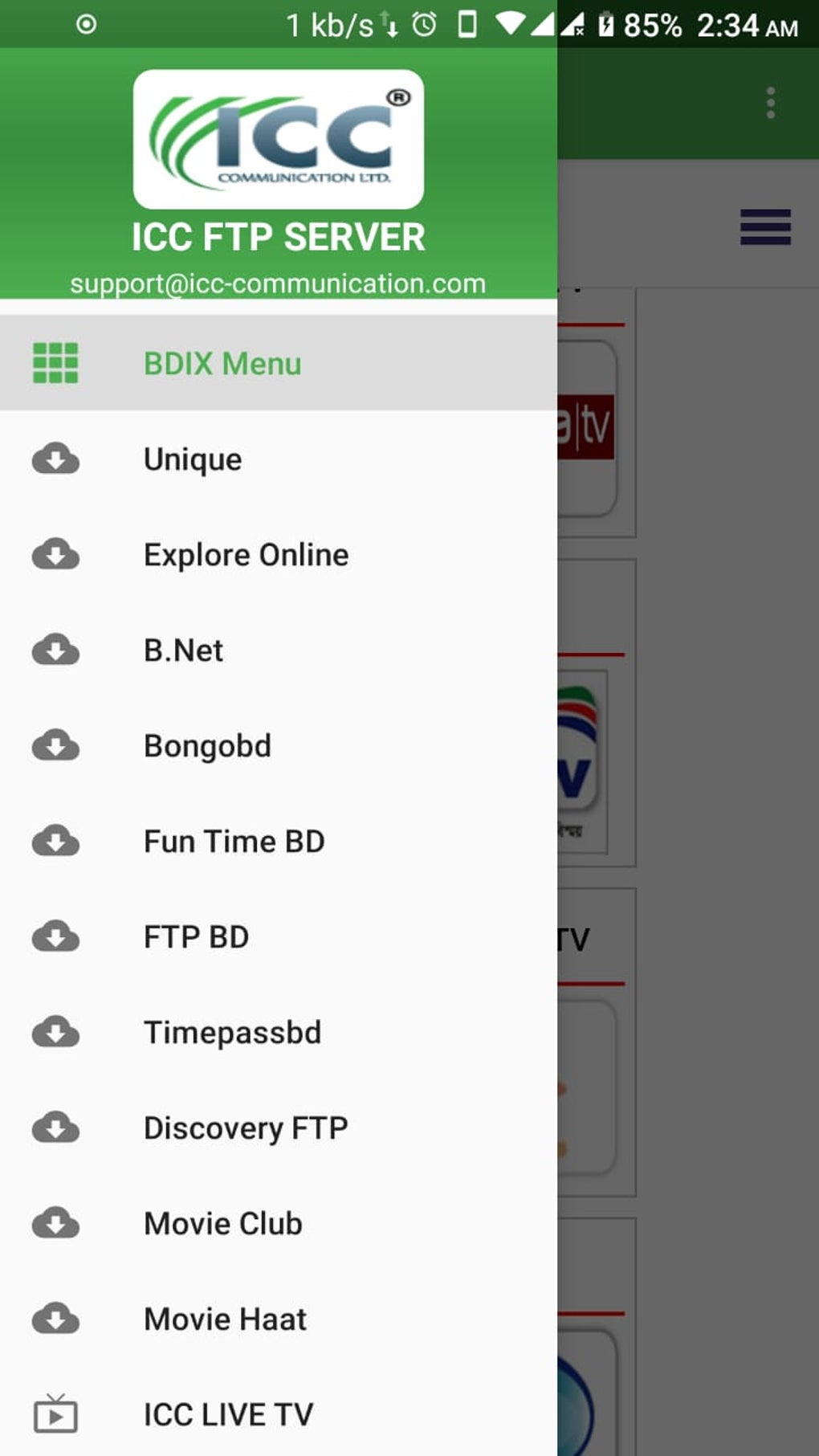
ICC FTP Server’s design prioritizes simplicity and efficiency. The interface is clean and intuitive, featuring a minimalistic approach to facilitate easy navigation and task completion. The app’s primary screen likely displays a list of files and folders stored on the user’s account, allowing for quick selection for uploads and downloads. The controls for file operations (upload, download, delete, rename) are probably prominently displayed and easily accessible.
The application’s lack of advanced features, such as extensive file search functionality or support for various FTP protocols beyond the standard, contributes to its streamlined experience. This trade-off between simplicity and comprehensive functionality is a key aspect of ICC FTP Server’s design philosophy, appealing to users who require a straightforward and efficient method for file transfers within the ICC network.
The absence of extensive user customization options may be seen as a limitation by some users. However, this minimalistic approach minimizes the learning curve, ensuring quick adoption and usability, even for users unfamiliar with FTP clients.
Security and Privacy Considerations
As a client application for accessing secure server resources, ICC FTP Server incorporates security measures to protect user data and maintain the integrity of the system. While the specifics of these measures are not publicly detailed, it’s reasonable to assume that secure connections (likely SSL/TLS encryption) are employed to safeguard data transmitted between the device and the FTP server.
However, users are advised to exercise standard security practices, such as using strong and unique passwords for their ICC accounts. Avoiding public Wi-Fi networks when accessing the server, especially when handling sensitive data, is another prudent security practice. This would prevent potential interception of transmitted information by third parties. The responsibility for maintaining account security and practicing safe online habits ultimately rests with the individual user. Regular software updates are recommended to benefit from any security patches or enhancements released by BinTech Solutions.
ICC FTP Server Compared to Other FTP Clients
Compared to more comprehensive FTP clients available on the Android platform, ICC FTP Server offers a more limited feature set. Many other FTP clients provide advanced features like remote file editing, support for various FTP protocols (FTPS, SFTP), and more sophisticated file management tools. However, the trade-off is the ease of use and specifically tailored access for ICC users.
The specialized nature of ICC FTP Server limits its versatility. Unlike many general-purpose FTP clients which can connect to a wide range of FTP servers, ICC FTP Server is exclusively designed for use with the specific servers maintained by ICC Communication Ltd. This focused design is both a strength and a limitation, providing simplicity for authorized users but restricting its use for other applications.
Conclusion
ICC FTP Server provides a simple, efficient, and reliable method for users of ICC Communication Ltd. to access and manage files on the company’s servers. Its straightforward interface and focused functionality make it an ideal choice for individuals requiring a streamlined FTP client for this specific purpose. While it lacks the advanced features of more comprehensive FTP clients, its simplicity and dedicated design make it a highly effective tool for its intended user base. Users should always keep their security software up to date and practice secure online habits to ensure the safety of their data when using this or any other file transfer application. The application’s success lies in its dedication to solving a specific problem efficiently, sacrificing advanced features for streamlined usability within a defined context.
File Information
- License: “Free”
- Version: “5.2”
- Latest update: “July 9, 2025”
- Platform: “Android”
- OS: “Android 13.0”
- Language: “English”
- Downloads: “1.6K”
- Download Options: “Google Play”


