
Icecream PDF Editor is a versatile PDF management tool designed to simplify the creation and manipulation of PDF documents. This review delves into its features, usability, strengths, and weaknesses, comparing it to other options available in the market. Whether you’re a casual user needing basic PDF editing capabilities or a professional requiring more advanced functions, this review aims to provide a thorough understanding of Icecream PDF Editor’s capabilities and limitations.
Key Features and Functionality
Icecream PDF Editor presents itself as an all-in-one solution for various PDF-related tasks. Its core functionality revolves around four main editing modes: Edit, Annotate, Manage, and Fill. Let’s examine each mode in detail:
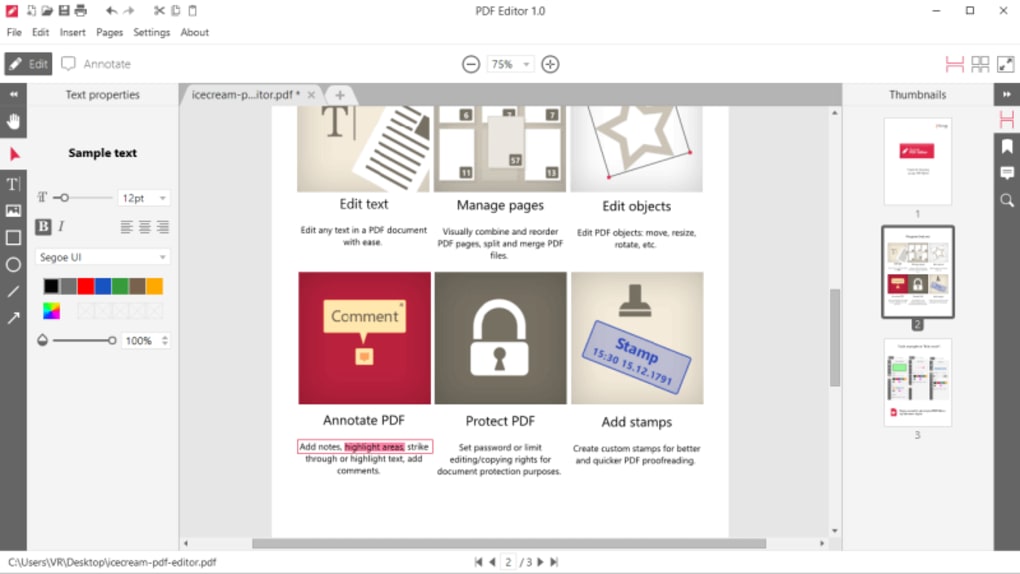
1. Edit Mode: This mode allows users to directly modify the content of existing PDF documents. Users can edit text (including font size and style), reposition and resize objects, and even add new text boxes or images. The software offers a relatively intuitive interface for these tasks, making it straightforward to make the necessary changes within the PDF. However, the level of control over formatting might not match the sophistication of dedicated desktop publishing software. Fine adjustments to text wrapping or complex layout changes might require a bit more effort.
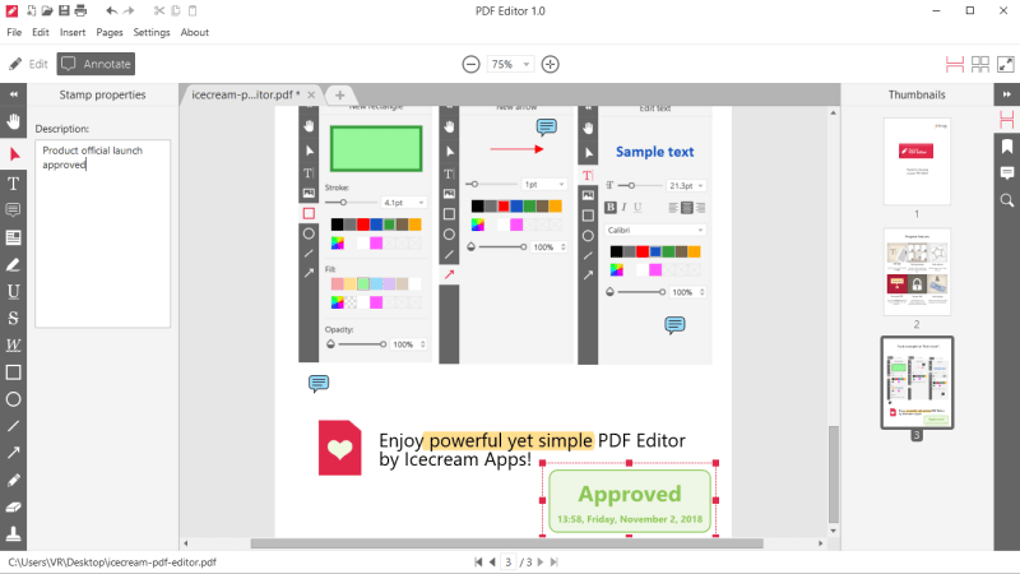
2. Annotate Mode: Icecream PDF Editor provides a comprehensive set of annotation tools. Users can add notes, highlights, underlines, strikethroughs, and various shapes (lines, arrows, rectangles, circles) to annotate their PDF documents. The ability to insert comments allows for collaboration and feedback, facilitating efficient review processes. This feature is particularly beneficial for collaborative projects, enabling multiple users to contribute notes and suggestions directly within the document. Custom stamps can also be created and utilized for streamlining document review processes, further enhancing efficiency.
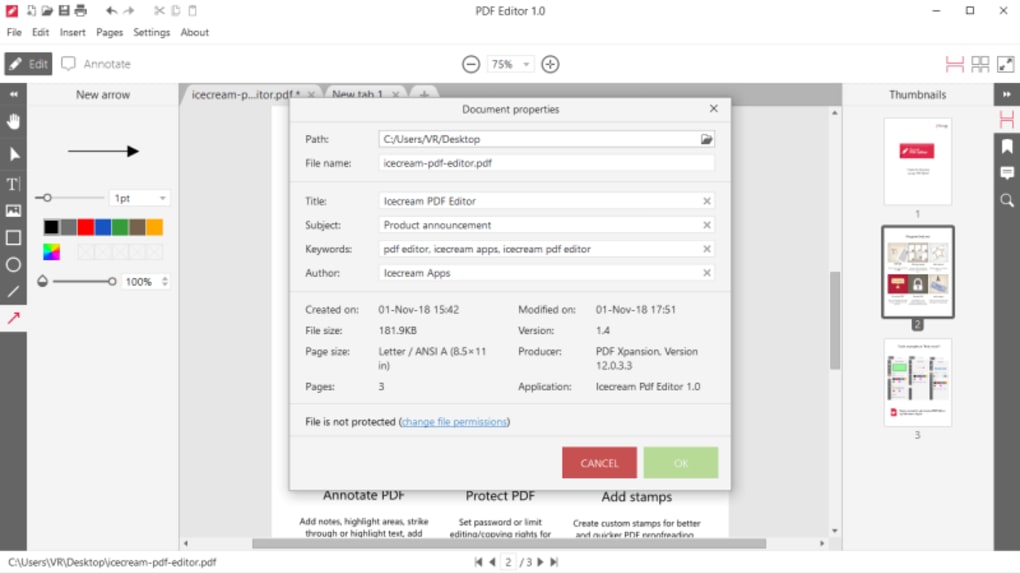
3. Manage Mode: The management aspect covers a wide range of file handling functions. Users can easily combine multiple PDF files into a single document, reorder pages within a PDF, split a PDF into smaller files, and extract specific pages to create new documents. This flexibility is critical for managing large volumes of PDF files and allows users to organize and restructure documents effectively. The simplicity of these functions contributes to a user-friendly experience, even for users who are not technologically advanced.
4. Fill Mode: This mode is specifically designed for interacting with PDF forms. Users can readily fill out fillable forms, adding text and selecting options as required. This function is essential for handling various administrative tasks where PDF forms are commonly used. The intuitive interface simplifies the process of completing forms, making it efficient and user-friendly.
User Interface and Experience
Icecream PDF Editor boasts a clean and intuitive user interface. The software’s layout is straightforward, making it easy to navigate even for novice users. The toolbar provides quick access to the essential editing tools, and the overall design avoids unnecessary complexities. This makes it user-friendly for individuals with varying levels of technical proficiency. The program generally performs well, with minimal lag even when handling relatively large files. However, the user interface might feel somewhat basic compared to more feature-rich editors offering more sophisticated visual customization options.
Free vs. PRO Version
Icecream PDF Editor offers both a free and a PRO version. The free version provides access to most of the core features, allowing users to edit text, annotate, manage pages, and fill forms. However, some advanced features, as well as certain limitations on the number of files that can be processed, may be restricted in the free version. The PRO version unlocks all features and removes the limitations, making it a more attractive option for frequent users or professionals who rely heavily on PDF editing for their workflow.
The decision to opt for the free or PRO version ultimately depends on individual needs and usage frequency. Casual users who occasionally need to edit or annotate PDF documents may find the free version sufficient. However, professionals or individuals who frequently work with PDFs and require advanced features, including potential batch processing capabilities which are not always explicitly mentioned, might find the investment in the PRO version worthwhile.
Strengths and Weaknesses
Strengths:
- User-friendly interface: The intuitive design and straightforward layout make the software easy to learn and use, regardless of technical expertise.
- Comprehensive features: Icecream PDF Editor provides a wide range of functionalities, covering creation, editing, annotation, management, and form filling. This makes it a versatile tool for a wide array of users.
- Free version available: The free version offers access to many core features, allowing users to explore the software’s capabilities without any financial commitment.
- Good performance: The software generally performs well, with minimal lag even when handling sizeable PDF files. Efficient processing times increase productivity.
Weaknesses:
- Limited formatting options: Compared to dedicated professional PDF editors, Icecream PDF Editor offers less control over advanced formatting options. Precise text wrapping or complex layout adjustments might prove challenging.
- Free version limitations: The free version restricts certain features and might have limitations on file size or the number of documents that can be processed, potentially hindering productivity for heavy users.
- Lack of OCR (Optical Character Recognition): The absence of OCR functionality means that scanned documents containing images of text cannot be directly edited. Users would need to employ a separate OCR application before using Icecream PDF Editor.
Comparison with Alternatives
Icecream PDF Editor competes with a range of other PDF editors, both free and paid. Some notable alternatives include PDF-XChange Editor, Adobe Acrobat Pro, and Smallpdf. While these alternatives often offer more advanced features or better integration with other software, Icecream PDF Editor holds its ground with its simple interface and easy-to-use functionality. PDF-XChange Editor, for instance, often provides more robust editing capabilities and additional features, but it might have a steeper learning curve. Adobe Acrobat Pro is a highly powerful and feature-rich solution but comes with a significant price tag.
The choice of software ultimately depends on the specific needs of the user. Icecream PDF Editor excels in its simplicity and ease of use, making it an excellent option for casual users and individuals who prioritize a user-friendly experience. However, professionals who require advanced features or complex editing capabilities might find more specialized solutions like PDF-XChange Editor or Adobe Acrobat Pro more suitable.
Conclusion
Icecream PDF Editor offers a compelling blend of user-friendliness and functionality. Its intuitive interface makes it accessible to users of all technical skill levels, while its comprehensive feature set caters to a wide range of PDF editing needs. While it might lack some of the advanced features found in more sophisticated competitors, its simplicity and ease of use make it a strong contender for individuals seeking a straightforward and efficient PDF editor. The availability of a free version allows potential users to test the software and assess if it meets their specific requirements before committing to the PRO version. Ultimately, Icecream PDF Editor successfully carves a niche for itself in the crowded market of PDF editors, providing a valuable and accessible tool for a broad spectrum of users.
File Information
- License: “Free”
- Latest update: “May 5, 2025”
- Platform: “Windows”
- OS: “Windows 8”
- Language: “English”
- Downloads: “102.4K”
- Size: “22.77 MB”


