
Icons are the visual shorthand of our digital lives. They’re the tiny images that represent files, folders, programs, and shortcuts, providing quick visual identification and organization. While default Windows icons are functional, they often lack personality and can become monotonous. This is where IconChanger steps in, offering a user-friendly solution for customizing the visual landscape of your Windows desktop. This in-depth review explores the capabilities, strengths, weaknesses, and overall user experience of IconChanger, a tool designed to inject a dose of personalization into your Windows experience.
Personalizing Your Digital World: The Power of IconChanger
IconChanger is a Windows application that allows users to easily modify the icons associated with any file or folder on their system. The software’s core functionality revolves around simplifying a process that can otherwise be incredibly tedious and time-consuming. Instead of navigating complex system settings or relying on intricate registry edits, IconChanger provides a straightforward, point-and-click interface. This accessibility makes icon customization attainable for users of all technical skill levels, from novice to expert. The program essentially acts as a bridge, streamlining the connection between the user’s desired icon and the target file or folder.
The process is remarkably intuitive. Users simply right-click on the chosen file or folder. If IconChanger detects the ability to alter the icon, a “Change Icon” option appears in the context menu. Selecting this option launches the IconChanger interface, presenting the user with a browsing window to locate and select their replacement icon. The application supports a wide range of image formats, ensuring compatibility with most commonly used icon files. Once the new icon is selected, a simple click of the “Set” button applies the change, instantly transforming the appearance of the targeted item.
Beyond Single File Changes: Bulk Editing and File Type Customization
IconChanger’s functionality extends beyond individual file modifications. It also allows for batch processing, enabling users to change icons for multiple files or folders simultaneously. This feature significantly accelerates the customization process, particularly beneficial when dealing with large collections of files or folders that require a consistent visual theme. Imagine applying a uniform set of icons to all your project files or organizing your documents with visually distinct icons representing different categories. This bulk editing functionality dramatically cuts down on the time required to achieve a personalized and well-organized desktop environment.
Furthermore, IconChanger allows users to modify icons associated with specific file types. This means you can change the default icon for all .pdf files, .doc files, or any other file extension, ensuring consistent representation across all instances of that file type. This feature is particularly useful for creating a visually cohesive system, where similar files are instantly recognizable by their icons. This functionality enhances workflow efficiency, particularly in scenarios with a high volume of various file types. The consistent visual representation minimizes the cognitive load associated with identifying file types, allowing users to focus on their tasks rather than deciphering file extensions.
Navigating the Icon Landscape: Searching, Selecting, and Limitations
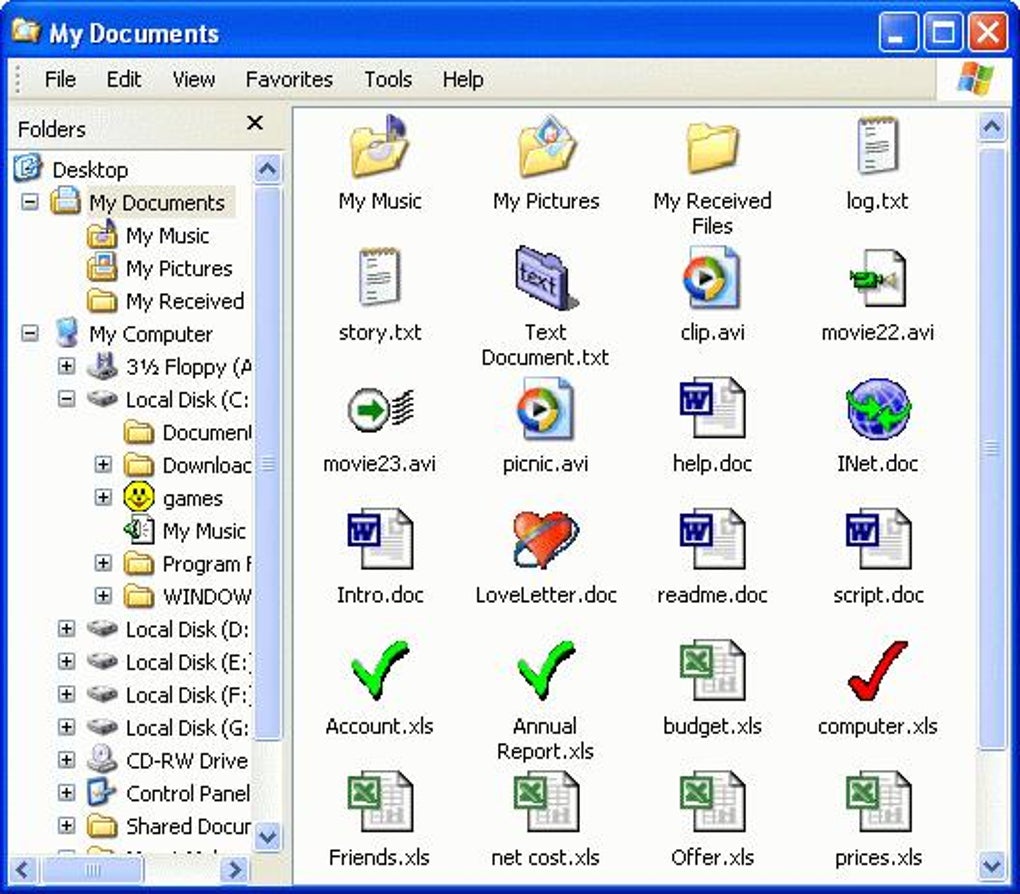
IconChanger boasts an integrated icon search function. This is a key feature, allowing users to locate suitable icons from various sources, including executable files and DLLs on their hard drive. This expansive search capability reduces the need for users to pre-select and organize icons, making the customization process more spontaneous and flexible. The built-in search efficiently scours the user’s system for suitable replacements, eliminating the need for manual browsing through numerous folders. The ease of searching and selecting new icons enhances the overall user experience, enabling quick and efficient icon changes.
However, IconChanger is not without its limitations. While it strives to provide broad compatibility, not all file types or icons support modification. Some system files or protected files may restrict icon changes for security or system integrity reasons. Also, the sheer volume of icons on a heavily used system can make the process of customizing every single icon a time-consuming undertaking. While IconChanger simplifies the process, changing hundreds or thousands of icons remains a potentially significant investment of time and effort. This limitation underlines the importance of strategic selection and prioritizing the most impactful icon changes.
A User-Friendly Interface: Simplicity and Accessibility
One of IconChanger’s greatest strengths is its intuitive and user-friendly interface. The application’s design is minimalist and uncluttered, prioritizing ease of use over complex features. The straightforward layout minimizes the learning curve, making it accessible to users of all technical skill levels. The program avoids unnecessary jargon or complicated settings, ensuring that even those unfamiliar with icon customization can quickly grasp its functionality and start personalizing their desktops. This focus on simplicity ensures a seamless and enjoyable user experience, making the often-tedious process of icon modification significantly more manageable and enjoyable. The absence of excessive features or complex settings prevents the user from feeling overwhelmed and ensures that the application remains focused on its primary function: efficient and accessible icon modification.
Conclusion: IconChanger – A Valuable Tool for Personalization
IconChanger offers a valuable service for users seeking to personalize their Windows experience. Its user-friendly interface, robust search functionality, and capacity for both single-file and bulk editing make it a powerful tool for customizing the visual aspects of your computer. While the software does have limitations concerning the changeability of certain files and the time commitment for widespread customization, its simplicity and ease of use make it an attractive option for those seeking a straightforward way to inject personality and efficiency into their Windows desktop. The balance between functionality and accessibility positions IconChanger as a valuable asset for users wanting to transform the mundane into the visually appealing. For users seeking a quick and efficient way to personalize their digital environment, IconChanger provides a compelling solution.
File Information
- License: “Trial version”
- Version: “3.8”
- Latest update: “May 29, 2008”
- Platform: “Windows”
- OS: “Windows ME”
- Language: “English”
- Downloads: “72.1K”
- Size: “1.17 MB”


