
IconPackager is a powerful Windows application designed to dramatically enhance the visual appeal and functionality of your desktop by allowing you to customize virtually all your system icons. Unlike standard theme packs that modify only a handful of icons, IconPackager offers a comprehensive solution, transforming hundreds of icons simultaneously to match your personal style and preferences. This detailed guide explores the features, benefits, and alternatives of IconPackager, helping you decide if it’s the right tool for your desktop personalization needs.
Streamlining Desktop Icon Management: Key Features
IconPackager simplifies the often-daunting task of managing and customizing desktop icons. Its core functionality revolves around “icon packages,” collections of icons designed to replace the default system icons. These packages offer a wide range of styles, from subtle alterations to complete overhauls, catering to diverse aesthetic preferences.
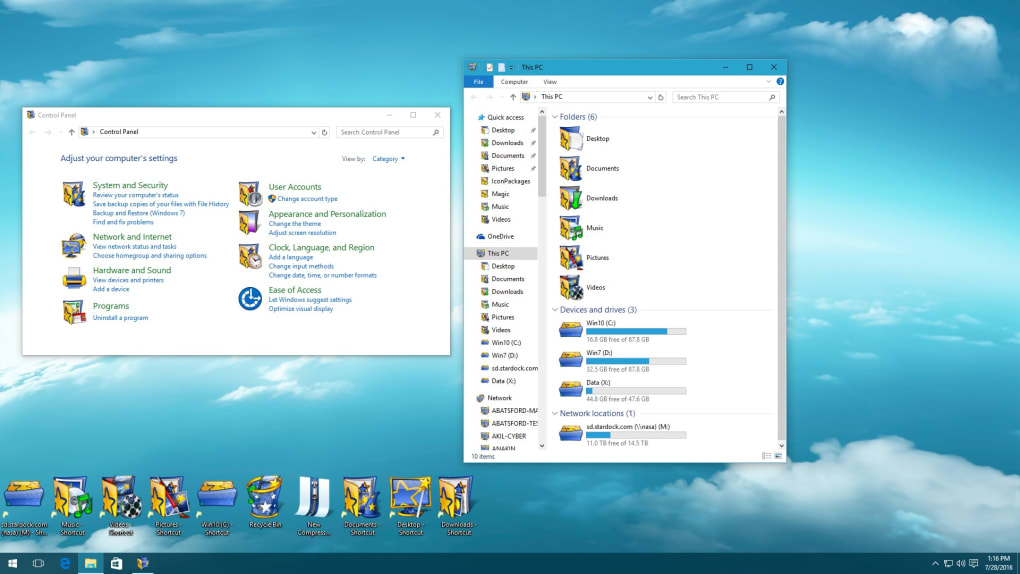
One of IconPackager’s most significant advantages is its ability to replace hundreds of icons at once. This includes common system icons like “My Computer,” “Recycle Bin,” and various folder icons, as well as icons associated with specific file types such as .doc, .xls, and many more. This comprehensive approach ensures a consistent and visually unified desktop experience, unlike limited theme adjustments offered by default Windows features.
The software also boasts an intuitive interface, making the process of applying and switching between icon packages remarkably straightforward. Users can easily browse the extensive library of available packages, preview their effects, and apply their selections with a single click. This ease of use allows for effortless experimentation with different styles until the perfect look is achieved.
Beyond simple application, IconPackager provides additional tools for advanced users. A built-in “package builder” allows users to create their own custom icon packages, offering ultimate control over the appearance of their desktop. This feature enables users to select and combine individual icons, customizing their desktop to an even greater extent. This is particularly useful for those with unique needs or who wish to create themes based on specific imagery or color schemes.
Extensive Customization Options and Compatibility
IconPackager boasts a vast library of over 1,000 pre-designed icon packages, ensuring a diverse range of styles to choose from. Whether you prefer sleek, minimalist designs or bold, eye-catching themes, IconPackager likely has a package to match your taste. The library is regularly updated with new packages, constantly expanding the available options and ensuring users always have fresh choices.
The application also offers fine-grained control over individual elements within the packages. Users can adjust colors and themes with a simple click, ensuring perfect compatibility with existing desktop backgrounds and color schemes. This customization ensures a cohesive and aesthetically pleasing desktop environment.
IconPackager’s compatibility extends to a wide range of Windows operating systems, ensuring seamless integration with modern PCs. Its lightweight design ensures minimal system resource consumption, guaranteeing smooth performance without impacting overall system responsiveness. This makes it ideal for users with less powerful hardware, ensuring that the personalization benefits don’t come at the cost of performance.
Beyond Aesthetics: Improved Productivity and Organization
While primarily focused on aesthetic customization, IconPackager also contributes to improved productivity and organization. By allowing users to customize the appearance of folders and file types, it facilitates easy identification and quick access to frequently used files and applications. This can significantly reduce the time spent searching for specific items, boosting overall efficiency.
The ability to group icons using the package builder offers an additional organizational benefit. By creating custom packages for specific tasks or projects, users can maintain a clear and well-structured desktop, avoiding clutter and improving workflow. This thoughtful approach to organization extends beyond mere aesthetics, transforming IconPackager into a practical productivity tool.
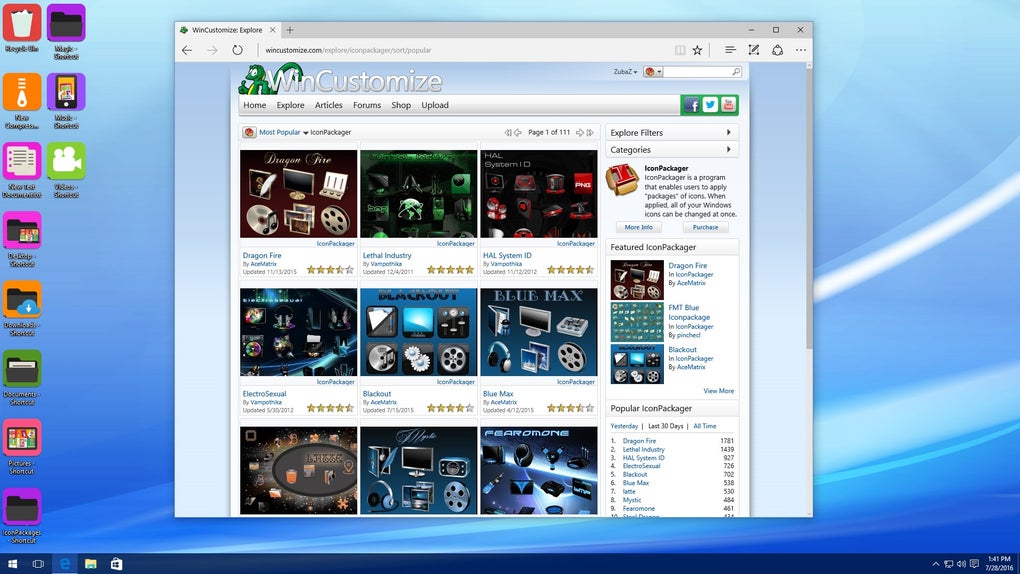
Furthermore, the seamless integration with other personalization software, such as WinCustomize, expands the application’s potential. Combining IconPackager with other tools allows for comprehensive desktop customization, creating a truly unique and personalized computing environment.
IconPackager vs. Alternatives: A Comparative Look
While IconPackager stands out for its comprehensive icon replacement capabilities and vast package library, several alternative applications offer similar, albeit often more limited, functionality. Direct comparisons with these alternatives highlight IconPackager’s strengths and weaknesses.
Many free alternatives exist, such as IconTweaker and IconPhile. These applications often allow for individual icon replacement, but lack the extensive library and comprehensive approach of IconPackager. While suitable for minor icon adjustments, they lack the scale and depth of customization offered by IconPackager’s pre-built packages and custom package builder.
Other applications, such as IconChanger, focus on individual icon editing, but lack the package-based approach that simplifies mass icon customization. While these tools offer granular control, they often require more technical expertise and time investment compared to IconPackager’s streamlined workflow.
Ultimately, the choice between IconPackager and its alternatives depends on individual needs and technical proficiency. For users seeking a user-friendly, comprehensive solution with a vast library of pre-built packages and the ability to create custom ones, IconPackager is a strong contender. However, users comfortable with manual icon editing and limited in their customization requirements might find suitable alternatives among the free or more specialized applications available.
Conclusion: A Powerful Tool for Desktop Personalization
IconPackager provides a powerful and user-friendly method for achieving comprehensive desktop icon personalization. Its extensive library of pre-designed packages, combined with the ability to create custom packages, offers unmatched flexibility and customization potential. The intuitive interface ensures that even novice users can easily transform their desktop appearance, while advanced users can leverage the powerful features for detailed control and organization.
While alternative applications exist, IconPackager’s comprehensive approach, vast library, and ease of use set it apart. It’s a valuable tool for anyone looking to enhance the visual appeal and functionality of their Windows desktop, creating a truly personalized and efficient computing environment. The decision to use IconPackager should be weighed against the specific needs and technical skills of the user, but for those seeking a comprehensive and user-friendly solution, IconPackager stands out as a compelling choice.
File Information
- License: “Trial version”
- Latest update: “May 24, 2023”
- Platform: “Windows”
- OS: “Windows 10”
- Language: “English”
- Downloads: “63.9K”
- Size: “83.97 MB”


