
IconRestorer is a lightweight yet powerful Windows utility designed to streamline desktop organization and provide a seamless backup and restoration system for your desktop icon layouts. This detailed review explores its functionality, ease of use, pros and cons, and compares it to similar applications.
Maintaining Desktop Order with IconRestorer
For many Windows users, the desktop serves as a dynamic workspace, filled with shortcuts, documents, and files. Over time, this can lead to a cluttered and disorganized appearance, making it difficult to locate specific items. IconRestorer offers a solution to this common problem by enabling users to save and restore their desktop icon arrangements, effectively creating snapshots of their workspace. The program’s core function is straightforward: it saves the precise positions of all icons on the desktop, along with the current wallpaper, allowing for quick and efficient restoration to a previous state. This eliminates the need for manual reorganization, saving valuable time and effort. The program also offers the convenience of saving multiple configurations, essentially creating a history of desktop layouts. This is particularly useful for those who frequently switch between different work projects or prefer to change their desktop’s aesthetic regularly.
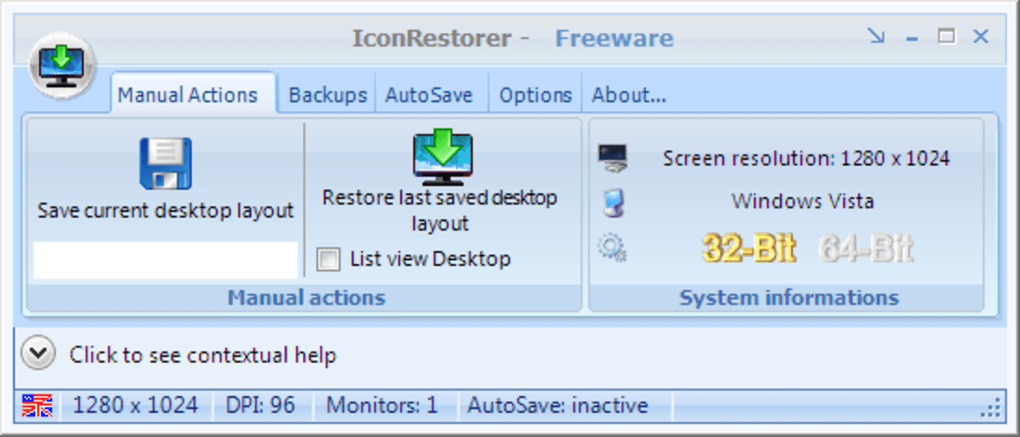
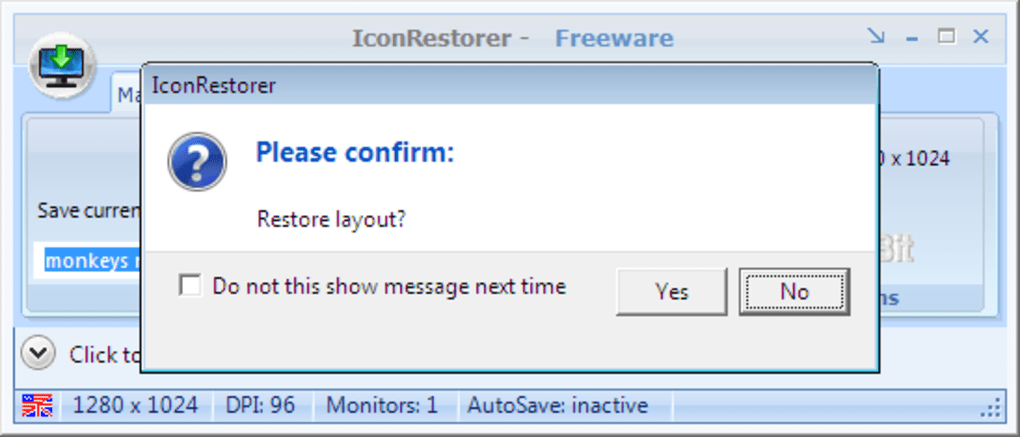
The software’s functionality extends beyond simple backup and restore. IconRestorer’s interface is intuitive and user-friendly, presenting users with a clear set of options. A prominent “Restore Last Layout” button provides instant access to the most recently saved configuration. Additionally, users can manually save their current desktop layout with a simple click, providing granular control over their saved configurations. This allows for the creation of various desktop setups tailored to specific tasks or preferences.
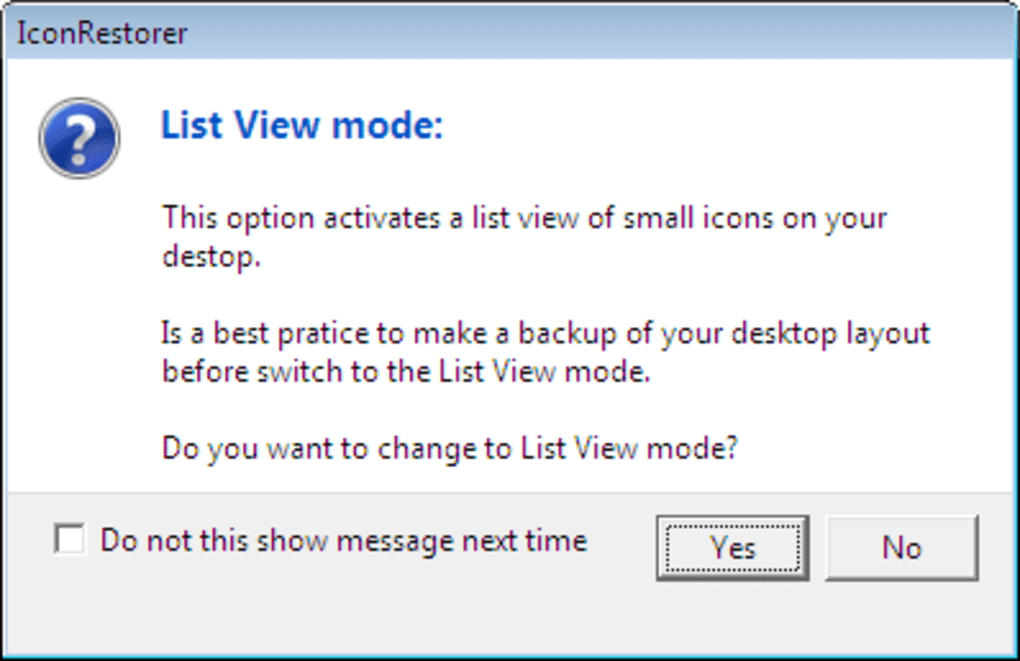
Beyond the basic save and restore functions, IconRestorer includes advanced features that enhance its utility. The “List View” option automatically arranges icons into neat columns, offering a rapid way to organize a cluttered desktop without manually dragging and dropping each individual icon. This function is ideal for users who desire a quick and effective way to tidy their desktop without delving into detailed arrangement. While the automatic backup feature is linked to a donation to the developer, the core functionality of saving and restoring layouts remains free and accessible to all users.
User Interface and Ease of Use
IconRestorer’s success lies in its simple yet effective interface. The program avoids overwhelming users with complex menus and settings, focusing instead on core functionality. The main window displays a clear overview of saved layouts, with intuitive buttons for saving, restoring, and managing these configurations. The program’s design prioritizes ease of access and usability, ensuring that even novice users can quickly understand and utilize its key features. The visual representation of saved layouts is straightforward and clear, preventing confusion. The help section within the program, while not extensive, is comprehensive enough to answer any basic questions a user might have. Overall, IconRestorer achieves an excellent balance between simplicity and functionality. The clean and uncluttered design ensures that users can focus on their work rather than navigating a complex interface.
Features and Functionality in Detail
While the core functionality of IconRestorer revolves around saving and restoring desktop icon layouts, the program offers several additional features that enhance its overall utility. These include:
-
Wallpaper Saving: IconRestorer not only saves the positions of your desktop icons but also the current wallpaper. This ensures that when you restore a previous layout, you’re also restoring the visual appearance of your desktop, creating a holistic experience. Users have the option to disable this feature if they only wish to save icon positions.
-
Multiple Layout Management: The program allows you to save an unlimited number of desktop layouts. This is beneficial for users who frequently switch between different workflows or personal preferences. Each saved layout is clearly identified, making it easy to select the desired configuration.
-
Automatic Backup (Donation-Based): While not a core feature, the option to schedule automatic backups adds a layer of convenience. This ensures that your desktop layouts are regularly saved, providing an added layer of protection against accidental changes or data loss. This automated functionality is accessible to users who contribute to the developer’s support.
-
List View Optimization: This feature simplifies the organization of your desktop by automatically arranging your icons into neat columns. It’s a fast and efficient way to instantly tidy up a disorganized desktop.
- Startup Option: IconRestorer can be configured to launch automatically when your computer starts. This ensures that the program is always readily available when needed, enhancing workflow efficiency.
Comparison with Alternative Applications
Several alternative applications provide similar desktop management functionalities, although IconRestorer distinguishes itself through its simplicity and ease of use. Some competitors offer more extensive features, such as advanced customization options or integration with other desktop management tools. However, this often comes at the cost of increased complexity and a steeper learning curve. IconRestorer prioritizes user-friendliness, making it an ideal choice for users who prioritize simplicity and intuitive design.
While alternative programs might provide additional features, IconRestorer excels in its streamlined approach, focusing on the core functionality of backup and restore. Its intuitive interface and minimal learning curve make it an attractive option for users who prefer a less complex solution. The availability of both manual and automated backup features provides flexibility for users with varying needs and technological proficiency.
Pros and Cons
Pros:
- Simple and Intuitive Interface: Easy to use, even for novice users.
- Fast and Efficient: Quickly saves and restores desktop layouts.
- Multiple Layout Support: Allows saving and managing several desktop configurations.
- Wallpaper Backup: Preserves the overall visual appearance of the desktop.
- List View Organization: Automates icon arrangement into neat columns.
- Lightweight: Minimal system resource consumption.
- Free Core Functionality: The primary save and restore functionality is free to use.
Cons:
- Automatic Backup Requires Donation: The automated backup feature is only enabled after a donation.
- Limited Advanced Features: Lacks some advanced customization options found in more complex alternatives.
- Older Software: The last update was in March 2010. While still functional on newer Windows versions according to some user reviews, this should be noted. Compatibility with the latest Windows versions should be tested before using it extensively.
Conclusion
IconRestorer is a highly effective and user-friendly tool for managing desktop icon layouts on Windows. Its simple interface and streamlined design make it easy to use, while its core functionality provides a valuable solution for maintaining a clean and organized desktop. While it may lack the advanced features of some competitors, its ease of use and efficient functionality make it a strong choice for users who prioritize simplicity and effectiveness. The program’s reliance on a donation for the automatic backup feature should be noted, but this should not overshadow the program’s impressive core functionality. If you’re looking for a straightforward way to save and restore your desktop layouts, IconRestorer is an excellent option. However, ensure compatibility with your Windows version before using this older program.
File Information
- License: “Free”
- Version: “1.0.6.2”
- Latest update: “March 16, 2010”
- Platform: “Windows”
- OS: “Windows 7”
- Language: “English”
- Downloads: “16.4K”
- Size: “2.63 MB”


