
In today’s interconnected world, the risk of identity theft is a constant concern. Malicious software, phishing scams, and data breaches are just some of the ways sensitive personal information can be compromised. While preventative measures like disabling auto-fill features and avoiding password saving can mitigate some risks, a more proactive approach is often necessary to ensure the security of your digital identity. This is where Identity Finder steps in, offering a comprehensive solution for identifying and managing personal data stored on your computer.
Identity Finder is a powerful tool designed to scan your Windows PC, uncovering potentially sensitive information like passwords, bank details, and other confidential records. By identifying these data points, it empowers you to take control of your digital security and actively remove or secure this sensitive information, thereby significantly reducing your vulnerability to identity theft. The software employs a straightforward, user-friendly interface, making it accessible even to users with limited technical expertise.
Understanding the Threat Landscape
Before delving into the features and functionalities of Identity Finder, it’s crucial to understand the ever-evolving landscape of digital threats. Our computers store a vast amount of personal data, much of which we may not even be consciously aware of. This data can range from simple things like email addresses and contact lists to highly sensitive information such as financial details, social security numbers, and medical records.
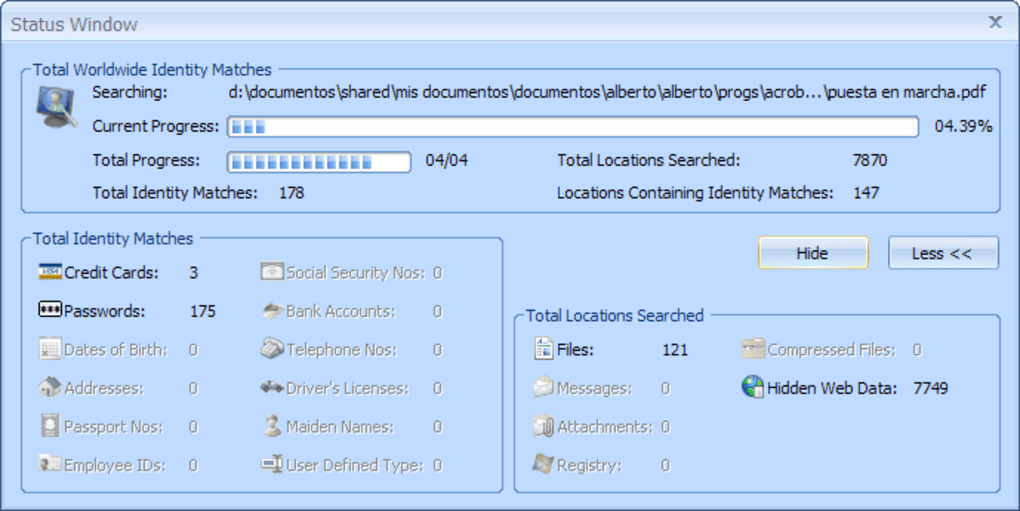
Malware, a broad term encompassing viruses, Trojans, ransomware, and other malicious programs, actively seeks out this type of information. Once compromised, this data can be used for various illicit activities, including identity theft, financial fraud, and even blackmail. The consequences of such breaches can be severe, ranging from financial losses and legal battles to reputational damage and emotional distress.
Beyond malware, human error also contributes significantly to data breaches. Weak passwords, reused passwords across multiple accounts, and a lack of awareness about phishing scams all create vulnerabilities that malicious actors can exploit. Therefore, a multi-layered security approach is essential, combining preventative measures with proactive tools like Identity Finder.
Identity Finder’s Key Features and Functionality
Identity Finder offers a range of features designed to help users identify, manage, and protect their personal data:
-
Comprehensive Scanning: The software performs deep scans of your hard drive, meticulously searching for various types of personal information, including passwords, credit card numbers, social security numbers, bank account details, and more. The scanning process is customizable, allowing users to specify the types of data they want to search for and the locations on their hard drive they wish to include in the scan.
-
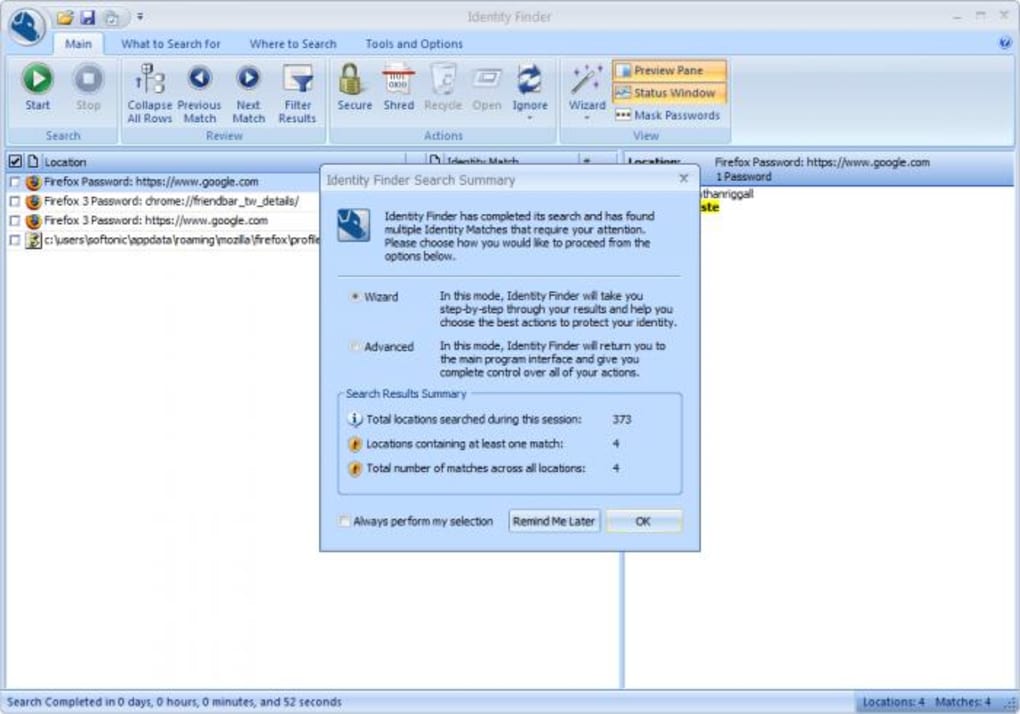
Intuitive Interface: The software boasts a user-friendly interface that simplifies the complex process of identifying and managing sensitive data. The intuitive design ensures that even users with limited technical expertise can effectively use Identity Finder to secure their information. A ribbon-style interface provides easily accessible and self-explanatory functions. This simplifies navigation and streamlines the overall user experience.
-
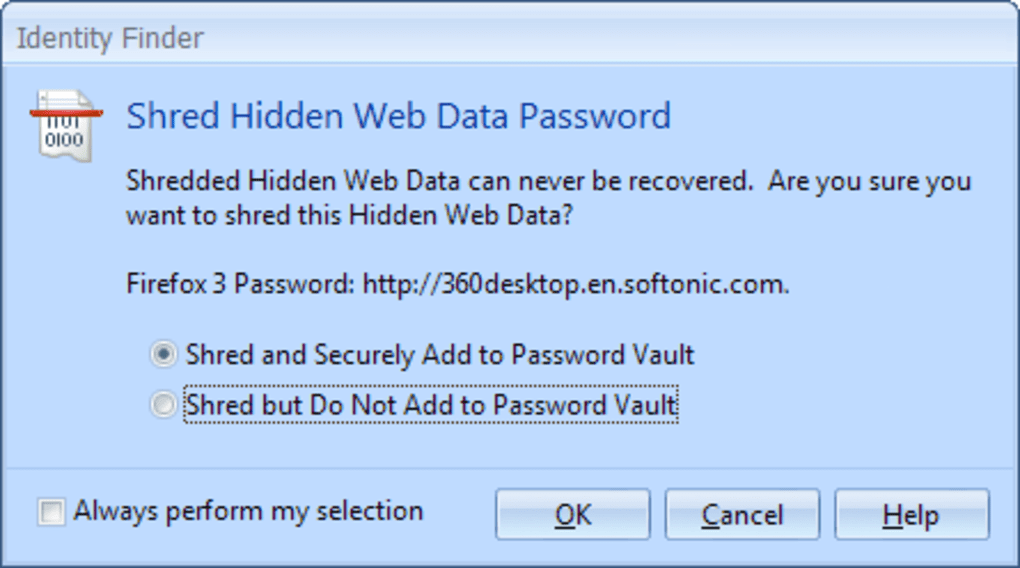
Encrypted Vault: For users who wish to retain certain passwords or sensitive data, Identity Finder offers a secure, encrypted vault. This vault protects the stored information with a user-defined master password, adding an extra layer of security beyond the removal of the data from unencrypted locations on the PC. This feature provides flexibility, allowing users to choose between complete deletion or secure storage based on their individual needs and preferences.
-
Customizable Searches: The flexibility of Identity Finder extends to the searching capabilities. Users can configure the search parameters to focus on specific data types or locations on their hard drive, allowing for a more targeted and efficient scan. This tailored approach ensures that the scan is both thorough and timely, maximizing its effectiveness.
- Secure Deletion: For data that is no longer needed, Identity Finder facilitates secure deletion, ensuring that the information cannot be easily recovered, even with sophisticated data recovery tools. This provides peace of mind knowing that sensitive information is permanently removed.
Identity Finder: A Proactive Approach to Data Security
Identity Finder doesn’t merely react to security threats; it actively prevents them. By proactively identifying and managing sensitive data, it significantly reduces the risk of identity theft and other security breaches. This proactive approach contrasts with the reactive approach often employed by many security softwares which act after the fact. This makes Identity Finder a crucial component of a comprehensive data security strategy.
The software’s intuitive interface simplifies even the most complex tasks, making it accessible to a wide range of users, regardless of their technical proficiency. The clear and concise reporting aids in understanding the results of the scan, enabling users to quickly identify and address any potential vulnerabilities. The ability to configure searches and choose between secure storage and deletion provides flexibility that caters to individual security needs and preferences.
While some may argue that Identity Finder is unnecessary for users who practice meticulous security habits, its value lies in its proactive nature. It acts as a safety net, catching potential oversights and vulnerabilities that even the most security-conscious individuals may miss. In today’s environment of increasingly sophisticated cyber threats, having an additional layer of protection can prove invaluable.
Addressing Concerns and Limitations
One potential concern raised about Identity Finder is its request for user registration. While this step can be bypassed, some users may be wary of providing personal information to a program designed to find their sensitive data. However, it’s important to note that this registration is primarily for licensing and support purposes, and the company emphasizes the security of this information.
Furthermore, the effectiveness of Identity Finder, like any security software, depends on its regular updates and maintenance. Keeping the software updated ensures that it can effectively detect and address the latest threats and vulnerabilities. Failing to do so could compromise its ability to protect your data.
Finally, it’s important to remember that no single security solution is foolproof. Identity Finder is a valuable tool in protecting your digital identity, but it should be considered part of a comprehensive security strategy that includes strong passwords, regular software updates, and awareness of phishing and other online threats.
In conclusion, Identity Finder offers a powerful and user-friendly solution for identifying and managing sensitive personal data stored on your Windows PC. Its proactive approach to data security, combined with its intuitive interface and customizable features, makes it a valuable asset in protecting your digital identity from the ever-growing threat of identity theft and other cybercrimes. While not a replacement for sound security practices, it serves as a strong addition to any comprehensive security strategy.
File Information
- License: “Trial version”
- Version: “5.7”
- Latest update: “January 15, 2022”
- Platform: “Windows”
- OS: “Windows 7”
- Language: “English”
- Downloads: “2.5K”
- Size: “17.92 MB”


