
IDroo is a free productivity application developed by Iteral Group, functioning as a virtual whiteboard designed for real-time collaboration among multiple users. This versatile tool facilitates seamless interaction for teaching, learning, and team projects, offering a dynamic space for shared brainstorming and idea generation. Its integration with Skype provides a straightforward method for connecting with contacts and initiating collaborative sessions, establishing IDroo as a potent alternative to other virtual whiteboard applications such as Microsoft Whiteboard and Scriblink.
Seamless Integration and User-Friendly Interface
IDroo’s primary strength lies in its seamless integration with Skype, a widely used messaging platform. This integration simplifies the process of inviting collaborators to a shared whiteboard session. Users can initiate a session directly from their Skype window by clicking the “Allow IDroo access” button, granting the application permission to utilize their contact information. Following this, launching the IDroo application and clicking the plus button in the Participants window reveals a list of Skype contacts, allowing users to select participants for the session. Crucially, all participants must possess the IDroo application installed on their respective devices to participate actively in the shared whiteboard. Upon accepting the invitation, participants gain access to the shared workspace, enabling collaborative drawing, writing, and idea visualization. The application supports an unlimited number of participants, rendering it exceptionally suitable for online classes, large team projects, and other collaborative endeavors requiring extensive participation.
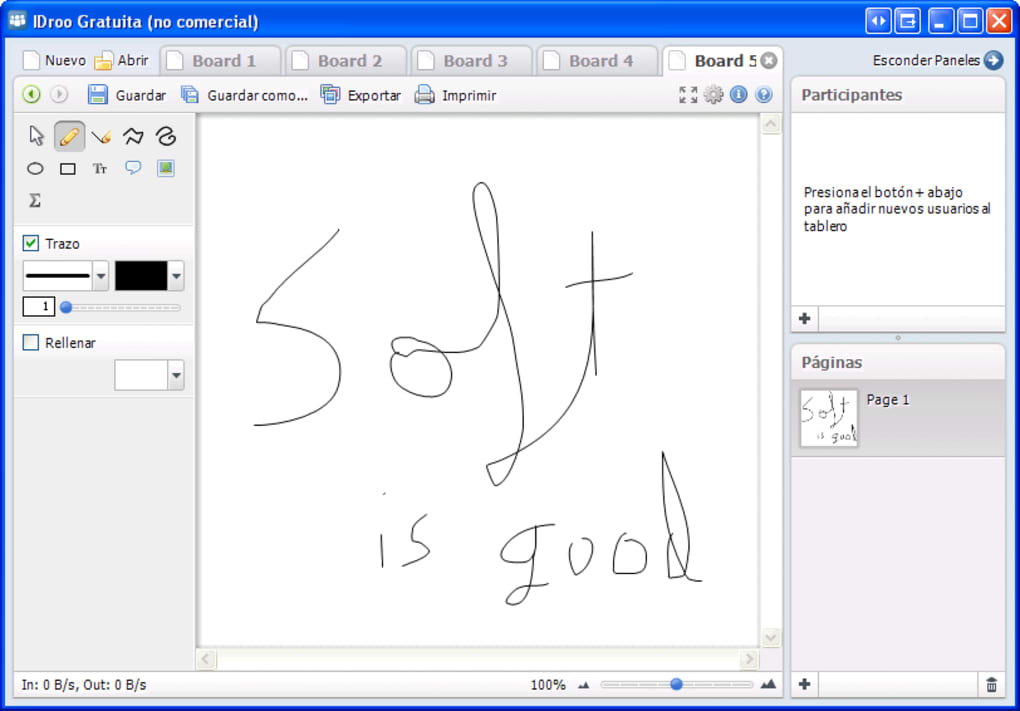
Beyond the user-friendly interface, IDroo’s infinite board eliminates spatial constraints, allowing for boundless creativity and idea expansion without the limitations of a fixed canvas size. This unlimited workspace empowers users to explore concepts extensively and organize information freely without worrying about running out of space. The intuitive design ensures that even those unfamiliar with virtual whiteboards can quickly adapt and utilize its functionalities.
Comprehensive Toolset for Diverse Needs
IDroo provides a comprehensive suite of tools exceeding the functionalities of a basic whiteboard. Users can utilize freehand drawing tools for sketches and diagrams, alongside precise line and shape tools for constructing structured visuals. Text annotation capabilities allow for detailed explanations and labeling, with options for adjusting font styles, sizes, and colors for enhanced readability and organization. A diverse color palette facilitates the color-coding of different elements, improving visual clarity and organization within the collaborative space. This versatility in design tools caters to both artistic and analytical presentations.
Beyond basic drawing and writing, IDroo offers advanced features such as document and image upload capabilities. Users can seamlessly integrate documents in PDF and Word formats by either dragging and dropping files onto the whiteboard or pasting them into the workspace. This feature allows for collaborative work on existing documents, with options to lock document pages to the background, enabling easy annotation and modification without interfering with the original document’s layout. Similarly, image uploads in PNG and JPG formats add another layer of visual richness to the collaboration process. This integration of external files expands the application’s functionality beyond basic illustration, facilitating a broader range of collaborative tasks and presentations.
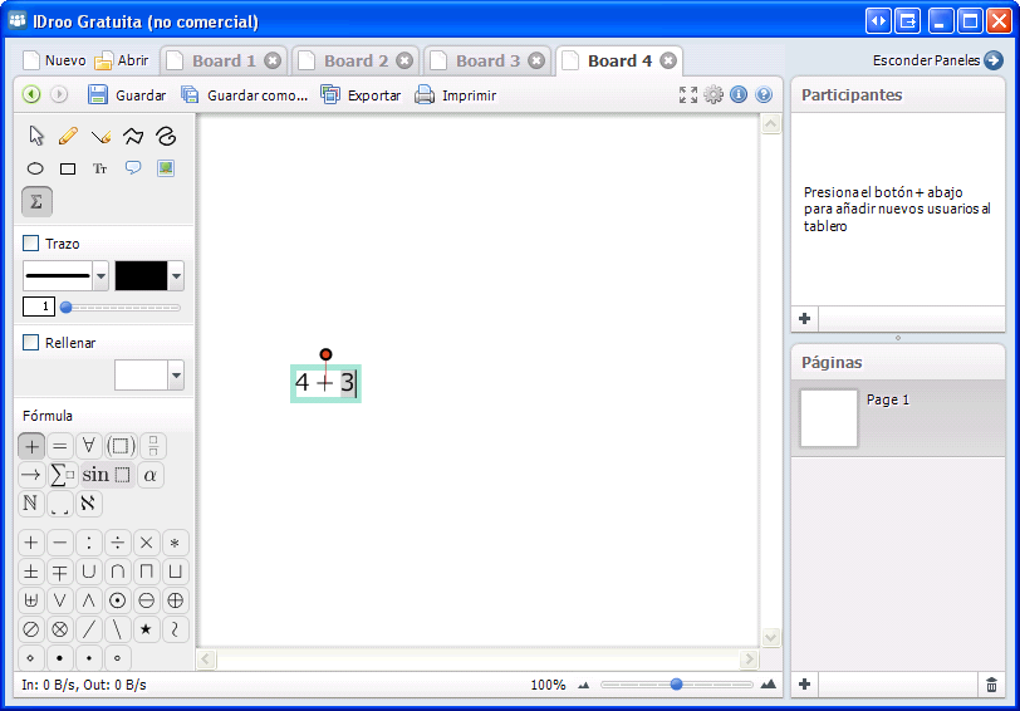
One unique aspect of IDroo is its integrated mathematical typing tool. This tool provides a comprehensive selection of mathematical symbols and equations, streamlining the process of writing and solving mathematical problems within the collaborative environment. A dedicated formula toolbar provides convenient access to a wide range of mathematical notations, enhancing the application’s suitability for educational settings, scientific collaborations, and technical presentations requiring mathematical precision. This feature significantly improves the accuracy and efficiency of mathematical discussions and problem-solving within the platform.
Limitations and Considerations
Despite its numerous advantages, IDroo does present certain limitations. The most notable drawback is the absence of audio capabilities. This lack of integrated audio communication may hinder real-time discussions and quick feedback exchanges during collaborative sessions. However, this limitation can be mitigated to some extent by using the application in conjunction with Skype, where real-time audio and video communications are available, thus enabling simultaneous use of both platforms.
Another potential drawback is the control scheme, particularly when using a mouse on a PC. While users employing tablets with styluses may find the drawing interface intuitive and responsive, those using a mouse might experience some difficulties in achieving fine control and precision during freehand drawing or detailed illustrations. This difference in user experience may lead to varying degrees of satisfaction among users depending on the input devices they are using.
The performance of IDroo can also be affected by the number of participants and network conditions. In sessions with a high number of concurrent users, there is a possibility of experiencing lag or delays in real-time updates, potentially disrupting the collaborative workflow. This issue underscores the importance of a stable network connection for all participants to ensure a smooth and efficient collaborative experience. Furthermore, due to its real-time, collaborative nature, IDroo can consume significant bandwidth and data.
Finally, it is essential to note that certain advanced features, such as the document upload capability, may be restricted to paid versions of the application. This limitation might restrict access to some of the application’s most useful functionalities for users unwilling or unable to subscribe to a paid service.

Conclusion: A Valuable Tool for Collaboration
In summary, IDroo offers a robust and versatile solution for collaborative work and educational purposes. Its intuitive interface, integrated Skype functionality, and comprehensive toolset, including an infinite canvas and mathematical typing tool, cater to a diverse range of collaborative needs. While limitations such as the lack of audio features, potential control issues with a mouse, and occasional lag should be considered, these are largely outweighed by the many advantages of this collaborative whiteboard application.
Its suitability for both business and educational settings makes IDroo a compelling choice for organizations and educational institutions seeking efficient and engaging collaborative platforms. The convenience of its Skype integration and unlimited participant capacity make it an ideal choice for online learning environments and large team projects, while its extensive tools provide users with flexibility and creative freedom in expressing and sharing ideas. Its suitability for diverse applications across educational and professional settings strengthens its position as a valuable tool for enhancing collaborative productivity.
File Information
- License: “Free”
- Version: “1.0.0.29”
- Latest update: “July 15, 2022”
- Platform: “Windows”
- OS: “Windows 7”
- Language: “English”
- Downloads: “21.4K”
- Size: “725.80 KB”


