
In the ever-evolving landscape of digital communication and content creation, the humble webcam has transformed from a mere accessory into an indispensable tool. For many years, users sought greater control and customization over their webcam feeds, moving beyond the basic functionalities offered by operating systems. Enter iGlasses, a pioneering application that emerged to empower users with unprecedented command over their iSight cameras and other compatible webcams, fundamentally changing how individuals presented themselves in virtual interactions.
iGlasses, developed by Ecamm, was a significant utility, particularly for Mac users, designed to unlock advanced capabilities from their built-in iSight cameras. While originally gaining prominence on the Mac platform, its availability for Windows users also highlighted a universal desire for enhanced webcam control. At its core, iGlasses offered a suite of video settings that could be adjusted in real-time, integrating seamlessly with a vast array of communication and multimedia applications. This innovation allowed users to personalize their video output in ways previously unimaginable, from simple aesthetic tweaks to more practical adjustments, thereby enriching their online presence in virtual meetings, social chats, and early content creation efforts.
However, like many groundbreaking technologies, iGlasses navigated a dynamic environment of operating system updates, hardware advancements, and shifting user expectations. The program, while celebrated for its features, also faced challenges, including compatibility issues with newer OS versions and certain application architectures. Today, the download for iGlasses is no longer available on platforms like PhanMemFree.org, signifying its conclusion as a standalone offering. This cessation might be due to various factors, including the program being discontinued, unresolved security concerns, or simply the natural progression of technology where built-in OS features and alternative applications have absorbed its functionalities. Nevertheless, understanding iGlasses’ journey provides valuable insight into the history of webcam customization and the continuous quest for more engaging digital interactions.
Unlocking Creative Potential: iGlasses in Multimedia & Photography
iGlasses stood out primarily for its extensive array of video manipulation settings, offering users a level of control over their webcam output that was revolutionary for its time. Far beyond simple brightness and contrast adjustments, iGlasses empowered individuals to transform their visual feed with creative and practical effects, making it a valuable asset for both casual users and those venturing into early forms of digital content creation. This deep integration into the realms of Multimedia and Photography (specifically live video capture) was a cornerstone of its appeal.
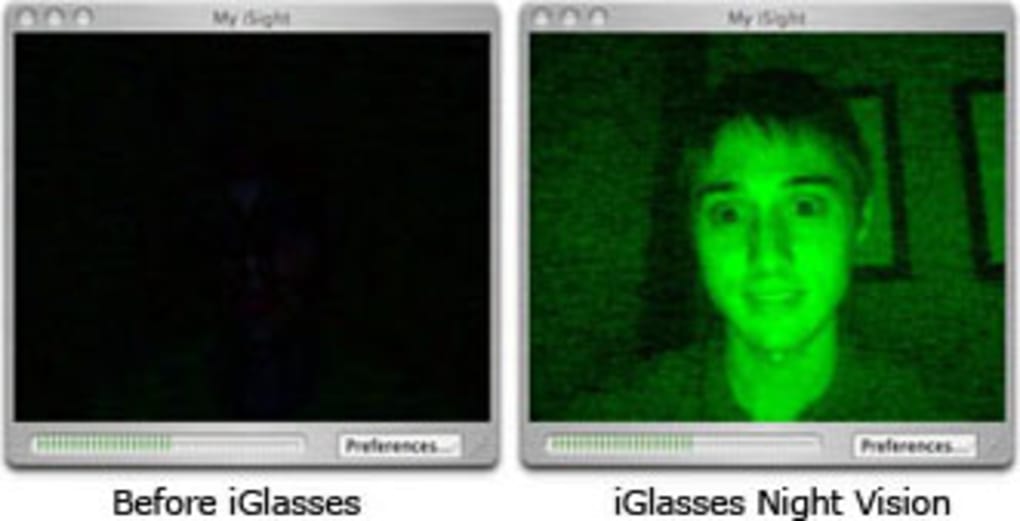
One of the most engaging features was the ability to apply night vision effects. While not true infrared vision, this filter dramatically altered the color palette and contrast of the webcam feed, simulating the eerie green glow often associated with night vision goggles. For users, this wasn’t just a novelty; it allowed for creative storytelling in video calls, added a unique aesthetic to casual chats, or even served as an artistic filter for short video recordings. In an era where webcam effects were nascent, such a feature provided an instant way to add drama or humor to an otherwise standard video stream. Content creators, even amateur ones, could experiment with different visual moods without needing sophisticated external hardware or complex post-production software.
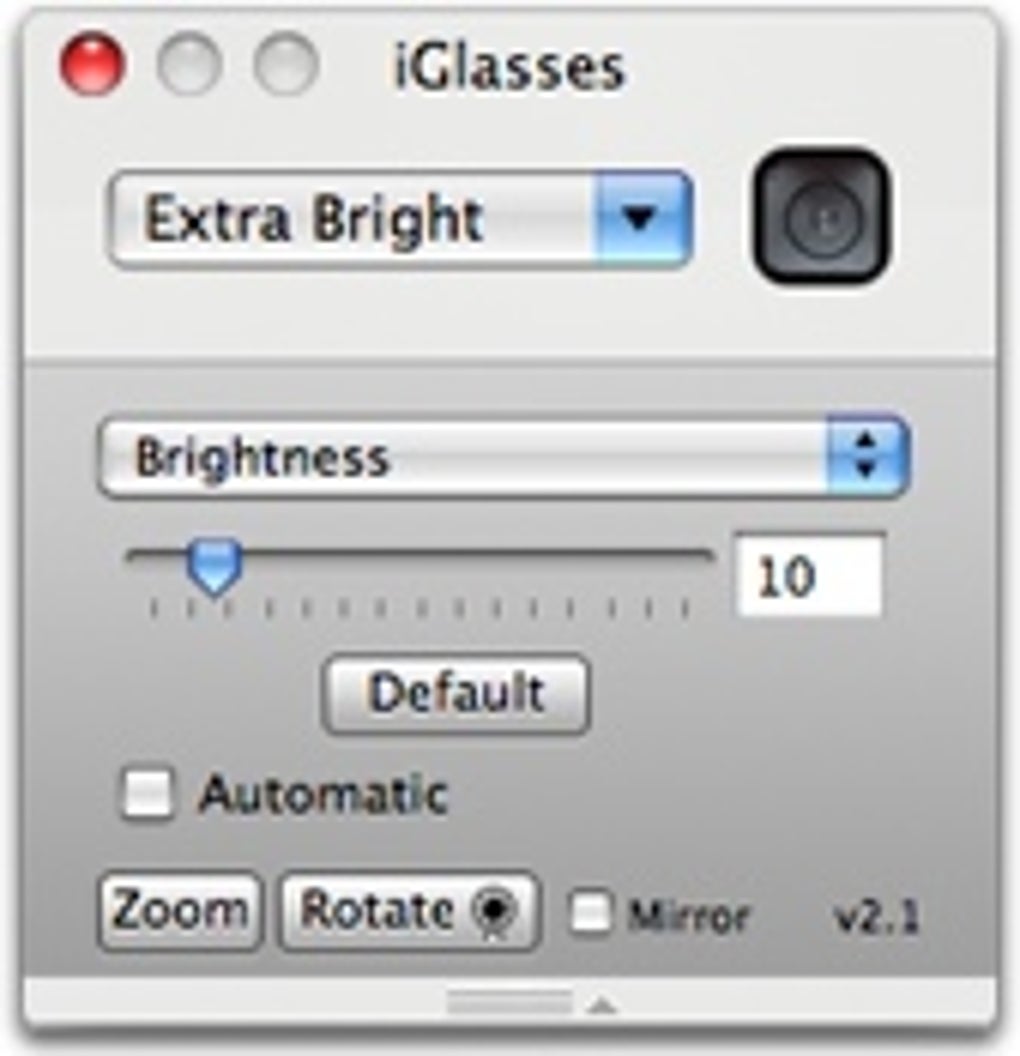
Beyond visual filters, iGlasses offered crucial spatial manipulations that had both creative and practical applications. The ability to flip the image upside down might seem like a whimsical feature, but it could be used for comedic effect or artistic expression. More importantly, the options to rotate an image and provide a mirror image addressed fundamental user needs. The mirror image feature, for instance, was particularly useful for individuals who found their webcam displaying a non-mirrored reflection, which could be disorienting during self-presentation. For presenters, teachers, or those demonstrating physical objects, ensuring the correct orientation of text or actions on screen was vital. Rotating the image offered flexibility for different camera placements or for correcting an inadvertently mounted webcam. These manual controls allowed users to fine-tune their video output precisely, ensuring that what they intended to present was accurately conveyed to their audience.
The integration of iGlasses into a wide array of applications underscored its utility in multimedia production. It wasn’t just a standalone tool but a video layer that could enhance feeds from major communication clients and video recorders. This meant that the customized output – be it night vision, a flipped image, or a perfectly mirrored view – was immediately available across platforms like iChat, QuickTime Pro Player, Yahoo! Messenger, Skype, and SightSpeed, among others. This widespread compatibility significantly broadened its appeal, making it a powerful utility for anyone frequently using their webcam. For those involved in early forms of vlogging or online video content, iGlasses provided an accessible means to add a professional or distinct touch to their productions without the steep learning curve of dedicated video editing suites. It democratized certain visual effects, bringing them directly to the live webcam feed.
Enhancing Connectivity: iGlasses for Social & Communication
The late 2000s marked a significant period of growth for online interaction, with video chat rapidly becoming a preferred method for connecting with friends, family, and colleagues. In this burgeoning digital landscape, iGlasses played a pivotal role in personalizing and enriching the experience of Social & Communication. By offering advanced webcam controls, it transcended the basic functionality of a standard webcam feed, allowing users to express themselves more creatively and present a more polished image in virtual spaces.
iGlasses’ seamless integration with a broad spectrum of popular communication applications was a key factor in its widespread adoption. Users could leverage its features across platforms like iChat, Yahoo! Messenger, Skype, and later, MSN Messenger 8.0. This meant that whether you were catching up with family overseas on Skype or participating in an impromptu work discussion on iChat, your customized webcam feed – complete with preferred filters or spatial adjustments – was consistently applied. The ability to easily deselect applications from the iGlasses Manager also provided users with granular control, allowing them to choose when and where these enhancements were active, ensuring privacy or maintaining a professional demeanor when required.
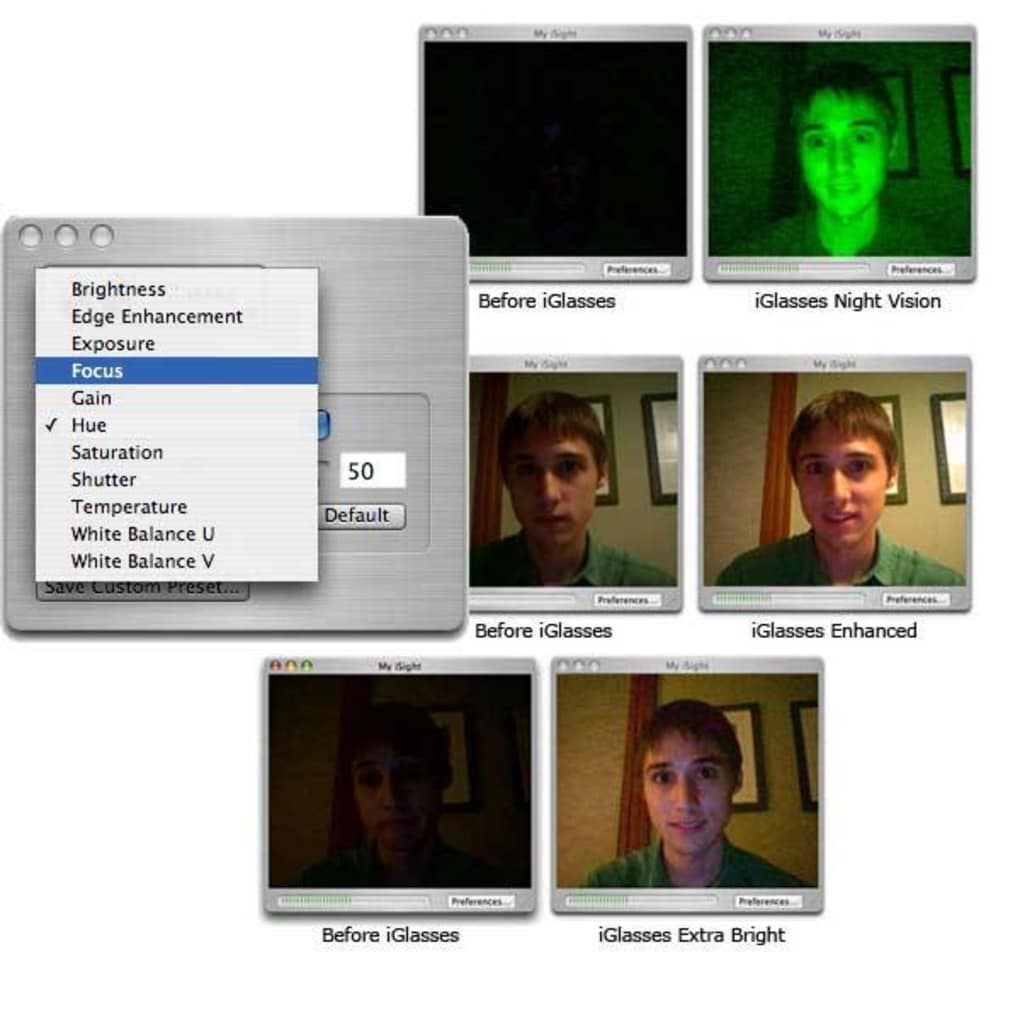
The importance of personalized webcam feeds during this era cannot be overstated. As video conferencing shifted from niche to mainstream, individuals sought ways to make their online presence more engaging and authentic. iGlasses provided the tools to achieve this, whether through playful effects for casual chats or subtle adjustments for clearer professional presentations. It allowed users to adjust for less-than-ideal lighting conditions, correct image orientation, or simply add a touch of personality to their video stream. This level of customization fostered a richer communication experience, moving beyond the static and often unoptimized default webcam output.
Bridging the Gap: iGlasses in Remote Productivity
While primarily celebrated for its creative and social applications, iGlasses also had a significant, albeit understated, impact on Productivity, especially as remote work and virtual meetings began to gain traction. In an age before sophisticated virtual backgrounds and integrated studio effects were standard in video conferencing software, iGlasses offered practical solutions for enhancing professional interactions.
For professionals participating in early virtual meetings, the clarity and presentation of their video feed were crucial. iGlasses’ ability to offer manual controls for tweaking image quality, even if rudimentary by today’s standards, allowed users to optimize their appearance for professional settings. Correcting a mirror image, for example, ensured that any text or visual aids presented to colleagues or clients appeared correctly, avoiding confusion and maintaining professionalism. The ability to adjust for poor lighting, even with a simulated “night vision” or other color adjustments, could make a significant difference in how clearly a speaker was perceived, especially when lighting conditions were not ideal in a home office or remote setup.
Furthermore, the seamless integration with communication platforms like Skype, which was increasingly adopted for business use, meant that these enhancements were readily available in a professional context. This contributed to a more polished and effective virtual presence, enhancing communication clarity and reducing potential distractions caused by poorly optimized video. In essence, iGlasses helped bridge the gap between basic webcam functionality and the growing demands of professional remote collaboration, making early virtual interactions more effective and less cumbersome for a wide range of users. It was an early enabler for a more visually professional and adaptable remote working environment.
Technical Landscape and User Experience: Navigating iGlasses’ Limitations
Despite its innovative features and broad compatibility, iGlasses was not without its technical hurdles and user frustrations. These limitations often reflected the challenging technical landscape of the time, characterized by rapidly evolving operating systems, varying hardware standards, and the perpetual push-pull between software innovation and system stability. Understanding these challenges provides a clearer picture of the environment in which iGlasses operated and the difficulties developers faced.
One of the most significant drawbacks noted by users and the developer alike was the requirement for applications to run in 32-bit mode for them to work with iGlasses. This was a critical issue during a period when Apple’s Mac OS X was transitioning towards 64-bit architecture, particularly with the introduction of Snow Leopard (Mac OS X 10.6). Many modern applications were beginning to adopt 64-bit, and forcing users to run them in an older, less efficient 32-bit mode was a considerable inconvenience. This technical constraint not only impacted performance but also limited the integration of iGlasses with newer versions of popular software, frustrating users who wanted to utilize its features without compromising their system’s efficiency or software compatibility. The promise of a future fix for this issue highlighted the developer’s awareness of the problem, but for a period, it remained a significant barrier to seamless adoption.
User reviews also frequently highlighted other technical limitations. One anonymous review from 2012 expressed a persistent problem: “iGlasses video undetected.” Despite attempts across multiple versions, the user reported being able to see a “way too dark, green tinged video from various video viewers” but found iGlasses unable to properly integrate its effects. This suggests underlying compatibility issues with certain hardware configurations or specific software environments, where iGlasses struggled to correctly intercept and process the video stream. Such unpredictability could be highly frustrating for users seeking reliable webcam enhancements.
Another notable limitation, as pointed out by a user in 2012, was the resolution cap: “It’s all great really, except this app only works 480x640. It’s half the resolution of the iSight camera, that makes it pretty useless for apps like Photo Booth or iMovie.” This restriction meant that while iGlasses could add creative effects, it did so at the cost of video quality. For applications where high-resolution input was critical – such as photo capturing (Photo Booth) or video editing (iMovie) – iGlasses’ downscaling of the feed made it impractical. This illustrates a common trade-off in early software development: advanced features sometimes came with compromises in fundamental aspects like resolution, which became increasingly noticeable as hardware capabilities (like the iSight camera’s native resolution) advanced.
Beyond these core limitations, specific application incompatibilities also emerged. A user lamented in 2011 that iGlasses did not work with the Gmail video chat feature, speculating that “Google, they probably want to force us to use Chrome or something.” While the exact reason remains speculative, this highlighted a recurring challenge for third-party utilities: maintaining compatibility with frequently updated web-based services and proprietary communication platforms. These services often operate within their own sandboxed environments or use unique video processing pipelines, making it difficult for external tools like iGlasses to hook into them seamlessly across all browsers (the user mentioned trying Firefox and Safari).
Despite these challenges, the developer, Ecamm, actively addressed issues and provided updates. The “Changes” log indicates fixes for issues where iGlasses did not work in certain apps on Mac OS X 10.5.8 with Quicktime 7.6.6, improved support for UVC webcams with Mac OS X 10.6 (Snow Leopard), and rectified Apple Remote compatibility in the same OS. The addition of support for MSN Messenger 8.0 and QuickTime Player X to the iGlasses Manager, alongside a fix for a crash issue in Opera, demonstrates a commitment to evolving with the software ecosystem. These efforts were crucial in extending the utility and lifespan of iGlasses, even as it contended with the relentless pace of technological change and increasingly complex software environments.
The Legacy and Alternatives: Where iGlasses Stands Today
The journey of iGlasses, from its innovative introduction to its current status of “no longer available” on platforms like PhanMemFree.org, reflects the dynamic and often transient nature of software in the tech industry. Its discontinuation could stem from several reasons: the developer may have ceased support, new security vulnerabilities might have rendered it unsafe, or simply, the market evolved, leading to obsolescence as operating systems integrated similar functionalities or new, more advanced tools emerged. Regardless of the exact cause, iGlasses leaves behind a legacy as a trailblazer in webcam customization, illustrating a key period in the development of personal digital communication.
The “no longer available” status for iGlasses means that users seeking similar functionality today must turn to alternative solutions. PhanMemFree.org, for instance, lists several alternatives, even if they aren’t all direct replacements for iGlasses’ specific features. These alternatives provide a glimpse into the broader landscape of software utilities that address various user needs.
Among the suggested alternatives, SparkoCam stands out as a more direct successor in the realm of webcam enhancement. Described as a trial version that allows users to “Use Canon PowerShot and DSLR as webcam,” SparkoCam, rated 3.7, offers a more modern approach to webcam control. While iGlasses focused primarily on built-in iSight and basic USB webcams, SparkoCam’s ability to turn high-quality DSLR cameras into webcams represents a significant leap forward in quality and flexibility, catering to a growing demand for professional-grade video in virtual interactions and content creation. It often comes with a wider range of effects, virtual backgrounds, and advanced camera controls, reflecting the evolution of user expectations since iGlasses’ heyday.
Other alternatives listed, like Encrypt Easy (3.7, trial version for “Encryption for files made quick and easy”) and Cleanmgr+ (4.9, free, “A replacement for Windows’ Disk Cleanup tool”), highlight the diverse utility needs of users but are not directly related to webcam enhancement. Encrypt Easy speaks to the ever-present demand for Security & Privacy, while Cleanmgr+ falls under general Utilities & Tools for system maintenance. Their inclusion as alternatives to iGlasses on PhanMemFree.org might be a categorization quirk or an attempt to offer users other useful tools generally, rather than direct functional substitutes.
Finding Modern Solutions: Current Utilities & Tools for Webcam Control
The market for webcam software has evolved significantly since iGlasses’ prime. Operating systems like Windows and macOS now offer more robust built-in webcam controls, and popular video conferencing platforms (Zoom, Microsoft Teams, Google Meet, etc.) have integrated features like virtual backgrounds, touch-up filters, and basic color correction directly into their applications. This has somewhat diminished the need for a separate, overarching utility like iGlasses for basic customization.
However, the demand for advanced webcam control persists, particularly for content creators, streamers, and professionals who require a highly polished and customized visual output. This niche is now served by more sophisticated applications and drivers that often combine hardware control with software effects. Many modern solutions fall under the broader category of Utilities & Tools, but often with a focus on Multimedia and Photography aspects. These can include:
- Virtual Webcam Software: Tools that create a virtual webcam feed, allowing users to combine multiple video sources, add overlays, and apply advanced filters before sending the composite feed to any application. These are often used by streamers and content creators.
- Manufacturer-Specific Software: Webcam manufacturers often provide their own software for their devices, offering deep control over settings like exposure, white balance, focus, and field of view, far surpassing what iGlasses offered.
- AI-Powered Tools: The rise of AI has also impacted this space, with AI-powered video tools capable of advanced background removal, auto-framing, and even real-time stylistic enhancements, representing a significant leap beyond the fixed filters of iGlasses.
In conclusion, iGlasses, while no longer available, played a crucial role in establishing the demand for and demonstrating the possibilities of webcam customization. It offered users a taste of creative control and enhanced presentation in their digital interactions, pushing the boundaries of what was expected from a simple webcam. Its legacy lies in paving the way for the sophisticated Utilities & Tools available today, which continue to empower users to present their best selves in an increasingly visual and interconnected world. The journey of iGlasses underscores the continuous innovation in software development, adapting to both user needs and the relentless pace of technological advancement, ensuring that the quest for better, more personalized digital communication remains a constant.
File Information
- License: “Trial version”
- Version: “2.1.4”
- Latest update: “November 15, 2022”
- Platform: “Windows”
- OS: “Windows 95”
- Language: “English”
- Downloads: “56.8K”
- Size: “889.23 KB”


