
Losing data from your iPhone or other Apple devices can be a devastating experience. Precious photos, videos, messages, and contacts – all the digital memories that hold sentimental value – can vanish in an instant due to accidental deletion, system crashes, iOS upgrades gone wrong, or even physical damage to the device. However, the digital graveyard isn’t always permanent. Software like iMyfone D-Back offers a lifeline, aiming to retrieve those lost files and restore them to your possession. This review delves into the features, performance, and user experience of iMyfone D-Back, exploring its strengths and weaknesses to help you determine if it’s the right data recovery solution for you.
First Impressions: A User-Friendly Interface
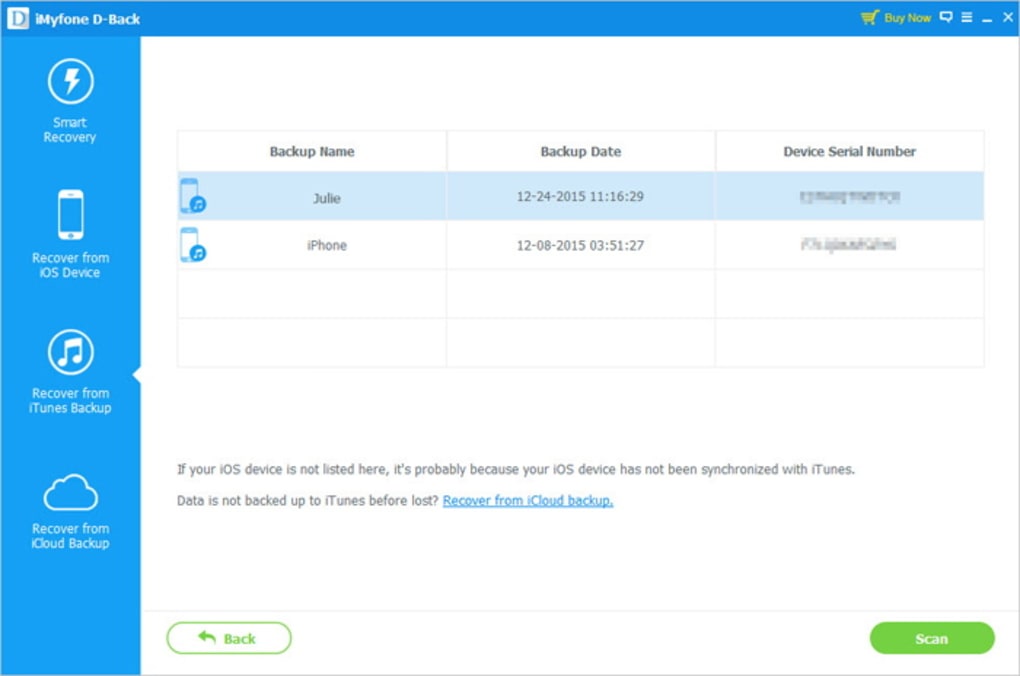
One of the immediate standouts of iMyfone D-Back is its intuitive and visually appealing interface. Installation is straightforward – a quick download and a few clicks are all it takes to get the software up and running. Unlike some data recovery tools that require additional downloads or complicated setups, iMyfone D-Back streamlines the process, providing a hassle-free user experience from the outset.
The program boasts a clean and modern design, employing a calming blue and white color scheme. The layout is well-organized, separating the recovery options in a side panel from the main command window, allowing for easy navigation and selection of recovery modes. This thoughtful design contributes significantly to a positive user experience, minimizing confusion and maximizing ease of use, even for those with limited technical expertise. The visual appeal doesn’t compromise functionality; the interface is both aesthetically pleasing and highly functional.
Functionality and Recovery Modes: Efficiency and Versatility
iMyfone D-Back’s effectiveness lies in its versatile recovery modes. It doesn’t rely on a one-size-fits-all approach; instead, it offers multiple pathways to data retrieval, enhancing its chances of success. The core recovery methods include:
-
Smart Recovery: This mode intelligently analyzes the data loss scenario to determine the most efficient recovery method. It automatically selects the optimal approach based on the detected issue, saving users the trouble of manual selection and streamlining the process. This intelligent approach makes the software exceptionally user-friendly, particularly for those unfamiliar with technical troubleshooting.
-
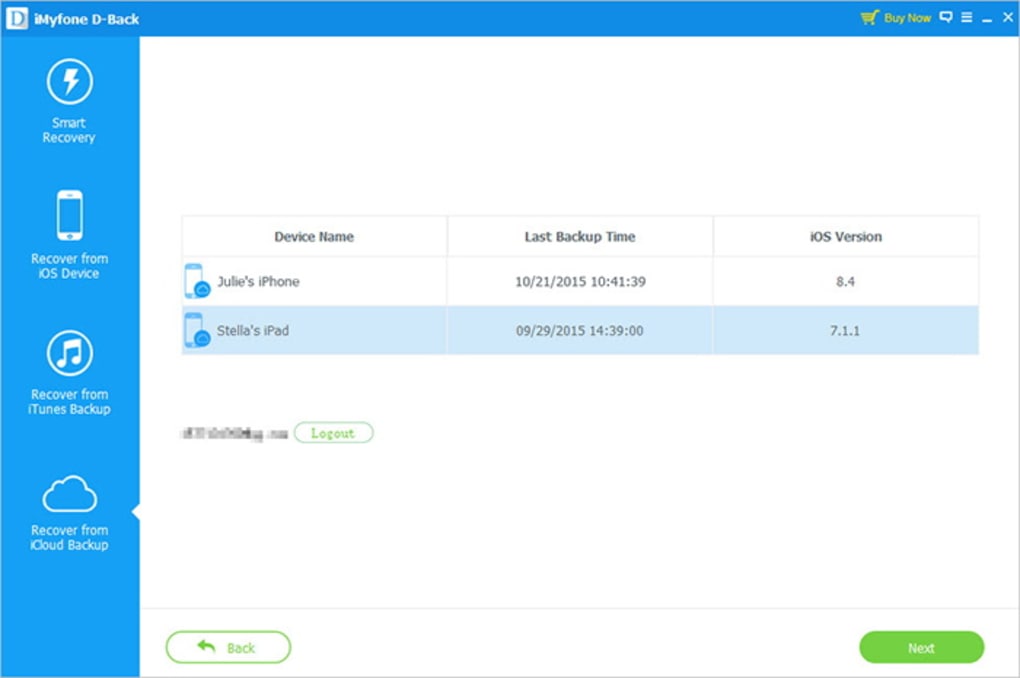
Recover from iCloud Backup: This option allows users to recover data from their iCloud backups. This is particularly beneficial for those who regularly back up their devices to iCloud. It eliminates the need for direct access to the device, making it useful even if the iPhone is lost, stolen, or severely damaged.
-
Recover from iTunes Backup: Similar to the iCloud recovery option, this allows users to retrieve data from their iTunes backups. This provides another avenue for data restoration, offering a backup solution independent of iCloud. It’s crucial to have a recent and reliable backup in place for optimal recovery results.
-
Directly Recover from iOS Device: This mode attempts to recover data directly from the iPhone or other Apple device. This is the most direct method but requires a functional device and a stable connection to the computer. This option is suitable if backups aren’t available or if the user wishes to retrieve data that might not be included in existing backups.
Beyond the recovery modes, iMyfone D-Back supports a wide range of file types, including:
- Messages
- Contacts
- Call History
- Photos
- Videos
- Notes
- WeChat History and Attachments
- Skype History and Attachments
- WhatsApp History and Attachments
- Safari History
- Voice Memos
This extensive file type support makes it a comprehensive solution for recovering a broad spectrum of lost data. The compatibility with various iOS devices, including the newest models, further enhances its value.
The recovery process, while taking some minutes to complete the scan and retrieval process, is relatively straightforward. Users need only connect their Apple device (where applicable), select their preferred recovery mode, and allow the software to do its work. After the scan, the program allows a preview of the recoverable files before committing to the recovery, offering users control and confidence in the process. Finally, users can choose a designated save location for the retrieved data.
iOS System Repair: Beyond Data Recovery
iMyfone D-Back’s capabilities extend beyond simple data recovery. It includes a “Fix iOS System” feature designed to resolve various iOS system issues. These issues can range from minor inconveniences to debilitating problems that render the device unusable. These issues include:
- Black or white screen
- Looping restarts (boot loops)
- Frozen screens
- Other system malfunctions
The software offers two modes for system repair: Standard Mode and Advanced Mode. Standard Mode usually suffices for common issues, providing a less intrusive approach. Advanced Mode offers more in-depth options for resolving more complex problems. This dual-mode system addresses the spectrum of iOS issues, offering both simple and complex solutions.
Pros and Cons of iMyfone D-Back
While iMyfone D-Back offers many advantages, it’s essential to consider both its strengths and limitations:
Pros:
- Easy Installation and User-Friendly Interface: The software is remarkably easy to install and navigate, even for non-technical users. The interface is clean, well-designed, and visually appealing.
- Multiple Recovery Modes: The diverse recovery modes cater to various data loss scenarios, increasing the chances of successful data retrieval.
- Extensive File Type Support: The software supports a wide array of file types, making it a versatile solution for recovering various types of data.
- iOS System Repair Feature: The inclusion of the iOS system repair functionality adds significant value, addressing a broader range of user needs.
- Data Preview Before Recovery: The ability to preview recoverable data before recovery offers users control and confidence in the process.
- Wide iOS Device Compatibility: The program supports a broad range of iOS devices, ensuring compatibility with most Apple users.
Cons:
- Recovery Time: While efficient, the recovery process can still take several minutes to complete, depending on the amount of data being recovered and the chosen method.
- Interface Limitations: Some users have reported minor limitations in the interface, such as the inability to maximize the screen or customize certain aspects of the interface beyond a predefined structure.
- Need for Start Button When Changing Tabs: Navigating between tabs within the interface requires pressing a start button for each transition, which some users find slightly inconvenient.
User Reviews and Overall Assessment
User reviews on iMyfone D-Back are mixed. While many users report positive experiences with successful data recovery and effective system repairs, others cite issues such as longer-than-expected recovery times and occasional glitches in the interface. Some negative reviews also mention difficulties with customer support and refund processes. It’s essential to carefully weigh these differing perspectives when considering the software.
Overall, iMyfone D-Back emerges as a powerful and versatile tool for iPhone data recovery and iOS system repair. Its intuitive interface, multiple recovery modes, and extensive file support make it a valuable asset for users facing data loss. While minor interface limitations and occasional recovery time concerns exist, the software’s overall effectiveness and user-friendly design make it a strong contender in the crowded data recovery market. Potential users should carefully consider the pros and cons outlined above and read a wide array of user reviews before making a purchase decision. The best choice will ultimately depend on individual needs and expectations.
File Information
- License: “Trial version”
- Latest update: “July 12, 2023”
- Platform: “Windows”
- OS: “Windows XP”
- Language: “English”
- Downloads: “58K”
- Size: “844.45 KB”


