
iMyFone Fixppo is a powerful iOS system recovery tool designed for Windows PCs. Developed by a leading provider of PC and mobile device solutions, Fixppo offers a comprehensive suite of features to address a wide range of iOS device issues, from simple freezes to complex system errors. This review delves into the software’s capabilities, ease of use, safety, pricing, and overall effectiveness as a solution for various iPhone, iPad, iPod Touch, and Apple TV problems.
Understanding iMyFone Fixppo’s Functionality
iMyFone Fixppo goes beyond basic data recovery, offering a multifaceted approach to resolving iOS system issues. While many programs focus solely on data retrieval, Fixppo addresses the underlying system problems that often cause data loss in the first place. Its core functionality revolves around three key areas: system repair, data backup, and recovery mode management.
The software distinguishes itself through its three distinct repair modes:
-
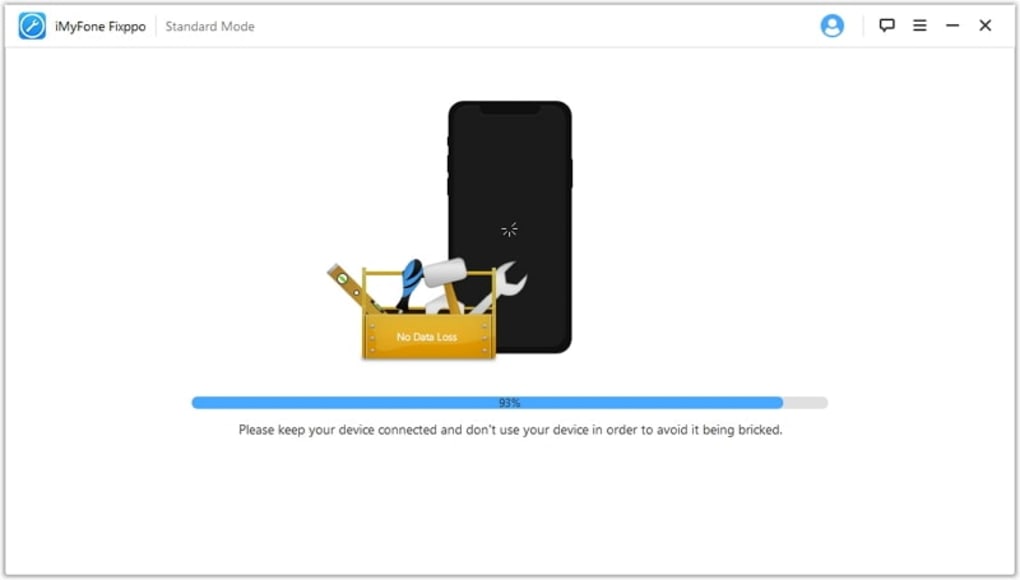
Standard Mode: This mode is ideal for resolving common iOS problems such as frozen screens, unresponsive devices, and minor system glitches. It’s the least intrusive option and aims to fix issues without data loss. This makes it a suitable first step for troubleshooting before resorting to more aggressive methods.
-
Advanced Mode: This mode is a more powerful solution for more complex problems. It tackles issues that Standard Mode can’t resolve, such as devices stuck in a boot loop or those requiring a factory reset. However, it’s important to note that the Advanced Mode may result in data loss, so creating a backup beforehand is strongly recommended. This mode is necessary when a more thorough system repair is required, even if it means sacrificing existing data.
- Enter/Exit Recovery Mode: This mode provides control over the device’s recovery mode, allowing users to safely enter and exit it. This is crucial for troubleshooting and performing certain repairs that require interaction with the system at a lower level. This is particularly useful for resolving complex problems related to iOS updates or restorations gone wrong.
The intuitive interface of iMyFone Fixppo guides users through each repair process. After selecting a repair mode, the software automatically detects the connected iOS device’s model and displays compatible firmware versions. Users can choose a preferred firmware version for download and installation, ensuring the repair process utilizes the most appropriate software for their specific device. This feature eliminates the guesswork involved in manual firmware selection and ensures compatibility. Before initiating the repair, the software prompts users to verify all entered information, ensuring accuracy and preventing potential errors. The emphasis on verification minimizes the risk of mistakes and increases the likelihood of successful repair.
iMyFone Fixppo: Safety and Security
A critical concern for any software that interacts with personal devices is data security. iMyFone assures users that Fixppo is rigorously tested for malware, adware, and viruses, and that no such threats have been identified. The developers emphasize the software’s commitment to user data protection throughout the repair and recovery processes. Millions of users worldwide have employed Fixppo without incident, further reinforcing its perceived safety and reliability.
While the Advanced Mode carries a risk of data erasure, the Standard Mode is designed to fix common issues without affecting user data. This allows users to choose the appropriate mode depending on their risk tolerance and the severity of the problem. This dual approach to repair allows for flexibility, accommodating users with varying levels of technical expertise and comfort with potential data loss.
Pricing and Value for Money
iMyFone Fixppo operates on a freemium model, offering a free version with limited functionality and a premium version with full access to all features. The free version allows users to create iOS backups, recover basic data, and download firmware. The paid version unlocks the full potential of the software, providing access to the Advanced Mode for complete system repair and comprehensive data recovery.
The premium version requires a one-time purchase that grants lifetime access for up to five iOS devices. This single purchase allows users to use the same license across multiple devices, making it a cost-effective solution for individuals or families with several iOS devices. The lifetime access negates the need for recurring subscriptions, offering long-term value. This approach makes the software financially accessible to a wider range of users.
iMyFone Fixppo: Pros and Cons
Pros:
- Multiple Repair Modes: Offers flexible solutions for various issues, from minor glitches to major system failures.
- Jailbreak-Free Operation: Performs repairs without requiring a jailbreak, preserving device warranty and security.
- User-Friendly Interface: Simple and intuitive design ensures easy navigation and accessibility for all users.
- High-End Security: Rigorous testing and a strong track record suggest a secure and safe user experience.
- Comprehensive iOS Support: Works with iPhones, iPads, iPod Touches, and Apple TVs, providing broad compatibility.
- Lifetime Access (Premium): One-time payment unlocks all features for multiple devices, offering great value for money.
- Data Protection (Standard Mode): Minimizes data loss with a less intrusive repair option.
- Automatic Firmware Detection: Streamlines the repair process by automatically identifying compatible firmware versions.
Cons:
- Potential Data Loss (Advanced Mode): While effective, the Advanced Mode may erase data, requiring a backup beforehand.
- Possibly Long Recovery Time: Depending on the complexity of the issue and the device, recovery may take a significant amount of time. This waiting period could be a significant drawback for users needing urgent solutions.
Conclusion: Is iMyFone Fixppo Right for You?
iMyFone Fixppo stands out as a robust and versatile iOS system recovery tool. Its multiple repair modes cater to a wide range of issues, from simple freezes to complex system failures. The intuitive interface makes it accessible to users with varying levels of technical expertise. The emphasis on data security and the option for a lifetime subscription add to its appeal.
While the potential for data loss in the Advanced Mode necessitates careful consideration and prior backups, the overall efficiency and comprehensive features of iMyFone Fixppo make it a strong contender among iOS system recovery solutions. It’s particularly suitable for users seeking a reliable, feature-rich tool that can handle a broad spectrum of iOS problems without requiring complex technical skills. Users should weigh the potential data loss against the convenience and comprehensive problem-solving capabilities before making a decision. The decision to use iMyFone Fixppo ultimately depends on the individual’s specific needs and comfort level with potential data loss.
File Information
- License: “Trial version”
- Latest update: “May 22, 2023”
- Platform: “Windows”
- OS: “Windows XP”
- Language: “English”
- Downloads: “26.4K”
- Size: “3.55 MB”


