
InPixio Photo Studio is a photo editing software designed for ease of use, particularly appealing to beginners and casual users. While it offers a range of features aimed at enhancing and manipulating images for social media sharing, its capabilities and overall effectiveness warrant a closer examination. This review delves into its strengths and weaknesses, providing a balanced assessment of its suitability for different users.
User-Friendly Interface and Accessibility
One of InPixio Photo Studio’s significant strengths lies in its user-friendly interface. The software boasts an intuitive layout, making navigation and access to various tools straightforward even for those with limited experience in photo editing. The program’s initial setup guides users through a selection of pre-loaded sample images, facilitating a quick learning curve by enabling immediate experimentation with the available features. This hands-on approach allows beginners to grasp the basics rapidly and confidently explore more advanced options. The support for common image formats like JPEG, PNG, and BMP further enhances accessibility, ensuring compatibility with a broad range of image files. This ease of use makes InPixio Photo Studio an attractive option for those seeking a straightforward and accessible photo editing solution without a steep learning curve.
A Mixed Bag of Tools: Strengths and Limitations
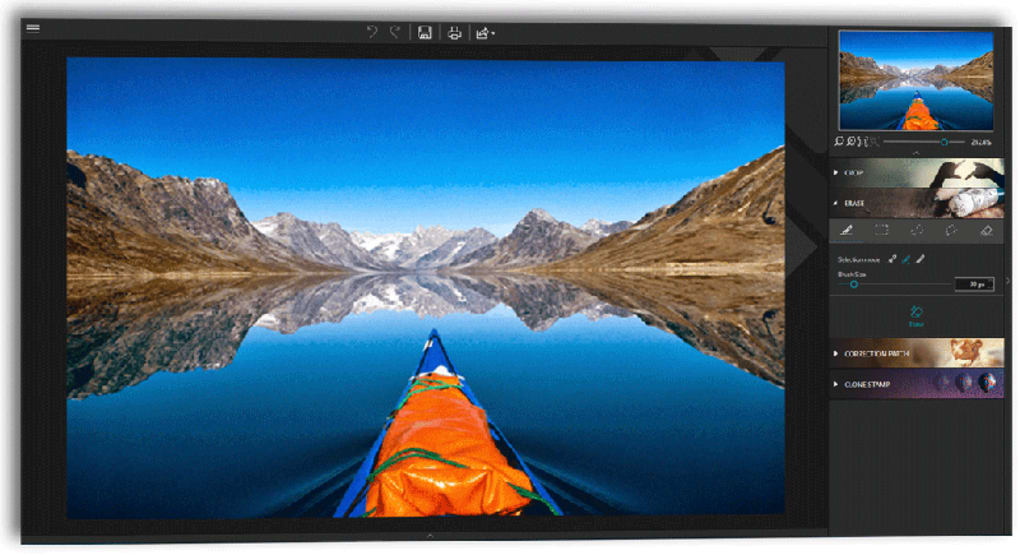
InPixio Photo Studio offers a diverse array of tools, but the quality and effectiveness vary significantly. While some features provide impressive results, others fall short of expectations, potentially leading to frustration for users seeking professional-grade edits. This duality necessitates a nuanced evaluation, acknowledging both the software’s strengths and its limitations.
Effective Tools: Auto-Erase, Auto Color Correction, and Gradient Control
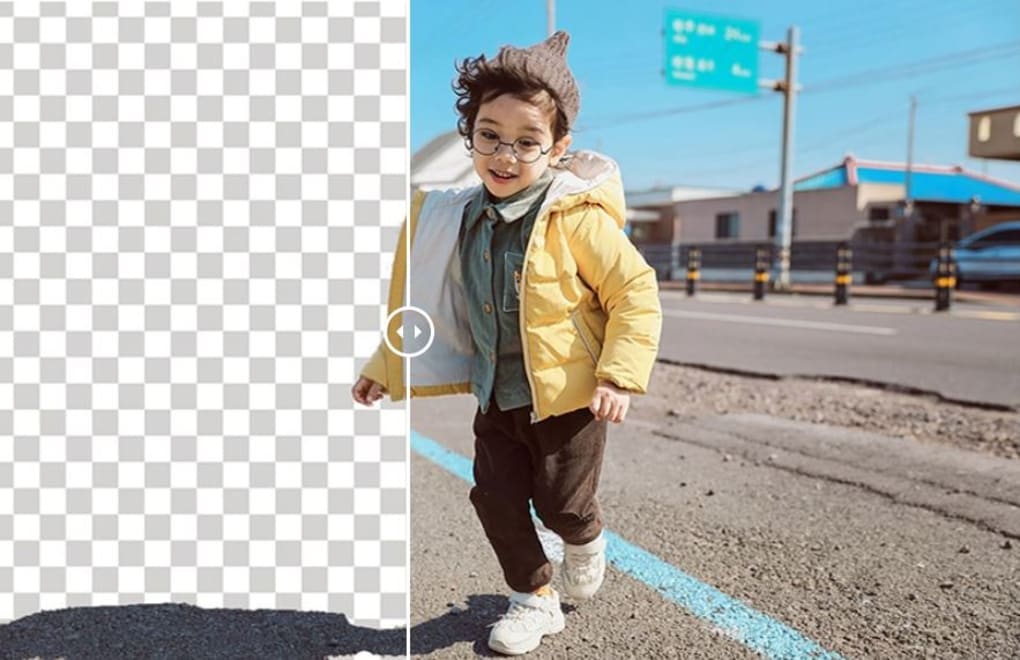
Among the software’s standout features is the auto-erase function, a remarkably effective tool for removing unwanted objects or individuals from photos. This function intelligently detects color contrasts, facilitating the removal process with remarkable precision and minimal disruption to the surrounding image quality. Users simply select the area to be removed and use the provided slider to fine-tune the erase effect. This feature alone elevates InPixio Photo Studio above many comparable free photo editors, offering a level of functionality often found in more expensive professional software.
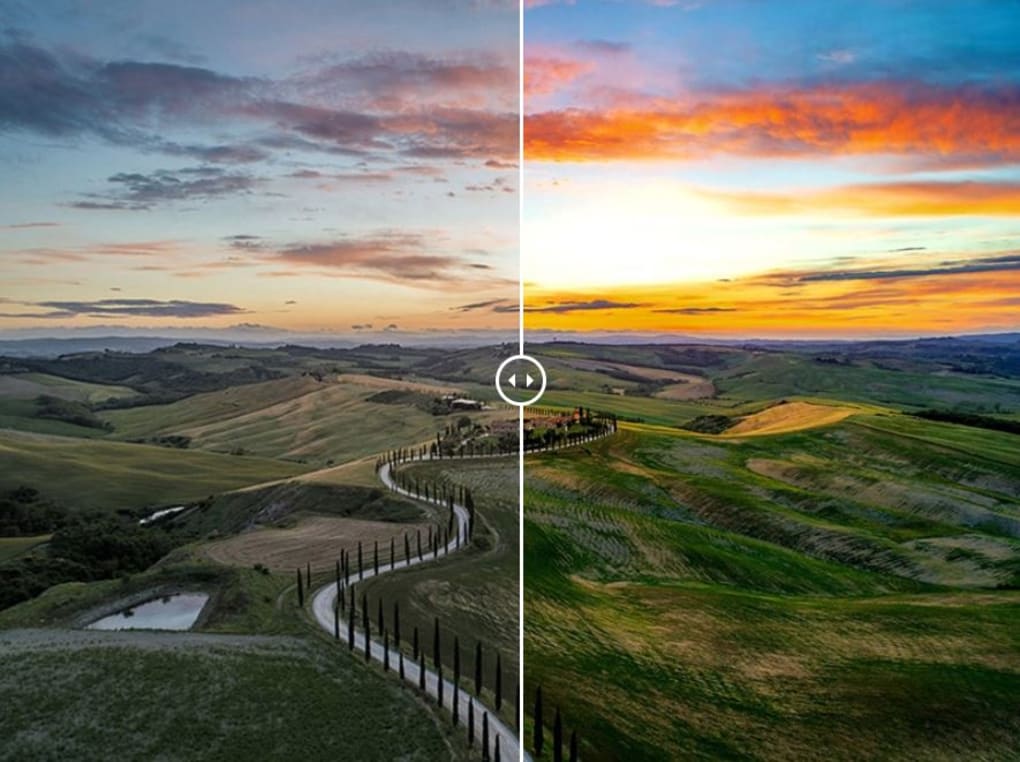
Equally impressive is the auto color correction tool. This function automatically analyzes the photo, identifying and optimizing the colors to enhance the overall image quality, particularly focusing on the principal subject of the image. The single-click implementation simplifies the process, making it accessible to users of all skill levels. The speed and efficiency of this tool are particularly noteworthy, providing significant improvements in just seconds, a significant advantage for users seeking quick and effective enhancements.
The gradient control tool also deserves commendation. Its functionality closely mirrors that of established professional software like Adobe Lightroom, providing users with a familiar and intuitive interface for managing gradients within their images. This design choice ensures a smooth learning curve for users already familiar with professional editing workflows. This intuitive control over gradients allows for nuanced adjustments, providing users with the ability to create sophisticated and aesthetically pleasing effects.
Subpar Tools: Presets and Sharpness Correction
Conversely, several tools within InPixio Photo Studio fall considerably short of expectations. The extensive collection of over 100 presets suffers from a significant lack of quality. Only a small fraction provides genuinely usable and appealing effects; many produce oversaturated, dim, or otherwise undesirable results. The limited preview options (only four presets at a time) further hinder the user experience, making selection a tedious and inefficient process. This significant shortcoming undermines the software’s overall appeal, particularly for users relying on presets for quick and easy edits.
The sharpness correction tool represents another area of disappointment. Even when adjusted to its maximum setting, the tool’s impact on image sharpness is negligible. This lack of effectiveness renders the feature largely useless, a disappointing omission considering the importance of sharpness adjustments in professional photo editing. This functional inadequacy suggests a lack of thorough testing and optimization during the software’s development.
Furthermore, some effects and textures exhibit excessive saturation, rendering them unusable or significantly limiting their applicability. This points towards a need for improved quality control and refinement in the design and implementation of these tools. The inconsistency in quality across the software’s various features raises concerns about the overall development and testing process.
Comparison with Alternatives
Compared to professional photo editing software, such as Adobe Photoshop or Lightroom, InPixio Photo Studio’s capabilities are undeniably limited. The lack of advanced features, particularly in areas like batch processing and layer manipulation, significantly restricts its use for professionals or advanced amateurs. However, in its targeted niche of casual users and those primarily focused on simple social media image enhancements, InPixio Photo Studio offers a reasonably adequate and accessible solution. Its auto-erase and auto-color correction tools stand out as significant advantages compared to other free photo editing software.
InPixio’s free version, however, is limited by its inclusion of watermarks on exported images. This restriction pushes users towards the paid version if watermark-free exports are desired. This business model is common for software that targets a wide user base but needs to monetize its features. Competitors offer comparable functionality with different business models, like completely free software with limited features or subscription-based professional solutions.
Overall Assessment
InPixio Photo Studio occupies a niche market within the photo editing landscape. Its user-friendly interface and readily accessible tools make it an attractive option for casual users and social media enthusiasts seeking quick and easy photo enhancements. The highly effective auto-erase and auto-color correction tools provide significant advantages over many comparable free applications. However, the inconsistent quality of other features, particularly the presets and sharpness tool, limits its overall appeal. The presence of watermarks in the free version also influences its potential user base, potentially driving users to opt for paid alternatives or completely free software with fewer capabilities. Consequently, its suitability hinges on user expectations and the specific functionalities required. For basic edits and quick touch-ups, it performs adequately, but users pursuing advanced editing or professional results should explore more feature-rich alternatives.
File Information
- License: “Trial version”
- Latest update: “May 23, 2023”
- Platform: “Windows”
- OS: “Windows 7”
- Language: “English”
- Downloads: “8.4K”
- Size: “13.43 MB”


