
InPixio Free Photo Editor presents itself as a user-friendly image processing tool designed for photographers and casual users alike. This review delves into its features, strengths, and weaknesses, providing a comprehensive assessment of its capabilities and value proposition in the crowded landscape of free photo editing software.
User Interface and Functionality
InPixio’s interface stands out for its intuitive design. Upon launching the software, users are greeted with a clear and straightforward interface, reminiscent of professional-grade software like Photoshop but significantly simplified for ease of access. The main workspace features a large canvas for image display, neatly organized editing tools located conveniently along the right-hand side, and a file-opening system that allows access to both recent files and browsing options. This streamlined arrangement minimizes clutter and promotes efficient workflow, making the software accessible to both novices and experienced users.
The right-hand panel cleverly categorizes editing tools, making it easy to locate specific functions. Each category is clearly labelled and represented by visually appealing icons, instantly showcasing the tool’s purpose. This thoughtful design approach enhances user experience by minimizing the time spent searching for necessary tools.
Editing Capabilities: Presets and Customization
InPixio caters to a broad spectrum of user needs by offering a compelling blend of pre-set options and comprehensive customization tools. The software boasts a rich collection of pre-set filters and effects, allowing users to transform their images with a single click. These presets offer a quick and easy way to enhance images and achieve professional-looking results without extensive knowledge of photo editing techniques. This feature is particularly beneficial for users who prefer a simplified editing process or those seeking rapid image enhancements for social media platforms like Instagram.
However, InPixio recognizes that not all users are satisfied with pre-defined settings. The software’s extensive customization options allow for meticulous control over various image aspects. Beyond basic adjustments like brightness and contrast, users have access to a broader array of fine-tuning tools, enabling precise manipulation of color balance, sharpness, noise reduction, and more. This balance between pre-set convenience and customizability ensures that both casual and advanced users can achieve their desired outcomes.
Detailed Breakdown of Editing Tools
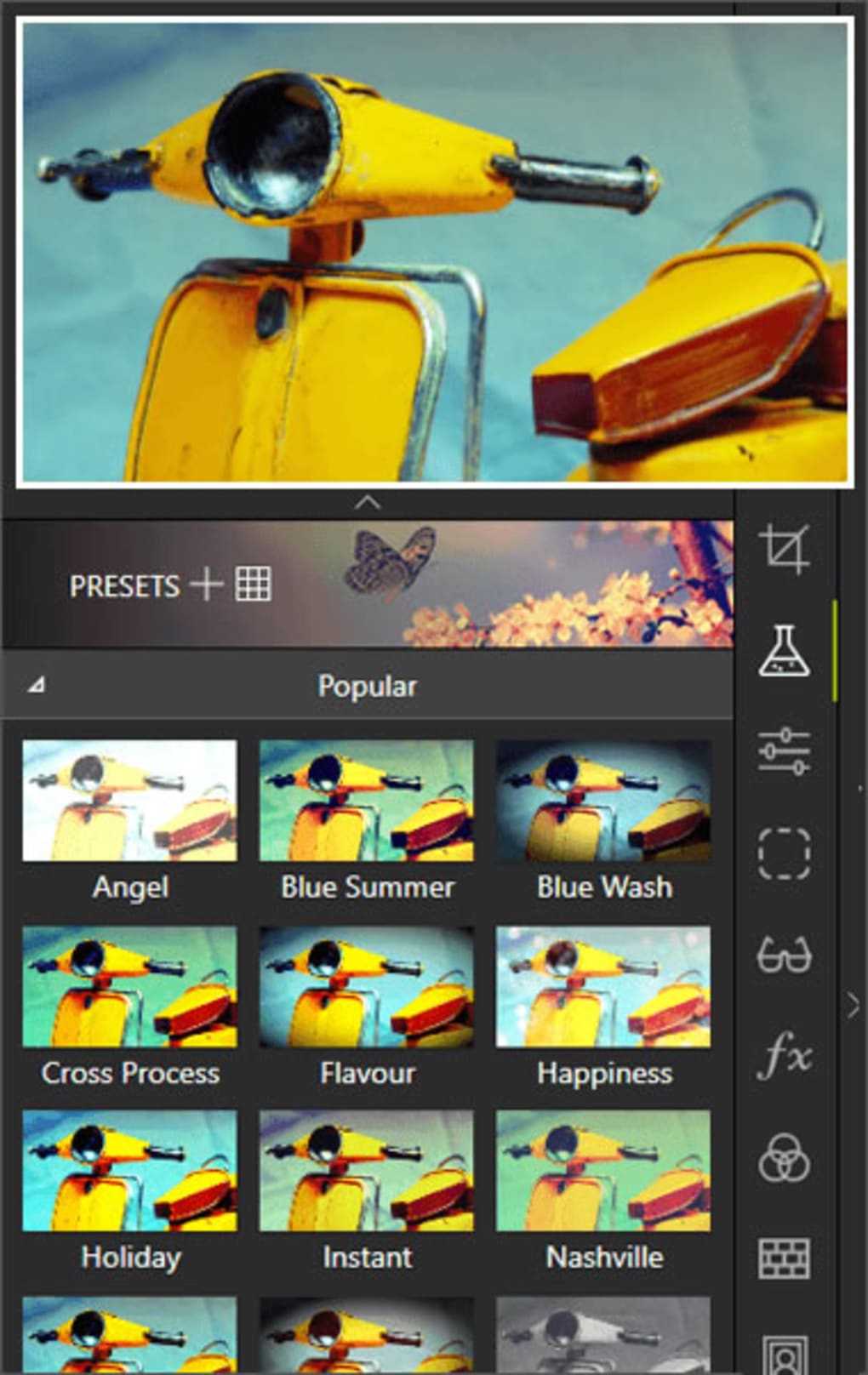
The software’s editing functions are organized into nine distinct categories:
-
Presets: This category houses the extensive collection of pre-set filters and effects, providing a quick way to drastically alter the mood and appearance of images. The selection is diverse, catering to various artistic styles and photographic needs.
-
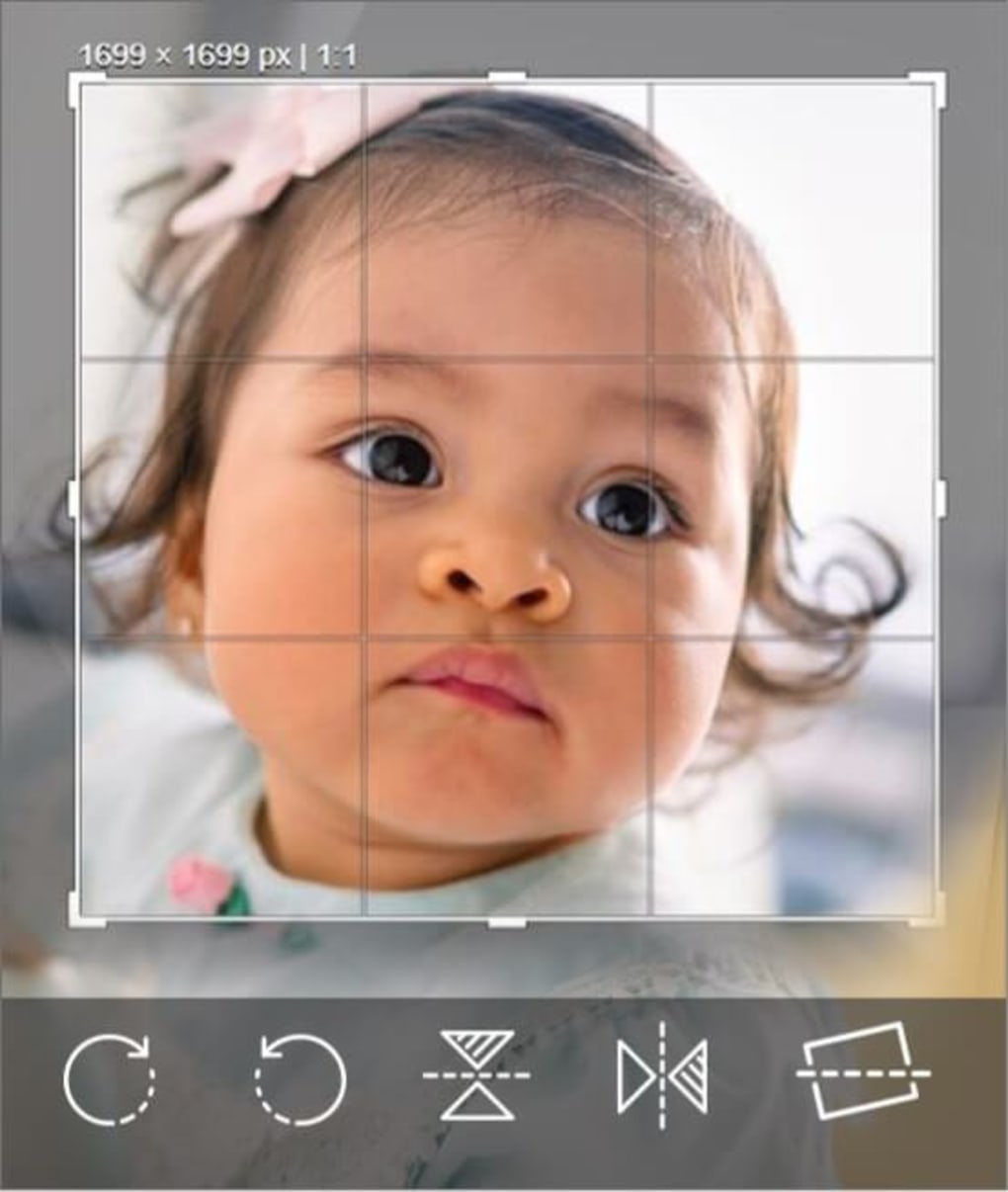
Cropping: This section offers a comprehensive range of cropping tools. Users can select from common aspect ratios or define custom dimensions, allowing precise control over image composition.
-
Image Adjustments: This crucial category focuses on manipulating the core aspects of the image, including brightness, contrast, saturation, and white balance. These adjustments are essential for improving image quality and achieving the desired visual effect.
-
Gradients (Premium): This premium feature allows for the addition of gradients to images, providing creative control over color transitions and visual effects. Gradients are a powerful tool for adding depth and complexity to images.
-
Sharpness and Noise Reduction (Premium): This premium feature enables precise control over image sharpness and noise reduction. These functions are critical for improving image clarity and eliminating unwanted artifacts.
-
Color Balance and Vignette: Users can fine-tune color balance to achieve accurate and consistent color representation. The vignette effect adds a darkening or lightening effect to the edges of the image, drawing focus to the central subject.

- Frames: A selection of frames is available to add a decorative border around the image, enhancing its visual appeal and providing a cohesive presentation.
-
Textures: This category allows users to overlay textures onto their images, providing additional visual interest and artistic expression.
-
Text: This simple yet effective tool enables users to add text to their images, useful for adding captions, watermarks, or other annotations.
While InPixio provides a robust collection of editing tools, it’s worth noting that certain advanced features like warping, liquifying, and layer manipulation are absent. This omission is understandable given that it is a free software package and targets a broader user base.
Performance and System Requirements
InPixio boasts a remarkably fast installation process and generally smooth performance. The software handles image processing efficiently, minimizing delays during editing and export. This speed is a significant advantage for users who need to edit a large number of images quickly. The system requirements are relatively modest, ensuring accessibility across a wide range of computer configurations.
Strengths and Weaknesses
Strengths:
- User-Friendly Interface: InPixio excels in its intuitive and well-organized interface, making it accessible to users of all skill levels.
- Comprehensive Feature Set: The software offers a broad range of editing tools, covering various needs from basic adjustments to advanced enhancements.
- Balance of Presets and Customization: The software successfully balances the convenience of pre-set effects with the flexibility of custom adjustments.
- Speed and Efficiency: InPixio demonstrates excellent speed and efficiency in both installation and image processing.
- Free Availability: The free version provides significant value, making it an accessible option for budget-conscious users.
Weaknesses:
- Limited Advanced Features: The absence of advanced features like layer support, warping, and liquifying might limit its appeal to professional users or those needing highly specialized editing capabilities.
- Premium Feature Restrictions: Some of the more advanced features, such as gradient tools and noise reduction, are restricted to the premium version.
- File Format Compatibility: The software’s compatibility with certain file formats might be limited, potentially requiring conversions for some images.
Comparison with Other Free Photo Editors
InPixio Free Photo Editor holds its own when compared to other free photo editing software. While it may not offer the extensive feature set of professional software like Adobe Photoshop, it surpasses many free alternatives in terms of user-friendliness and the breadth of its readily available editing tools. While programs like GIMP offer extensive capabilities, they often come with a steeper learning curve, while other simpler editors often lack the versatility of InPixio.
Conclusion
InPixio Free Photo Editor stands as a compelling choice for users seeking a user-friendly, feature-rich, and free photo editing solution. While it may not replace professional-grade software for complex tasks, its intuitive design, comprehensive features, and ease of use make it an excellent option for casual users, social media enthusiasts, and anyone looking to enhance their photos without breaking the bank. The careful balance between pre-set convenience and customizability caters to diverse user needs, making InPixio a valuable tool in the digital photography workflow. The premium features offer a worthwhile upgrade for users who need more advanced tools, but the free version itself offers remarkable capabilities for most users.
File Information
- License: “Free”
- Latest update: “July 11, 2023”
- Platform: “Windows”
- OS: “Windows 8.1”
- Language: “English”
- Downloads: “108.7K”
- Size: “13.38 MB”


