
Inspiration is a concept as elusive as it is powerful, driving human endeavor from the simplest idea to the most complex innovation. It’s the spark that ignites creativity, fuels problem-solving, and transforms abstract thoughts into tangible realities. While inspiration can strike unexpectedly, its effective utilization often requires structure and tools to capture, organize, and develop fleeting ideas into actionable plans. This is where specialized software like “Inspiration” for Windows steps in, offering a visual mapping and diagramming program designed to help users escalate their ideas to solid action plans. It bridges the gap between the initial flash of insight and the methodical execution required to bring those insights to fruition, providing a comprehensive platform for visualizing, thinking, organizing, and ultimately, learning.
Graphic diagram editors often carry a reputation for complexity, brimming with a multitude of tools and customization options that can overwhelm new users. However, “Inspiration” distinguishes itself by navigating past these initial hurdles, offering an easy-to-use yet remarkably complete diagramming solution. Available as a trial version for Windows, specifically version 10, and updated as recently as May 23, 2023, this application has garnered a rating of 3.6 out of 5 from hundreds of users, signifying its utility and user satisfaction. With over 58,000 downloads and consistent monthly activity, “Inspiration” has established itself as a reliable tool for a diverse audience. From students aiming to solidify study aids, to professionals planning intricate business structures, and even everyday individuals seeking a more ordered and practical way to transfer an idea to a solid plan, “Inspiration” proves itself to be a versatile companion in the journey from thought to action.
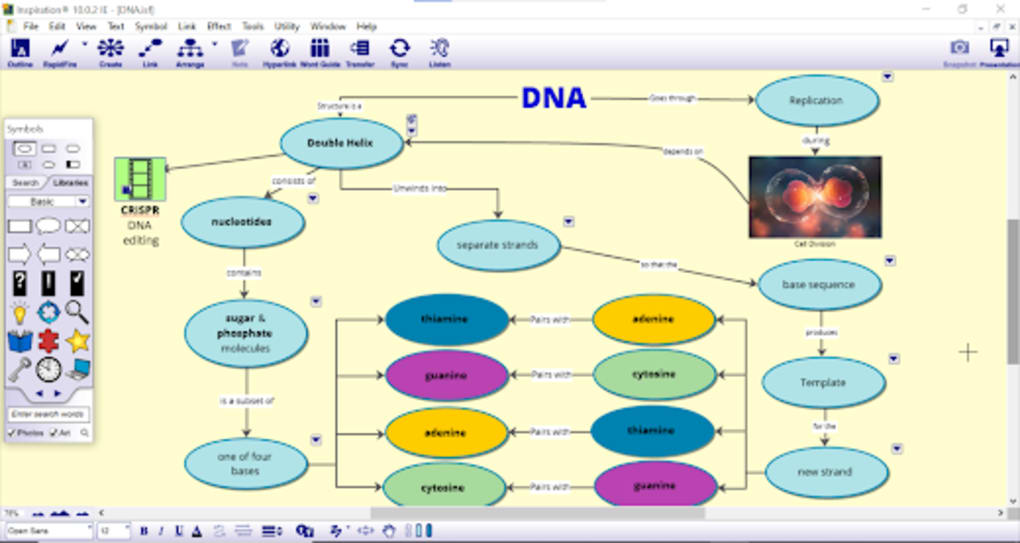
The fundamental operation of “Inspiration” is remarkably straightforward. Users typically begin with a central, main concept and then progressively drill down, expanding upon it with related ideas, sub-points, and supporting details. What truly elevates this application is its robust multimedia integration capabilities. Users are not limited to text alone; they can augment their diagrams with images, music, and other rich media elements to create truly comprehensive and engaging visual representations. Furthermore, the inherent modifiability of these diagrams ensures adaptability – plans can be easily adjusted, reordered, or refined as ideas evolve or new insights emerge. The interface itself is intuitively designed, allowing new users to grasp its core functionalities within moments of exploration. For those seeking deeper mastery, “Inspiration” provides an extensive array of resources, including a wide variety of templates, detailed help documents, and instructional videos. The presence of a floating Symbols bar further streamlines the diagramming process, making the task of constructing complex visuals both faster and more efficient.
The Core of Visualization: Unlocking Productivity and Clarity
At its heart, “Inspiration” is a powerful productivity tool that leverages the human capacity for visual thinking. Many individuals find that organizing information spatially, rather than linearly, dramatically enhances comprehension and retention. This is the cornerstone of mind mapping and visual diagramming, and “Inspiration” provides an excellent digital canvas for these techniques. By allowing users to visually link ideas, identify relationships, and hierarchy, the software transforms disparate thoughts into a coherent framework.
The ability to export diagrams to various formats—including its native .isf, PowerPoint (.ppt), or PDF (.pdf)—underscores its practicality in professional and academic settings. This feature enables users to seamlessly transition their organized thoughts into polished presentations or shareable documents. The built-in presentation feature is particularly useful, allowing for a direct conversion of a complex diagram into a navigable slide-show, thus saving time and effort in preparing reports or lectures. This direct integration streamlines workflows for individuals and teams alike, ensuring that the valuable insights captured in “Inspiration” are not trapped within the application but are readily communicable.
For professionals, the clarity gained from a well-structured visual map can be invaluable for strategic planning, brainstorming sessions, or outlining complex projects. The visual nature helps in identifying potential roadblocks, dependencies, and opportunities that might be missed in a purely textual outline. For individual users, organizing personal projects, learning a new skill, or even planning a vacation can be made significantly easier and more enjoyable when thoughts are laid out visually. This systematic approach to idea generation and organization is what makes “Inspiration” a potent ally in any endeavor requiring careful thought and execution. The app excels in transforming the abstract process of thinking into a concrete, editable, and presentable format, thereby significantly enhancing overall productivity and mental clarity.
Beyond the Classroom: Inspiration’s Role in Education and Learning
Education is a field where the “Inspiration” software finds some of its most profound applications. Students, from secondary school through university, are constantly tasked with absorbing, processing, and recalling vast amounts of information. Traditional note-taking methods, while useful, often fail to capture the interconnectedness of concepts, which is crucial for deeper understanding. “Inspiration” offers an alternative that aligns with how many brains naturally process complex data: visually.
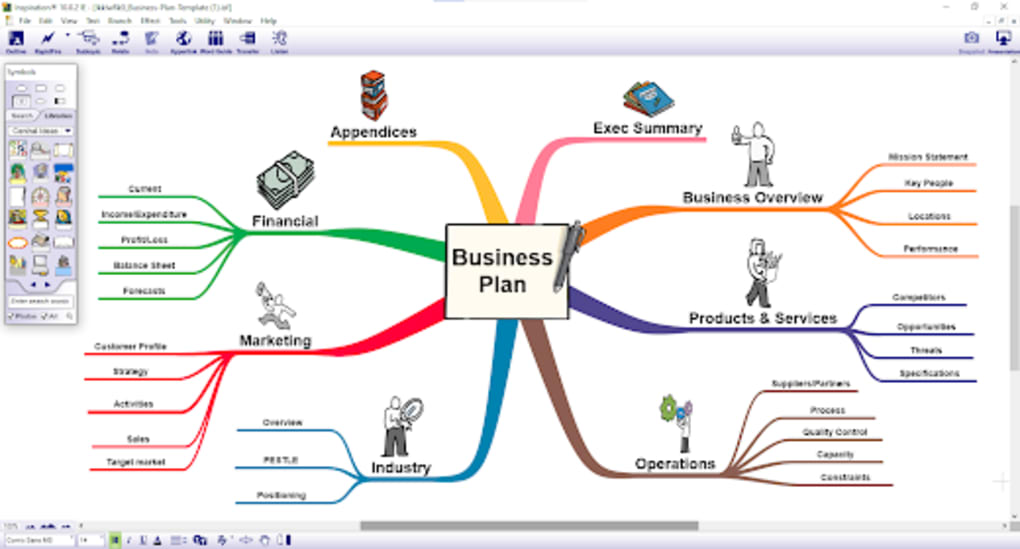
As a study aid, “Inspiration” allows students to create concept maps, flowcharts, and diagrams that illustrate relationships between ideas, historical events, scientific processes, or literary themes. This visual organization not only helps in breaking down complex topics into digestible chunks but also aids in memory recall. When studying for exams, a student can quickly review an entire chapter or lecture by simply scanning a well-constructed “Inspiration” diagram, rather than sifting through pages of linear notes. The integration of images and other media can further enhance the learning experience, making abstract concepts more concrete and memorable. For instance, a student studying anatomy could incorporate images of body parts directly into their diagram, linking them to physiological functions and medical terms.
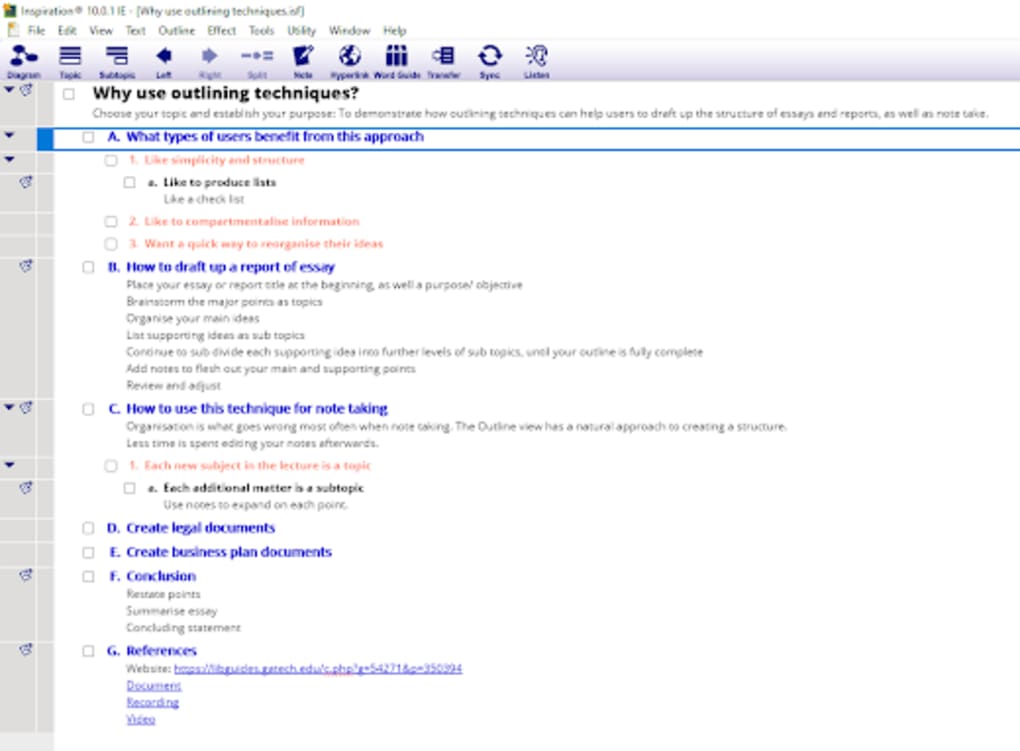
Furthermore, “Inspiration” supports project-based learning. When working on research papers or group projects, students can use the software to brainstorm ideas, assign roles, outline arguments, and structure their presentations. One user review on PhanMemFree.org highlighted its utility for spatially-oriented thinkers, stating, “I use regularly to write sermons and papers. It works well for people who think spatially—although I often use the outline tool on its own.” This underscores the flexibility of the tool, allowing users to switch between a visual diagram and a linear outline, catering to different thinking styles and project requirements. Teachers can also leverage “Inspiration” to design lesson plans, explain complex topics visually, or even assess student understanding through visual assignments. In essence, “Inspiration” fosters a dynamic and engaging learning environment, moving beyond rote memorization to promote genuine comprehension and critical thinking.
Driving Business Success: Strategic Planning and Project Management with Inspiration
In the dynamic world of business, where clarity, efficiency, and foresight are paramount, “Inspiration” emerges as a valuable asset for strategic planning and project management. Professionals across various industries can harness its visual capabilities to articulate complex business strategies, map out project timelines, and define organizational structures. The ability to visualize these elements facilitates better communication among team members, stakeholders, and clients.
For business development, “Inspiration” can be used for market analysis, competitor mapping, and developing new product roadmaps. A startup founder, for example, could use it to diagram their business model canvas, outlining value propositions, customer segments, revenue streams, and key partnerships in a single, coherent visual. This allows for quick iteration and refinement of ideas, crucial in the fast-paced entrepreneurial landscape. Project managers, on the other hand, can utilize the software to break down large projects into manageable tasks, assign responsibilities, and track dependencies. While it’s not a full-fledged project management suite, its ability to create clear, hierarchical diagrams provides a foundational visual plan that can then be integrated into more robust project management tools.
The software’s utility for professionals extends beyond planning. It serves as an excellent tool for preparing internal presentations, pitches to investors, or training materials for new employees. The export features, especially to PowerPoint and PDF, make sharing these insights seamless and professional. As one PhanMemFree.org reviewer noted, it’s “the best software to organize quickly ideas and projects… to describe a project and processes to implement it, to generate diagrams and organigrams, and to make presentations.” This feedback underscores its versatility and effectiveness in various business contexts, from initial ideation to final presentation. By providing a common visual language, “Inspiration” helps businesses ensure that everyone is on the same page, fostering collaboration and driving collective success towards strategic objectives.
Nurturing Creativity and Personal Growth: Inspiration in Everyday Life
While “Inspiration” is clearly a powerful tool for academic and professional environments, its design and versatility make it equally relevant for personal growth and everyday life. The quest for inspiration is not confined to boardrooms or classrooms; it permeates our daily experiences, driving our hobbies, personal projects, and self-improvement efforts. “Inspiration” provides a structured yet flexible framework for individuals to capture, explore, and develop these personal inspirations.
Consider the realm of lifestyle and hobbies. Someone planning a significant event like a wedding or a large family gathering could use “Inspiration” to map out tasks, assign roles, manage budgets, and visualize timelines, turning a potentially chaotic process into an organized endeavor. A budding writer might use it to plot out character arcs, intricate plotlines, or world-building details for a novel, transforming scattered ideas into a cohesive narrative structure. Gardeners could plan their landscaping projects, outlining plant placements, seasonal care, and irrigation systems. Home renovators could map out design ideas, material choices, and construction phases. The act of visually organizing these personal projects often sparks new ideas and reveals unforeseen connections, making the process more creative and enjoyable.
For personal development, “Inspiration” can be employed for goal setting, creating mind maps of personal strengths and weaknesses, or charting a learning path for a new skill. Its ability to incorporate multimedia means users can add images that evoke emotions or represent desired outcomes, making their personal maps more motivational. For example, a fitness enthusiast could create a workout plan incorporating images of their desired physique or healthy meals. The structured yet free-form nature of visual mapping allows for both rigorous planning and spontaneous ideation, making it an ideal companion for anyone looking to organize their thoughts, clarify their goals, or simply channel their creative energy into meaningful personal projects. It transforms abstract personal aspirations into concrete, manageable steps, fostering a sense of accomplishment and clarity in one’s personal journey.
Technical Considerations and Future Horizons
Despite its many advantages, “Inspiration” is not without its areas for potential improvement, primarily concerning its technical presentation and user experience in specific scenarios. One of the noted downsides, as identified in reviews on PhanMemFree.org, is the difficulty in working with several documents simultaneously. While the software supports multiple open documents, there isn’t a “handy way to move between them,” suggesting that a tab bar or a more intuitive document switching mechanism would significantly enhance user workflow, particularly for power users who might be juggling various projects.
Another aspect highlighted is the application’s aesthetic. Even on modern operating systems like Windows 7 (and by extension, Windows 10 today), “Inspiration” is described as looking “like something from the last decade.” This assessment points to an outdated user interface (UI) and design language that, while not impacting core functionality, can be a deterrent for users accustomed to the slick, modern interfaces prevalent in contemporary software. A refresh of its graphical elements, icons, and overall visual theme could significantly improve its appeal and perceived modernity, aligning it with current design trends without compromising its proven functionality. The “old-fashioned” look, as critics suggest, might inadvertently convey a sense of a less sophisticated tool, which belies its powerful capabilities.
Looking ahead, the evolution of such visual mapping tools could incorporate advancements in artificial intelligence (AI). Imagine an “Inspiration” tool that, perhaps through “AI Writing Assistant” or “AI Chat” integration, could suggest related concepts, expand on initial ideas, or even help structure a diagram based on natural language input. Features like dynamic templates that adapt to user input, or advanced collaboration tools that go beyond simultaneous document support to real-time co-editing, could also elevate the application. Integration with cloud storage services beyond simple backup, offering more seamless synchronization and sharing, would also be a natural progression.
Ultimately, “Inspiration” remains a highly usable and handy idea-mapping application that caters to a broad spectrum of users. Its intuitive approach to visual organization and its robust feature set for diagramming and presentation make it an invaluable tool for enhancing productivity, facilitating learning, and driving innovation. While a modern facelift and improved multi-document handling would undoubtedly polish its user experience, its core strength lies in its ability to empower users to translate their thoughts and ideas into structured, actionable plans, thereby fulfilling its promise to inspire and organize effectively.
File Information
- License: “Trial version”
- Latest update: “May 23, 2023”
- Platform: “Windows”
- OS: “Windows XP”
- Language: “English”
- Downloads: “58.3K”
- Size: “162.82 MB”


