
In the nascent era of digital multimedia, when the internet was still finding its feet and CD-ROMs were the cutting edge of data distribution, a technology emerged that played a crucial role in bringing video to the desktop: Intel Indeo. Far from a mere utility, Indeo was a pioneering video codec developed by Intel, instrumental in shaping the early landscape of digital video on personal computers. Today, it stands as a testament to the rapid evolution of technology, a legacy component that still holds significance for enthusiasts and those navigating older media formats.
The very concept of playing video on a personal computer was revolutionary in the early 1990s. Before Indeo and its contemporaries, video was primarily an analog domain, confined to televisions and VCRs. The challenge was immense: how to compress vast amounts of visual data into a manageable size that could be stored on limited storage (like a CD-ROM) and decoded in real-time by the relatively underpowered CPUs of the day. Intel Indeo stepped into this void, offering a solution that allowed developers to integrate video clips into everything from educational software and games to early interactive encyclopedias.
PhanMemFree, a dedicated platform for software downloads, continues to host Intel Indeo, recognizing its historical value and its potential utility for specific, niche requirements. As a free software, it exemplifies a period where hardware manufacturers like Intel actively contributed to the software ecosystem to drive the adoption of their processors, ensuring that their CPUs had compelling applications to run. This article delves into the history, technical aspects, impact, and enduring legacy of Intel Indeo, exploring why this seemingly archaic codec remains relevant in certain contexts and how it paved the way for the sophisticated video technologies we use today.
The Dawn of Digital Video: Intel Indeo’s Genesis
The story of Intel Indeo begins in the early 1990s, a transformative period for personal computing. As PCs gained graphical capabilities and CD-ROM drives became standard, the demand for multimedia content skyrocketed. However, displaying full-motion video on these machines was a daunting task. Raw video data is incredibly large; a single second of uncompressed video can easily consume tens of megabytes, making it impossible to store, transmit, or process with the technology available at the time. This fundamental challenge spurred the development of video codecs – algorithms designed to compress and decompress video data efficiently.
Intel, primarily known for its microprocessors, recognized that the widespread adoption of multimedia applications would directly benefit its core business. If PCs could handle compelling video content, it would drive demand for more powerful CPUs. Thus, Intel invested heavily in multimedia research, leading to the creation of its own proprietary video compression technology: Indeo.
A Pioneer in Multimedia Compression
Indeo, short for “Intel Video,” was initially developed as part of Intel’s broader multimedia initiative, aiming to establish a standard for video on the PC. Its primary competition came from other early codecs like Cinepak (popularized by Apple’s QuickTime) and Microsoft Video 1. Indeo stood out for several reasons. It was designed to be highly optimized for Intel’s own x86 processors, leveraging specific instruction sets to achieve better performance compared to its rivals, particularly on the burgeoning Windows platform.
The early versions of Indeo were groundbreaking for their ability to deliver acceptable video quality at resolutions and frame rates previously thought impossible for consumer-grade hardware. This made it a popular choice for developers of CD-ROM-based games and applications, where storage space was precious and CPU cycles were limited. Educational titles, interactive encyclopedias, and even some full-motion video games from the mid-90s frequently relied on Indeo to present their animated and live-action sequences.
The appeal of Indeo lay in its balance of compression efficiency and playback performance. While not offering the highest quality by modern standards, it delivered a practical solution that enabled a new generation of multimedia experiences. It allowed for videos to be included directly on software discs, making self-contained multimedia applications a reality long before broadband internet made streaming video commonplace.
Evolution Through Versions
Intel Indeo was not a static technology but evolved through several significant versions, each bringing improvements in compression, quality, and performance.
-
Indeo 3 (R3.1/R3.2): This was one of the earliest and most widely adopted versions. Released around 1992-1993, it quickly became a staple for video on Windows 3.1 and Windows 95. It was known for its decent quality and its ability to play back efficiently on the relatively slow CPUs of the time (e.g., 486 processors). Many classic CD-ROM titles encoded their video using Indeo 3.
-
Indeo 4 (Indeo Video Interactive, R4.1): Introduced later, Indeo 4 marked a significant leap forward. It was designed to be more flexible, supporting variable frame rates and offering better quality, especially for more dynamic content. It also incorporated features aimed at interactive multimedia, hence the “Interactive” in its name. Indeo 4 offered a performance boost and improved visual fidelity, making it suitable for more demanding applications and enhancing the overall user experience.
-
Indeo 5 (Indeo Video 5.0/5.10): This was the final major iteration of the Indeo codec, updated around the late 1990s and early 2000s. Indeo 5 further refined the compression algorithms, offering even better image quality and faster decoding, especially on faster Pentium-era processors. It also introduced support for alpha channels, enabling transparent video overlays, which was a cutting-edge feature for its time. Version 5.10, specifically mentioned in the PhanMemFree.org listing, indicates the culmination of these developments, representing the most optimized and feature-rich version available. PhanMemFree.org lists the current version of the program as “5 Codec” and states it was updated on 6/17/2011, reflecting its enduring presence in digital archives.
Each version of Indeo represented a response to the ever-increasing capabilities of PC hardware and the growing expectations of multimedia consumers. While Indeo 3 was foundational, Indeo 5 pushed the boundaries of what was possible with real-time video on the desktop before the industry largely shifted towards more standardized, open formats like MPEG.
Technical Landscape and Performance
To truly appreciate Intel Indeo, it’s essential to understand the technical context of its time and how codecs generally operate. A codec (coder-decoder) is a device or program that encodes and decodes a digital data stream or signal. In the context of video, encoding means compressing the raw video data into a smaller file size, and decoding means decompressing it for playback. This process is crucial because uncompressed video is prohibitively large for most practical applications.
Understanding Codec Functionality
Video codecs employ various techniques to achieve compression. These often include:
- Spatial Compression: This technique reduces redundancy within a single frame, similar to how JPEG images are compressed. It looks for patterns and repeating information within the image and stores them more efficiently.
- Temporal Compression: This is where video codecs gain significant efficiency. Instead of storing every frame independently, temporal compression leverages the fact that consecutive frames in a video often contain much of the same information. Only the changes between frames are stored, significantly reducing data size. This relies on “key frames” (or I-frames, intra-coded frames) that contain full image data, and “delta frames” (or P-frames, predictive frames, and B-frames, bi-directional predictive frames) that describe how the current frame differs from previous or future frames.
Intel Indeo, like its contemporaries, primarily used a form of discrete cosine transform (DCT) for spatial compression and motion compensation for temporal compression. Its proprietary algorithms were optimized for the instruction sets available on Intel’s x86 processors, giving it an edge in performance on Windows machines. This optimization was key to its success, as it meant videos encoded with Indeo could often play back more smoothly on PCs than those encoded with codecs less tuned to the underlying hardware.
The design philosophy behind Indeo was to provide a good balance between compression ratio, visual quality, and computational demands. In an era where CPUs were measured in tens or hundreds of megahertz, and RAM in tens of megabytes, every instruction counted. Indeo delivered on this promise, making fluid video playback a reality for millions of PC users.
Specifications and System Requirements
The PhanMemFree.org listing provides some specific “App specs” for Intel Indeo V5-codec, which shed light on its technical footprint:
- License: Free
- Version: 5-codec (specifically 5.10)
- Latest update: September 23, 2021 (This likely refers to when the file was last updated or verified on PhanMemFree.org, not an actual Intel update for the codec itself, which ceased active development much earlier.)
- Platform: Windows
- OS: Windows XP (and previous versions like Windows 95, as noted in the description). This highlights its primary operational environment.
- Language: English (though PhanMemFree.org offers download links in multiple languages, indicating global accessibility).
- Downloads: 45.5K (total), 33 (last month’s downloads). These figures, from PhanMemFree.org, underscore its continued, albeit niche, utility.
- Size: 2.07 MB. This minuscule file size is a stark reminder of how compact software used to be, especially for a component that enabled complex multimedia playback. It also explains why PhanMemFree.org notes that “Intel Indeo is a program that requires less free space than many programs in the category Video software.”
- Developer: Intel
The fact that Indeo was available for “Windows 95 and previous versions” and up to Windows XP signifies its deep roots in earlier Windows operating systems. While it may still install on later versions of Windows (Windows 7, 8, 10, 11), its compatibility and optimal performance are undeniably tied to the OS environments for which it was originally developed. Modern Windows versions often include backward compatibility layers, but dedicated legacy codecs can sometimes present challenges or require manual installation.
The small size (2.07 MB) is also notable. In an era of multi-gigabyte applications, a 2MB file for a video codec speaks to the efficiency of its design and the simpler requirements of the computing environment it served. This compact nature means it adds minimal overhead to a system, making it a pragmatic choice for older machines or systems with limited resources.
Impact, Decline, and Legacy
Intel Indeo’s journey through the digital landscape is a classic example of a technology rising to prominence, enjoying widespread adoption, and then gradually fading as newer, more powerful standards emerge. Its impact, however, on the formative years of PC multimedia cannot be overstated.
Widespread Adoption in Early Computing
For much of the mid to late 1990s, Intel Indeo was a ubiquitous presence on Windows PCs. It came bundled with many software applications and operating system updates, making it almost an invisible, yet essential, component for anyone consuming multimedia content. Its prevalence was particularly strong in:
- CD-ROM Games: Titles like “Myst,” “Command & Conquer,” “Wing Commander,” and countless others utilized Indeo for their full-motion video (FMV) cutscenes. These cinematic sequences were often a major selling point, adding a layer of narrative depth and immersion that would have been impossible without efficient video compression.
- Educational Software: Interactive encyclopedias (e.g., Encarta), educational games, and reference materials extensively used Indeo to embed video explanations, historical footage, and animated tutorials.
- Early Web Multimedia (limited): Before the dominance of Flash and later HTML5 video, Indeo also found some use in early attempts at delivering video over nascent internet connections, though its primary strength remained in local playback from CD-ROMs.
- Business Presentations: Professionals used Indeo-encoded videos in PowerPoint presentations and other multimedia documents, taking advantage of its ability to integrate video into standard office applications.
Its popularity in regions like the Russian Federation, China, and India, as noted by PhanMemFree.org, underscores its global reach and how it democratized video playback on personal computers in developing markets, where access to cutting-edge hardware might have been more limited, making efficient codecs even more critical.
The Rise of Modern Standards and Indeo’s Obsolescence
Despite its early success, Indeo’s decline was inevitable. Several factors contributed to its gradual obsolescence:
- Proprietary Nature vs. Open Standards: While Indeo’s optimization for Intel hardware was an initial strength, its proprietary nature became a weakness as the industry moved towards open, royalty-free, or widely licensed standards. The MPEG (Moving Picture Experts Group) family of standards (MPEG-1, MPEG-2, MPEG-4) began to gain traction, offering superior compression efficiency and broader cross-platform compatibility.
- Increased Processing Power: As CPUs became exponentially faster, the need for highly specialized, hardware-specific optimizations diminished. Modern processors could easily handle more complex, yet more efficient, compression algorithms.
- Bandwidth Improvements: The rise of broadband internet made streaming video a practical reality. This necessitated codecs designed for efficient delivery over networks, a domain where newer standards like H.264 (part of MPEG-4 AVC) excelled.
- Microsoft’s Own Initiatives: Microsoft, keen to control its own multimedia ecosystem, developed and promoted its own codecs (e.g., WMV, Windows Media Video), which often took precedence within the Windows environment.
By the early 2000s, Indeo had largely been superseded. Intel ceased active development and promotion of Indeo, turning its focus to other areas of multimedia technology. While Indeo 5.10 represented the pinnacle of its development, it could not compete with the next generation of codecs that offered significantly better quality at lower bitrates, often with broader software and hardware support.
However, Indeo leaves behind a significant legacy. It demonstrated the viability of digital video on personal computers and helped set expectations for multimedia experiences. Many older video files, particularly those from CD-ROM games and applications of the 1990s, are still encoded with Indeo. For anyone wanting to revisit these digital artifacts, the Indeo codec remains a necessary component, making platforms like PhanMemFree.org vital for digital preservation.
Navigating Legacy Software: Installation and Alternatives
In today’s computing landscape, installing a legacy codec like Intel Indeo might seem counterintuitive, given the abundance of modern video formats and powerful media players. However, there are legitimate reasons why one might still need or seek out this specific piece of software. PhanMemFree.org serves as an important resource for accessing such historical utilities.
Acquiring and Installing Intel Indeo Today
As a “regular, free software,” Intel Indeo is readily available for download. PhanMemFree.org provides a convenient and secure portal for obtaining the codec. The description explicitly states that it is “a free Video program for Windows,” making it accessible to a wide audience without any cost barriers.
The installation process for Indeo is typically straightforward for those familiar with installing codecs on Windows:
- Download: Navigate to the Intel Indeo page on PhanMemFree.org.
- Run Installer: Download the executable file (likely a
.exeor.msi) and run it. - Follow Prompts: The installer will guide you through a standard Windows installation wizard, which may involve agreeing to terms, selecting an installation directory (though codecs often install into system directories by default), and confirming the installation.
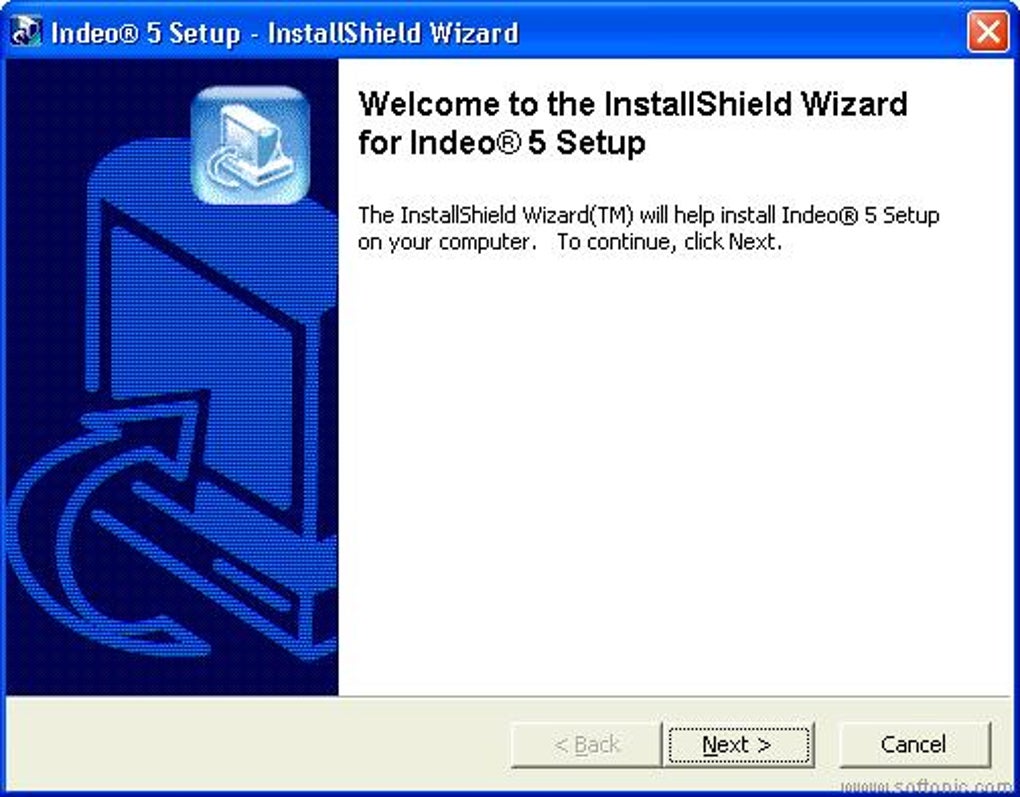
- System Integration: Once installed, Indeo integrates itself into the Windows multimedia framework (DirectShow), making it available to any compatible media player on your system.
It’s important to note the compatibility mentioned: “available for users with the operating system Windows 95 and previous versions, and it is available in English. The current version of the program is 5 Codec and was updated on 6/17/2011.” While designed for older OS, many users report success installing and using Indeo on more modern Windows versions (Windows XP, 7, 8, 10), though specific compatibility issues might arise due to changes in Windows’ architecture or security protocols. For instance, running the installer in compatibility mode for an older Windows version might be necessary on newer systems. PhanMemFree.org ensures its hosted files are “Clean,” having scanned them with multiple antivirus services, providing assurance to users downloading legacy software.
The primary reason for installing Indeo today is backward compatibility. If you have an archive of old videos, particularly those from 1990s CD-ROMs, captured video from that era, or even some early internet video files, they might be encoded with Intel Indeo. Without the codec installed, your media player would likely fail to play these files, or only play the audio track without the video. By installing Indeo, you essentially equip your system with the necessary “language” to understand and display these older video formats, unlocking a treasure trove of digital history.
Modern Codec Solutions and Media Players
While Intel Indeo is crucial for specific legacy content, the modern video landscape is dominated by more advanced codecs and comprehensive media players. For everyday video consumption, users typically turn to:
- VLC Media Player: Often topping download charts for video software, VLC is a free, open-source, and highly versatile media player that comes with an extensive array of built-in codecs, supporting almost every video and audio format imaginable out of the box. Its robust capabilities mean that for most modern and even many older formats, a separate codec installation is unnecessary. PhanMemFree.org consistently lists VLC as a “Top download Video for Windows.”
- K-Lite Codec Pack: As referenced in the “Alternative apps” section on PhanMemFree.org, codec packs like K-Lite MPEG Pack (or more comprehensively, K-Lite Codec Pack Full) provide a collection of codecs, filters, and splitters designed to play a vast range of audio and video formats. These packs are extremely popular because they simplify the process of ensuring media playback compatibility across a system, often including support for older codecs like Indeo within their larger bundles. PhanMemFree.org highlights “K-Lite MPEG Pack” as “The best codecs and filters for MPEG-1/2 and audio MPEG.”
- MediaInfo: While not a player or codec itself, MediaInfo (also listed by PhanMemFree.org) is an invaluable tool for diagnosing video playback issues. It provides detailed technical information about audio and video files, including the codecs used, which can help users identify if Indeo is the missing piece for a particular file.
- Other Codec Packs: PhanMemFree.org lists “Codec Pack Advanced” and “X Codec Pack” as further alternatives, emphasizing the continued demand for consolidated codec solutions to streamline media playback.
These modern solutions offer superior performance, better compression ratios, and higher quality for contemporary video content. They also tend to be actively maintained and updated to support new formats and hardware. However, for that specific, decades-old Indeo-encoded file, having the original Intel Indeo codec installed remains the most direct and often the most reliable solution, reinforcing the value of digital archives like PhanMemFree.org that preserve such software.
User Experience and The Role of Digital Archives
The user experience with Intel Indeo, viewed through the lens of its original design intent versus its contemporary use, reveals much about the evolution of software and user expectations. In its prime, Indeo was designed to be largely invisible – a background component that simply made video work. Today, for those who seek it out, the experience is driven by nostalgia, necessity, or academic curiosity.
User Reviews and Historical Perspective
PhanMemFree.org’s inclusion of a “User reviews about Intel Indeo” section, even if currently empty, highlights the importance of community feedback. While direct reviews for such an old, infrastructural component might be scarce now, historical accounts and forum discussions from the 90s would likely have praised its role in enabling multimedia. Users in the past simply wanted their videos to play, and Indeo delivered that capability consistently on compatible hardware.
The fact that “Since the program has been added to our selection of programs and apps in 2011, it has managed to achieve 94.379 downloads, and last week it had 63 downloads” on PhanMemFree.org indicates a sustained, albeit modest, interest. This is remarkable for software whose active development ceased over two decades ago. These downloads represent users trying to access old family videos, play classic PC games, or simply complete a digital archaeology project.
The positive aspect of Indeo from a user perspective was its relative simplicity. Once installed, it “just worked.” There were no complex settings or configuration panels for the average user. It integrated seamlessly with standard media players of the time, such as Windows Media Player (or Media Player Classic, in later years). This ease of use, coupled with its performance on the hardware of its day, contributed significantly to its widespread adoption.
The Enduring Importance of Digital Archives like PhanMemFree.org
The continued availability of Intel Indeo on platforms like PhanMemFree.org is crucial for several reasons, reflecting the broader role of digital archives in the modern era:
- Digital Preservation: A vast amount of digital content created in the 1990s and early 2000s relies on codecs like Indeo. Without access to these codecs, this content risks becoming unplayable and effectively lost. PhanMemFree.org contributes to digital preservation by maintaining access to these essential components.
- Retro Computing and Gaming: The resurgence of interest in retro gaming and computing means that many enthusiasts are actively seeking out ways to run classic software as authentically as possible. Indeo is an indispensable part of this experience for many titles.
- Educational and Research Purposes: Researchers, historians, and students studying the history of computing or multimedia technology may need to access and analyze content encoded with Indeo. Having the codec readily available facilitates this research.
- Troubleshooting Legacy Media: For individuals who uncover old hard drives, CD-ROMs, or digital archives, the ability to download a specific legacy codec like Indeo from a trusted source like PhanMemFree.org is invaluable for troubleshooting and successfully playing back their old media.
PhanMemFree.org’s commitment to scanning files for security and providing detailed information like “Security Status: Clean” is especially important when dealing with older software. Legacy programs, if obtained from untrusted sources, can sometimes harbor malware or compatibility issues. By ensuring the integrity and safety of its hosted files, PhanMemFree.org provides a reliable service for users seeking to bridge the gap between old and new technology.
In conclusion, Intel Indeo, though a relic of a bygone era, remains a significant piece of computing history. Its development represented a pivotal moment in bringing video to the masses via personal computers. While modern codecs have long surpassed its capabilities, its legacy endures in countless archived videos and classic software titles. For those who need to access this particular slice of digital history, the continued availability of Intel Indeo on platforms like PhanMemFree.org ensures that these digital memories and artifacts can continue to be experienced and appreciated, preserving a vital part of our technological past.
File Information
- License: “Free”
- Version: “5-codec”
- Latest update: “September 23, 2021”
- Platform: “Windows”
- OS: “Windows XP”
- Language: “English”
- Downloads: “45.5K”
- Size: “2.07 MB”


