
Intel Unison is a free business and productivity software designed to seamlessly connect and manage multiple devices, primarily PCs and smartphones. Its cross-platform compatibility makes it a versatile tool for both personal and professional use, creating a unified digital experience that simplifies file transfers, communication, and notification management across your various devices. This review explores the features, benefits, and drawbacks of Intel Unison, providing a comprehensive assessment of its capabilities and overall user experience.
Streamlined Mobile and File Transfer Capabilities
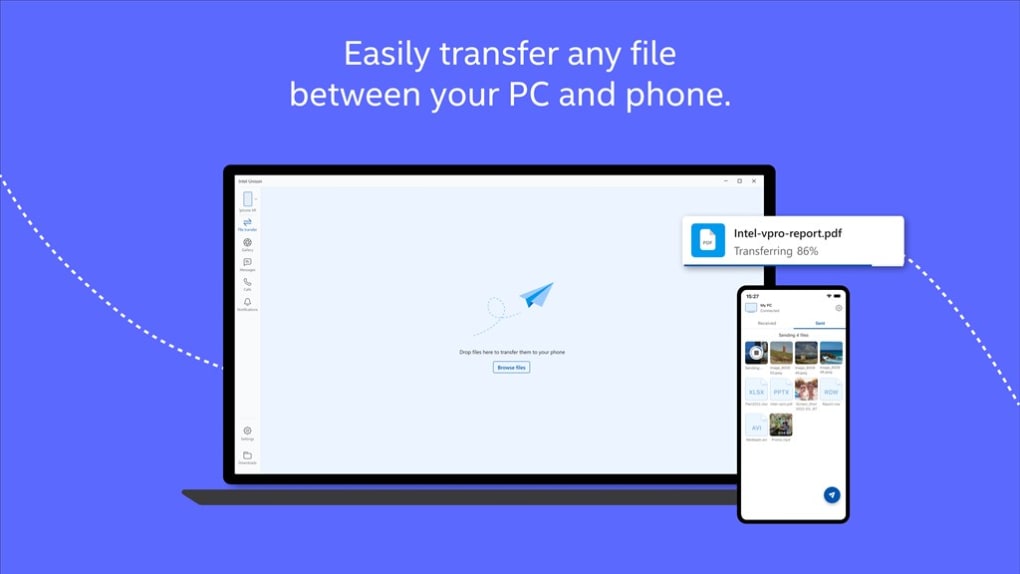
At its core, Intel Unison aims to bridge the communication gap between smartphones and PCs, making everyday tasks remarkably simpler. Imagine effortlessly texting from your PC, downloading media with a single click, or initiating calls without ever touching your phone. This is the promise of Intel Unison, a promise largely fulfilled through its intuitive interface and streamlined workflows. The software excels in its ability to facilitate quick, one-click file transfers, significantly reducing the complexities and time associated with traditional methods like emailing files or utilizing cloud storage services for small transfers. This simplicity is particularly valuable for users constantly juggling data between their mobile and desktop environments.

However, the user experience isn’t without its imperfections. Some users report occasional lag or minor connectivity issues that can disrupt the otherwise smooth operation of the software. These instances, while not frequent for all users, highlight the need for ongoing optimization and improvements in network stability and data transfer speeds. These inconsistencies, though relatively minor for many, can be frustrating when dealing with time-sensitive tasks or large file transfers.
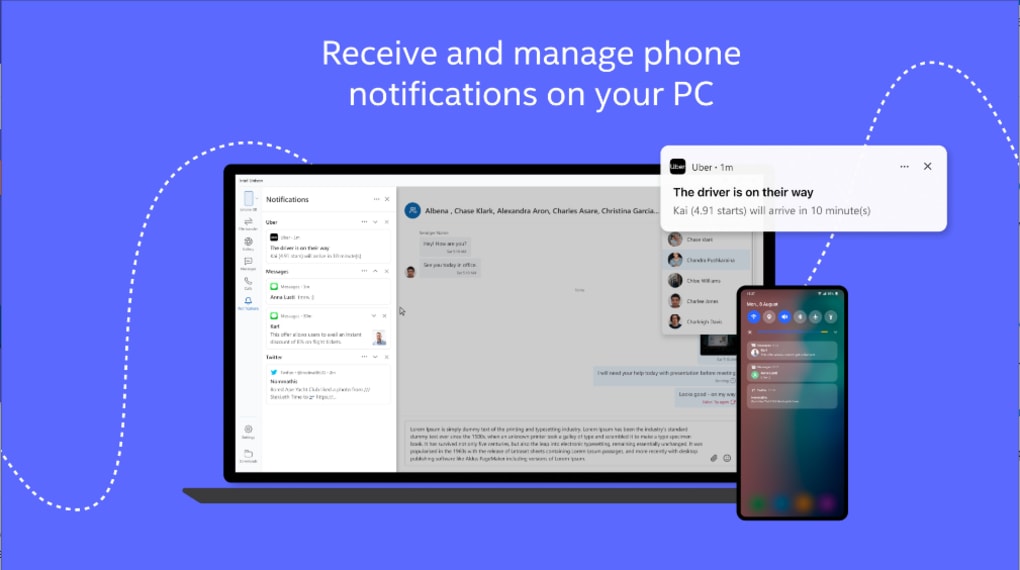
Beyond file transfers, the notification mirroring feature is a compelling aspect of Intel Unison. Users can receive and manage smartphone notifications directly on their PC screen, ensuring they don’t miss critical updates like emails, messages, or calendar alerts. This functionality is particularly beneficial for multitasking individuals who often switch between their PC and smartphone, keeping them informed and responsive without constant device switching. However, as with file transfers, occasional delays in synchronizing notifications can occur, leading to a slight lag in receiving updates, which, again, detracts from the intended seamlessness.
A User-Friendly Approach to Device Management
Intel Unison presents a practical and user-friendly solution for those managing multiple devices. Its seamless file transfers, real-time notifications, and overall ease of use make it a powerful asset for both personal and professional endeavors. The intuitive interface minimizes the learning curve, making it accessible to both tech-savvy users and those less familiar with complex software. The straightforward setup process allows even non-technical users to quickly leverage its features and benefits. This accessibility is a major strength of the software, broadening its appeal to a wider range of users.
The value proposition of Intel Unison extends beyond mere convenience. By centralizing communication and data management, it fosters increased productivity. The ability to respond to messages, transfer files, and monitor notifications all from a single interface significantly reduces context switching and streamlines workflows, freeing up valuable time and mental energy. This efficiency enhancement is particularly attractive to professionals who rely heavily on seamless communication and data exchange between their mobile and desktop environments.
Addressing Limitations and Potential Improvements
While Intel Unison offers a significant enhancement to cross-device management, acknowledging its limitations is crucial for a balanced assessment. The reported instances of lag and connectivity issues, while not universally experienced, indicate areas needing attention. These issues might stem from network congestion, software bugs, or compatibility problems with certain devices or operating systems. Addressing these inconsistencies through software updates and improvements in network optimization is paramount to enhancing the overall user experience.
Furthermore, expanding the range of supported devices and platforms would significantly broaden the appeal of Intel Unison. Currently, while the focus is on PCs and smartphones, integrating support for other devices such as tablets or smartwatches could greatly enhance its versatility and utility. This expansion would align Intel Unison with the increasingly diverse ecosystem of connected devices prevalent in modern life.
Another aspect that could be improved is the integration with existing productivity tools. For instance, tighter integration with email clients, calendar applications, and messaging platforms could create a more cohesive and efficient workflow. Seamless synchronization and interaction with these tools would further streamline data management and communication across devices.
Finally, enhancing the security features would bolster user confidence and trust. Robust encryption protocols and authentication methods are crucial to protect sensitive data during transfer and synchronization. Strengthening these features would ensure the security and privacy of user information, solidifying its position as a reliable and trustworthy tool for managing sensitive data across multiple devices.
Comparison with Alternative Solutions
Intel Unison faces competition from various other software solutions aimed at achieving similar cross-device connectivity. These alternatives range from open-source projects to commercial offerings, each with its strengths and weaknesses. While some offer broader device support or advanced features, Intel Unison stands out due to its simplicity and ease of use. Its focus on user-friendliness sets it apart from more complex and technically demanding solutions, making it accessible to a wider audience.
However, comparing Intel Unison solely on its current feature set may not be entirely fair. The software is still relatively new, and ongoing development and updates suggest that its capabilities will likely expand and improve in the future. Future updates could address current limitations and potentially incorporate features found in competing solutions, leading to a more robust and comprehensive offering.
Conclusion: A Promising Tool with Room for Growth
Intel Unison presents a compelling solution for managing multiple devices, simplifying file transfers, notifications, and communication. Its user-friendly interface and straightforward design make it a highly accessible tool for users of all technical skill levels. The potential for increased productivity through centralized communication and data management is substantial.
However, the occasional lag and connectivity issues, along with the relatively limited device and platform support, highlight areas for improvement. Addressing these limitations through continuous software updates and expanding the range of supported devices and platforms will be crucial to solidifying its position in the competitive landscape of cross-device connectivity solutions. Despite its current limitations, Intel Unison represents a promising tool with a strong foundation, poised for further development and enhancement in the future, ultimately offering a more streamlined and efficient digital experience for its users.
File Information
- License: “Full”
- Latest update: “April 16, 2025”
- Platform: “Windows”
- OS: “Windows 11”
- Language: “English”
- Downloads: “178.7K”
- Size: “1.10 MB”


