
In the dynamic and often demanding world of small and medium-sized businesses, managing finances, tracking sales, and maintaining accurate inventory can quickly become an overwhelming endeavor. The traditional methods involving stacks of paper, complex spreadsheets, and manual calculations are not only time-consuming but also prone to errors, hindering growth and efficiency. For entrepreneurs and business owners striving to streamline their operations, reduce administrative burden, and reclaim valuable time, the need for a robust yet accessible solution is paramount. This is precisely where Invoice Expert steps in, offering a comprehensive, user-friendly, and, most importantly, free software package designed to revolutionize the way businesses handle their invoicing, billing, and inventory management.
Revolutionizing Business Operations with Invoice Expert
The landscape of modern business demands agility, precision, and efficiency. Yet, many enterprises, particularly those in their formative stages or operating with limited resources, find themselves bogged down by the minutiae of administrative tasks. Invoice Expert emerges as a beacon of practicality, providing a powerful suite of tools that addresses these core challenges head-on. By distilling complex financial processes into intuitive functions, it empowers businesses to operate smarter, not harder.
The Challenge of Traditional Invoicing
For decades, invoicing and billing have been synonymous with tedious paperwork. Businesses would spend countless hours generating invoices, meticulously tracking payments, and reconciling accounts, often diverting critical resources away from core business activities. This manual approach is fraught with several inherent problems:
- Time Consumption: The sheer volume of data entry, printing, mailing, and follow-up associated with manual invoicing can eat into a significant portion of a workday. For small businesses with limited staff, this translates to lost productivity and opportunity costs.
- Error Proneness: Human error is an inevitable factor in manual processes. Miscalculations, forgotten items, incorrect client details, or missed payment deadlines can lead to financial discrepancies, damaged client relationships, and even legal complications.
- Lack of Centralization: Without a unified system, invoices, payment records, and inventory data often reside in disparate locations – physical files, various spreadsheets, or different software applications. This fragmentation makes it incredibly difficult to get a holistic view of a business’s financial health and operational status.
- Delayed Payments: Inefficient invoicing procedures can directly contribute to delays in payment. If invoices are not sent promptly, are unclear, or if follow-up is inconsistent, cash flow can suffer significantly, impacting a business’s ability to meet its own financial obligations.
- Inventory Management Headaches: Beyond invoicing, managing inventory manually is another monumental task. Tracking stock levels, identifying fast-moving items, managing returns, and preventing overstocking or stockouts require constant vigilance and accurate record-keeping, which manual systems often fail to provide effectively.
These challenges collectively underscore the urgent need for an automated, integrated solution. The question for many small and medium businesses isn’t if they need such a system, but what kind of system offers the best balance of features, ease of use, and affordability.
Introducing Invoice Expert: Your Free Solution
Recognizing these pervasive pain points, Invoice Expert was developed as a direct response to the needs of contemporary small and medium-sized businesses. It is not just another piece of software; it’s a strategic tool designed to eliminate the frustrations associated with traditional billing and inventory management. The most compelling aspect of Invoice Expert is its accessibility: it’s a completely free software package. This eliminates a significant barrier to entry for startups and smaller enterprises that might be hesitant to invest in expensive proprietary solutions.
Invoice Expert provides a comprehensive suite that simplifies three critical areas:
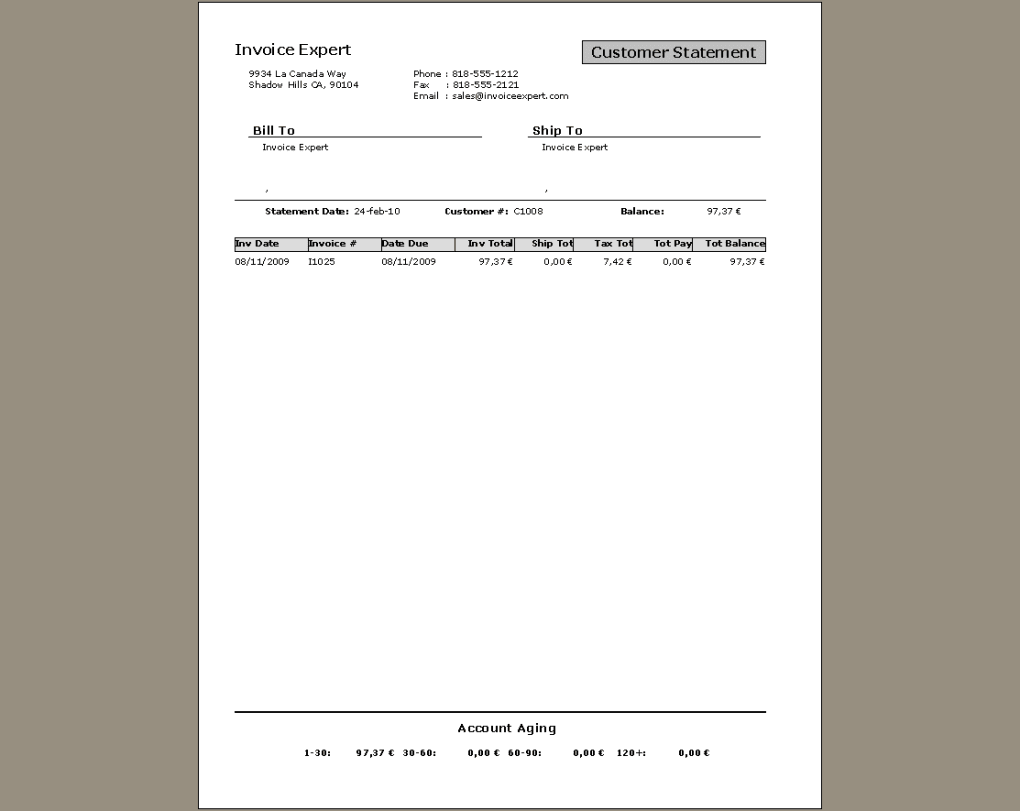
- Invoice Creation: Generate professional, accurate invoices quickly and efficiently, moving away from time-consuming manual generation.
- Billing Management: Keep track of outstanding payments, issue reminders, and manage your accounts receivable with ease, ensuring a healthier cash flow.
- Inventory Control: Monitor stock levels, track product movement, and manage your inventory to prevent losses and optimize ordering, all from a single platform.
By offering these capabilities without a price tag, Invoice Expert democratizes access to essential business management tools, enabling a broader spectrum of businesses to achieve higher levels of operational excellence. It promises to liberate business owners from the drudgery of paperwork, allowing them to redirect their energy towards strategic growth and customer engagement.
Core Features and Unparalleled Benefits
Invoice Expert stands out not just for its cost-free model but also for its robust set of features meticulously crafted to support the operational needs of growing businesses. Its design philosophy centers on simplicity, efficiency, and comprehensive functionality.
Streamlined Invoicing and Billing
At the heart of Invoice Expert’s offering is its superior invoicing and billing capability. The software transforms what was once a laborious process into a few clicks:
- Professional Invoice Generation: Create customized, professional-looking invoices that reflect your brand identity. You can include all necessary details: company logo, client information, itemized services or products, quantities, unit prices, taxes, and total amounts. This professional presentation instills confidence in your clients and reinforces your business’s credibility.
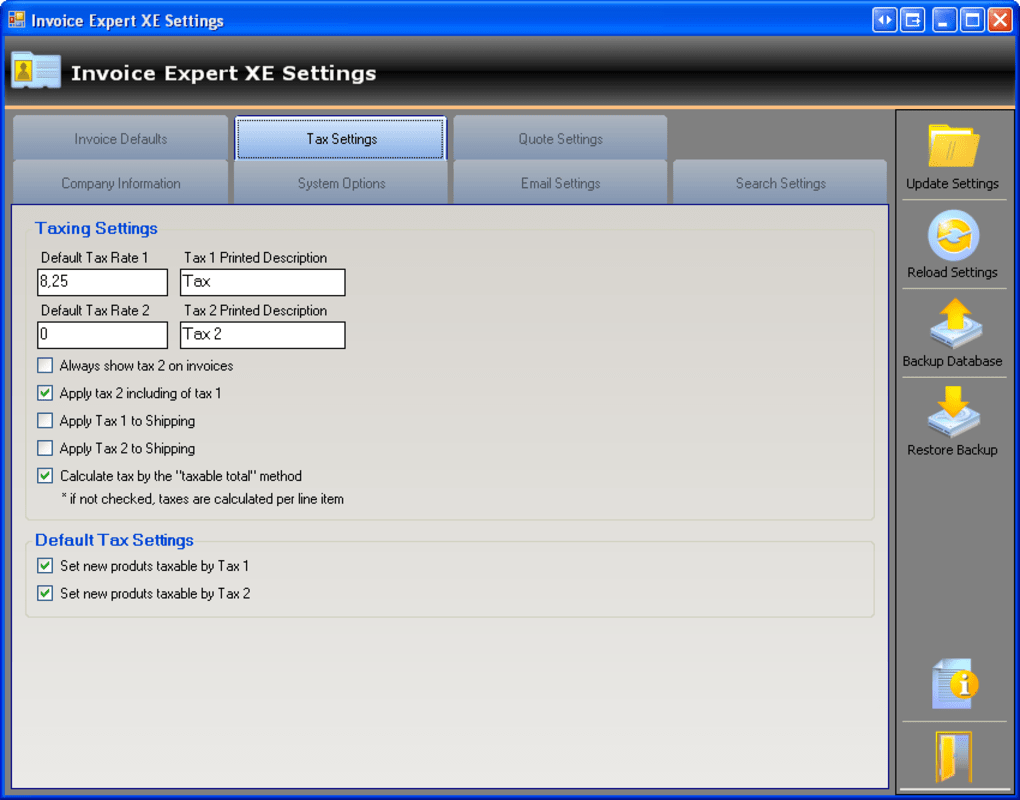
- Automated Calculations: Say goodbye to calculator errors. Invoice Expert automatically calculates totals, subtotals, taxes, and discounts, ensuring accuracy on every invoice. This significantly reduces the time spent on verification and reconciliation.
- Payment Tracking and Reminders: The software allows you to mark invoices as paid, partially paid, or outstanding. This real-time visibility into your accounts receivable is crucial for cash flow management. You can also easily generate reports on overdue invoices, facilitating timely follow-ups and reducing payment delays.
- Recurring Invoices: For businesses with subscription services or regular clients, Invoice Expert simplifies the process of creating and managing recurring invoices, saving even more time by automating repetitive tasks.
- Credit Notes and Refunds: Handle returns or adjustments efficiently by generating credit notes or processing refunds directly within the system, maintaining clear financial records.
Integrated Inventory Management
Beyond invoicing, Invoice Expert offers a sophisticated inventory management system that is invaluable for businesses dealing with physical products:
- Real-time Stock Tracking: Keep an accurate count of your products in stock. As items are sold or purchased, the inventory levels update automatically, providing an immediate overview of your current stock.
- Product Database: Maintain a detailed database of all your products, including descriptions, unit prices, costs, and unique identifiers. This central repository ensures consistency and easy retrieval of product information.
- Low Stock Alerts: Set up alerts for when stock levels fall below a certain threshold. This proactive feature helps prevent stockouts, ensuring you always have popular items available and avoiding missed sales opportunities.
- Purchase Order Management: Generate purchase orders for your suppliers, track incoming stock, and update inventory upon receipt. This streamlines the procurement process and helps manage supplier relationships effectively.
- Reporting on Inventory Movement: Gain insights into which products are selling well, which are slow-moving, and overall inventory turnover. These reports are vital for informed purchasing decisions and optimizing warehouse space.
Designed for Small and Medium Businesses
Invoice Expert’s design philosophy specifically targets the unique requirements of small and medium-sized enterprises (SMEs). Unlike enterprise-level ERP systems that are often over-engineered and prohibitively expensive for SMEs, Invoice Expert provides precisely what these businesses need without unnecessary complexity. Its focus on the core financial and inventory processes ensures that even businesses without dedicated accounting departments can effectively manage their operations. The software scales with your business, providing a reliable foundation from initial growth through expansion.
User-Friendly Interface and Accessibility
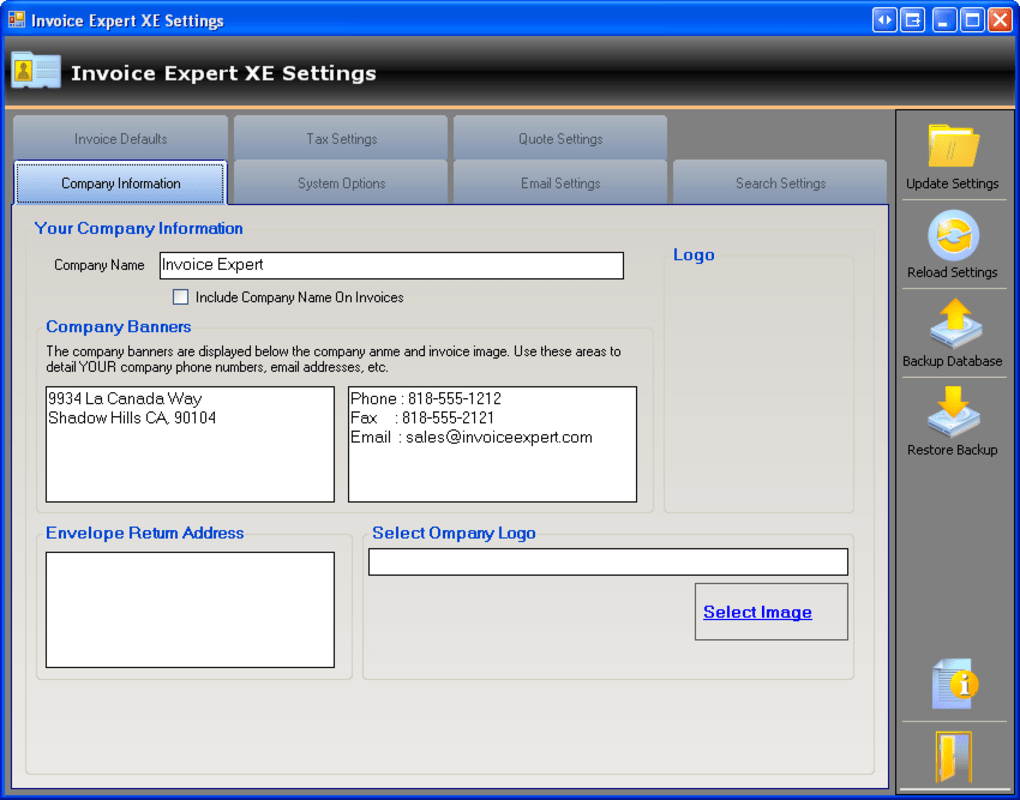
One of Invoice Expert’s most praised attributes, as highlighted in user reviews on PhanMemFree.org, is its intuitive and straightforward interface. Even individuals with minimal technical expertise can quickly grasp its functionalities:
- Clean Layout: The software boasts a clean, uncluttered design that makes navigation simple and reduces the learning curve.
- Easy Data Entry: Inputting client details, product information, and invoice specifics is a breeze, with logical fields and dropdown menus where appropriate.
- Quick Start: New users can get up and running very quickly, generating their first invoice or logging inventory without extensive training or complex setup procedures.
- Windows Compatibility: Developed specifically for the Windows platform (supporting Windows Vista and later versions), Invoice Expert ensures broad accessibility for the vast majority of business users. Its lightweight nature (23.27 MB) means it won’t bog down your system, even on older machines.
This combination of powerful features within an approachable framework makes Invoice Expert an indispensable tool for businesses aiming to optimize their administrative workflows.
Why Choose Invoice Expert?
When considering software for critical business functions like invoicing and inventory, businesses often weigh factors like cost, reliability, and user satisfaction. Invoice Expert consistently scores high on these fronts, making it a compelling choice.
Cost-Effectiveness: A Truly Free Solution
In a market saturated with subscription-based software and freemium models that often lock essential features behind paywalls, Invoice Expert stands out by offering its full functionality completely free of charge. This is a game-changer for startups, sole proprietorships, and small businesses operating on tight budgets. The absence of recurring fees or hidden costs means businesses can allocate their financial resources to other critical areas like marketing, product development, or employee training. This economic advantage significantly lowers the barrier to entry for professional financial management, allowing even the smallest entities to operate with the professionalism and efficiency typically associated with larger corporations.
Robust Performance and Reliability
While free, Invoice Expert doesn’t compromise on performance or reliability. The software is developed by Invoice Expert itself, indicating a direct commitment from the developer to its product. The latest version (2.93, updated June 8, 2023) suggests ongoing development and maintenance, ensuring compatibility with newer Windows operating systems and addressing any potential issues. Its relatively small size (23.27 MB) also points to an optimized codebase, minimizing resource consumption and maximizing operational speed. This reliability is crucial; businesses depend on their financial software to be stable and available, and Invoice Expert delivers on this promise. PhanMemFree.org’s security status check confirms its cleanliness, assuring users of a safe download.
Community Acclaim and User Testimonials
The true test of any software lies in the experiences of its users. Invoice Expert has garnered positive reviews from its community, echoing its effectiveness and ease of use. As noted on PhanMemFree.org, users have consistently praised its utility for small and medium-sized businesses:
- “Great Software for small businesses. This is perfect for my business - much better than some of the other software I was trying out.” – Anonymous, May 14, 2014.
- “PERFECT for small to medium sized businesses. This is a great, easy to use software that has really helped me running my business. Give it a try!” – Anonymous, May 14, 2014.
These testimonials highlight the software’s ability to genuinely help businesses, often outperforming paid alternatives. The recurring themes of “great,” “perfect,” and “easy to use” underscore Invoice Expert’s success in meeting its design objectives. Such feedback provides valuable social proof, encouraging new users to adopt a solution that has already proven its worth to others in similar positions. The community’s endorsement reinforces the idea that Invoice Expert is not just a free tool, but a high-quality, reliable, and genuinely helpful one.
Getting Started with Invoice Expert
Embarking on the journey of digital financial management with Invoice Expert is designed to be a straightforward process, ensuring that businesses can quickly integrate the software into their daily operations.
System Requirements and Installation
Invoice Expert is developed with accessibility in mind, particularly for users of the Windows operating system.
- Operating System: It requires Windows Vista or any later version of Windows (including Windows 7, 8, 10, and 11). This broad compatibility ensures that most businesses can run the software without needing to upgrade their existing infrastructure.
- Language: The software is available in English, making it accessible to a wide international audience. Translations into other languages like Spanish, French, German, and many more are also available for download, as indicated on PhanMemFree.org, broadening its global reach.
- Download and Installation: Obtaining Invoice Expert is simple. Users can download the free installation package directly from platforms like PhanMemFree.org. The file size is a modest 23.27 MB, ensuring a quick download even on slower internet connections. The installation process is typically guided by a standard wizard, requiring minimal technical intervention. Once installed, the application is ready to be launched and configured for your specific business needs.
A Glimpse into the User Experience
Upon launching Invoice Expert, users are greeted with an intuitive dashboard that typically presents options for creating new invoices, managing clients, adding products to inventory, and viewing various reports.
- Client Management: You can easily add and manage client profiles, storing all necessary contact and billing information, which can then be quickly pulled up when creating invoices.
- Product/Service Catalog: A dedicated section allows you to build a comprehensive catalog of your products or services, complete with descriptions, prices, and inventory levels. This standardization streamlines the invoicing process and ensures consistency.
- Invoice Creation Workflow: To create an invoice, you typically select a client, add items from your product/service catalog, specify quantities, and the software handles the rest—calculating totals, applying taxes, and generating a professional document. Invoices can often be saved as PDFs, printed, or even emailed directly to clients.
- Reporting Tools: Invoice Expert offers a range of reports that provide insights into sales trends, outstanding payments, inventory levels, and customer activity. These reports are invaluable for strategic decision-making and financial planning.
The entire user journey from installation to daily operation is geared towards simplicity and effectiveness, reflecting the developer’s understanding of the time constraints faced by small business owners.
The Broader Landscape: Invoice Expert and its Alternatives
While Invoice Expert offers a powerful and free solution, it exists within a competitive ecosystem of financial management tools. Understanding its position relative to other options helps solidify its value proposition.
Standing Out in a Competitive Market
The market for invoicing and billing software is diverse, ranging from simple templates to full-fledged ERP systems.
- Free Invoice Maker: A direct competitor often listed alongside Invoice Expert on PhanMemFree.org. While it focuses primarily on digital invoice creation, Invoice Expert offers the added benefit of integrated inventory management.
- Express Invoice Free Edition: Another free option for Windows, known for its simplicity. However, similar to Free Invoice Maker, its feature set might be more focused on invoicing than Invoice Expert’s comprehensive billing and inventory capabilities.
- Tally.ERP 9: A more extensive free ERP software package. While powerful, Tally.ERP 9 is often perceived as having a steeper learning curve and a broader scope, potentially overwhelming for businesses that primarily need focused invoicing and inventory solutions. Invoice Expert provides a more streamlined approach for those specific needs.
- Petal Invoice - Invoice Generation Software: Often a trial version, focusing specifically on generating customer order invoices and payment receipts. Invoice Expert distinguishes itself by being completely free and integrating inventory management.
- Excel Invoice Template: While offering flexibility, an Excel-based solution lacks the automation, integrated database, and robust reporting features found in dedicated software like Invoice Expert. It also requires manual maintenance and is prone to template corruption or user error.
Invoice Expert’s unique selling proposition lies in its combination of being truly free, having an integrated inventory management system, and maintaining a user-friendly interface tailored for small and medium businesses. It strikes an excellent balance between functionality and accessibility, often providing more comprehensive features than other free or low-cost invoicing-centric tools, without the complexity or cost of full ERP systems.
Complementary Tools and Related Applications
For businesses seeking to augment Invoice Expert’s capabilities, or exploring related financial tools, PhanMemFree.org also lists several other applications that cater to various aspects of business finance and productivity:
- ProjectLibre: For project tracking and management, which complements financial planning.
- TradingView and Binance: For businesses involved in monitoring financial markets or crypto trading.
- Cudo Miner: For increasing crypto mining output.
- ERP SMALL BIZNESS, HS Invoice Manager, EasyInvoice: Other invoicing and business management solutions, often trial versions or with different feature sets, offering alternatives if specific, niche requirements aren’t met by Invoice Expert.
- Yapbam: A free personal bank account manager that could be used for broader financial oversight.
These related topics and alternative applications available on PhanMemFree.org illustrate the vast ecosystem of tools available to businesses. Invoice Expert carves its niche by providing a strong foundational solution for invoicing, billing, and inventory, often serving as the primary financial management tool for many small and medium businesses before they might consider more specialized or advanced ERP systems. The fact that it is regularly featured among “Top downloads Finance for Windows” on PhanMemFree.org further solidifies its reputation and popularity among users seeking reliable financial software.
Conclusion: Empowering Businesses for the Future
In an era where efficiency and cost-effectiveness are paramount for business survival and growth, Invoice Expert emerges as an indispensable tool. It transcends the basic functionality of an invoicing program, evolving into a holistic financial management system that empowers small and medium-sized businesses to thrive. By simplifying the often-dreaded tasks of billing, invoicing, and inventory control, it frees up invaluable time and resources, allowing entrepreneurs to focus on innovation, customer relationships, and strategic expansion.
The commitment of Invoice Expert to providing a truly free, robust, and user-friendly solution for the Windows platform is commendable. Its consistent performance, positive user feedback, and comprehensive feature set — encompassing everything from professional invoice generation to integrated inventory management — make it a standout choice. In a world where every penny and every minute counts, Invoice Expert offers an unparalleled opportunity for businesses to professionalize their operations without incurring significant costs.
For any small or medium business owner seeking to shed the burden of paperwork, enhance financial accuracy, and gain better control over their inventory, Invoice Expert represents a smart, strategic, and accessible investment in their future. It’s more than just software; it’s a partner in productivity, paving the way for streamlined operations and sustainable growth in the competitive business landscape. As highlighted on PhanMemFree.org, it continues to be a top download in finance for Windows, a testament to its enduring value and impact on businesses worldwide.
File Information
- License: “Free”
- Latest update: “August 13, 2025”
- Platform: “Windows”
- OS: “Windows XP”
- Language: “English”
- Downloads: “7.7K”
- Size: “24.70 MB”


